I am having a hard time zooming with my mouse wheel or panning in the model interface because each move is a big distant. It’s either getting to close to my target or a little too far. If I want a slower and finer zooming or panning, is there a setting to adjust that?
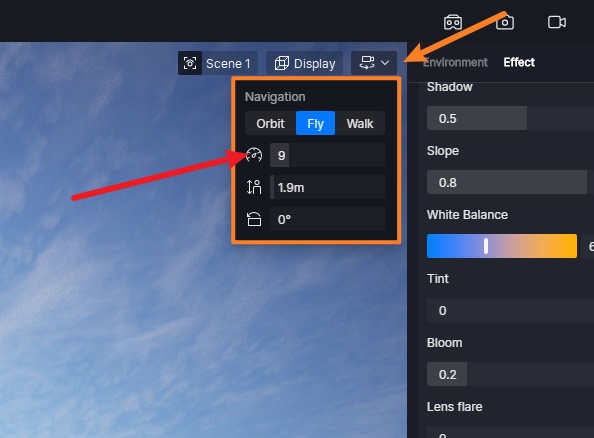
You can adjust the number here, the lower the number, the slower it moves, you can move faster by holding Shift
2 Likes
Thanks for explaining. 
1 Like
That used to help before, but in the newer version (3.0) it doesn’t seem to affect the zoom sensitivity anymore. Even when pressing SPACE, the scroll zoom speed stays exactly the same, so it’s still very jumpy when trying to make small adjustments.