Can you close the “group by material assets” in the converter and try again?
I’m Having the same issue and I tried everything, but still doesn’t work 
No me deja enlazar de revit a d5 render, las versiones anterior si me dejaba normal, me pueden ayudar por favor
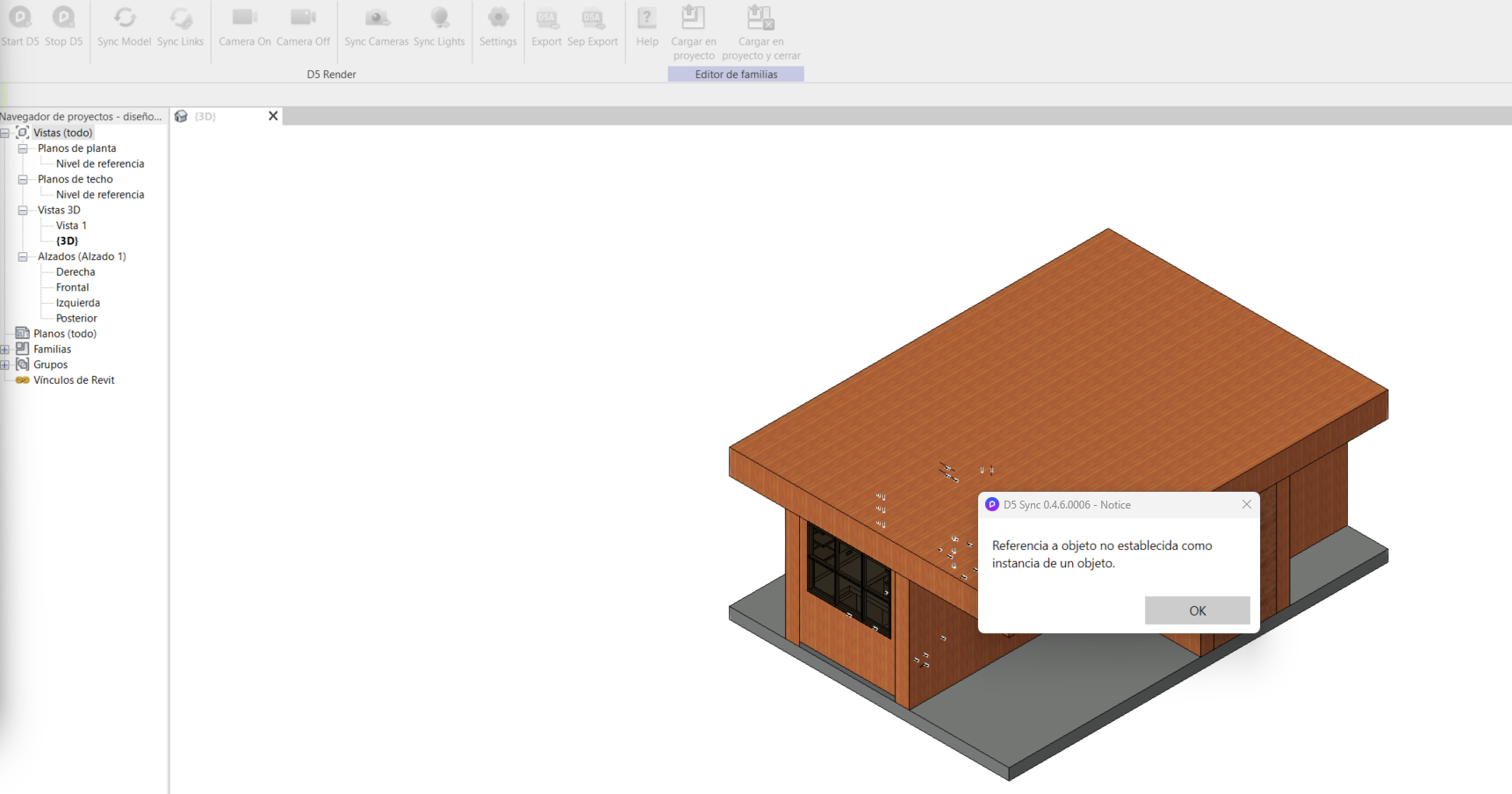
Me aparece REFERENCIA A OBJETO NO ESTABLECIDA COMO INSTANCIA DE UN OBJETO
OBJECT REFERENCE NOT SET TO AN INSTANCE OF AN OBJECT
Hi there
Have the same problem, Were you able to solve it?
When is Revit 2026 support coming ?
We will certainly support Revit 2026, but we do not have any specific dates yet. We will let you know once we have started our Beta Test so we can invite you. Thank you.
Thank you. I am very interested in the beta test.
I will be waiting for your invitation
1 Like
Can you guys explain how the Export and Separated functions work in the D5 tab in Revit? This video is 4 years old. The menu doesn’t look like that anymore.
Is it possible to set the setting to export families rather than categories before starting up D5? Or do I need to export separately? I’m finding it hard to link the model back in when I export separately. A video of that workflow is nowhere to be found.
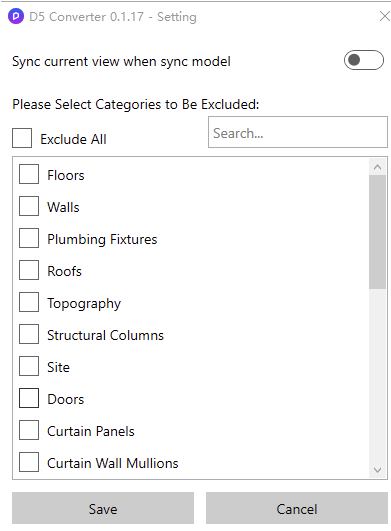
Do you mean this one? Basically, if you have some families that do not need to be exported, you can exclude them. If you need to update the model, i think you can do the same process and reload the model in D5 (this will prompt you to select the file)
Hi, when can we expect the plugin for Revit 2027?
Revit 2027 is expected to launch alongside Lite for Revit. We can’t disclose the exact date, as it may be subject to change, but it’s likely to be released next month if everything goes smoothly.
Beta testing will take place before the official release and is typically accessible through our Discord community, we’ll share more details as we get closer.
In the meantime, if downgrading to Revit 2026 is an option for you, that may be the best path forward. You can convert your Revit 2027 file to IFC format and open it in a previous version of Revit.
Thanks for the update, and release timeframe. Now that we know it’s not imminent we can plan projects accordingly.
Lite is coming for Revit? That’s amazing! Can I sign up to be a beta tester?
Hi @zazantiago
Yes, D5Lite is coming to Revit, together with Revit 2027 support. If you’re interested, you may share to me your Discord Username so we can invite you once beta testing will start.
Sure thing! It’s zazantiagol

No numbers for me, just plain name.

1 Like
Hi everyone,
Please check: