Hi, Since I’ve reinstalled D5 on a new PC, I’ve to relogs to my D5 Render account each time I open it. How can I resolve this ?
Thank You
Hi @fchapot
Apologies for the inconvenience caused. Could you please confirm the following:
- Are you logged into the same D5 account on another device at the same time? (D5 only supports one active session per account.)
- Is your internet connection stable when launching D5?
- Did you install D5 as Administrator, or under a standard Windows user account?
- Are you using any firewall, antivirus, or VPN that might block D5 from maintaining server connection?
- What is your exact D5 version number?
Hi, belows stands my replys :
1 - It’s possible; my other PC is in Germany for repair and D5 is installed on it.
2 - Yes
3 - I don’t know, I think it’s a classic installation
4 - No
5 - The last one (3.0.1 ? )
Thank you
Hello. I am experiencing the same issue as the colleague above. Since the last D5Launcher update, I am logged out of my account after a few hours and have to log in again when launching Launcher or D5 Render. Regarding your questions:
- I am logged into D5 on only one device and use only one account.
- My network connection is stable.
- D5 Render and Launcher are installed in the Program Files directory from the administrator level, and the programme and launcher are run from the user account level.
- I do not use a VPN, I use the firewall and antivirus built into Windows, no external ones.
- D5 Launcher version 1.1.1.0005, D5 Render version 3.0.1.0683.
Best regards and thank you for looking into the matter.
Thanks for reaching out. If you are still experiencing your D5 account automatically logging out, kindly share your log files with us.

Hi ! here is a link, it’s huge (14 mo) and the forum system is limited to 4mo.
https://www.swisstransfer.com/d/7edcf69a-96fa-4556-999d-43925aef724c
Thanks
Hi. Link to the zip file with log files below:
Best regards.
Thank you for sending the logs. I’ll keep them on record for our team to review and get back to you as soon as there are any findings or updates.
We appreciate your patience and cooperation.
We have reviewed the logs you previously sent, and we found that the re-login behavior appears abnormal. We are continuing our investigation to determine the root cause. In the meantime, I will provide you with a private network speed test tool so we can also rule out connectivity-related factors.
Thank you for your cooperation and understanding.
1 Like
Hi all, firstly we love D5 in our design practice, it has replaced all other render engines. Today unfortunately we started having log in issues. Firstly, being logged out as soon as I create a new project then shortly after I could not log in at all.
Internet connectivity is strong, we are using the latest version of D5 3.1 and the latest windows update. System requirements for D5 are all within the acceptable standards.
Nothing has changed except the recent Windows update. Any help appreciated.
Hi @snrdesigner
I’m sorry to hear about this. Regarding the login issue, I’d like to clarify a few things to help narrow this down:
- Are you using any firewall, antivirus, or VPN that might be blocking D5 from maintaining a stable server connection?
- Did this start suddenly today, or has it been happening since version 3.0.1?
- When you’re unable to log in, do you receive any error prompt or message, or does it simply fail without warning?
- Can you not log in to both D5 Render and Launcher? Can you log in to your account via the MySpace website? https://myspace.d5render.com/
Please also share your D5 log files
Thank you for your patience, and I look forward to your response.
Hi Ela,
Thank you, I appreciated your prompt reply and support.
The firewall and antivirus have been the same since I moved to D5 in the earliest of versions and has been fine up to the new release. It started late last week when I was getting errors in regard to using material snap and post render AI tools, they simply would not work. Earlier today I could log in however I was quickly logged out when opening a new project. Late today aI could not log in at all although it notes I’m verified, correct password and strong internet connection.
Logging in here to the forum I have no issues.
Up till now I have never had an issue and would it be associated to the latest Windows security update? It has only happened since updating to the new version 3.1.
Please find attached logs and the error from the asset library.
We a thrilled with what the team has achieved and appreciate the assistance.
Looking forward to sharing some of our work, once we can log back in.
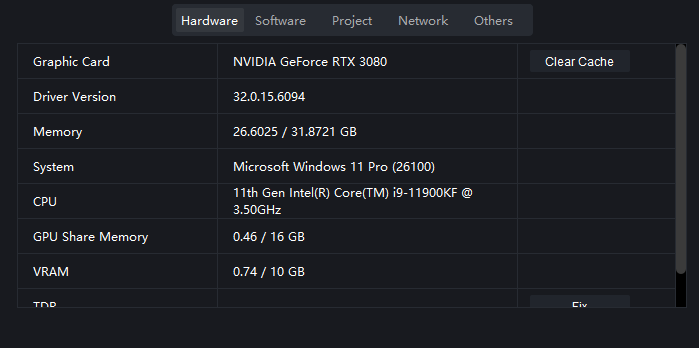
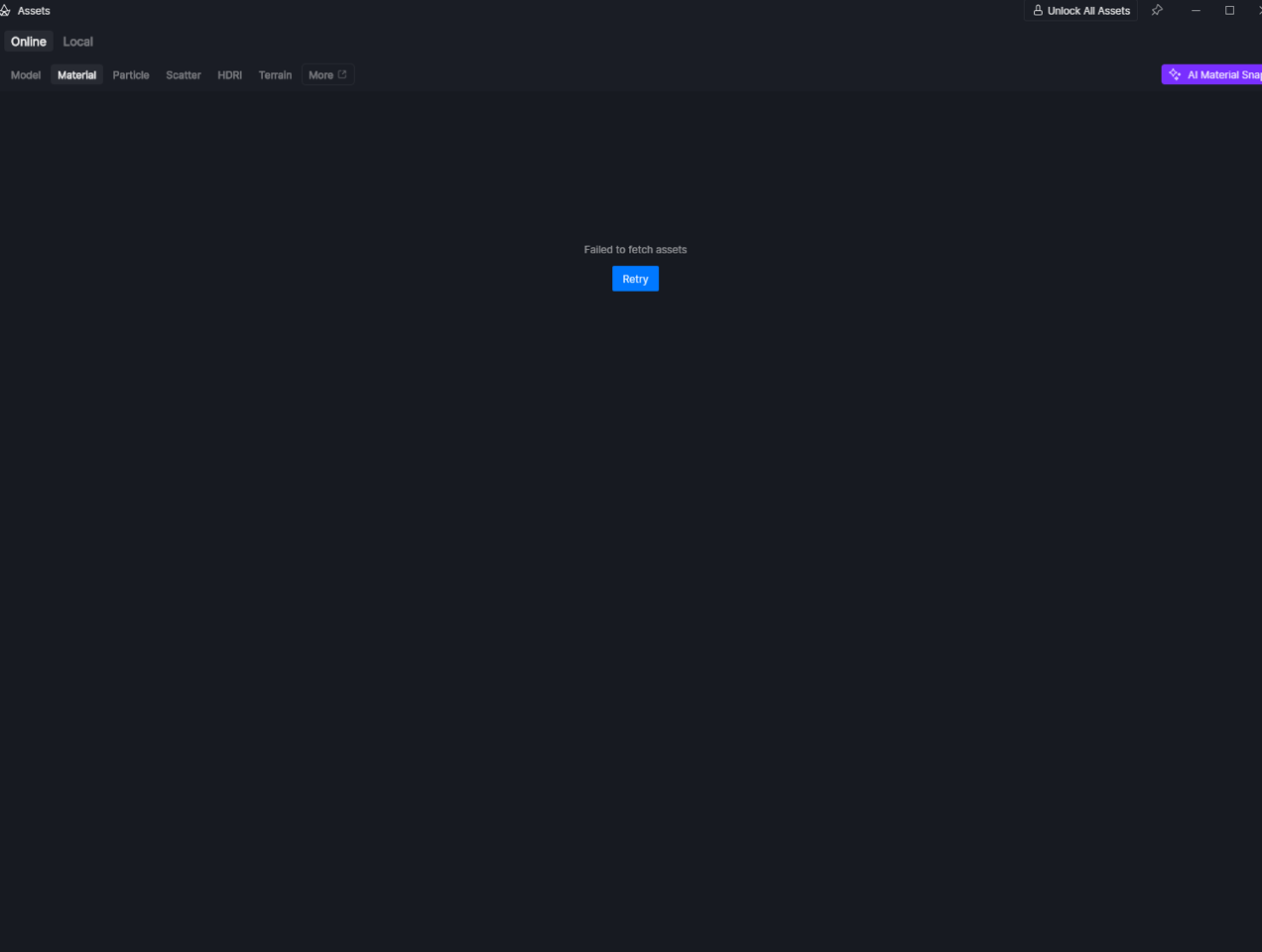
Hi @snrdesigner
Thank you for the detailed explanation and for sharing the screenshots. Unfortunately, we specifically need the generated log files.
Please follow the screenshot I sent above and click “Collect Logs”. You may also refer to the Support Tool guide if needed. How to use Support Tool? | User Manual
This will produce a compressed (.zip) file containing the necessary system and error data. Kindly attach that zipped file in your next reply so we can thoroughly investigate the issue.
Thank you for your patience, and looking forward to your reply.
Hi Ela,
Thank you for the reply. I have sent the support team the details however, as of this morning Australian time I was able to log back in via the D5 icon in the default Windows tray. At first the same issue remained in the shortcut launcher, however after a successful log, I was able to log out and log back in successfully via the shortcut icon on desktop. I have saved all system report files in case it was to happen again. Strangely, overall speed and performance is the best it has ever been.
Thank you again for your support, we are back up and running.