Hi, whenever I try to use the “Cast Shadow” option for the Clouds, the preview starts blinking, alternatively showing the cloud’s shadow and not showing it…
When I render, I don’t have any shadow from the clouds.
I’m working with two PCs, one on a RTX 4060 laptop, and the other on a RTX 4070. Same problem on both.
Problem appeared a few versions ago.
Any ideas?
I apologize for the inconvenience. Can you send us a screenshot or video recording of this particular issue that you are experiencing?
- You may want to try to update your Graphics Card Driver to its latest version. You can update it via NVIDIA GeForce Experience Application.
Aside from that, please also send us the following images:
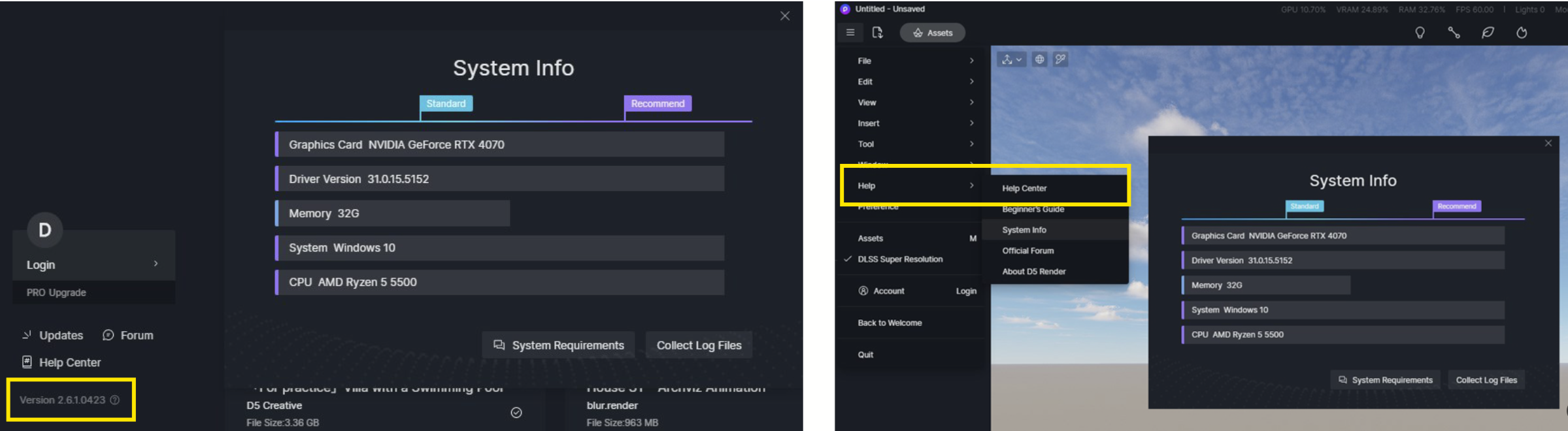
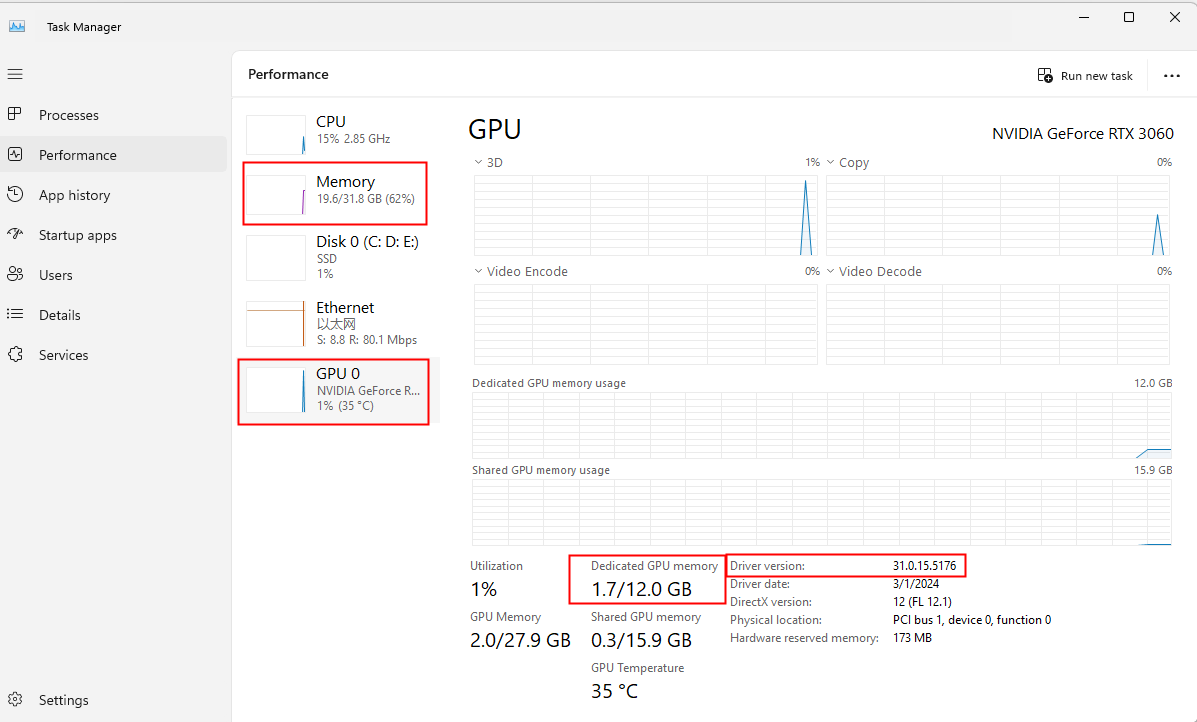
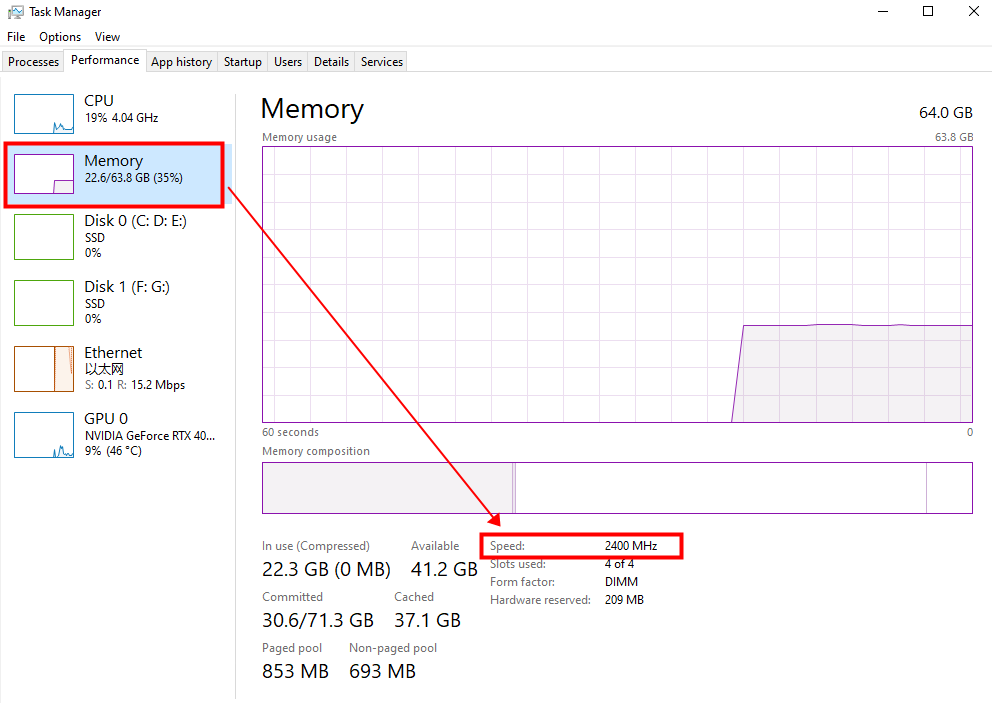
Hi, sorry for the late reply.
Problem apparently solved by installing the latest Nvidia drivers (Game Ready) WITH the option to uninstall the old drivers.
I’ll keep you informed if the problem shows again.
Hi Clov,
I stand corrected, problem is still here. Sometimes it’s ok, sometimes it’s here. Restarting D5 sometimes solve the problem.
On renders Shadows from the clouds arn’t showing…
New version of the driver is GeForce Game Ready 576.02. Didn’t check wich one it was before.
Please find the required screenshots below.
A video recording of the problem can be seen here: Screen recording
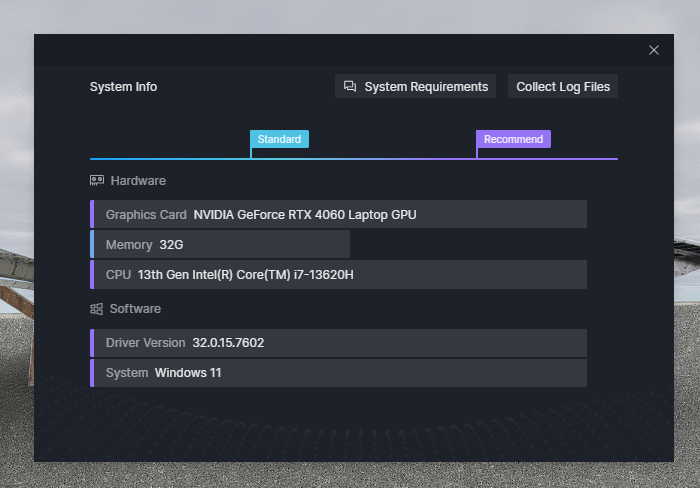
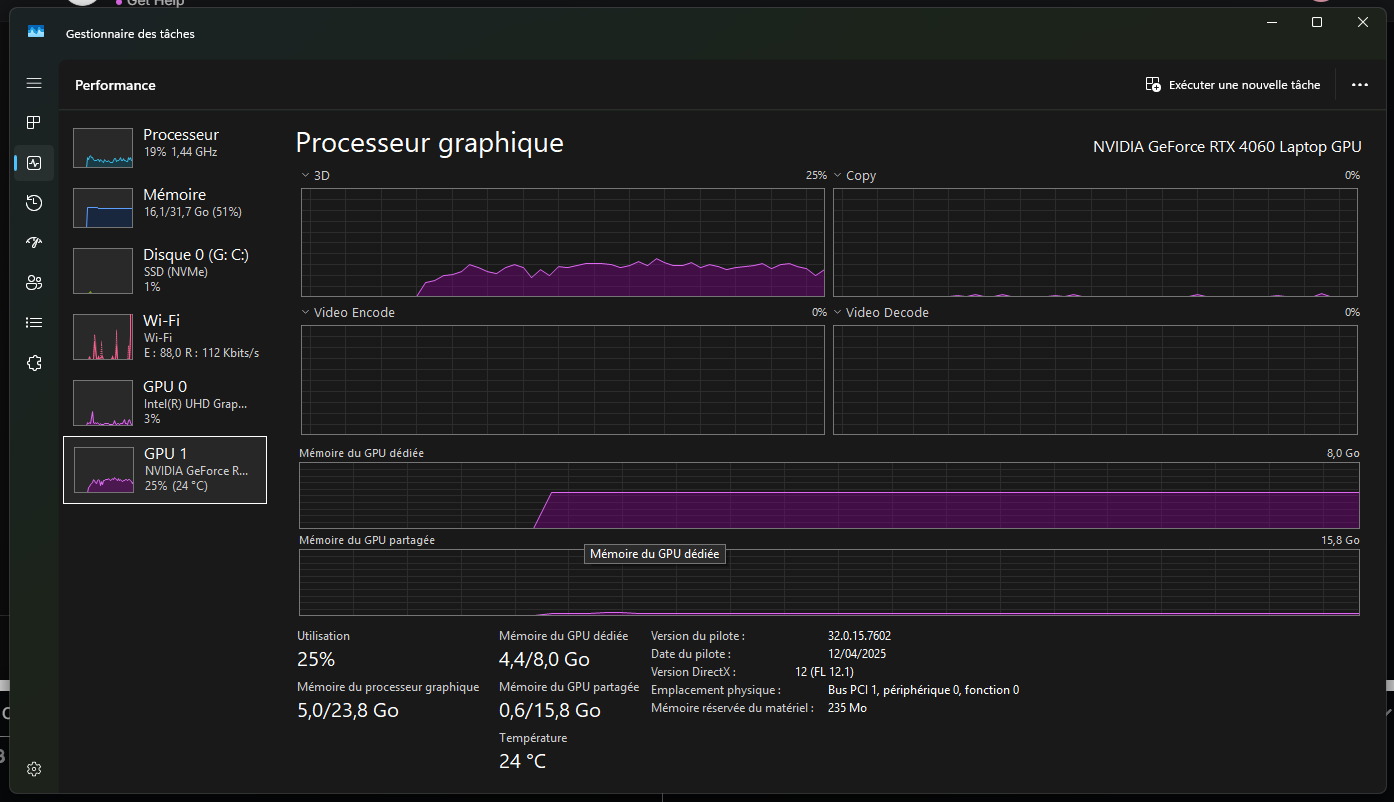
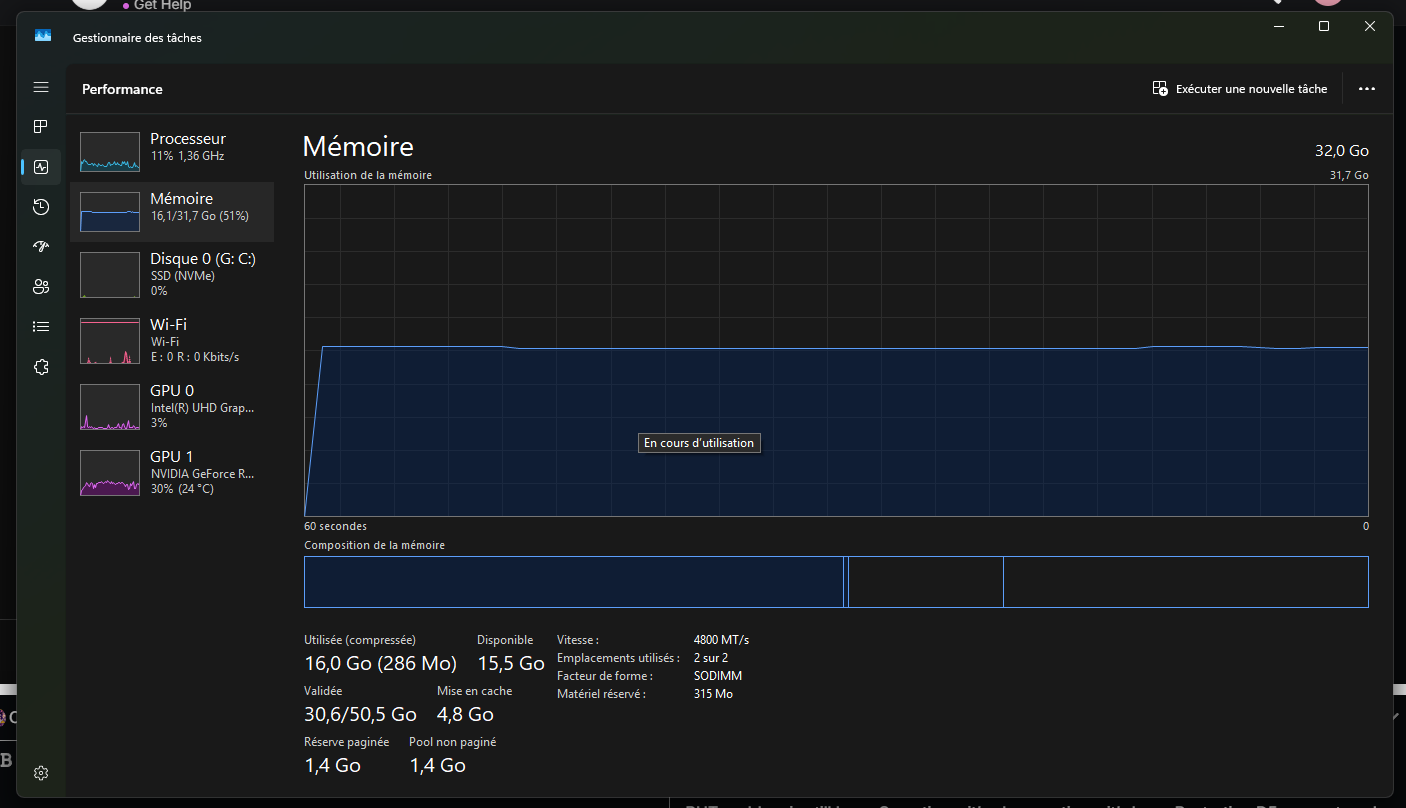
Thanks for these images and video recording. I may need to clarify a few things.
- Does this issue occur in a specific file only, or is it evident in all of your files?
- This issue only occurs when the Cast Shadow option for Clouds is enabled, right? And if its disabled is it normal?
- Can you please check whether the surface of your model and D5’s Terrain are clashing?
Recommendations:
- Please revert back to the previous version of your NVIDIA Driver since 576.02 is known to have several issues. I suggest using 572.47 for now, up until NVIDIA has released an official fixed version.

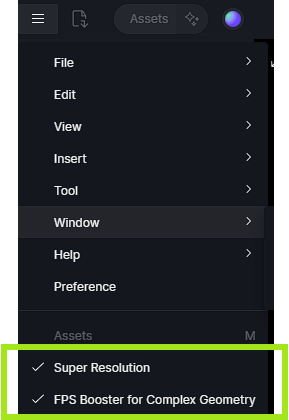
- Please try to disable FPS Booster or Frame Generation and see if the issue persists.
Hi Clov,
Sorry for late reply.
- Issue occurs in all files
- Only when “Cast Shadows” option for Clouds is enabled
- No clash between D5’s terrain and the model surfaces
- FPS Booster and Frame Generation are off.
- Driver version is now 572.47
Can you please try to use the Demo Scene File - Residence Lawn and enable “cast Shadows” then see if the issue persists. You may attach a recording of it too.
- I was able to try it on my end using the Demo Scene file and there were no blinking in the preview screen when I enabled “Cast Shadows”
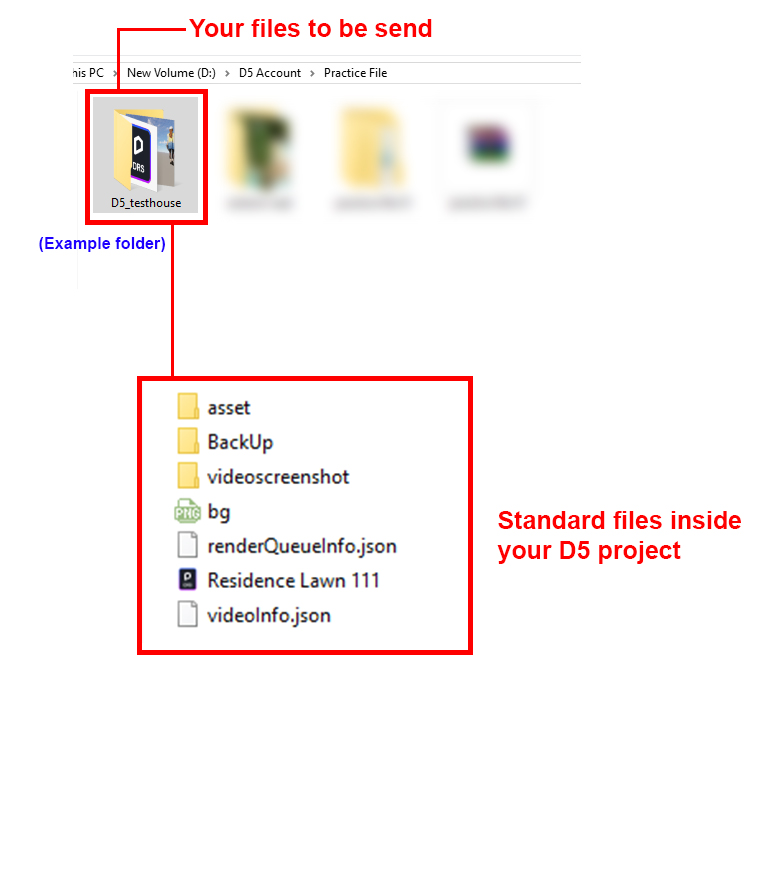
You may also send us your scene file and log file to support@d5techs.com and have it titled ‘Clov-Forum Problem with Cast Shadow on Clouds’
- Complete folder guide
- Log files - How to use Support Tool? | User Manual
Hi, may I ask if the problem is solved yet? I’m experiencing the same issue
1 Like
Hi @nhat8877
I apologize for the inconvenience. Please try the following:
- Update your Graphics Card Driver
- Try to disable any of the following: Super Resolution, FPS Booster, DLSS, or even Path Tracing and see if there are any differences.
Hi! I’m coming back to you with this issue.
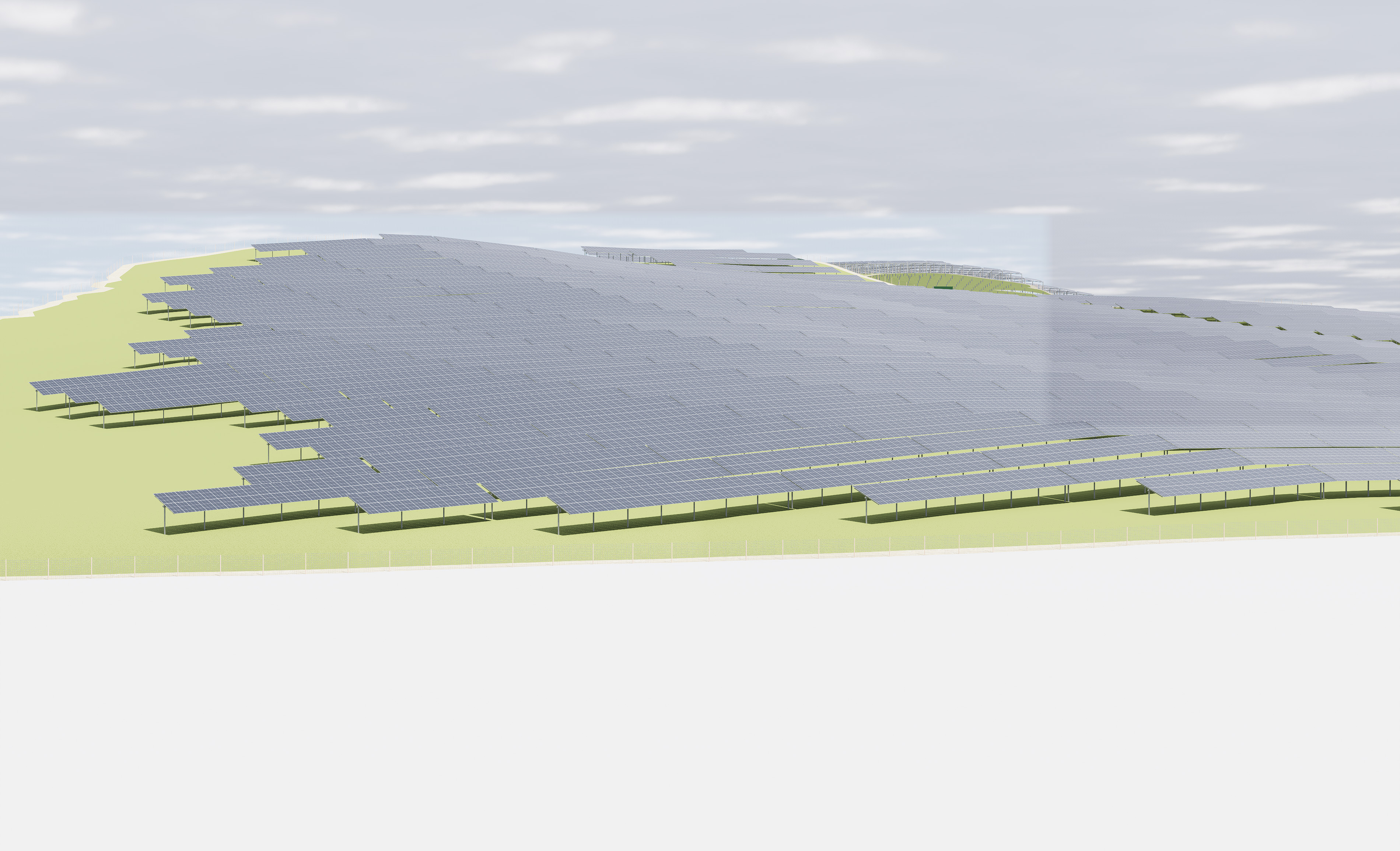
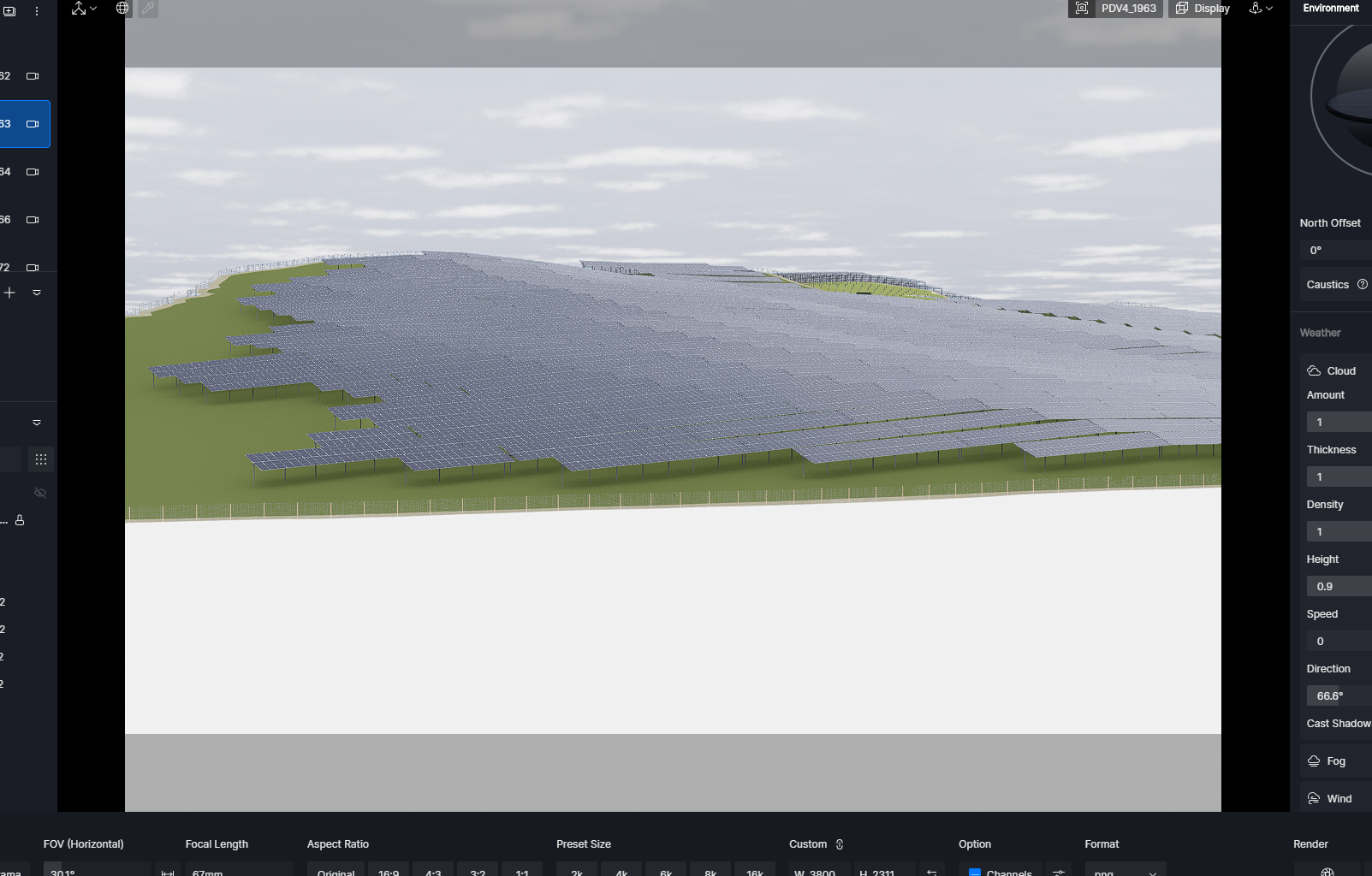
I still encounter the issue with clouds. This time the preview is ok, but when I render the sun gets through, and I notice rectangular zones where the lighting is different. Quite visible in the render below, the top and right parts are darker than the rest…
This is the render:
1 Like
Hi!
To keep you updated on this topic: selecting Pathtracing for rendering eliminates the problem. Cast shadow for clouds works for me this way.
1 Like
Thanks for the update. If the official 2.11 version comes out, please try to test this specific file.
i have same problem but only when i use Geo-sky, i think that is a bug. Switch to custom instead of Geo-sky may fix the problem. The shadow may works in Geo-sky when it’s a default file. But when it’s on a heavy file, the problem appears.
BTW, I found out that in heavy file, the shadow of cloud still works but not in the near region, you have to zoom way the hell out to find the position where which is works and move all the way your model to that position (at least 5-10km LOL), out of the region of default terrain may be. Hope you guys fix it in the next version or it’s like a pain in…
Sorry to hear about this. To help us better understand the issue with Geo-Sky, could you please provide a screenshot or a short screen recording of the problem? This will allow us to check the shadow behavior more accurately. Thank you
i found out that in geo-sky environment (not only in large-heavy file), the cloud shadow not working in default terrain area (the white rectangle about 4000mx4000m), but it works in that far-way area. Issue that normaly i want to keep the position of the original coordinates of modeling software like sketchup, 3dsmax… or else normally it may cause some bugs of two-far-away model from original axis and diffucult to manage reload, replace of modeling files (adding more particular modeling files for example)
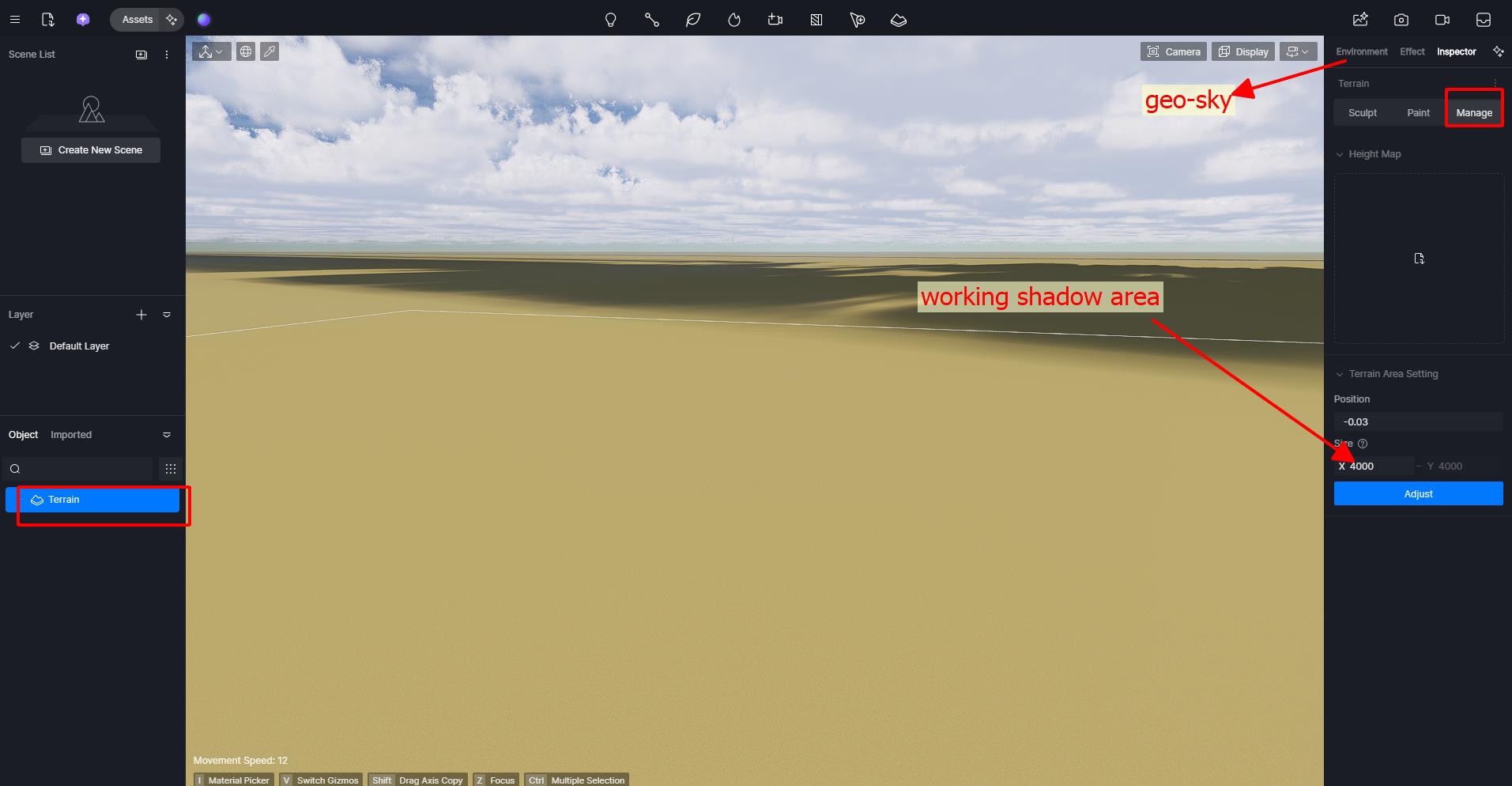
but the cloud shadow works fine with custom environment
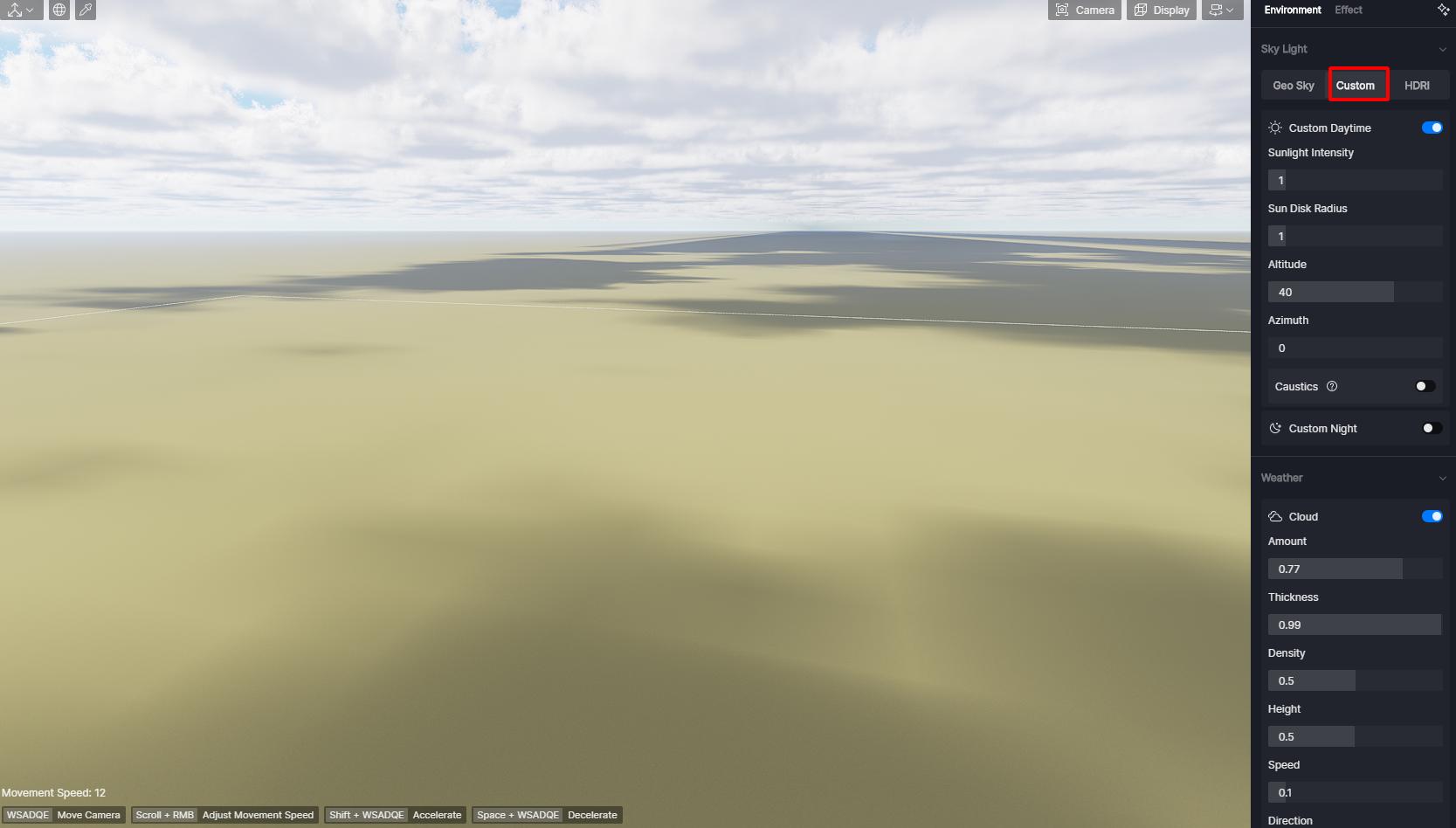
i use Nvidia Geforce RTX 3060 and 577.00 for graphics driver
Turn on or off Super Resolution, FSR…, FPS… could not fix it, it even gets the flickering issue more worse
1 Like
Here experiencing same issue, cloud not casting shadows…
In my viewport they are flickering (can’t send video in the chat tho).
Oscillate between this image and the other
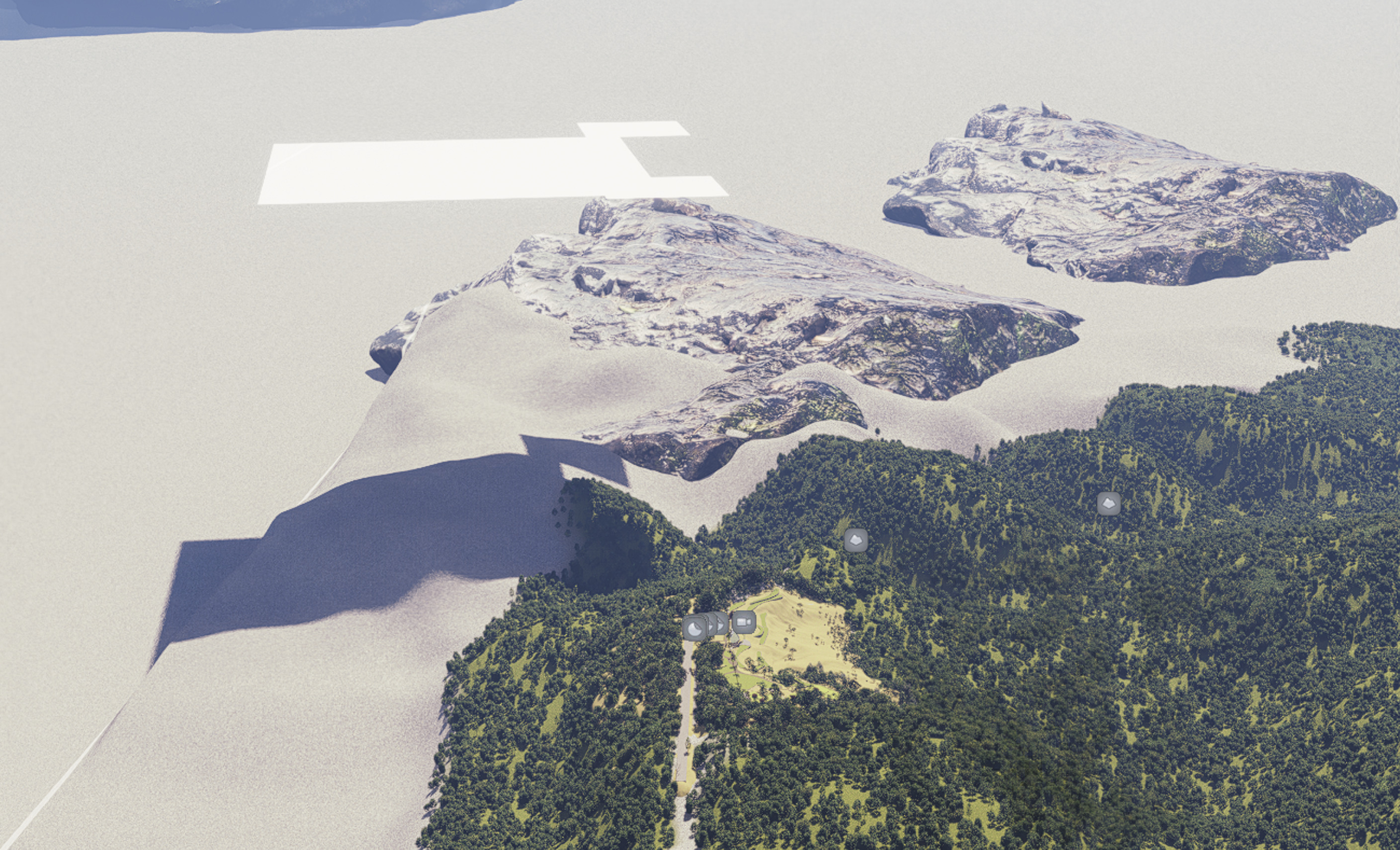
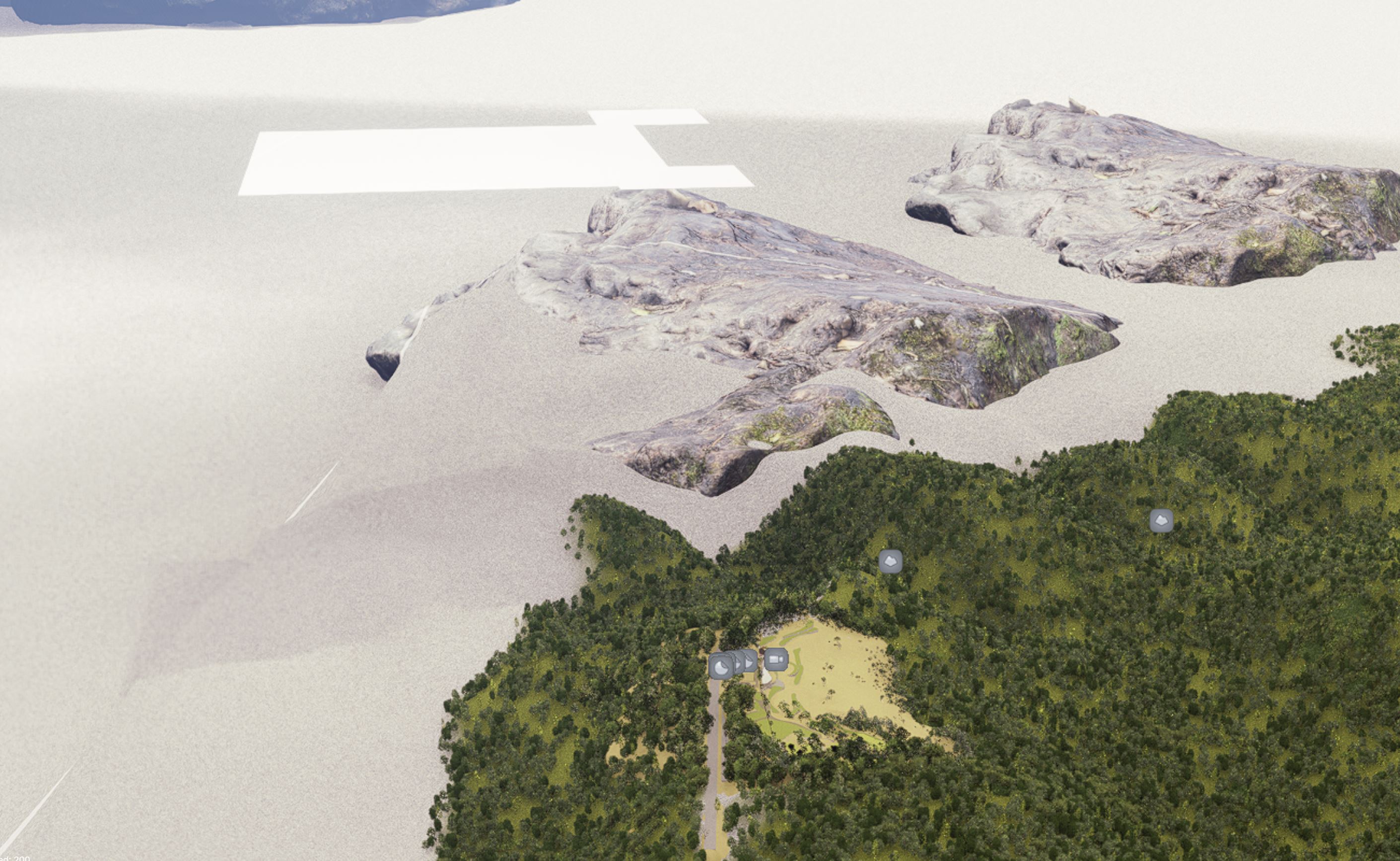
Rendering didn’t change anything nor turning off Super Res, FPS boost, etc.
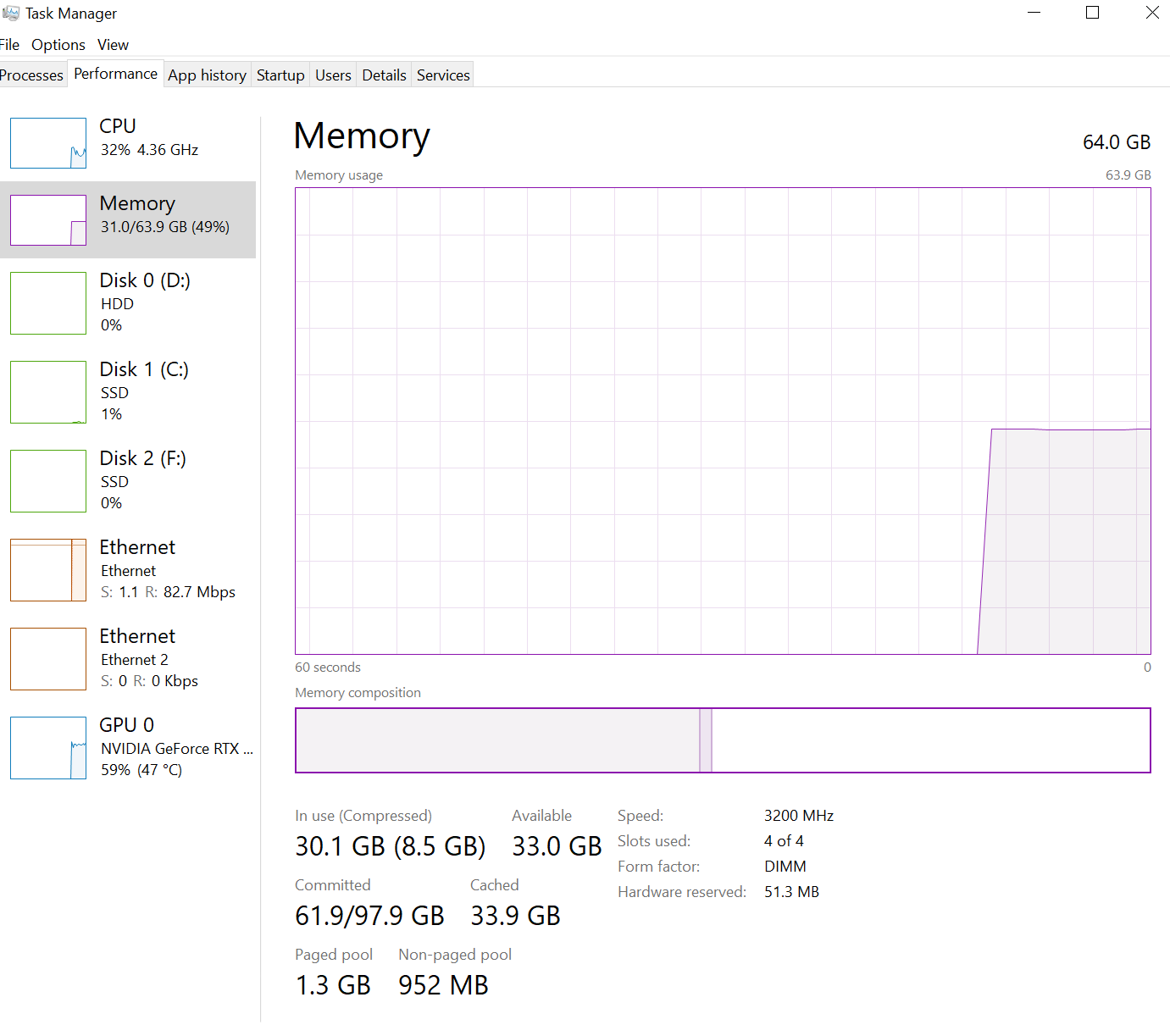
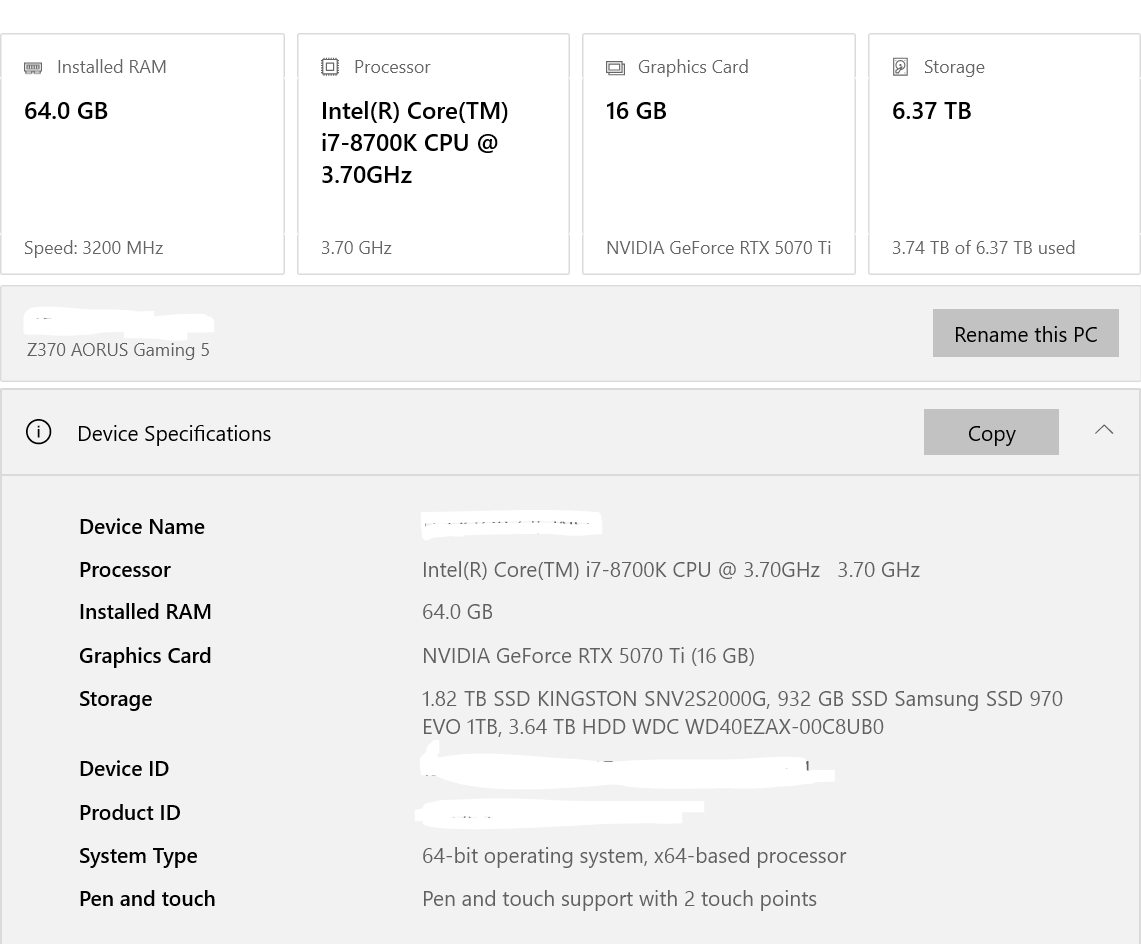
Thanks,
CC
I can replicate the issue, particularly when dealing with moderate to complex terrain. We have escalated this matter to our team. While we cannot guarantee a fix in the next update, please be assured that we have documented the issue and are aware of it.
- I’ll be sharing any updates as soon as possible.
1 Like