Everytime I open a D5 project I have to reassign every keyboard shortcut… Never saves the changes I make, I found a similar post where it was solved in the version 2.9.1. … I am on 3.0.1 and it doesnt work. Any ideas?
Sometimes I have the same mostly randomly. Something wrong is going while closing D5.
Thanks for reporting this. Issues where settings do not persist in D5 Render may be related to configuration or permission problems.
To help diagnose it, could you confirm:
- Is the problem limited to keyboard shortcuts, or do other preferences also reset?
- Are you running D5 as administrator?
- Do you use antivirus/security software that might block configuration writes?
- Have you checked whether the configuration folder is read-only?
- Does the issue occur across all projects?
Looking forward to your reply.
Hi @ela
In my side it is related to reset all settings except keyboard shortcuts. It is very randomly. I do not use any antivirus. D5 is running as normal user with administrator privileges but I not use “run as administrator” command.
Hi @Smolak
Thank you for the clarification. When you say randomly, do you mean that sometimes the settings are saved correctly and other times they are not? Also, during the times when the settings were not saved, did you make any changes to D5 or your system?
If there were no system changes, please send your log files to support@d5techs.com, tag me, and include the link to the forum post for reference. Thank you
Hi,
Randomly in English is exactly like you said - “that sometimes the settings are saved correctly and other times they are not”
During closing D5 Render I didn’t made any changes. Just randomly after closing it we have reseted preferences. But keyboard preferences are still the same.
Got it @Smolak
Unfortunately, I cannot replicate it on my end as the preferences normally save after customizing them. Please send your log files to support@d5techs.com , tag me, and include the link to the forum post for reference. Thank you for your patience
Hey @ela !
glad to not be the only one experiencing this.
heres my situation:
- The one I am mainly concerned about is the Look around shortcut which is LMB default, RMB is my preference.
- I am running it as a normal user, will try to run as admin and report back. edit: did not help.
- Only windows defender, nothing else.
- No idea about a configuration folder, where is it located? Is it the config file in D5 files? If yes then it should be editable.
- Yes, everytime I open a D5 project the configuration resets. It can be the same one or different one. Once you close D5 and reopen the config is back to default.
Could it be caused by using D5 launcher? I dont usually open the D5 render application but do it through the launcher.
Hi @kafkaja6
Thank you for your detailed response. Opening through the launcher should not normally cause this behavior, so that is unlikely to be the root cause.
To help us narrow this down, could you please check the following:
-
After changing the shortcut (for example, switching Look Around from LMB to RMB), do you click “Apply” and then close D5 normally?
-
Please locate the Saved folder on your system. After changing a shortcut and closing D5, check the Saved file’s “Date Modified.” Does it update?
-
Do you have full read/write permissions for that folder?
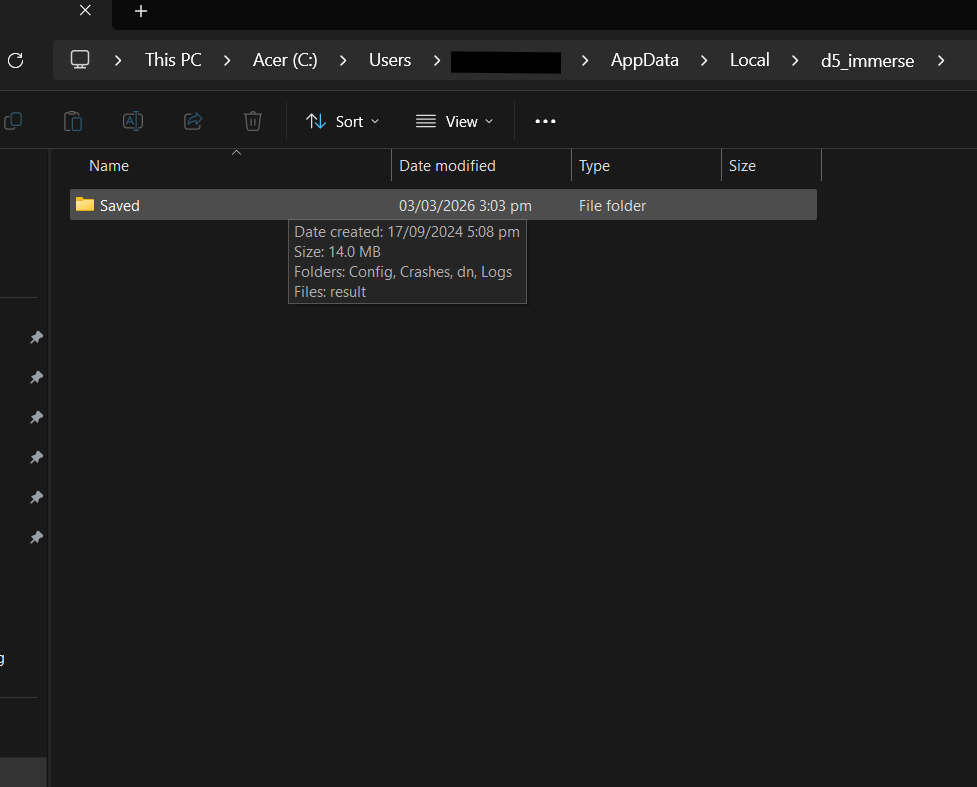
If the issue persists, please share your log files with us. Send it to support@d5techs.com, tag me in the email, and include the link to the forum post for reference. Thank you
Looking forward to your reply.
Today I had two times situation where preferences were cleared after scene saving and one after restart.
Please confirm the following information that Ela has asked on other users to help us narrow down this issue. Thank you.
If the issue still persists, then your log files are needed. You may send it to me via Private Message here in forum.