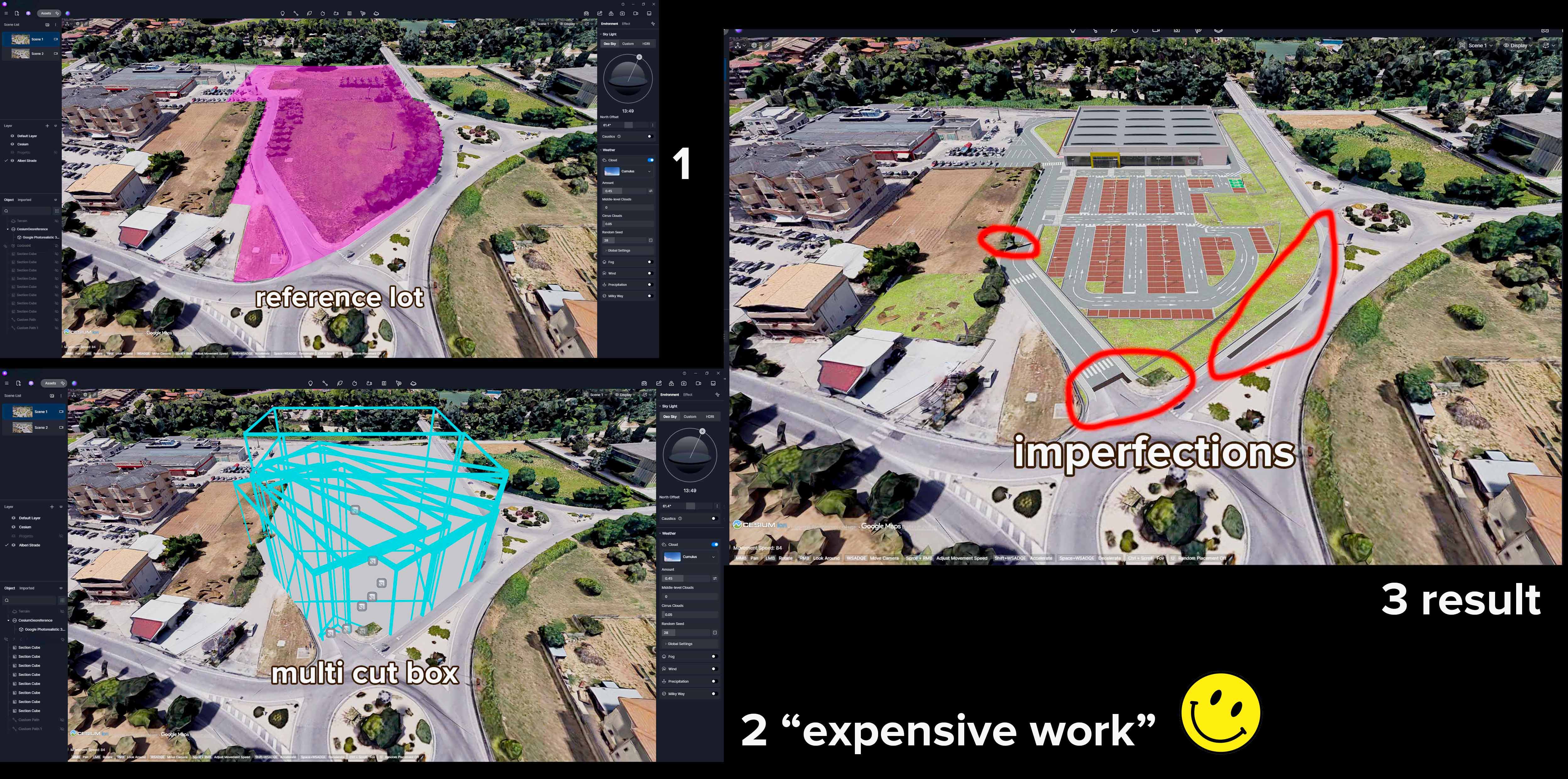
Hi everyone, I need to “cut” the Cesium model along the irregular perimeter of a lot. The polygonal cube tool doesn’t work because it’s limited to 4 “regular” sides. I also tried placing multiple section cubes, but the result is poor quality.
A few suggestions ?
Thanks and have a good life!
Hi @Acad
The only workaround for this is to toggle off ‘Uniform Scale’ and press ‘V’ to stretch the cube so it perfectly fits the irregular footprint. Set it to ‘Affect Current Layer Only’ to cleanly carve out the old geometry without affecting your project
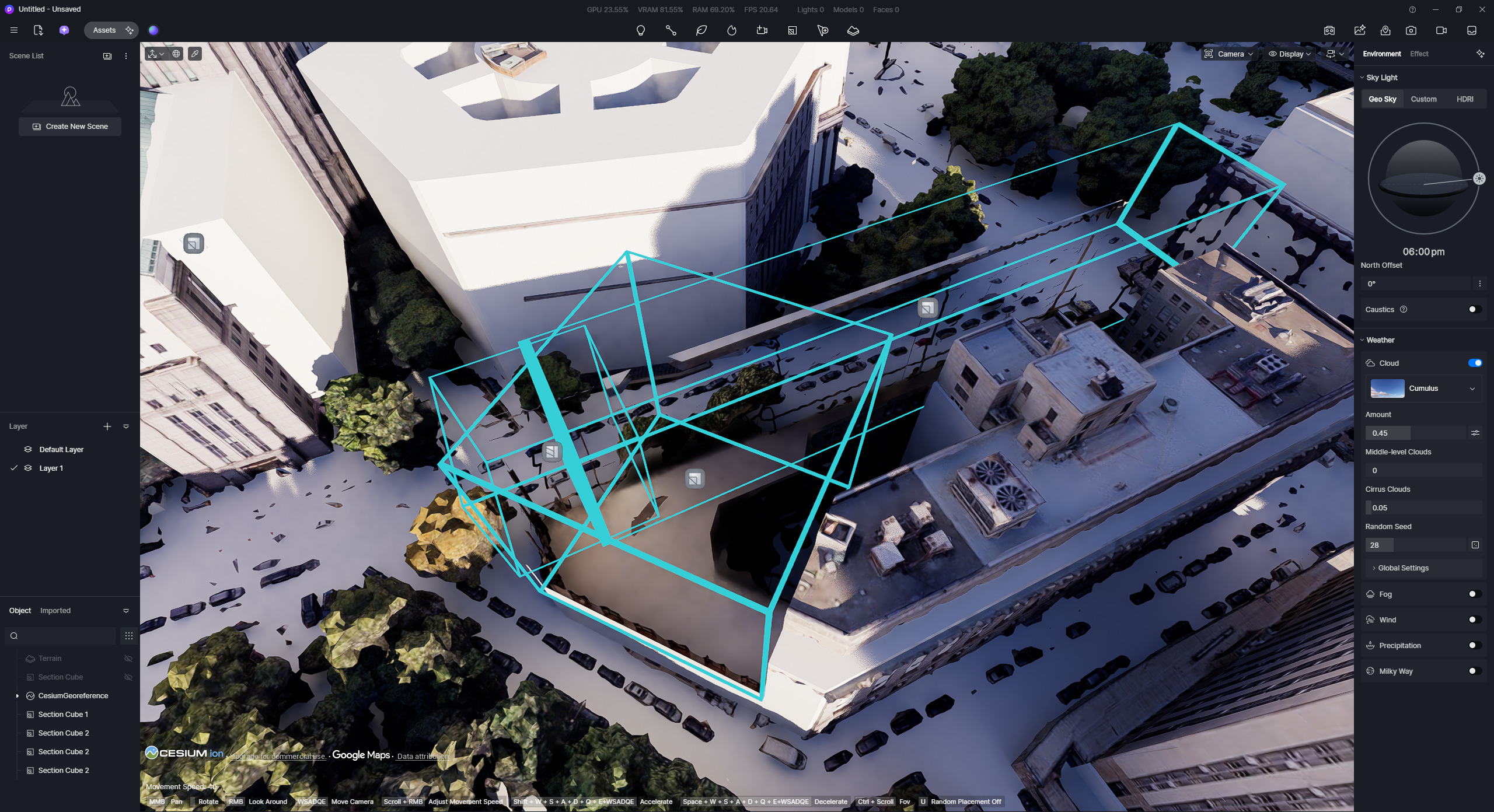
- Can you show us some screenshots from your end?
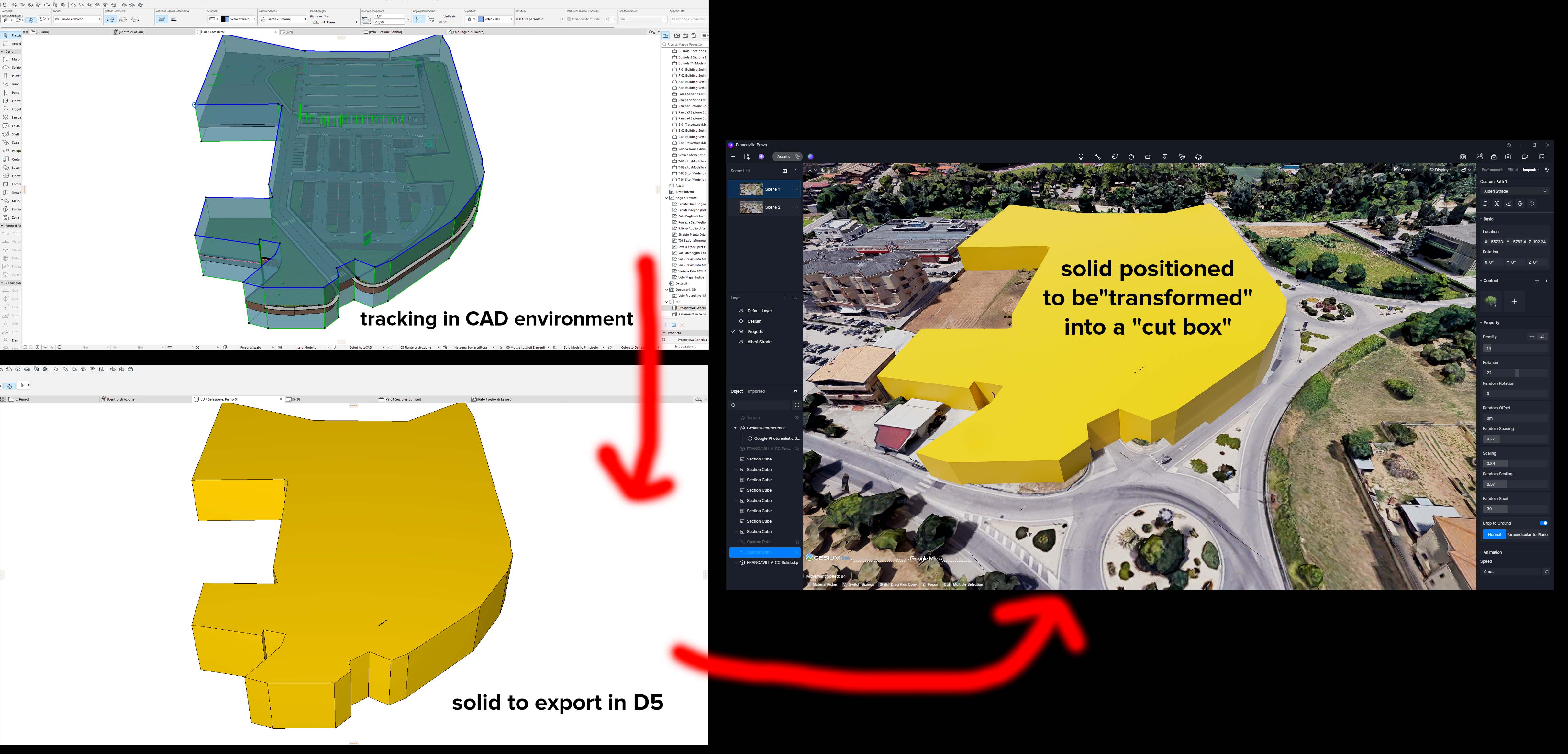
Thank you so much for the advice. That’s what we do, but it would be very helpful to be able to import a solid CAD file to which we can assign the cross-section cube’s characteristics.
I’ve attached two screenshots to clarify (current method and suggested method).
Have a nice day.
Hi @Acad
Thank you for the additional explanation and the screenshots. I understand your suggestion.
We will forward this suggestion to the relevant team for consideration in future improvements. If possible, you may also post this under the Ideas & Requests category for everyone to see and vote for.
1 Like