hey people,
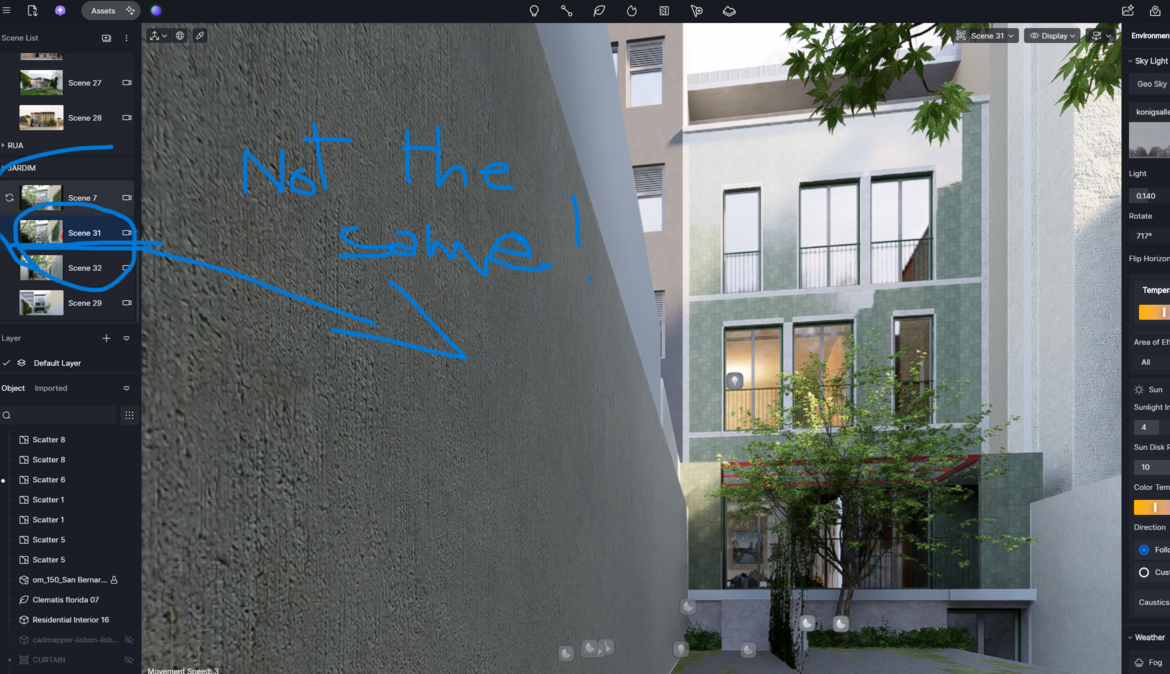
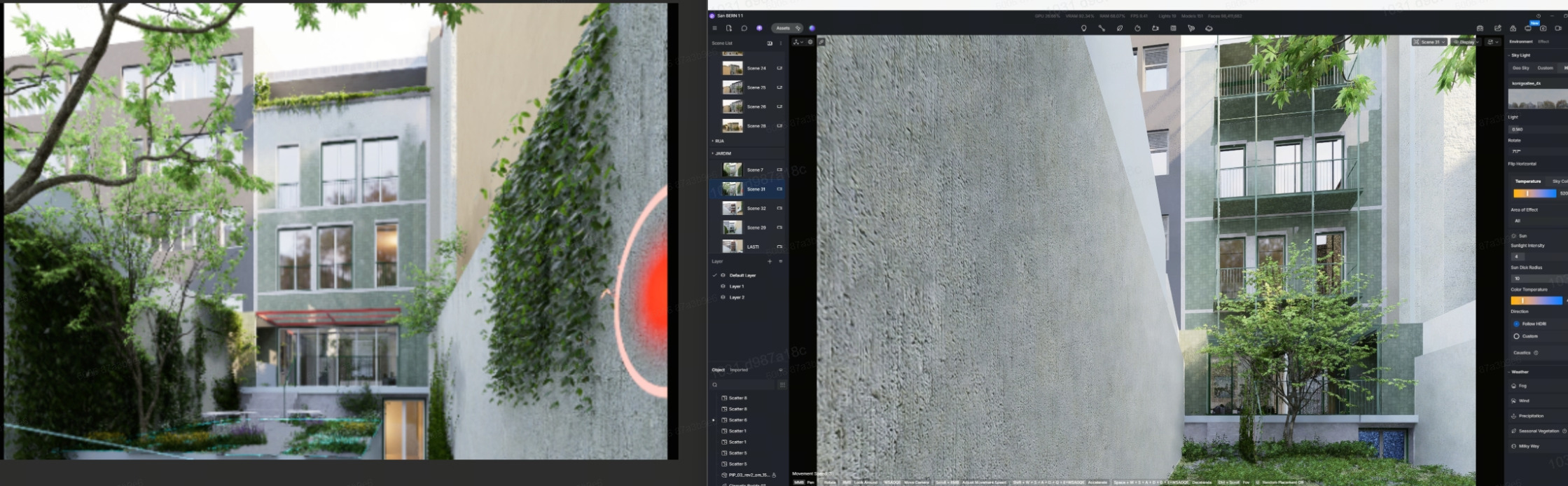
i have i little problem/question, i’m making a render for a building, i need to actualize the view and the model, but…i can’t find the last settings view, if you look in the little viewport i can see my last render, but in not the same in main scene…i need to regenerate to the last render for not re set new parameter…
here down the print screen…link
Please correct me if I’m wrong, but it seems you are saying that the thumbnails do not match the viewport, and you would like the thumbnail output to appear on your preview screen. Is that correct?
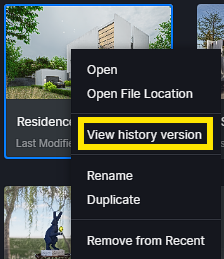
First, try accessing your file’s history by navigating to D5 Launcher > Recent Tabs. Then, right-click on the file and select “View History Version.”
After you open the history, check if any of the three backups have the settings that match your thumbnail. If you find one that does, you can save it as a preset in your local library and then apply it to the main version.
You can also send us the file so we can test it on our end. Please generate a link to the zipped D5 folder and send it to me privately here in the forum.
perfecly correct -
the thumbnails do not match the viewport, and i would like the thumbnail output to appear on your preview screen!!!
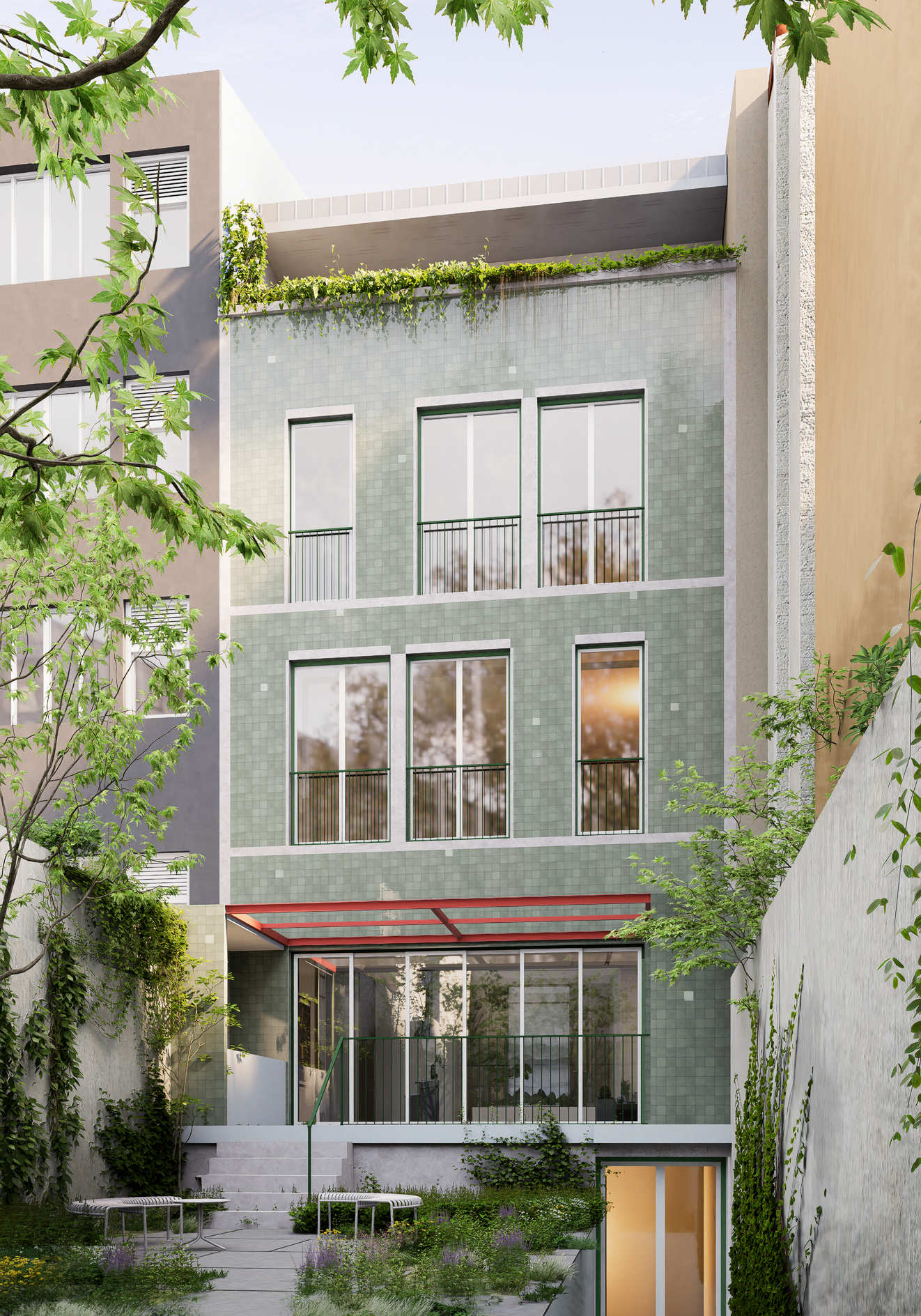
i’ll upload the generated render, the view in question is 31 -
i cant sand the zip folder, is too big more than 4 MB…
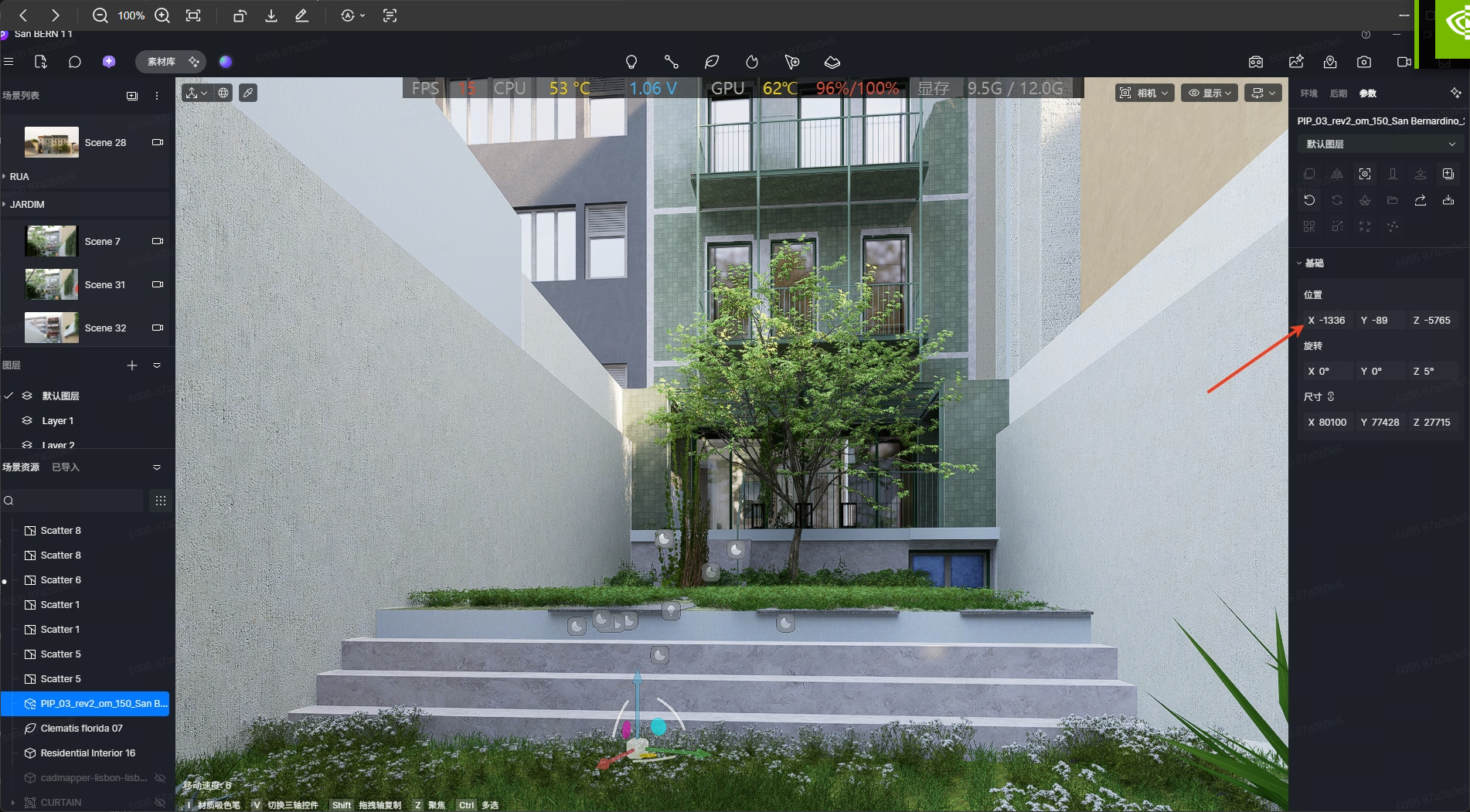
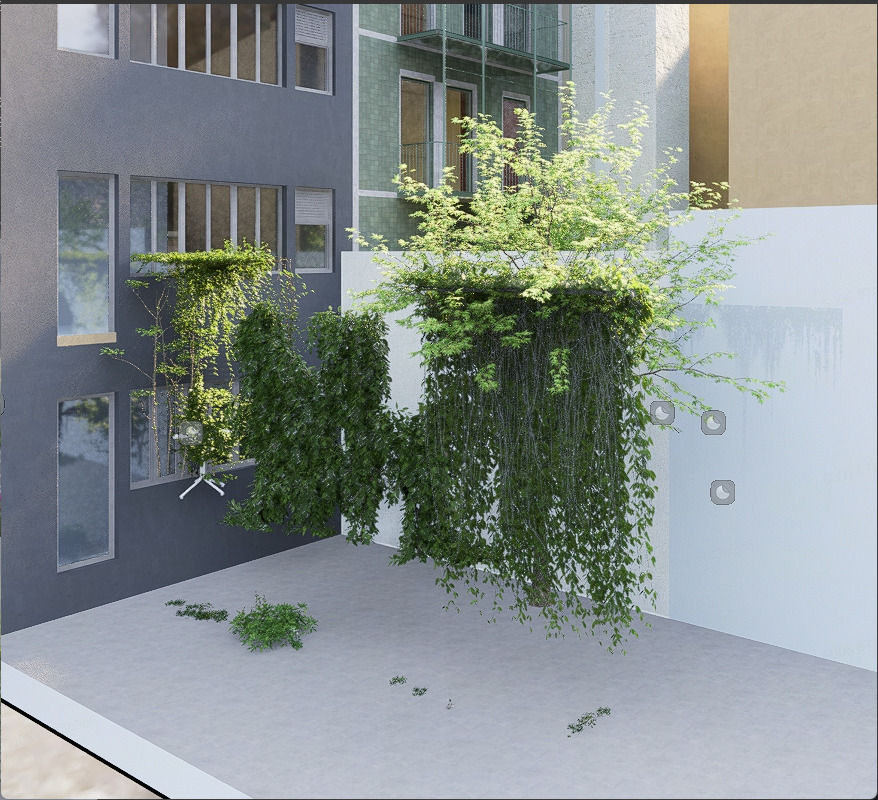
This indicates that the model’s position has changed, which could explain why the vegetation appears to be missing.
Based on our investigation, the vegetation has not been lost. Instead, it is no longer aligned with the model because the model’s position appears to have changed.
We also noticed that the scene images were created around April to June 2026, so we’re unable to determine what modifications were made after that period.
Could you please confirm the following?
Did you move or modify the model within D5 Render?
Or was the model moved or updated in your modeling software (such as Revit, SketchUp, Rhino, etc.) before syncing it back to D5 Render?
Based on our investigation, this appears to be the most likely explanation. We found clear evidence that the model’s position in the current version of your project differs significantly from its position in earlier versions. This suggests that the model may have been moved at some point, possibly unintentionally, which would explain why the vegetation no longer aligns with it and appears to be missing.