Hi D5 Support Team,
I submitted a ticket to support@d5techs.com with my diagnostic logs, but I am posting here to escalate as this is currently blocking me from preparing for a client presentation.
The Issue:
When switching from Image Mode to Video Mode, or when rendering out camera sequences, animated textures mapped via the Multimedia template drop frames erratically, resulting in harsh blank and pure black/white frame strobing across the display geometry.
System Specifications:
- D5 Version: 3.1.1 October 2026]
- GPU: NVIDIA RTX 4090 x 2
- Driver: Studio ver. 616.92
Asset & Technical Setup:
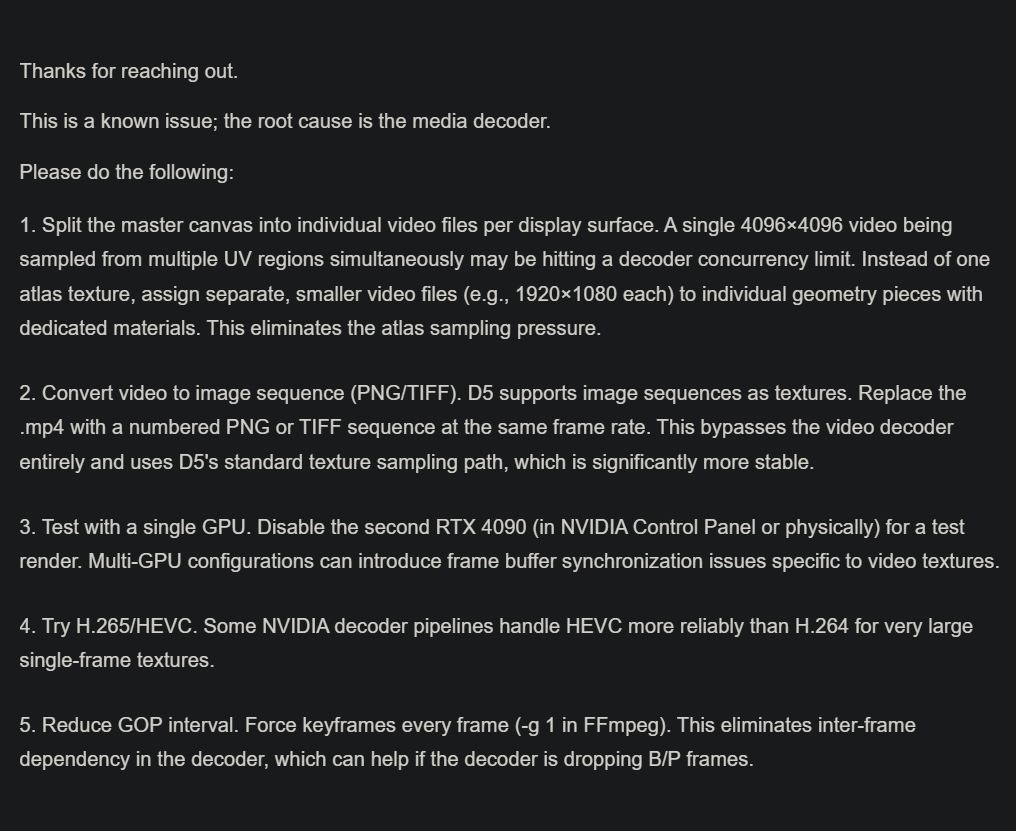
- Single Stream Atlas: Display surfaces (multiple screens in varying dimensions) were merged into a single mesh in Cinema 4D with a shared material tag, mapped to a single master video canvas via UVs to eliminate multi-stream decoder overhead.
-
Video Encoding Specs: Tested H.264 (
.mp4), Constant Frame Rate (CFR) strictly locked 1:1 to the D5 project timeline FPS, with keyframes (I-frames) forced every 1 second (GOP = 25/30). - Systematic Bitrate & Resolution Tests: Originally authored at 4K square, but stepped down incrementally through 3840, 2000, and finally to 1080p, testing both CBR (30 down to 10 Mbps) and VBR (10:20, 20:30 Mbps). The file size is well under the 200 MB limit.
- Material Configuration: Luminance is active, and Cast Shadow is confirmed OFF.
Key Diagnostic:
Rendering out to an OpenEXR Sequence (.exr Raw/Linear) does not resolve the issue. The rendered .exr frames directly capture the blank black/white texture and the intermittent flickers. Because an EXR sequence bypasses GPU hardware video encoding, the bottleneck appears to be an internal issue?
Note on Files: Due to client confidentiality, I cannot post production files publicly here. I have generated a complete log via the D5 Support Tool (support_tool.exe) and prepared an isolated test clip. Please let me know where I can send these diagnostic files privately via DM.
Thank you!