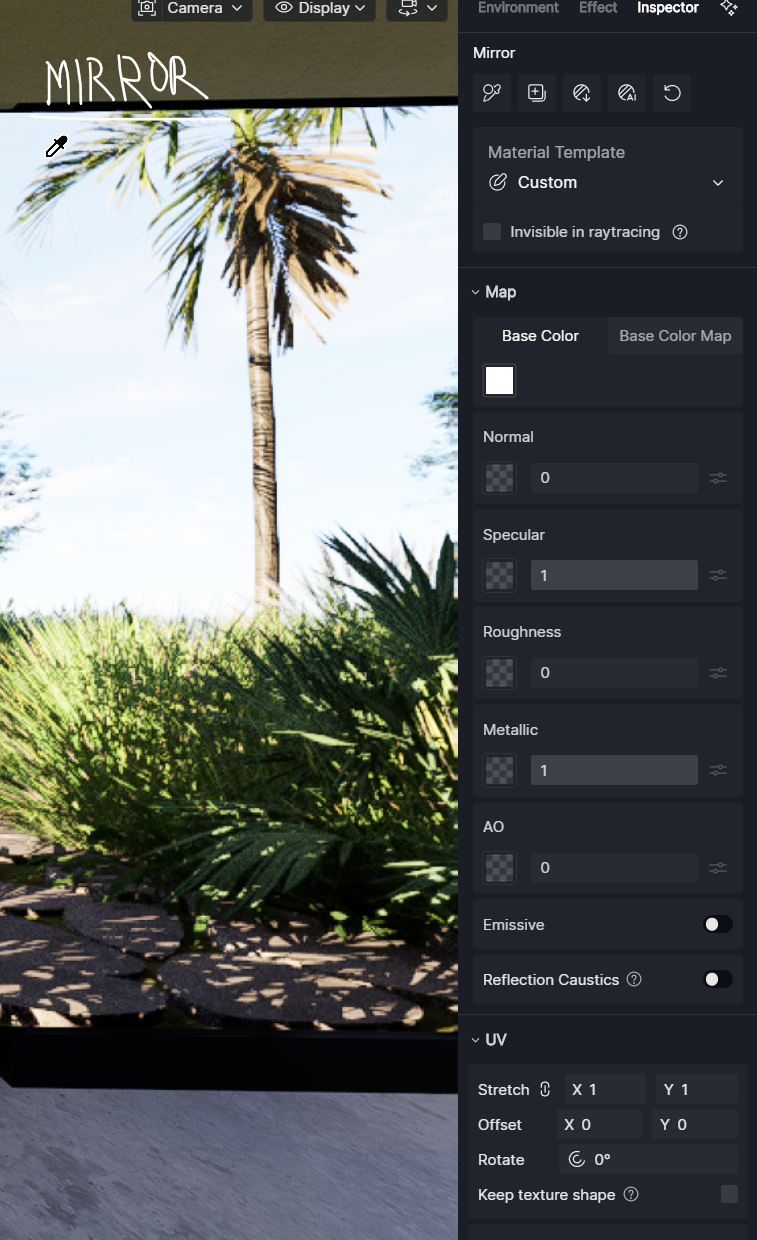
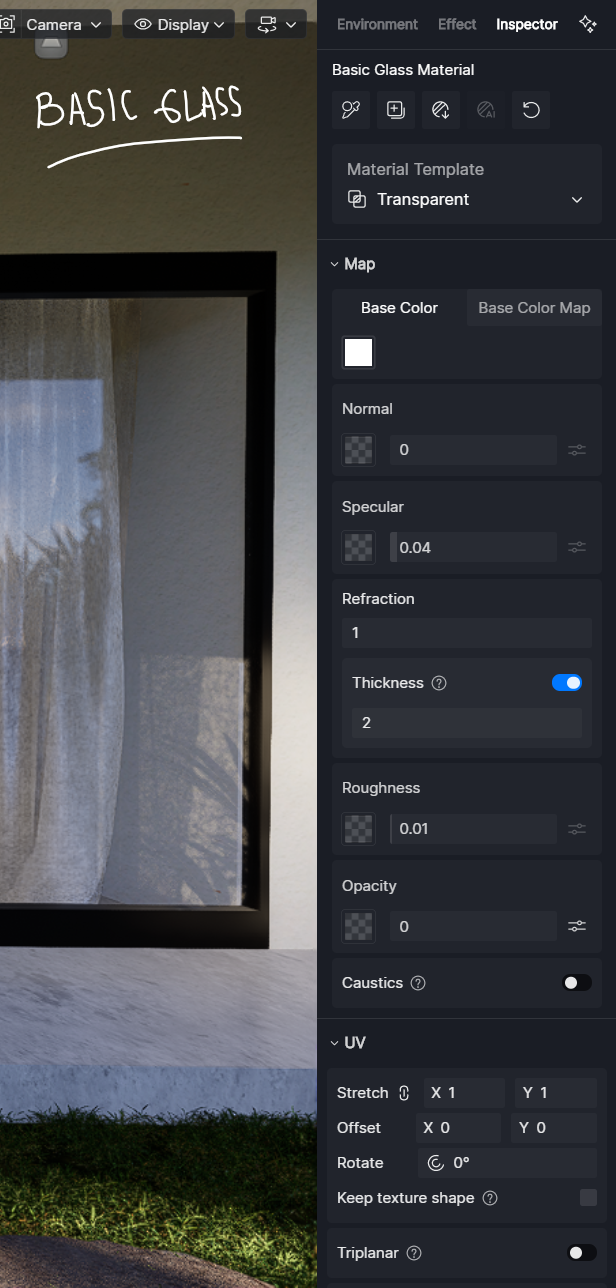
Hi Teams! I have some problem with the mirror reflections since I updated to the 3.0 versions (never have this problem with mirror reflections on D5 before the update). I have some several problems with them and here are my case:
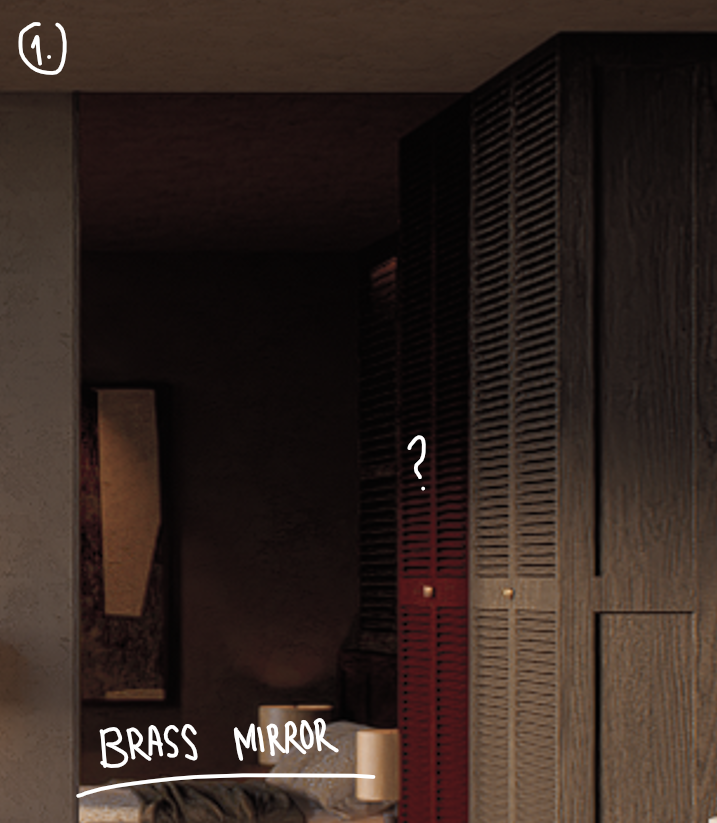
Here I used “brass mirror” material but the reflections seems not right on the wood cabinet, but the others is fine. So I tried to re-setting the mirror material by putting new brass mirror base and then it solved. (But it’s better if you guys can solve this bug)
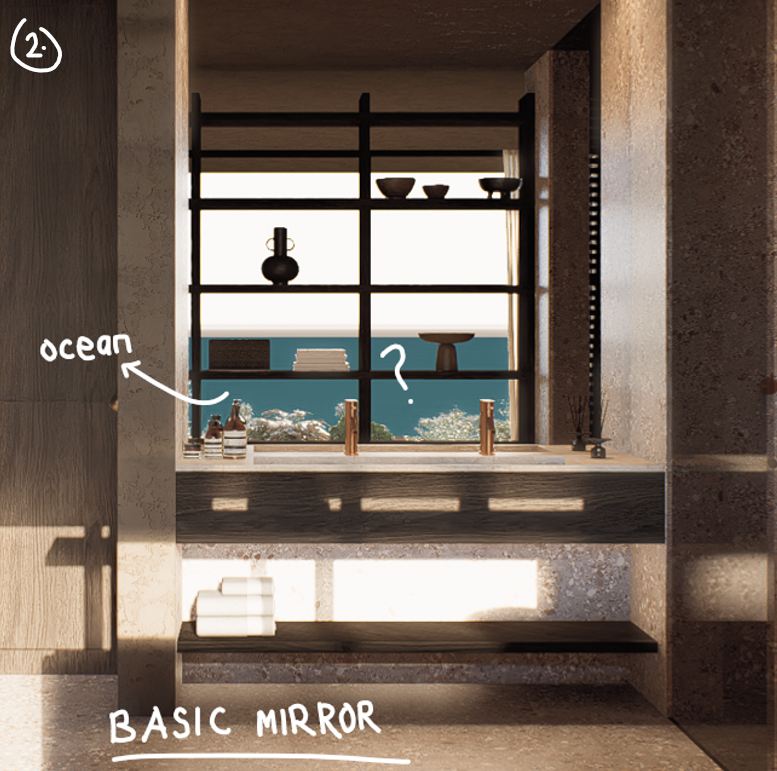
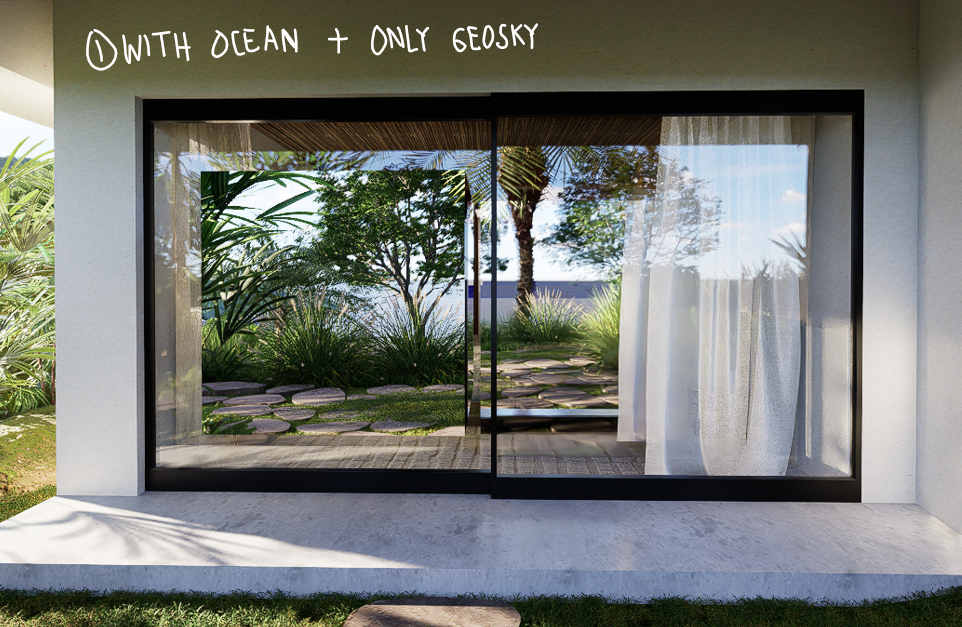
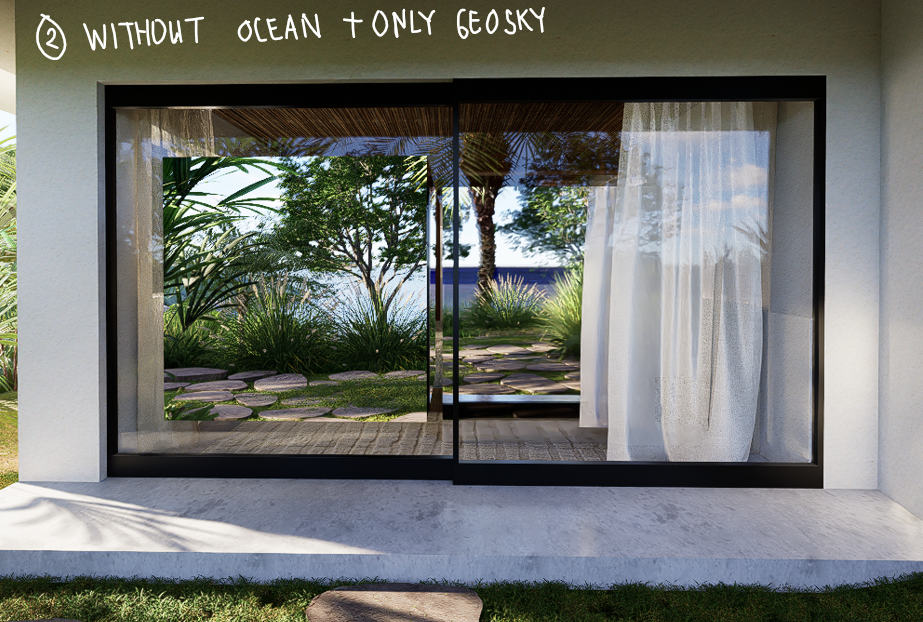
Tried to change the material into basic mirror didn’t solved the problem, as you can see the ocean only showing blue color, even tho I have setting them with waves and anything (there’s no specular, waves, etc only blue color instead). So, I also tried to use the same step as before (1) but it’s not solved.
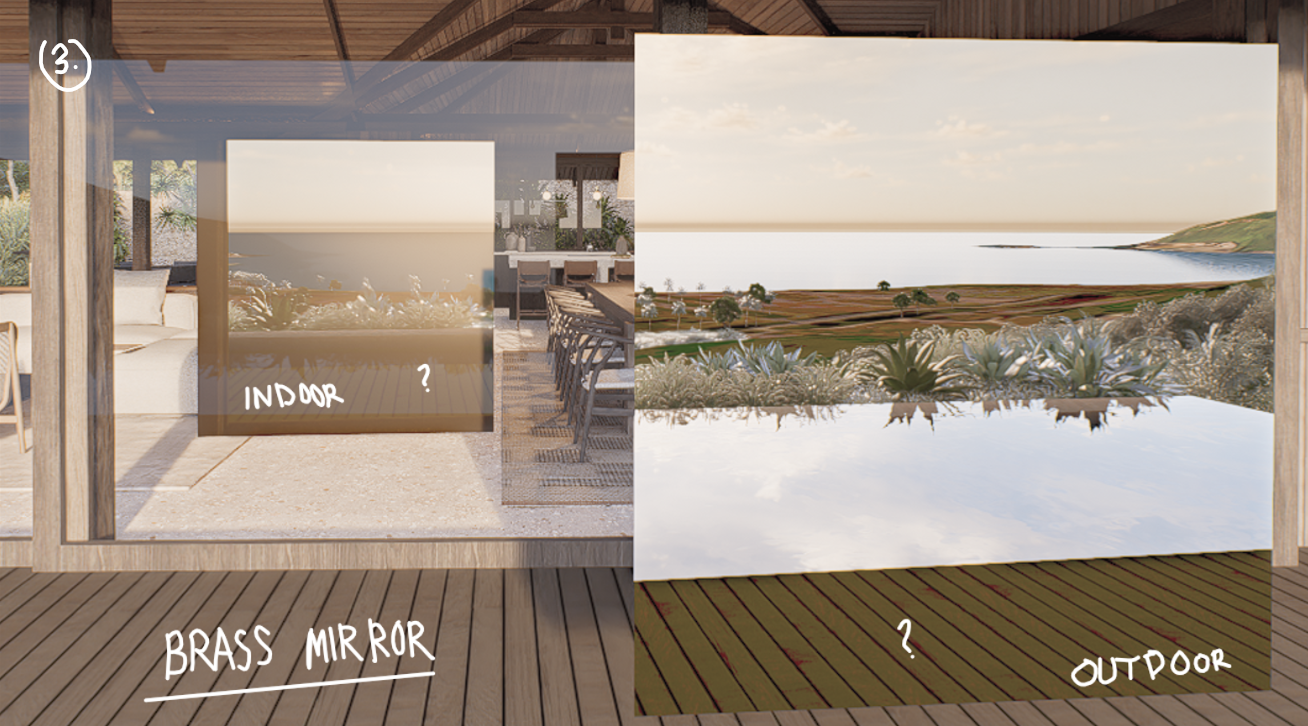
Here we think maybe because of the glass/window panel:
We use the material in"brass mirror". Try to put the mirror behind the glass and its still the same, only blue ocean showed. And try to put mirror infront of the glass (because maybe the glass is the problem) but the ocean now looks fine but the other material like the wood deck beccome yellow.
Fyi, I opened all of the files and it becomes to look like this if there’s a water reflection on mirror with glass panel infront of it. So, does anyone facing the same problem? Would like some help from the teams also, thank you.
Hello does anyone really doesn’t have any idea? because I keep facing these problems until now, yet I try lot of methods but it keeps happening to all of my project file.
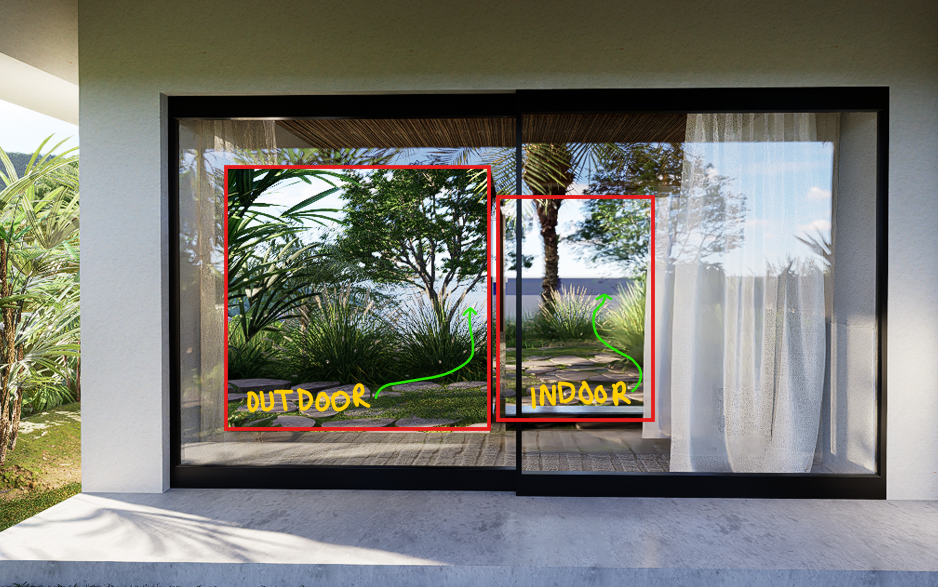
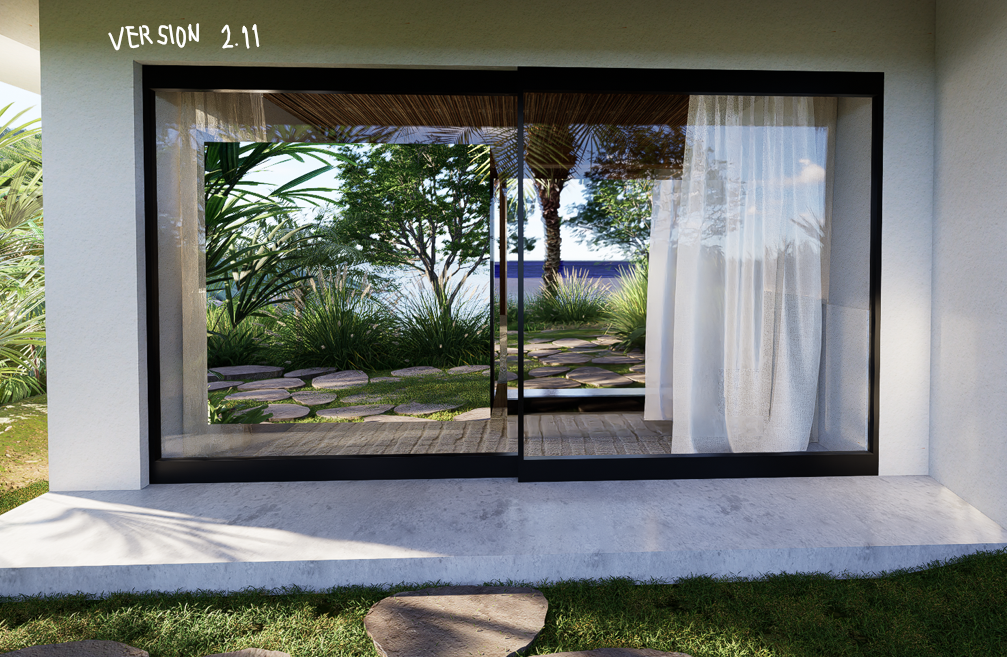
Here again I tried to put the mirror (red lines) behind the window panel and infront of window panel. The one that infront (outdoor) is working fine with the ocean, but the one that behind the windows showing weird blue color instead of ocean. Please anyone know how to solve this let me know. Thank you.
Thank you for sharing the details, and I apologize for the inconvenience caused. To help us better understand what’s happening, could you clarify a few points?
Could you share the exact material settings for both the mirror and the glass (e.g., specular, roughness, transparency, thickness)?
Is the glass a single-layer or multi-layer geometry? D5 currently has limitations when mirrors are behind multiple transparent objects.
When you render just the mirror without the environment (HDRI/ocean), does it behave differently? This can help isolate if the environment is affecting reflections.
Additionally, if you need to continue your work without interruption, you could consider reverting to the previous version of D5 Render, since you mentioned that reflections were working correctly there while we look into this matter. You can find it here: Download Historical Versions of D5 Render
I tried both of them with the ocean and without (only with basic plane and water), and I only use geosky not HDRI, tho when I use HDRI its also happens the same.
I didn’t think there’s so much difference about using the ocean or only using plane with water texture. I assume the problem is either on the glass or mirror.
Update:
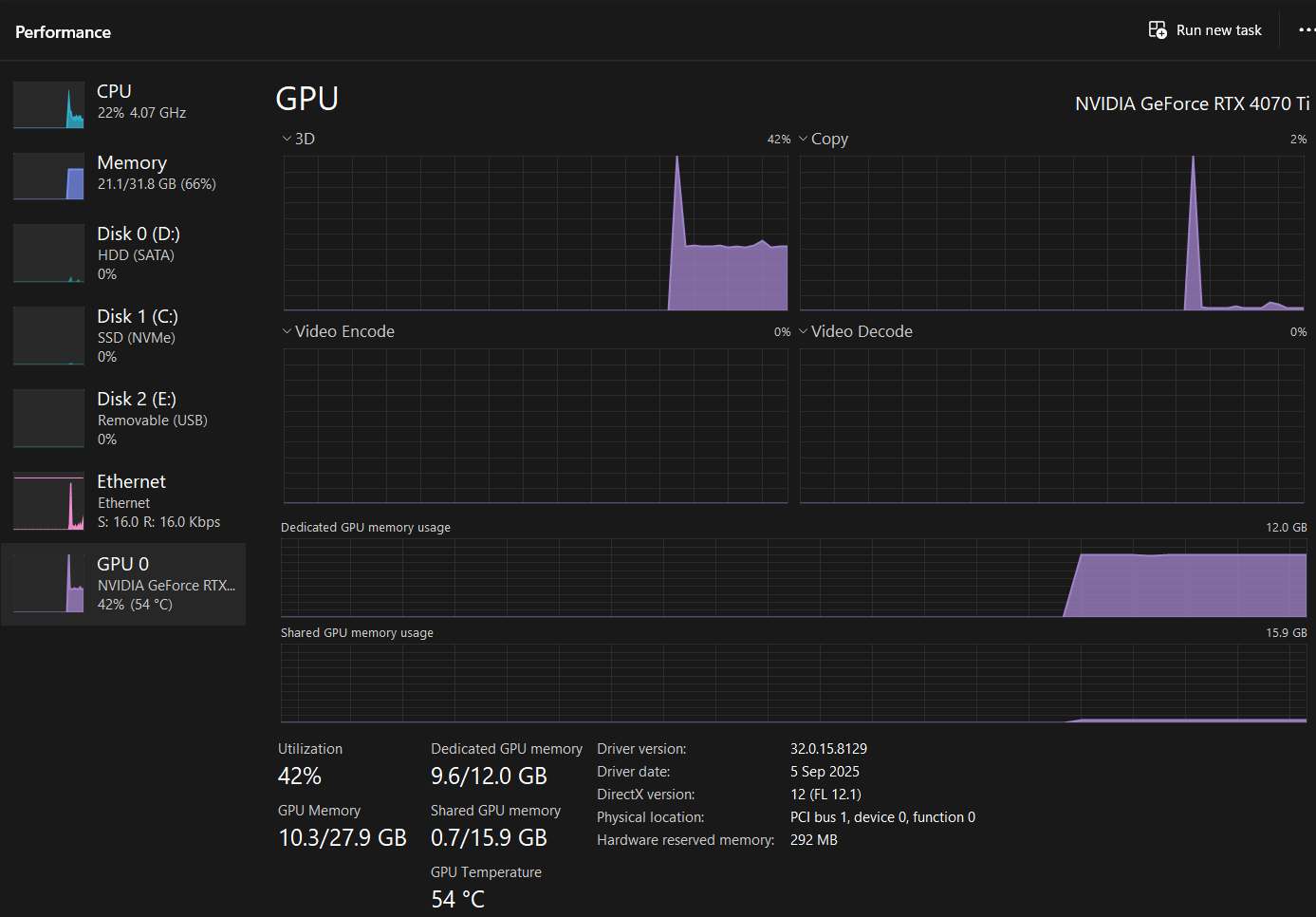
I tried to go back using 2.11 version but it doesnt help, the ocean still looks weird on the mirror reflections.
Thanks for sharing your scene details and screenshots — this helps clarify the situation.
Would it be possible to share your project file with me so I can try to replicate the issue on my end and investigate more accurately? If the files contain confidential content, that’s completely okay — you can share just the relevant part of the scene or remove sensitive elements before sending, like a simplified scene. You may send your project files to support@d5techs.com. Please tag me in the email and include the forum link so we can reference your case.
I would be happy to take a look and help you troubleshoot further.
Sorry for the delayed response. Yes, I’ve received your email along with the attached files. Your case is still under review and is being actively troubleshooted. I’ll keep you updated as soon as there’s any progress.
Could you also please collect and share your log files with me? You can reply to the same email thread so I can track and access them directly. Thank you for your patience
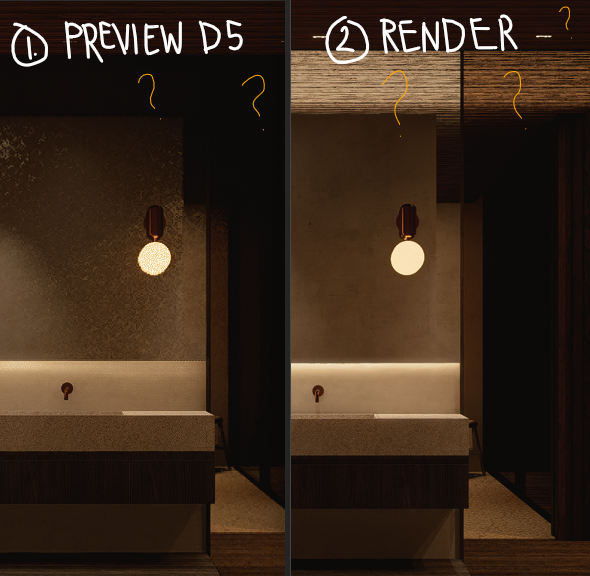
Hello! is there any updates? it’s been a month since I asked the question, I think the problem is in the mirror setting, but I dont know how, because it’s getting worse like why is the reflections preview and on the render is so different? why it’s so dark and the one is so bright? isn’t it should be the same as the ceiling above