Hi,
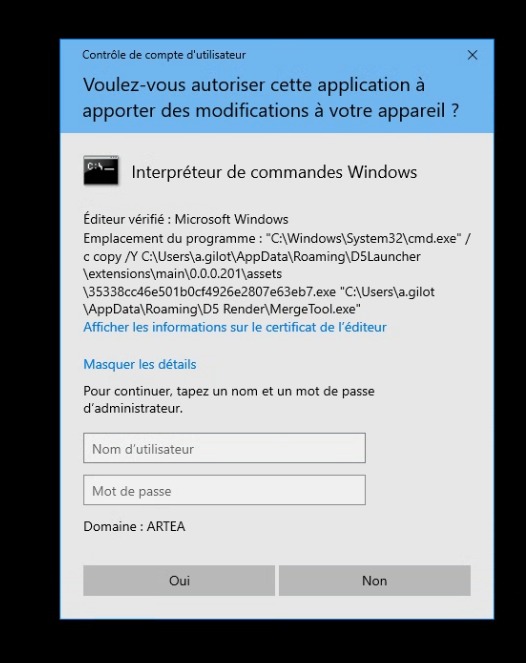
everytime I start my computer , I got this to pop-up
should I install it ? the path seems a bit weird
is that from the last update ?
could be a virus ?
thx
Hi,
everytime I start my computer , I got this to pop-up
should I install it ? the path seems a bit weird
is that from the last update ?
could be a virus ?
thx
Hi @alek.gilot
This prompt usually appears because D5 Render is attempting to install or update the Merge Tool, which requires administrator permission to copy or replace its executable files.
To help us better understand your situation:
Based on the screenshot, this behavior is expected when Windows prevents an application from making changes without administrator approval. This is especially common on company-managed devices or systems with User Account Control (UAC) enabled.
Just to be sure, please confirm the following:
3.0
no it just shows up last week with no update
it appear when I start my computer , I don’t even used merge tool
don’t you think that the path is weird ? C copy /Y doesn’t seem right,
I will explore with the IT from my office,
wondering if it legit exe from d5 render,
thx.