Hello,
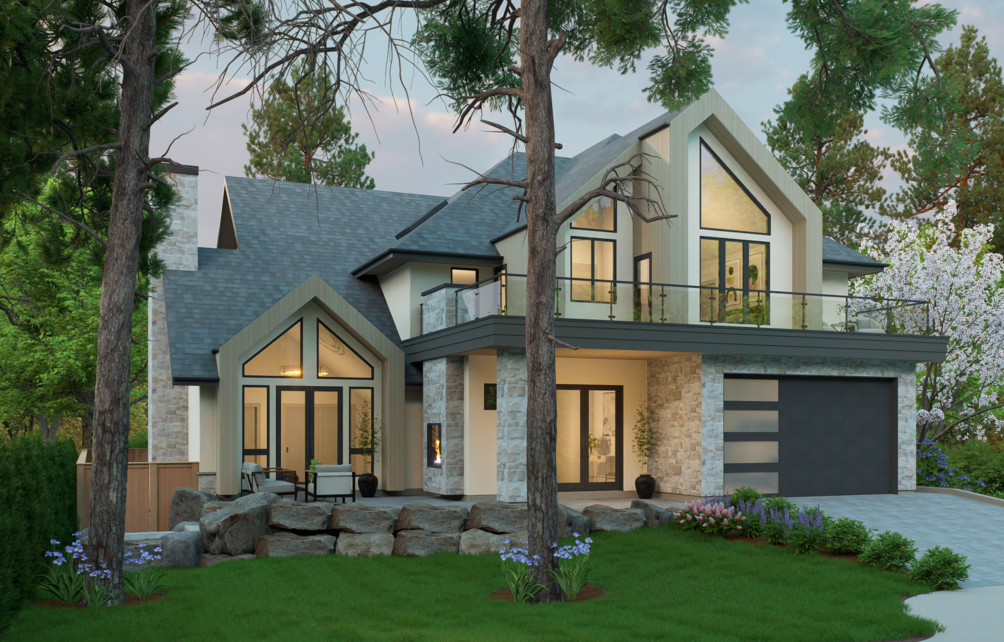
I wasn’t able to attach my rendering here since the limit is 4MB. At 4K it is coming out around 21MB. There’s a screenshot below.
Anyway, I’m using 4K materials from sites like Polligon and Reawote. Even rendering at 4K the materials are coming out blurry. My AI enhancement isn’t working well since the update and it actually gets worse when enhancing.
I’ve tried other things like turning on/off Super Resolution but it’s not making any difference either.
Also, for the stone materials (from Reawote 4K), I’m not able to get heightfield tracing to work since the stone wraps around the corners. It always breaks at corners. Is this typical? I’ve turned rounded corners to 8 here and it still looks sharp…
Am I missing something?