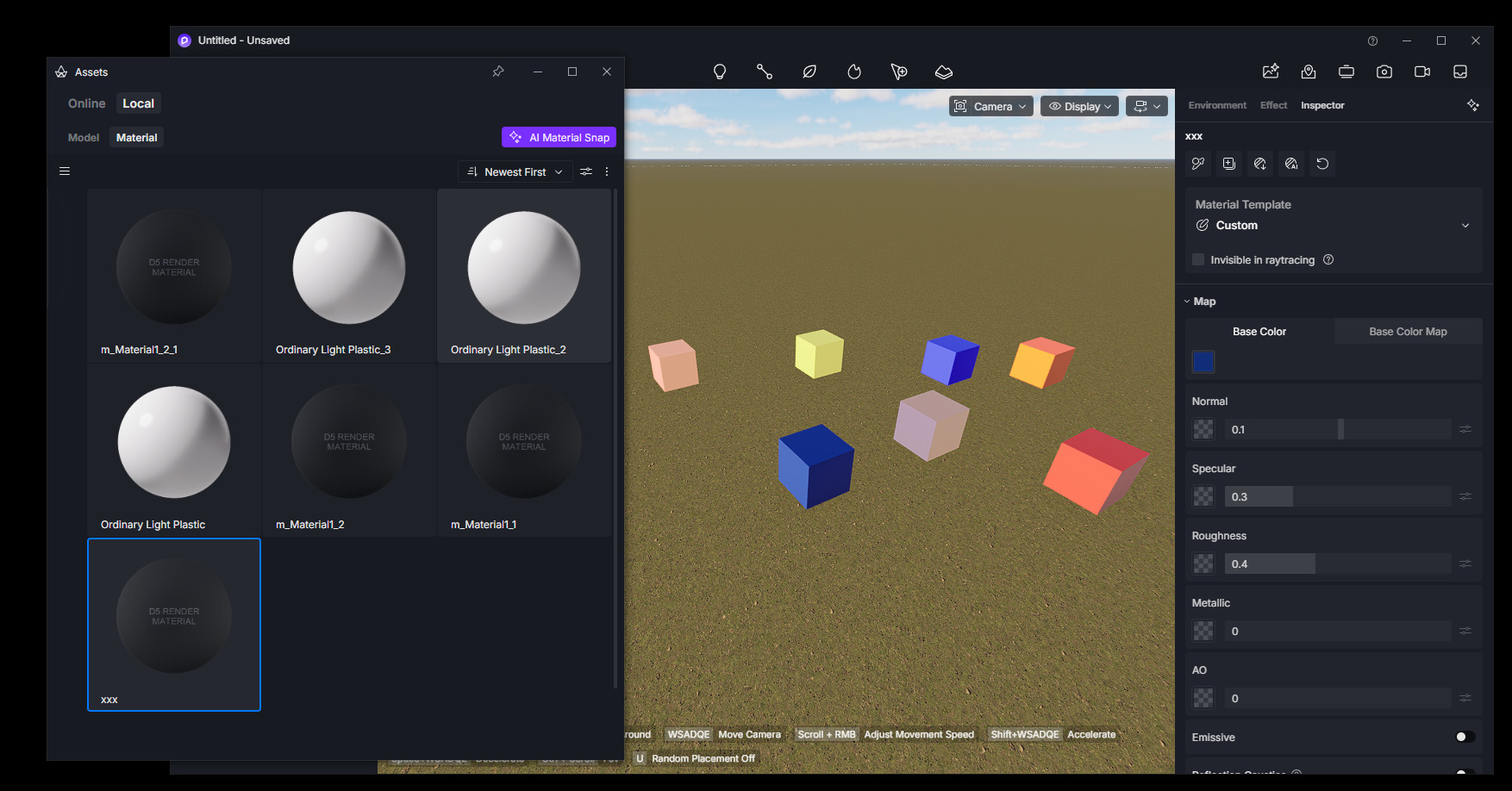
I have a problem with materials’ thumbnails - the ones without texture map have no thumbnail, just a generic one, ones downloaded and made local and edited afterwards have the original one and there’s no way to tell which material is which and to choose one from the library (see attached screenshot)
I’m liking the D5 so far, but this seem to be a dealbreaker - how would I manage big scenes with hundreds of custom materials that are hardly reusable in this state? Thanks!
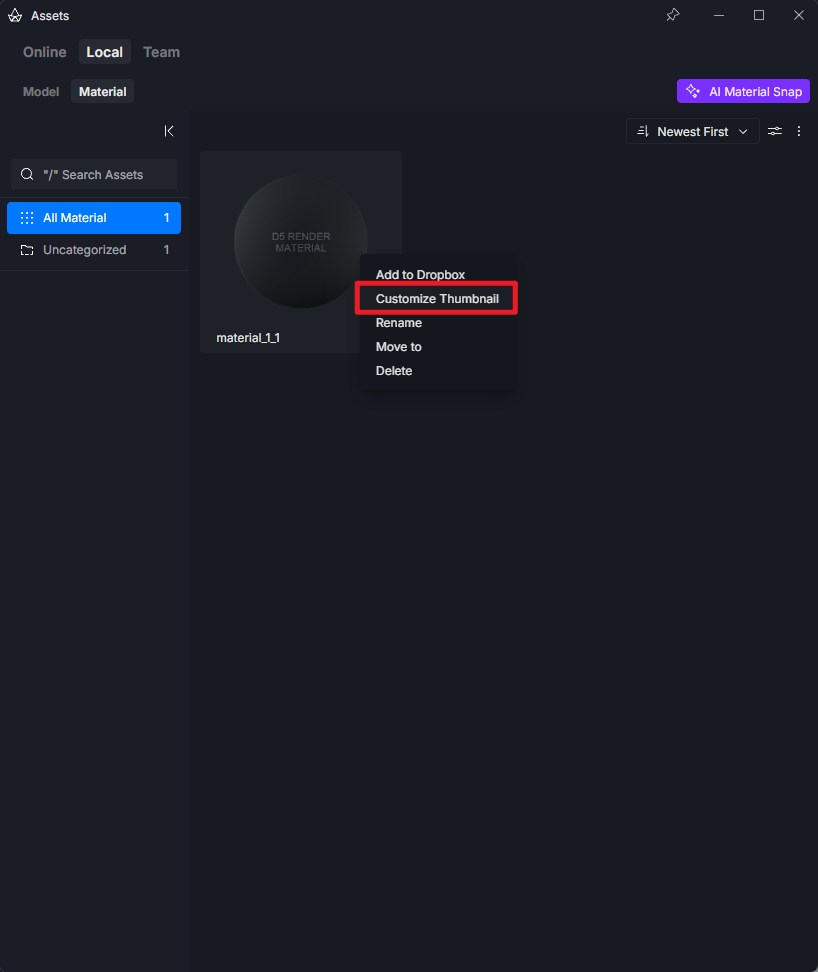
Thanks for the answer. I’m aware I can customize the thumbnail manually, but that’s a tedious task when having more materials and/or editing them a lot - if one wants to keep thumbnails up to date of course
Correct me if I’m wrong, but I understand that D5 does not have an option to generate thumbnails for materials automatically and that’s that? Pretty odd for rendering software…
For now, D5 uses the original thumbnail for materials downloaded from the library, while locally created or edited materials without a designated thumbnail may display the generic thumbnail.
Customize Thumbnail is currently provided as the way to manually distinguish these materials.
That said, we understand how inconvenient this can be when managing a large project with many custom materials. Automatic thumbnail generation or automatic updating based on the current material appearance would definitely make material management much more practical, and I can pass this feedback to the development team for consideration. Thanks for pointing this out.