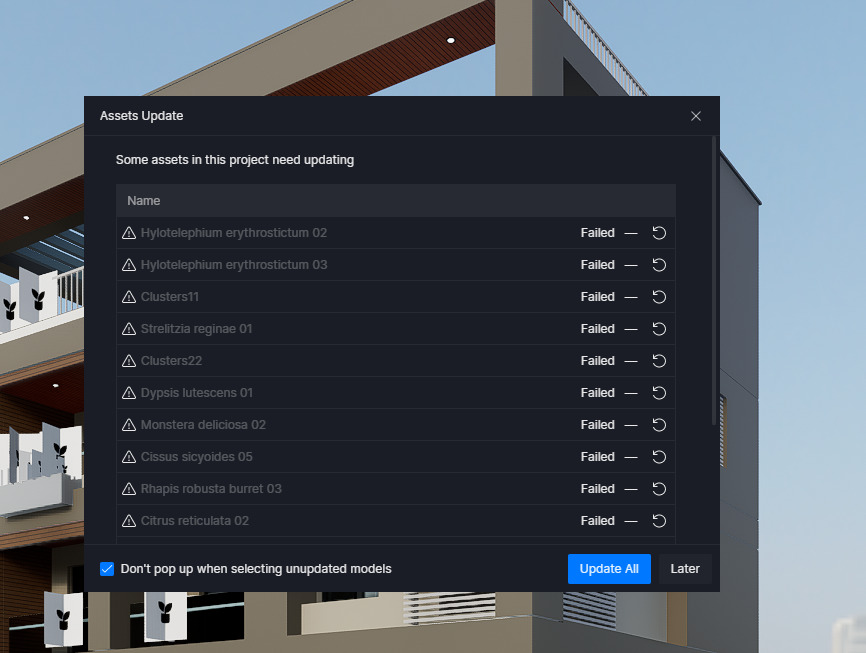
It looks like the issue is related to your corrupted save path from your previous post. D5 loading asset problem
Right now, D5 is trying to download/update assets into this directory:
E:\D5 WorkSpace\content\Paks\f2
However, this path is either no longer accessible or does not have the correct permissions, which causes all asset downloads and updates to fail.
To fix this, please try the following:
- Open D5 Launcher → Settings → Workspace.
- Change the Workspace Path to a valid, accessible location (for example, on your C: drive or another drive with full read/write permissions).
- Make sure the new directory is not synced to cloud storage (OneDrive, Google Drive, etc.).
- After changing it, click Relocate so all content paths update properly.
- Restart D5 and try downloading assets again.
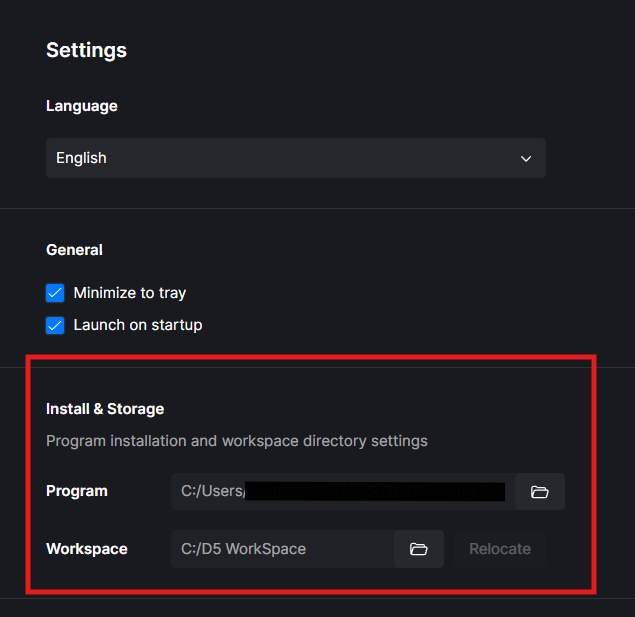
Let me know if the issue persists after updating the save path. Thank you 