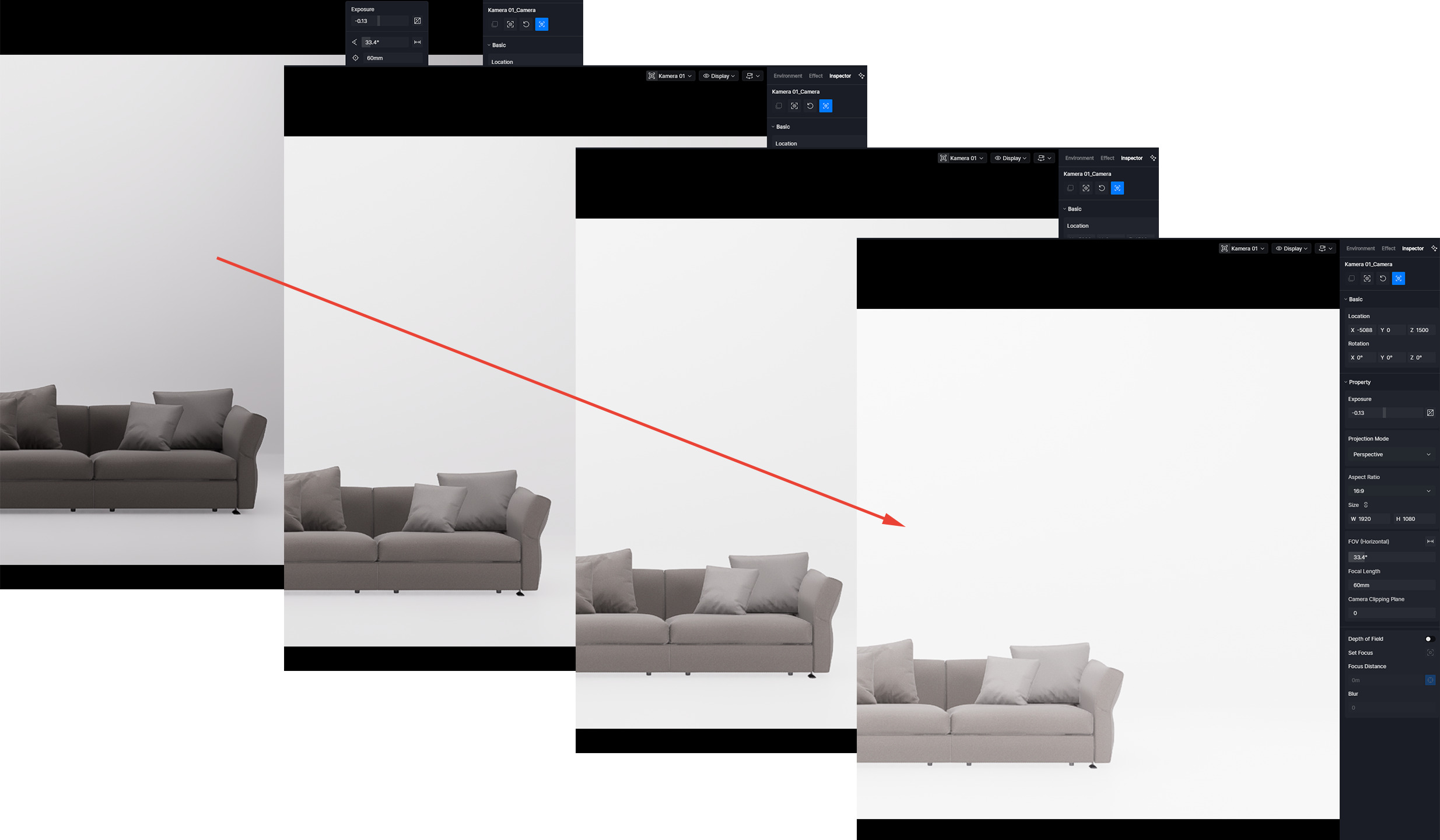
I have a white, enclosed room without windows. There are four rectangle lights in the room. I’ve adjusted the light intensity and camera settings. If I wait and do nothing, the lighting automatically gets brighter and brighter. Unfortunately, the image is rendered this way as well. The first image is fine, but if I wait about a minute and then render a new image, it’s already significantly brighter than the first one.
Clicking on the saved camera doesn’t help. Only after switching to, for example, top view, waiting 2-3 seconds, and then switching back to the camera view is the lighting correct. However, it gradually gets brighter again over time.
Auto exposure is off. I tried to set it only manualy.
So far, I’ve only noticed it in a completely enclosed space.
What GI settings do you mean?
Adjusting the exposure doesn’t help.
I only used 4 rect lights. No emessive materials.
I tested it on two computers (with two different graphics cards, an A4000 and an RTX 4070). Both have the same problem. Today I updated to the latest version of D5, but the problem persists.
Thank you for the detailed clarification — that’s very helpful.
At the moment, I’m unable to reproduce this behavior on my end. To help further isolate the cause, could you please try the following and let us know the results?
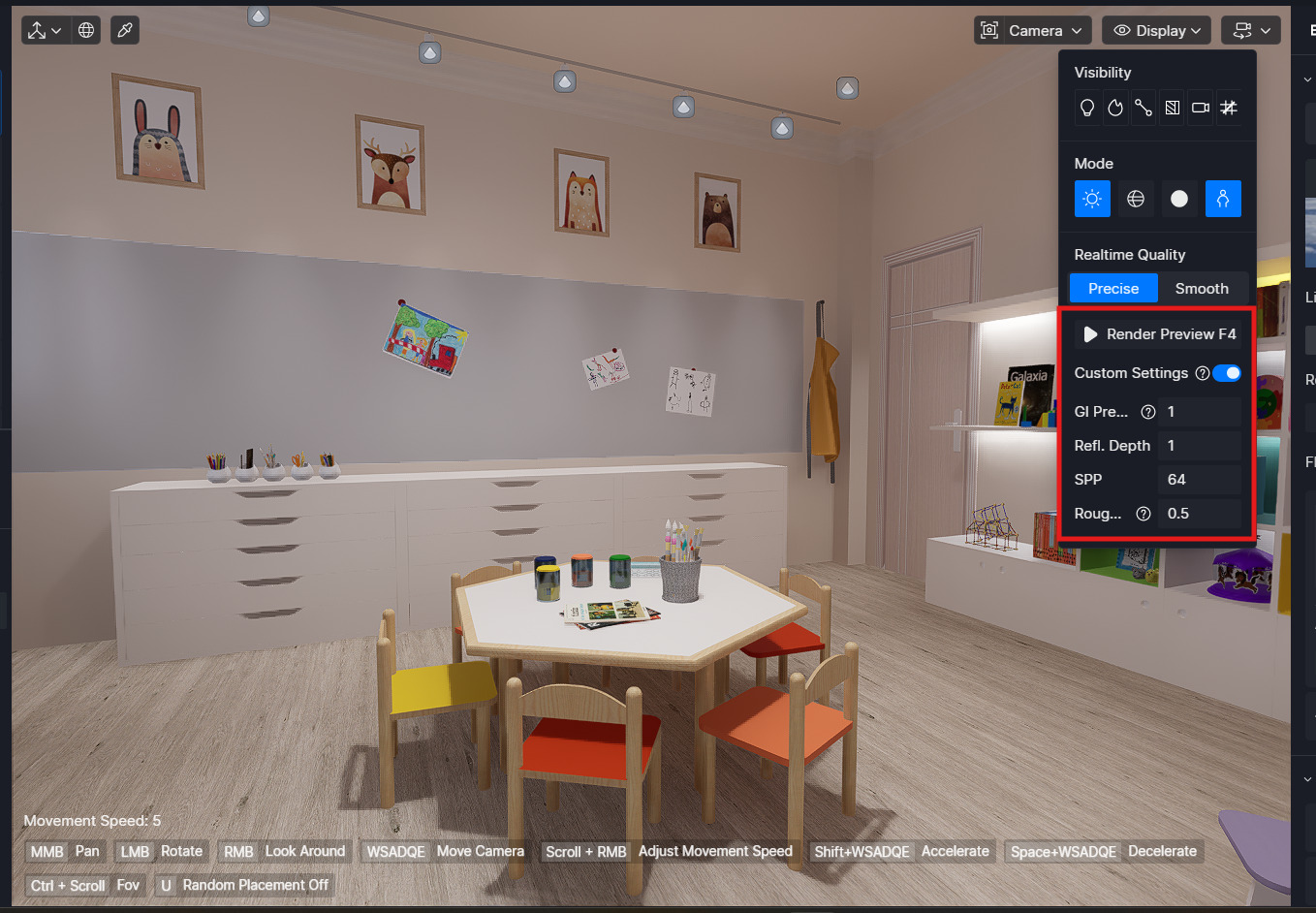
Enable Accumulate (F4) and check whether the accumulated result matches what you see in the viewport, and toggle the Custom settings and see if this affects the gradual brightening and final render.
Replace one of the rectangle lights with a different light type (for example, a point or spot light) to check whether the issue is specific to rectangle lights.
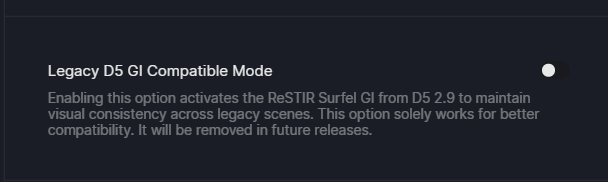
Try to enable or disable Legacy D5 GI Compatible Mode to see if anything changes
Since this occurs on two different machines and GPUs, it would be especially useful to know whether the behavior changes with different light types or GI states.
Please share your project file with us, and also collect your log files. Kindly send them to support@d5techs.com, tag me in the email, and include the link to this forum thread for better tracking.
If the files are large, please zip them first, upload them to WeTransfer, and email us the download link.