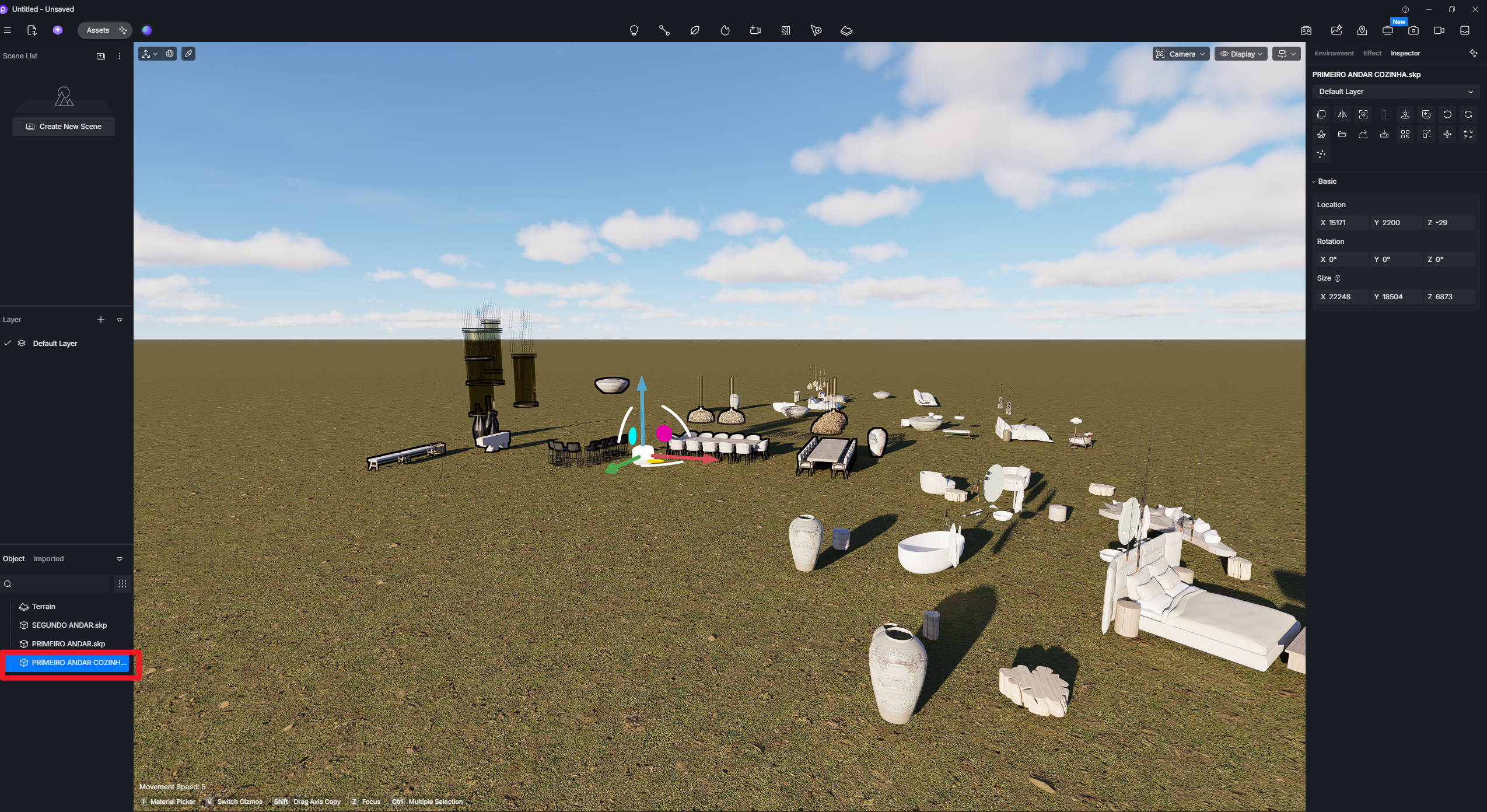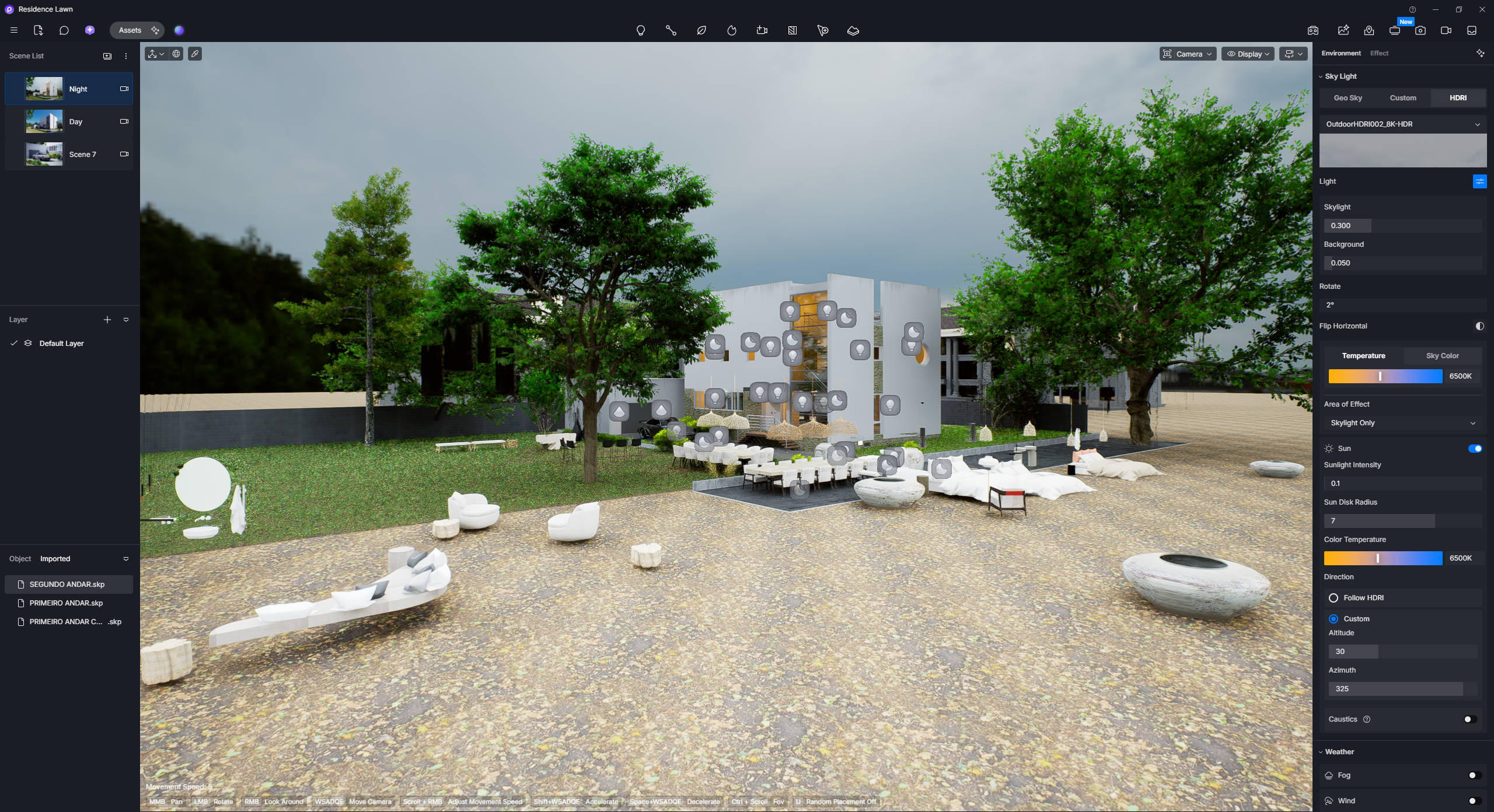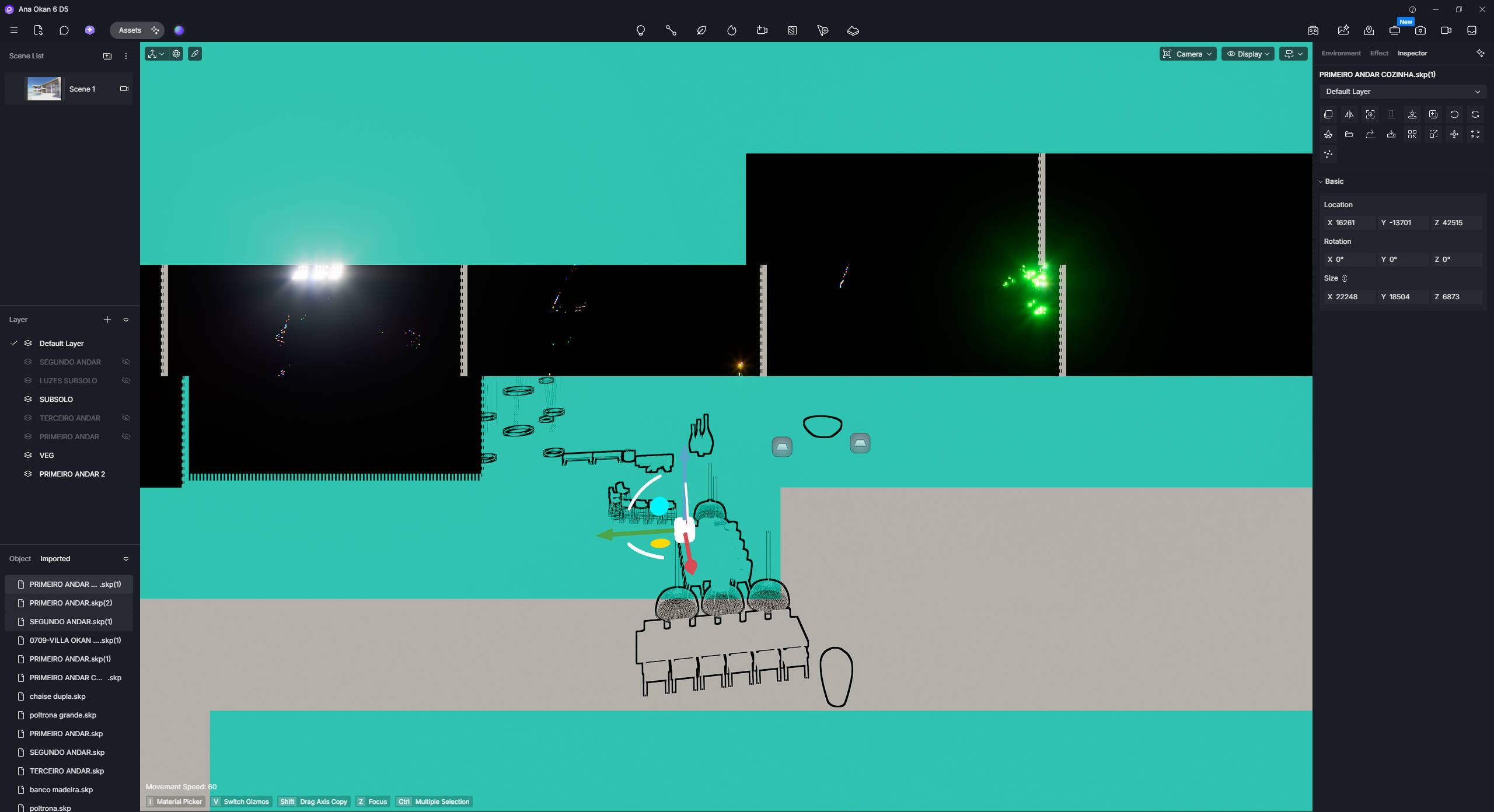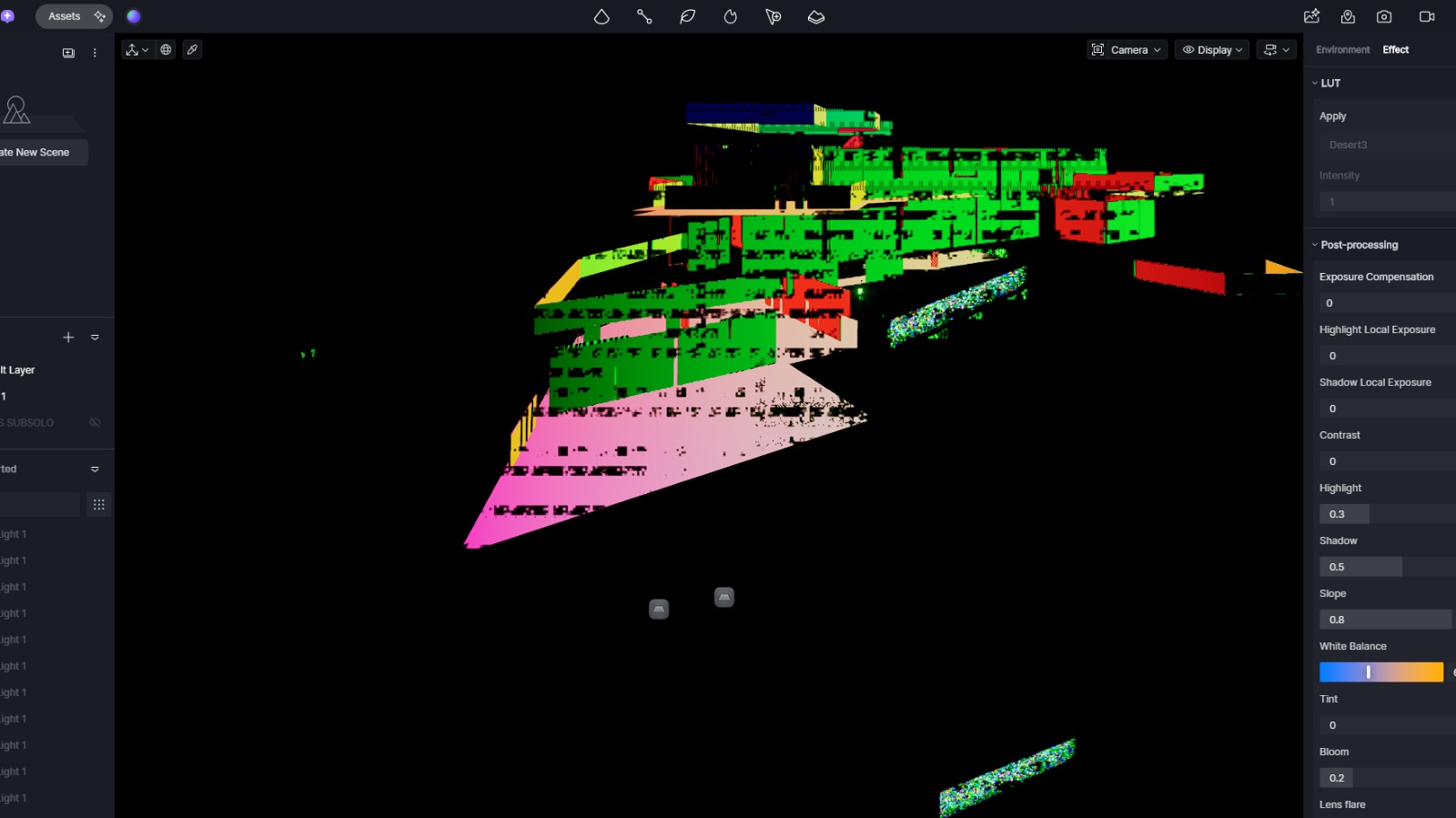
Hi i’m new in D5. After uploading my file and puting some models in a Layer, i had this issue when i turn on the layer. When the layer is off, ir ok.
D5 version: Version 3.0.1
Hi i’m new in D5. After uploading my file and puting some models in a Layer, i had this issue when i turn on the layer. When the layer is off, ir ok.
D5 version: Version 3.0.1
Hi @guifelix3d
Usually, this occurs due to the model being too complex.
Please confirm the following:
I’m using Sketchup. And yeah, the model is a bit complex.
I didn’t use the livesync plugin. I just did a normal importing.
I also spent the whole afternoon trying to clean up the models and also separated them to put in layers, but didn’t work. Any solution about this?
We don’t recommend importing the SKP file itself. You may convert it to a D5A model first if importing is your preference by using the D5 Plug-in.

If issue still persists, please send us your SKP file.
I just tried exporting in D5a but still…
Here are the files i’m having problems. D5 issue - Google Drive
When i turn off all the layers of this files, is ok. But when i turn on 2 layers of those files, i have the issue.
Hi @guifelix3d
I tested these files on my end. I’ve inserted them into an empty file and into D5’s Demo Scene File, but I can’t seem to replicate the issue you’re experiencing.
Thanks! Did you try to select the models and put in a layer then turn on off?
btw, here are the D5 files: https://drive.google.com/file/d/1sah1Wz3OUbUBejFU8ATZM2ie_l0BOHJW/view?usp=sharing
Hi @guifelix3d
I just tried it with your D5 file, and the issue can be replicated. We’ll look into this further if this models have exceeded D5’s limit.
Hi @guifelix3d
After reviewing the project file, we confirmed that it contains multiple .skp and .d5a files, which significantly increases the overall project complexity and resource requirements.
Based on this, the issue is likely specific to the complexity of this particular D5 file, as the combined components may be reaching D5’s processing or resource limits. This would also explain why the issue occurs with this project but not with other, lighter files.
Ok… and there’s no solution for this?
At this point, the main solution would be to reduce the polygon count of the D5 project, particularly by optimizing or replacing the imported files that contribute heavily to the overall geometry.
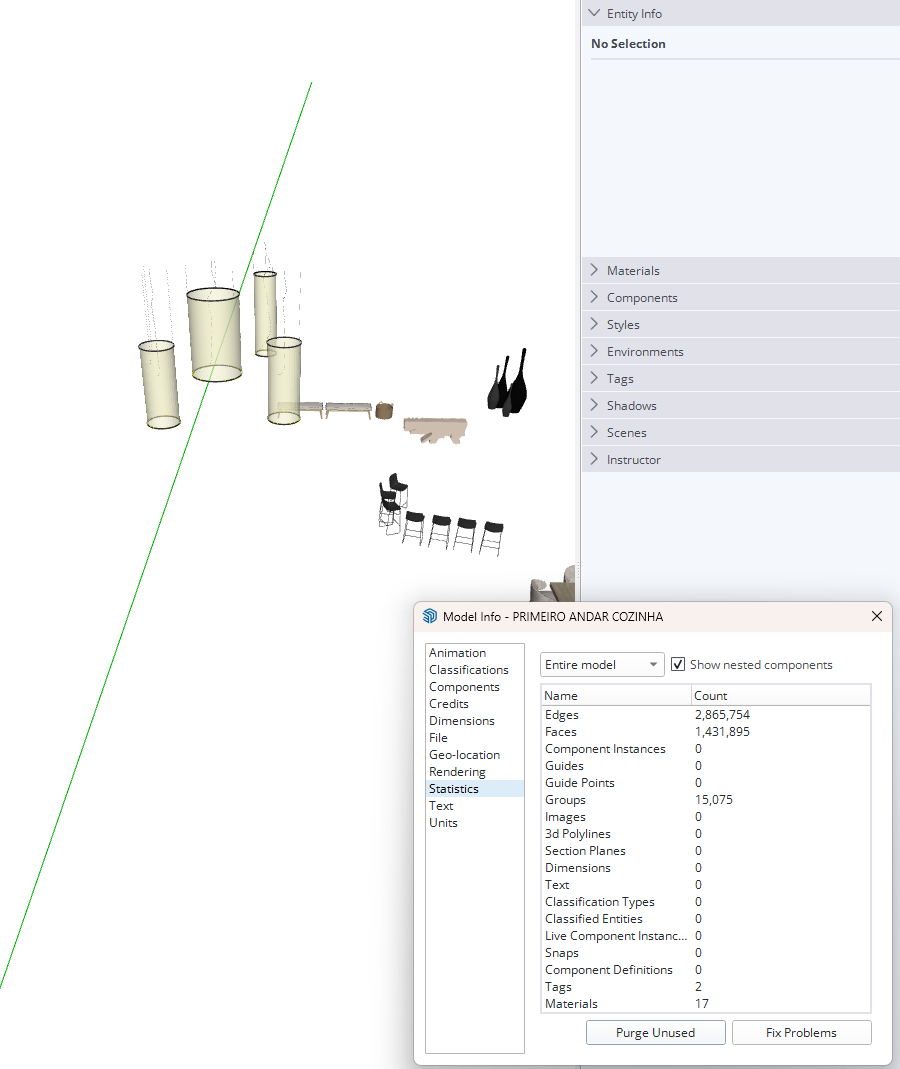
Note: I’m not certain whether purging the SKP file would significantly reduce the polygon count, as this depends on what is actually contributing to the model complexity. It may help with unnecessary data, but the imported high-poly geometry would likely still need to be optimized.
The Edges, Faces, and Group counts are exceptionally high. Similar performance issues can often be resolved by optimizing the SketchUp model or using LiveSync, but in this case, LiveSync does not resolve the issue, which suggests that the model has exceeded D5’s supported complexity limits.