Hello,
I am experiencing an issue when using Rhino 8 with D5 Render via LiveSync.
When applying the same material to multiple objects in Rhino (for example simple cubes or extrusions), the texture scale in D5 changes depending on the size of each object.
Expected behavior:
All objects sharing the same material should display the texture at the same real-world scale, regardless of their individual size.
Actual behavior:
In D5, smaller objects display the texture as if it is “zoomed in” (smaller pattern density), while larger objects show a “zoomed out” version of the same texture. This results in inconsistent material scale across objects that should share identical mapping.
What I have already tested:
- All objects are simple geometry (including freshly created cubes for testing)
- No blocks are used
- No scaling transformations are applied
- All objects are assigned the same material in Rhino
- Box Mapping has been applied in Rhino with identical Size XYZ values
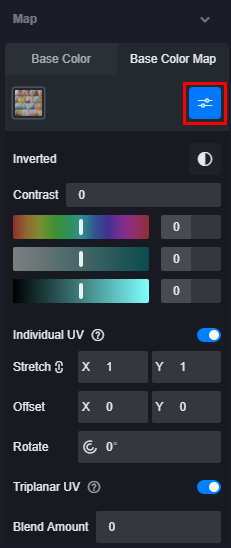
- Triplanar mapping is disabled in D5
- Random UV is disabled in D5
- Tested both meshes and NURBS geometry
- Same issue persists even with newly created simple objects
Conclusion so far:
It seems that D5 is ignoring Rhino’s texture mapping (Box Mapping / UVs) and instead applying texture scale based on object size in world space.
Question:
Is there a way to force D5 to respect Rhino UV mapping (or use world-aligned mapping instead of object-based scaling) when using LiveSync?
Any help would be appreciated.
Thank you.