Hi,
Is there a way to prevent the ai model generator (from image) from adding in a black box under a seated figure? I have tried multiple times now, and at best I get mixed results. If I try to generate from the same image, I could do it 3-4 times before it randomly does not show the black box, but then I have spent 4 credits, with no certainty that I will get a useable result. I have also already “consulted” with your ai support bot:
Thanks for sharing the image. With a seated human pose, even if the chair is erased and the background is white, the AI may still infer that there should be a supporting structure underneath, so it fills that area with extra geometry like a black box.
What you can try:
** Use additional angle images of the same person*
-
- Upload side/back/other views of the same pose if possible.*
-
- This gives the AI more structure information and can reduce incorrect reconstruction in the hidden area.*
** Adjust the source image so the lower body outline is clearer*
- This gives the AI more structure information and can reduce incorrect reconstruction in the hidden area.*
-
- Keep the background clean and uniform, but make sure the body silhouette is complete and easy to read.*
-
- If the erased area cuts too close to the body, the AI may misread it and generate a support block.*
At the moment, I don’t have a documented setting that can directly disable this kind of inferred base generation. If you want, I can help you prepare a support ticket so our team can check whether this is a current limitation of Image to 3D for seated characters.
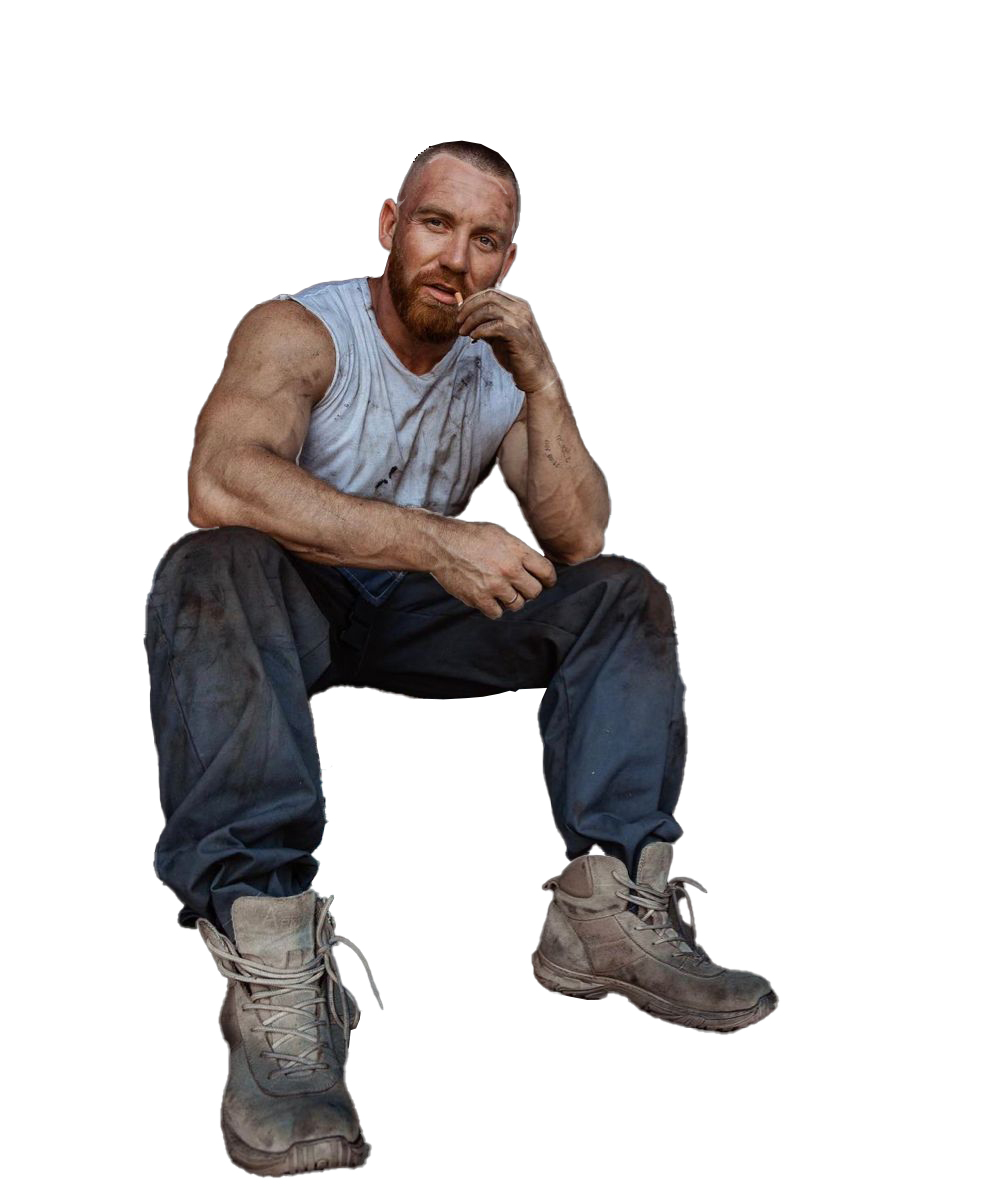
This is the reference image, where I have erased the entire background to prevent it from showing the chair the man was sitting on.
And this is the result, over and over again…
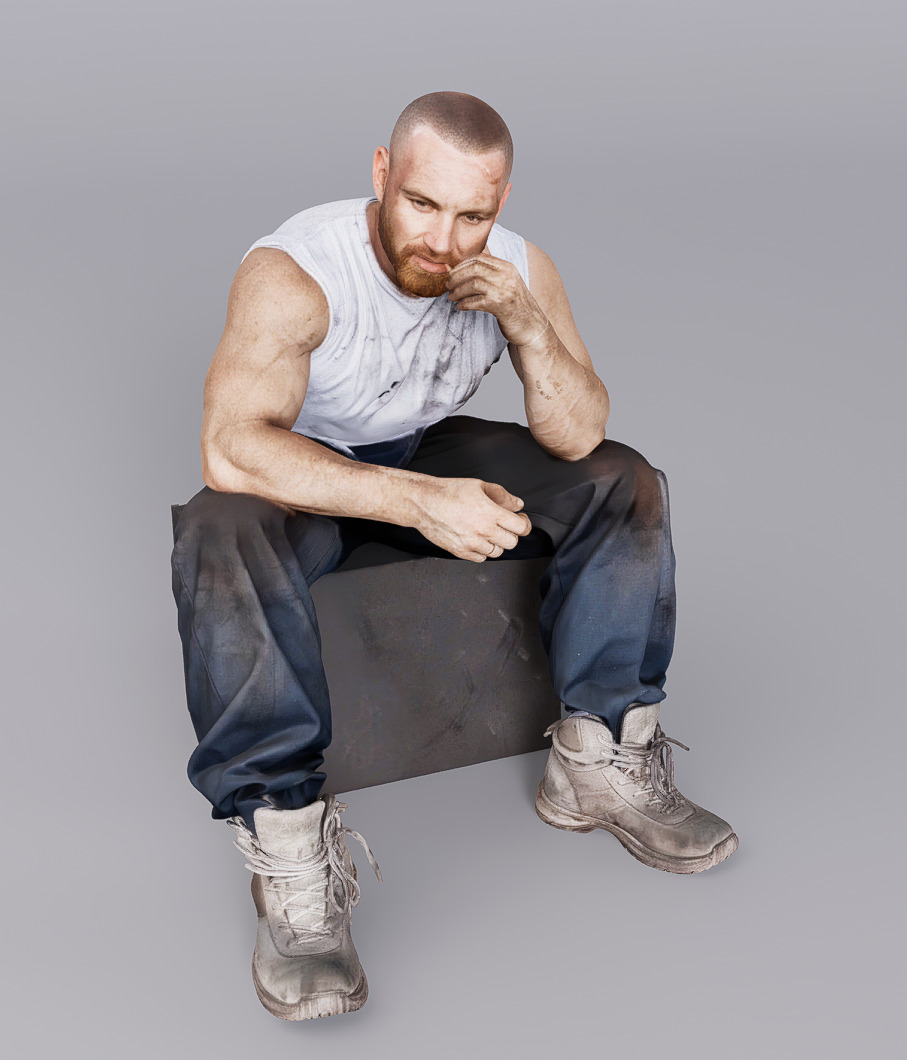
As I say, I have tried this with multiple images, and there doesn’t seem to be any consistency on when it decides to add the box, and when it does not. The whole point is to be able to “seat” this asset figure within my larger scene context.
Alternatively, is there a way to export the asset model to a format (obj, stl, anything) that could be brought into a modeling platform so that I could eliminate the box manually?
thanks
Adrian