I get this image. looking for the textures folder. And in extensions it appears that it is unsigned. It seems to me that the plugging is not placed in the correct folder. How can I solve it?
Hi @cperez.cat
There are no images attached on your post, please reupload them.
I assume you’re using SketchUp:
- There shouldn’t be any significant issues even when the plug-in is showing “Unsigned”
- The texture folder can be accessed by clicking on this button.
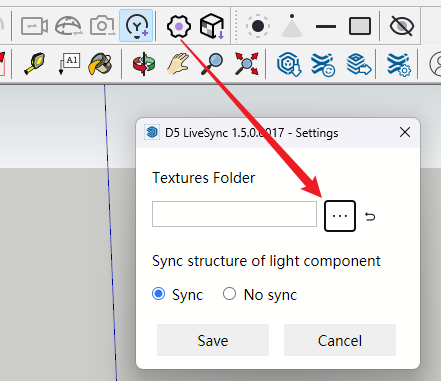
If I open the three dots, it takes me to an empty folder. It can’t find the textures folder.
I think the problem is that it does not detect the rbz file correctly.
Hi @cperez.cat
- Can you send me a screenshot of the exact image that I have attached? I want to check which D5 Livesync version you are using.
You might also want to completely reinstall SketchUp Plug-in in this manner:
-
Enter %Appdata%
-
Locate the SKP Plug-in folder and delete D5Livesync.conf
-
Delete this folder too
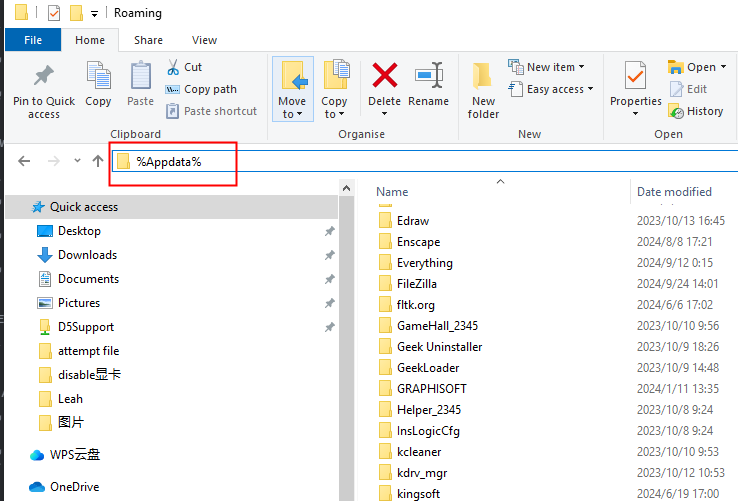
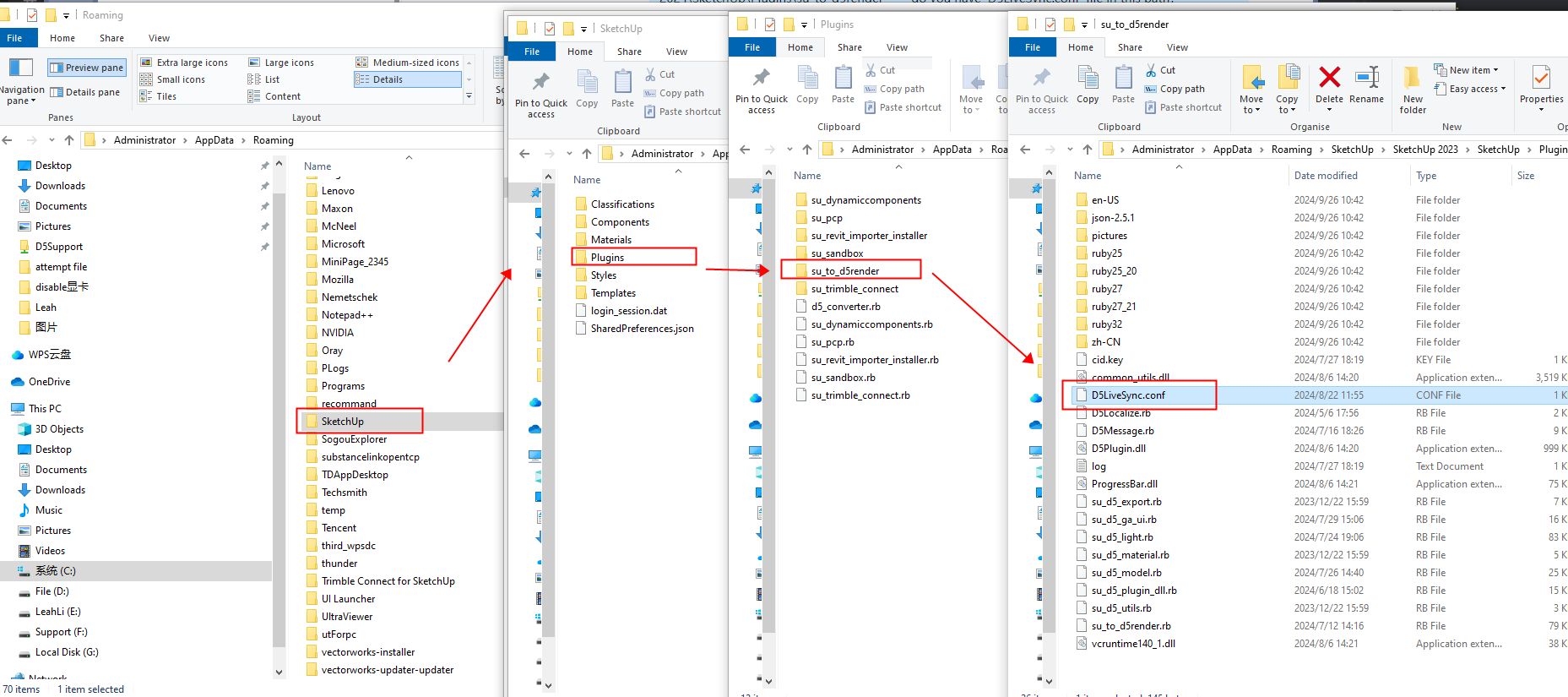

Please reinstall the latest version of your plug-in after completing these processes. And let me know if this resolves your issue.