anyone know why after i started a new project in d5, the app are closed immedietly
Hi @jsatprakoso
I apologize, does this issue occurs to all files even empty D5 files? Can you send us a video-recording showing the whole process? You may generate a link containing the video.
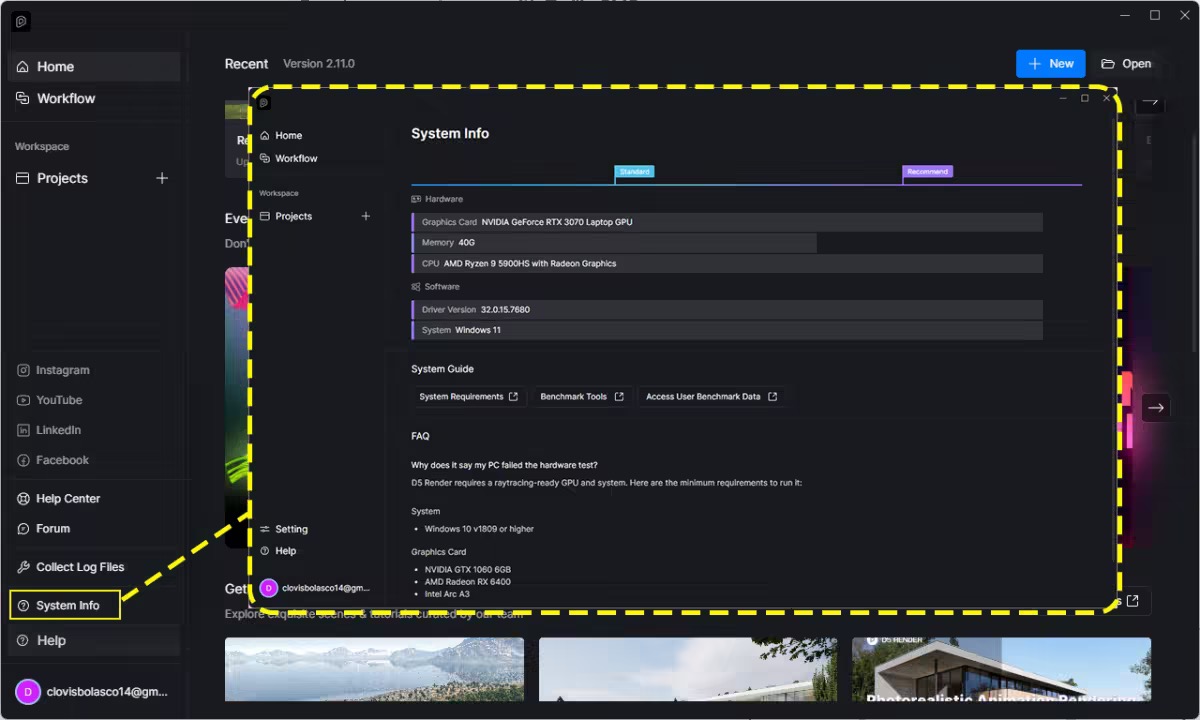
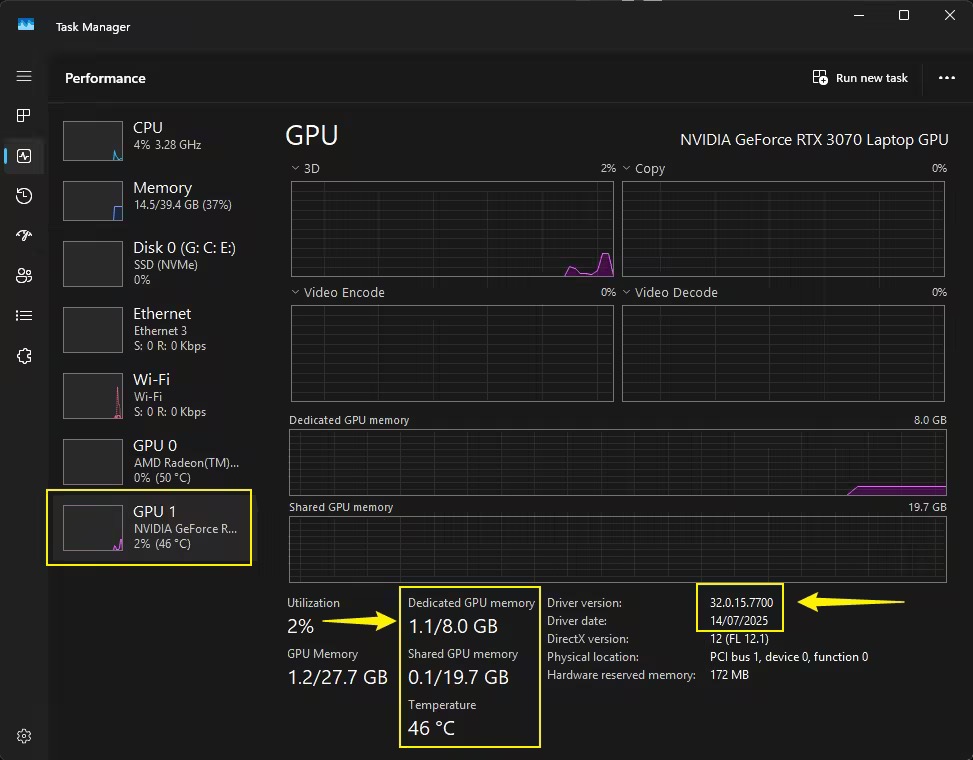
Additionally, please send us these screenshots
-
System Information
-
VRAM - Open this portion while trying to open a d5 file
1 Like
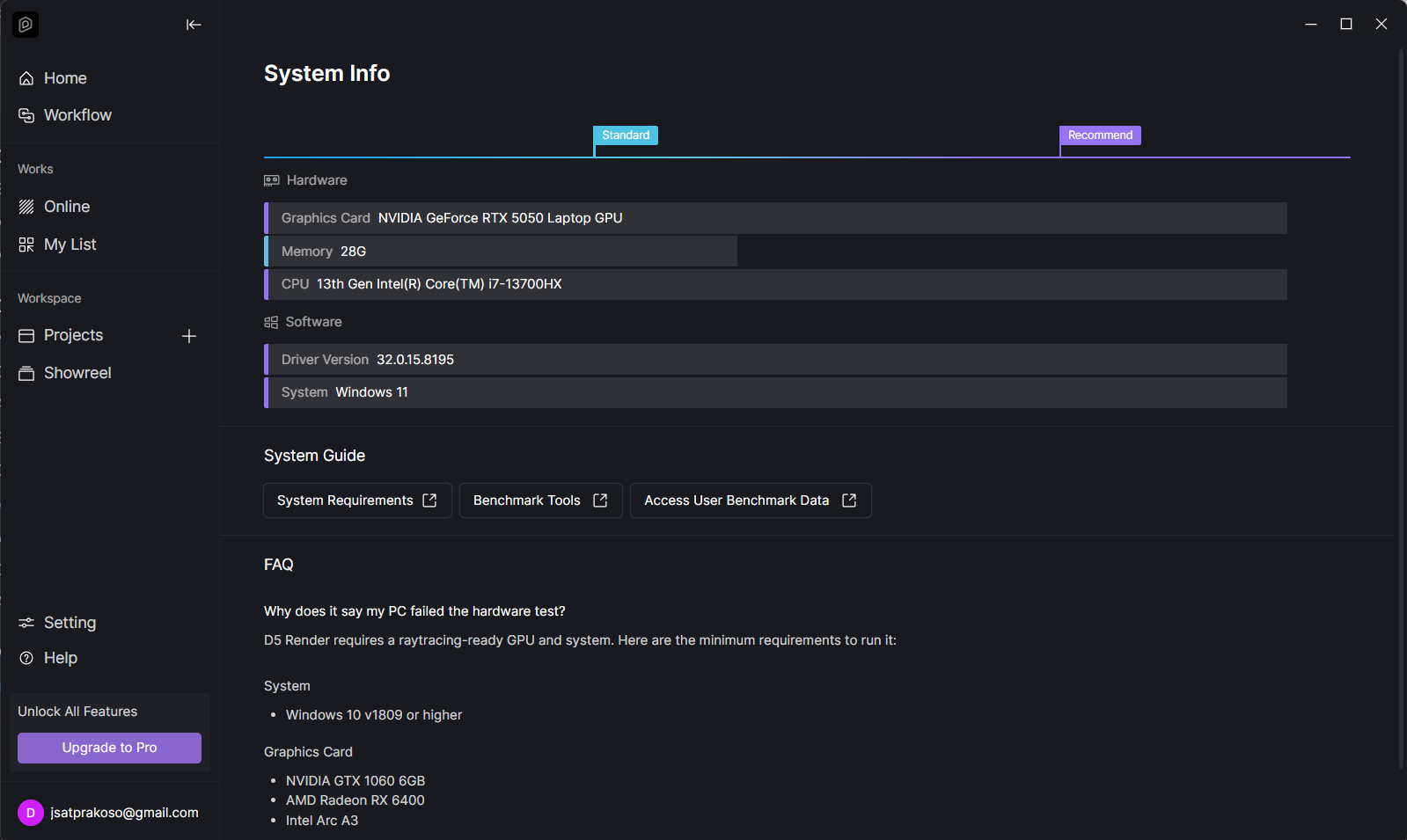
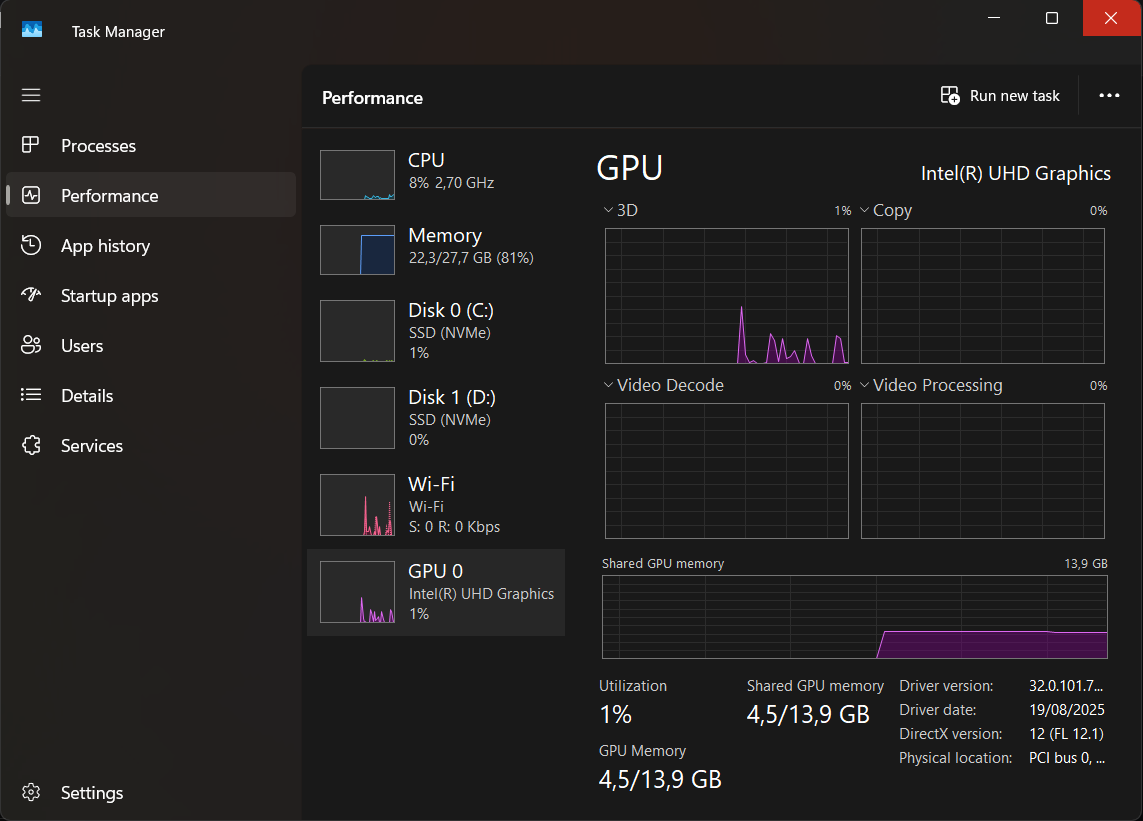
hi there thanks for answering my question, yeah i cant even open new project
here’s the the video link https://drive.google.com/file/d/1Qzw09Q-K90BjO_nfZ9G--VPFy6qS-G-5/view?usp=sharing
Hi @jsatprakoso
It appears that your RTX GPU isn’t being detected in your Task Manager, which is why D5 crashes when opened. Normally, your RTX GPU should be the primary driver of the workload and should appear in your Task Manager.
- To resolve this issue, try updating or performing a clean reinstallation of your GPU drivers. After doing so, check your Task Manager to see if the RTX GPU is now being detected.

1 Like
thank you so much man, it workkk