Good afternoon, everyone.
I’m having an issue with the “flowing water” material. In my project, there is sandblasted glass, and water flows down the facade in front of it. However, when I apply the “flowing water” material, the sandblasted glass behind it is no longer visible.
The first image shows the building with only the sandblasted glass. The second shows the building with the water in front, and in the third, I’ve applied the water only to the bottom half to illustrate the difference. How can I solve this?
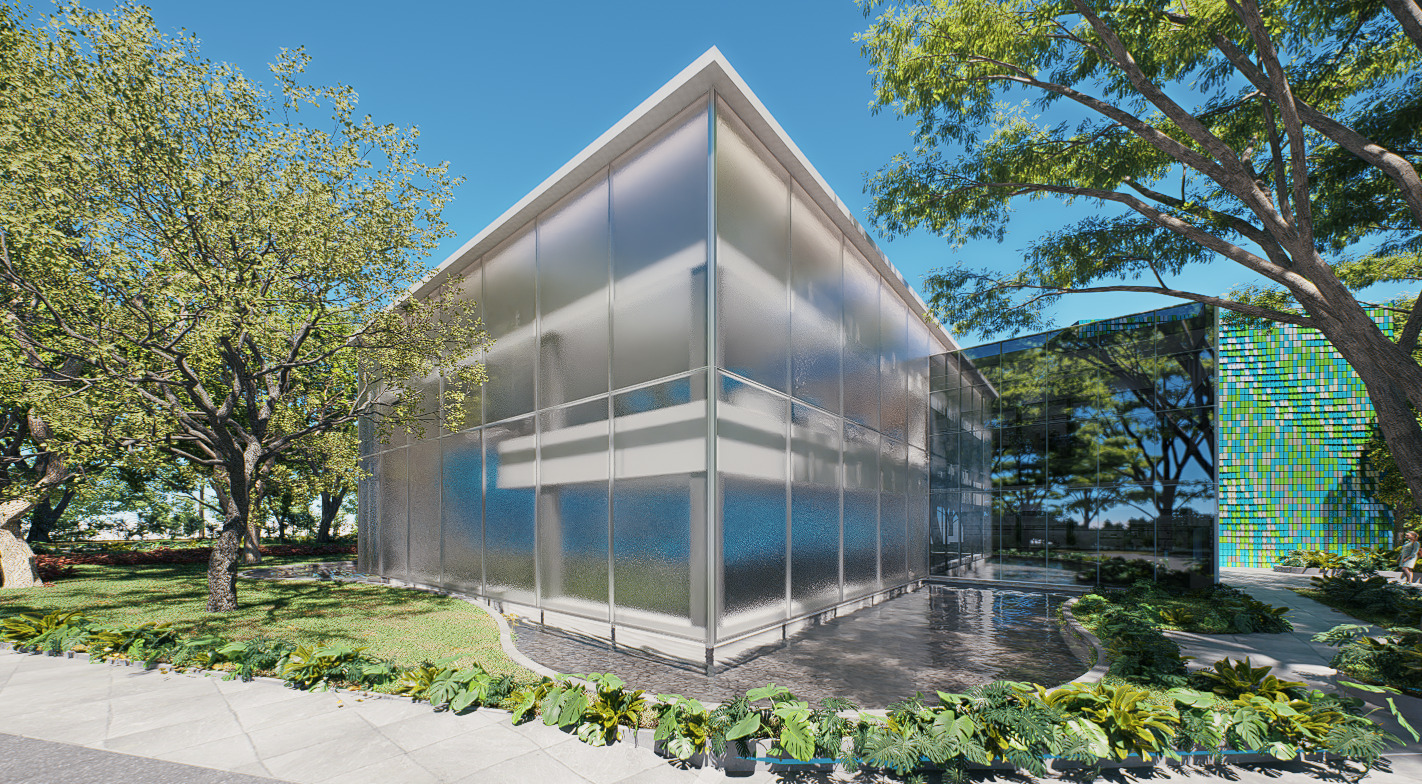
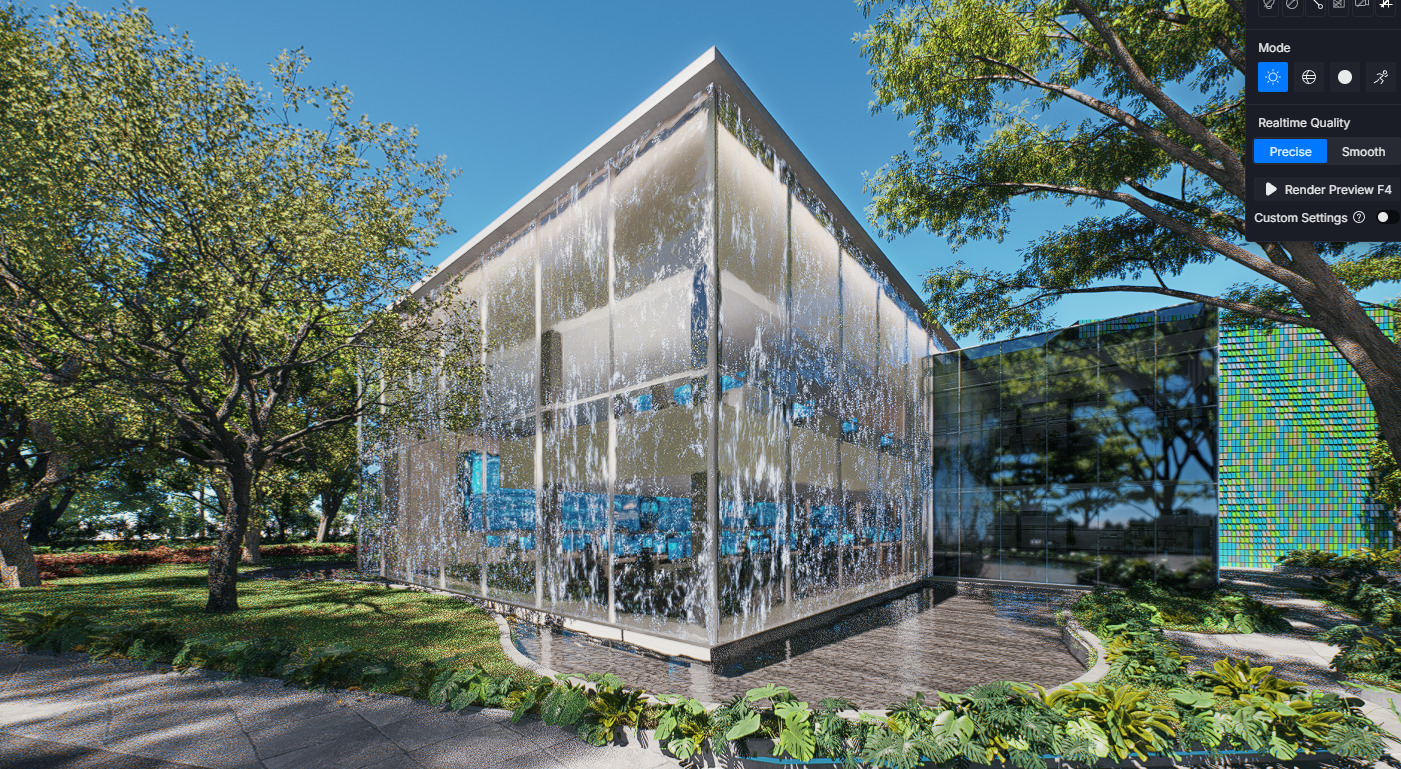

even if i put a tinted glass it doesnt appear
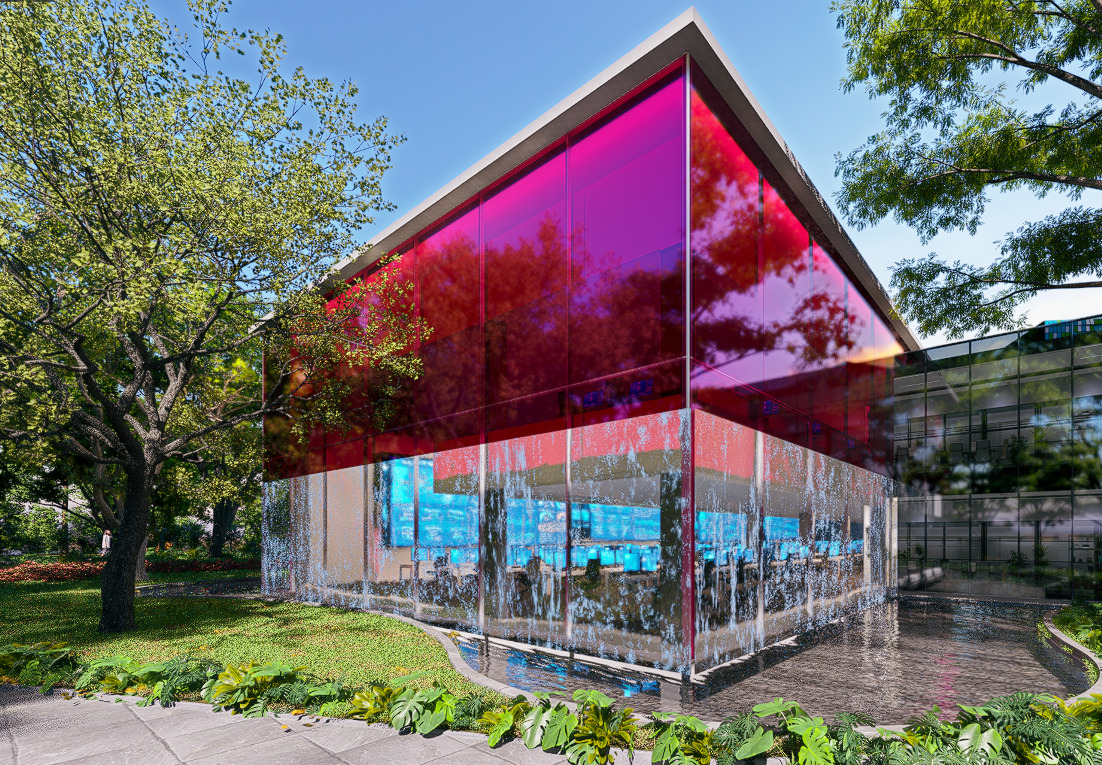
Note that the water plane also casts a shadow on the building. I’ve tried various adjustments—adding or removing thickness to the plane, enabling the “thickness” setting, and reducing both reflection and opacity—but nothing has worked.
D5 Team