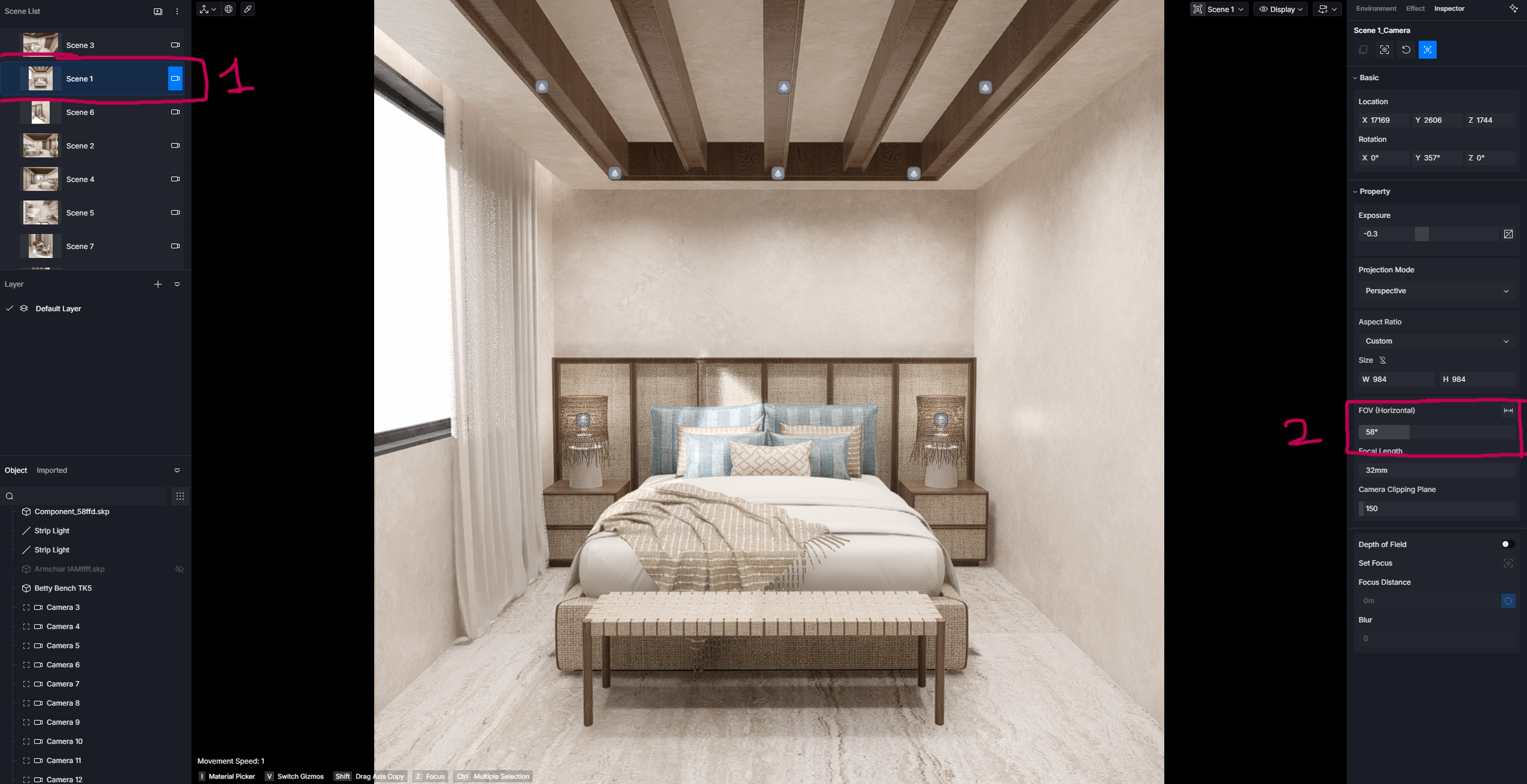

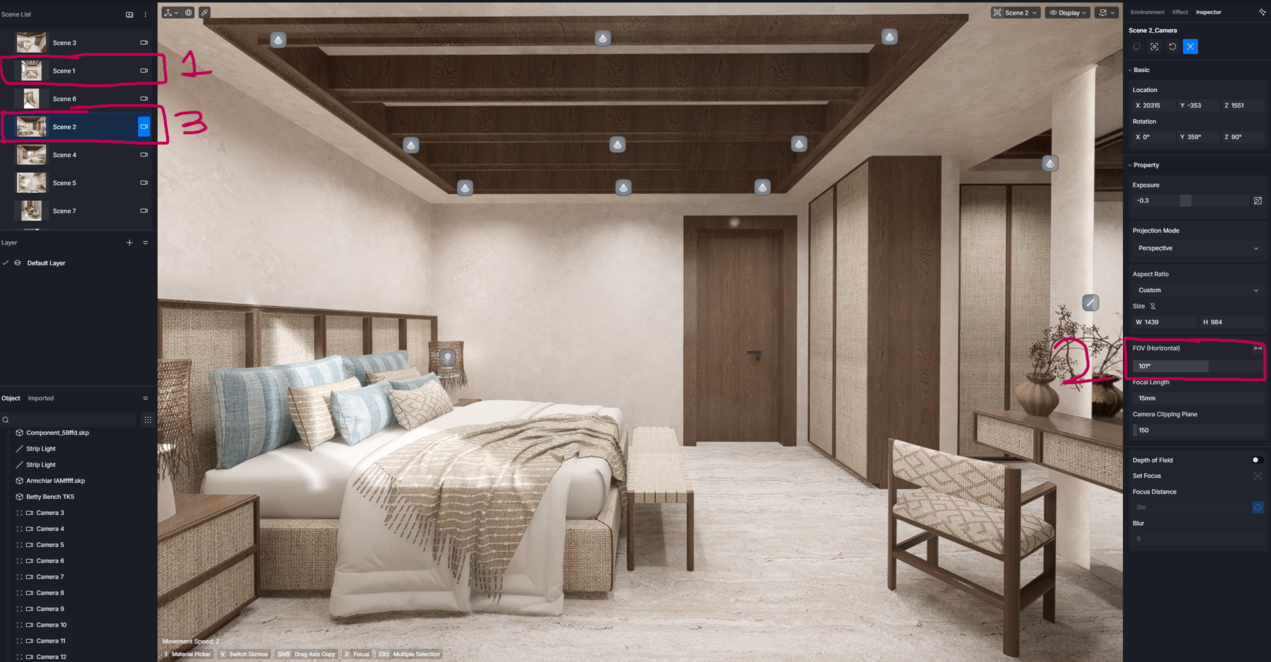
I’m experiencing a serious issue where the FOV (Field of View) of a scene changes automatically, and it appears to copy the FOV from the next scene. This has started happening only after updating to version 3.1.
Image 1:
- Scene 1 was originally created with an FOV of 58.
- You can see the scene icon/thumbnail matches the original camera, confirming it was saved correctly.
Image 2:
- When I return to the same scene later, the FOV has automatically changed from 58 to 101.
- I did not make any changes to this scene.
- The scene thumbnail still shows the original view (FOV 58), but the viewport displays an FOV of 101 instead.
- If I render the scene, it also renders with the incorrect FOV (101), not the original one.
Image 3:
- I noticed that the next scene which is scene 2 has an FOV of 101.
- After checking multiple scenes, I found that several scenes are automatically copying the FOV value from the next scene in the scene list.
- The saved scene thumbnail remains correct, but the actual camera settings in the viewport and the final render use the wrong FOV.
This seems to be a bug because this behavior never happened before. It only started after updating to version 3.1.
This issue is causing a major workflow problem. Yesterday, I had to re-render 20–25 images out of a total of 75 renders because the FOV changed without my knowledge.
Please help me resolve this issue as soon as possible. If this is a known bug, is there any workaround or fix available? This problem is seriously affecting my work.