I work with a company that uses Vectorworks and exports it to FBX and then I import it in D5 and render it. But the last 2 projects the fbx is just not working. It used to handle like 3gb but now with 1gb half of the export is missing and in blender the whole model is showing so d5 just deletes half of the model. Walls, windows or floors are missing. What to do because they can not split the file everytime. And the models aren’t complicated or huge.
Can you send us the blender file together with the fbx file so we can test it on our end?
1 Like
Hi,
I only have the fbx here because i am on another pc.
I just tested it with Blender and D5, and the issue can be replicated.
- Blender
- D5
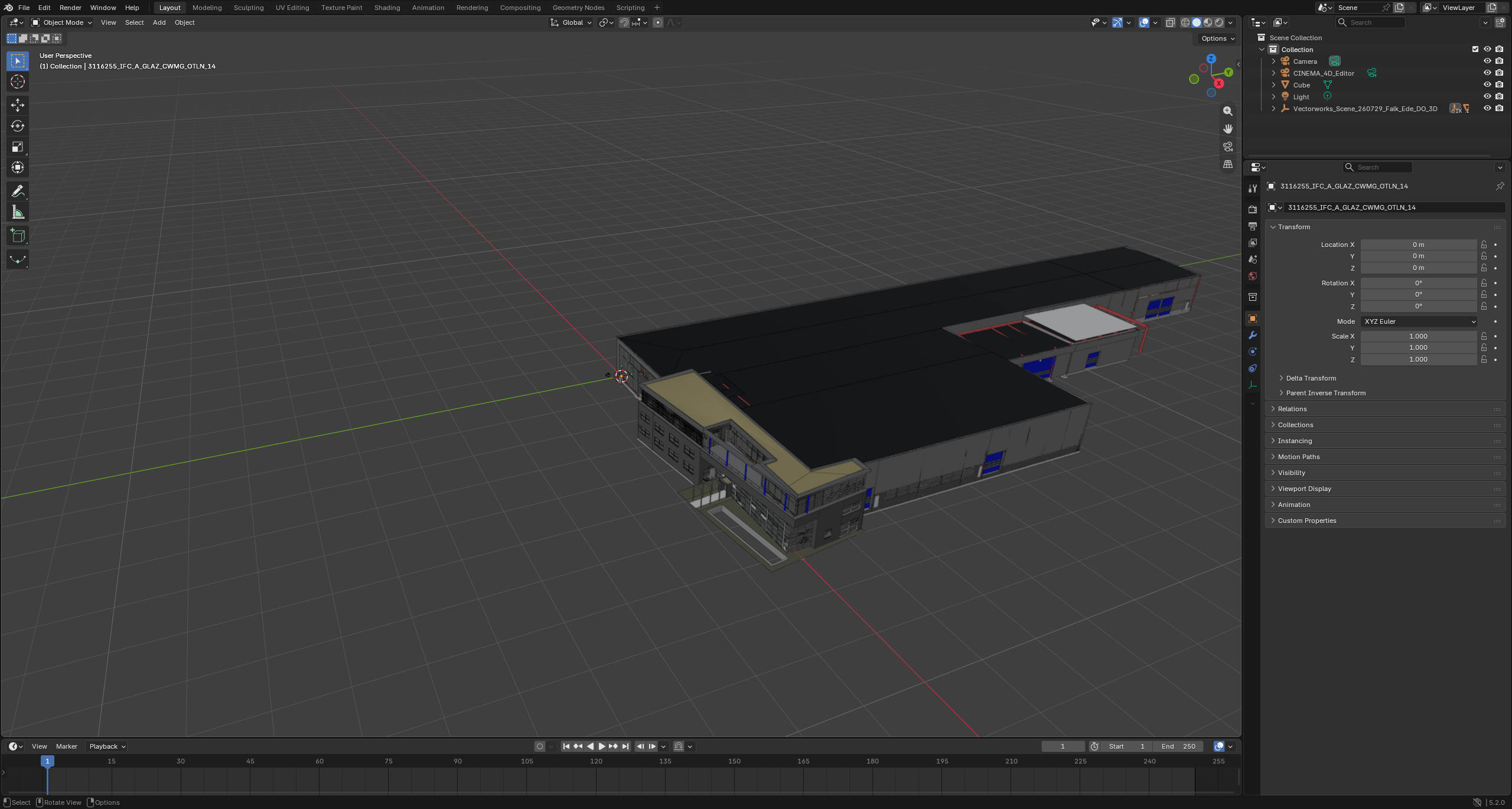
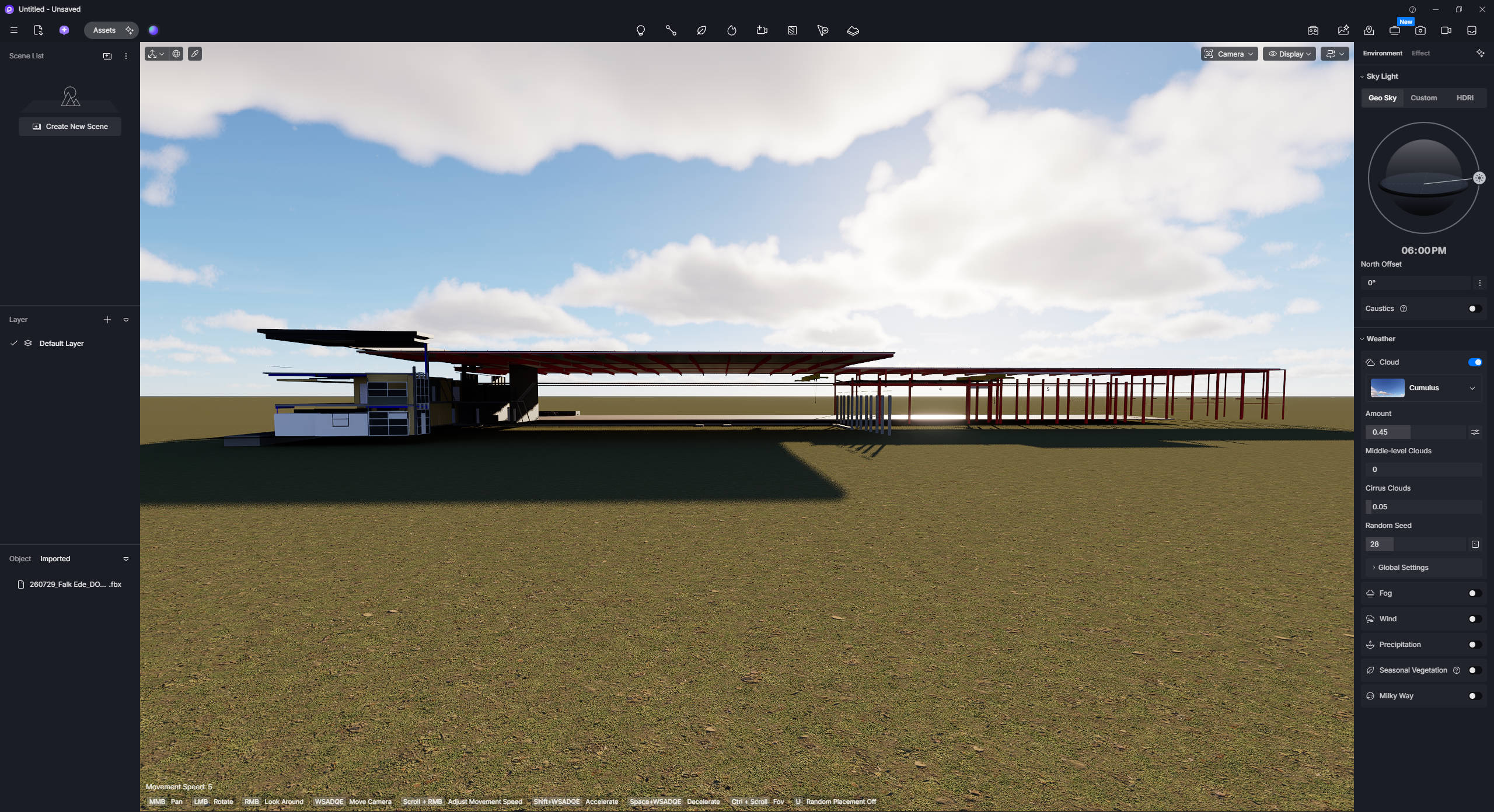
We may need to collect your Vectorworks file in order to investigate these parts where it disappeared in D5 Render. Please send us your Vectorworks file as soon as possible.
Here is the Vectorworks file: Vectorworks
The deadline was yesterday so I imported in Blender and exported the file to OBJ and then imported it in D5. That worked but I had the assign the materials by hand so I don’t wanna do that every project. My guess is that there is something complicated in the model that D5 can’t handle.
Thanks for this.
Your assumption may likely be the reason why this is happening. Anyway, we will be investigating your files to check where we can improve. 
Hii is there any news? I have a new project at the end of the week
Sorry, but no updates yet regarding this issue.
For now, considering your situation, it might be best to:
- Use the D5 Plug-in for Vectorworks

Hi, I don’t have Vectorworks on my computer. The company where I work with has Vectorworks and sends it as a FBX. So livesync is not a option
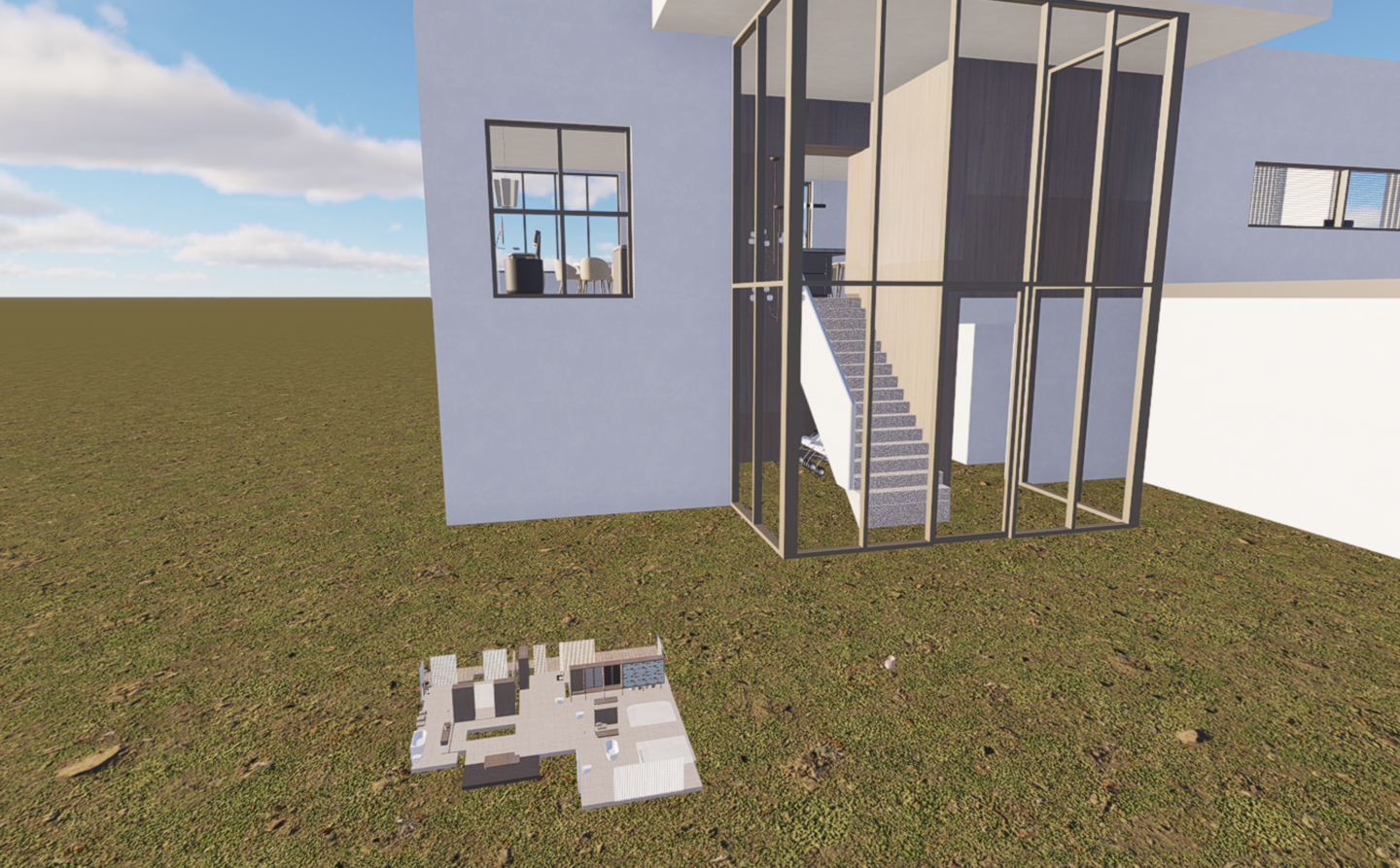
So I started a new project and there is the same problem but now i found out that the objects that are missing are in the model but smaller and in a corner. Its very weird.
We will release a new build for the hotfix version to fix this issue. Please update to 3.1.1.0758 if you will be prompted to update.