Hi All -
Sorry if this has already been covered, but I recently started playing around with AI Stylize for some of our landscape renderings, and I have to say it’s pretty amazing.
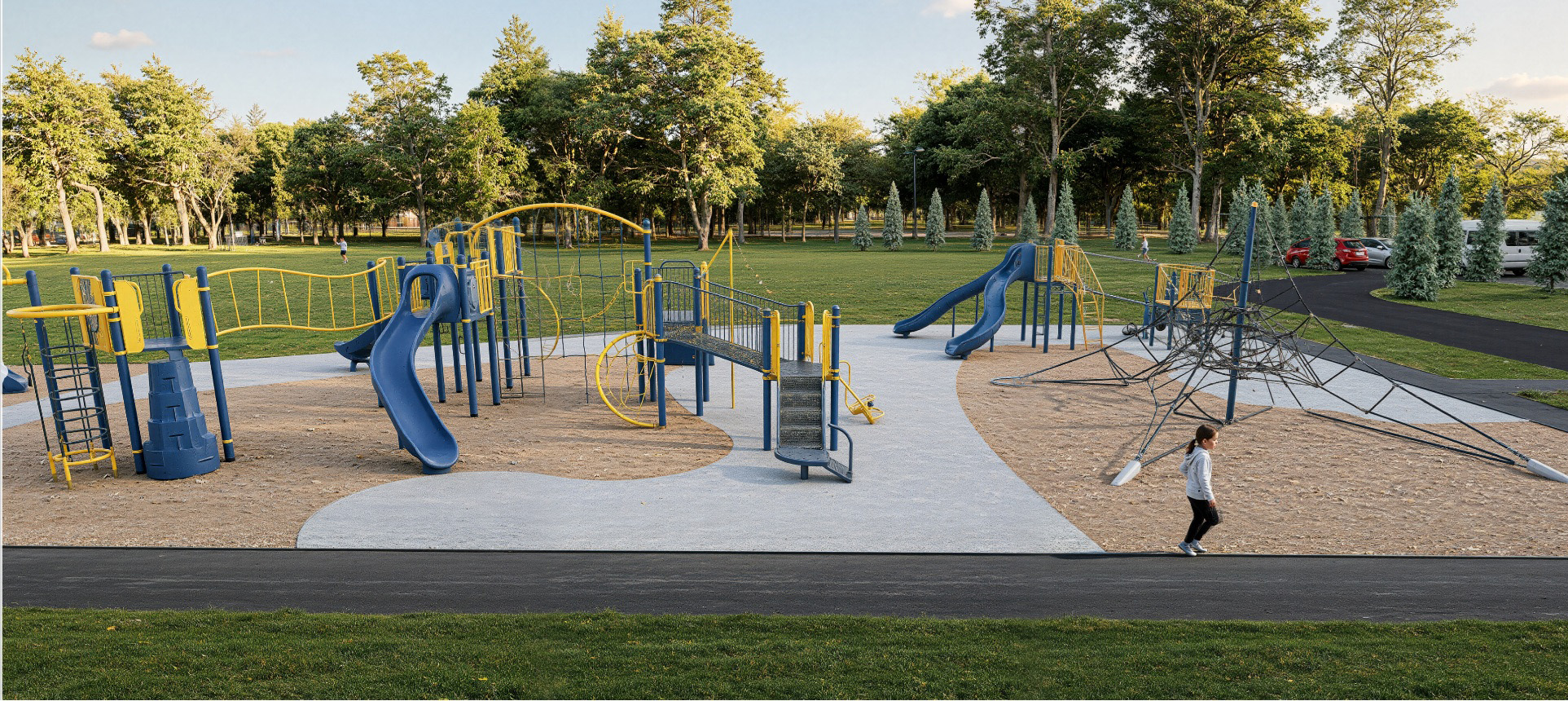
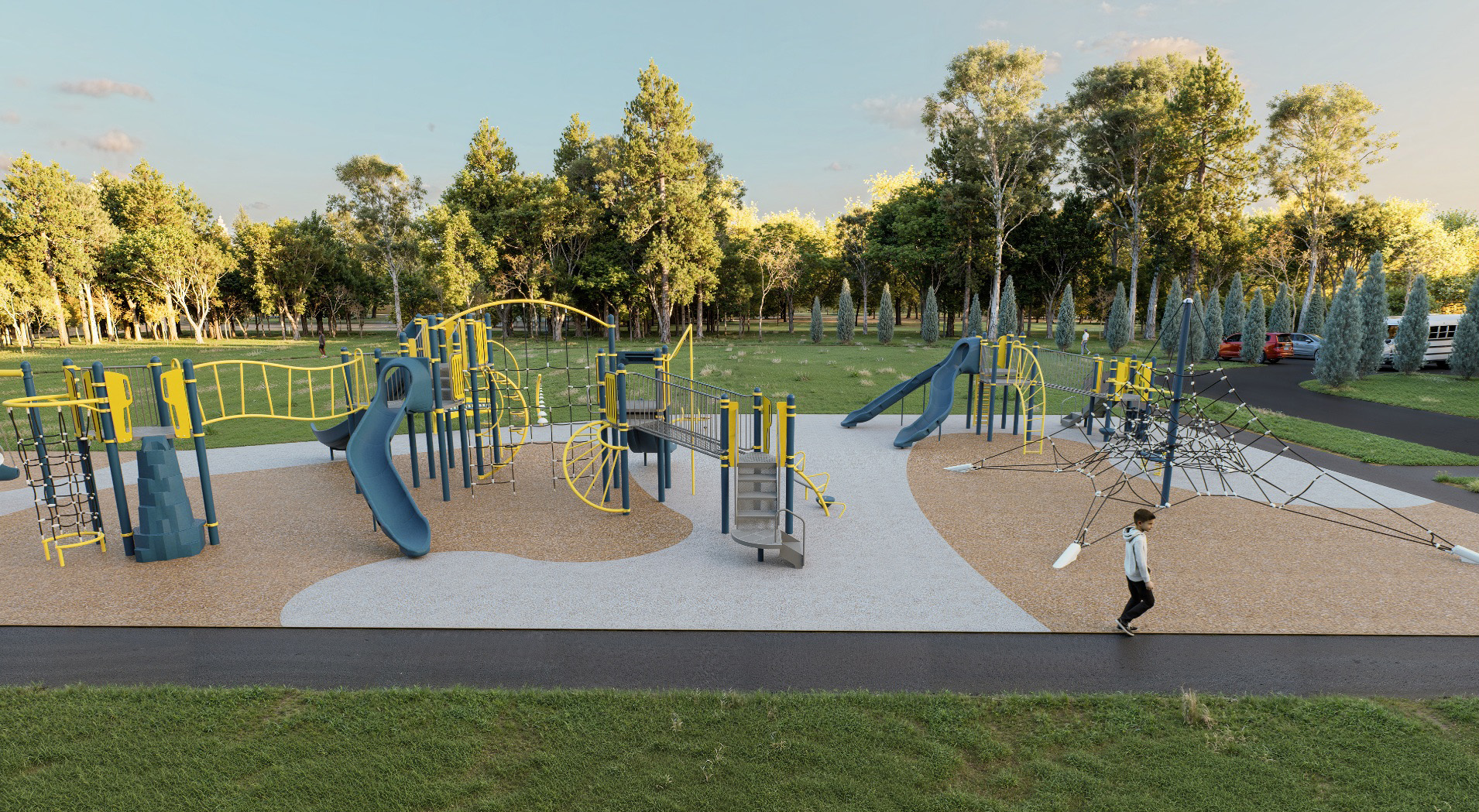
The issue I’m running into is that when I use AI Stylize with our site models, it sometimes distorts or changes certain site equipment/items that need to remain exactly as modeled.
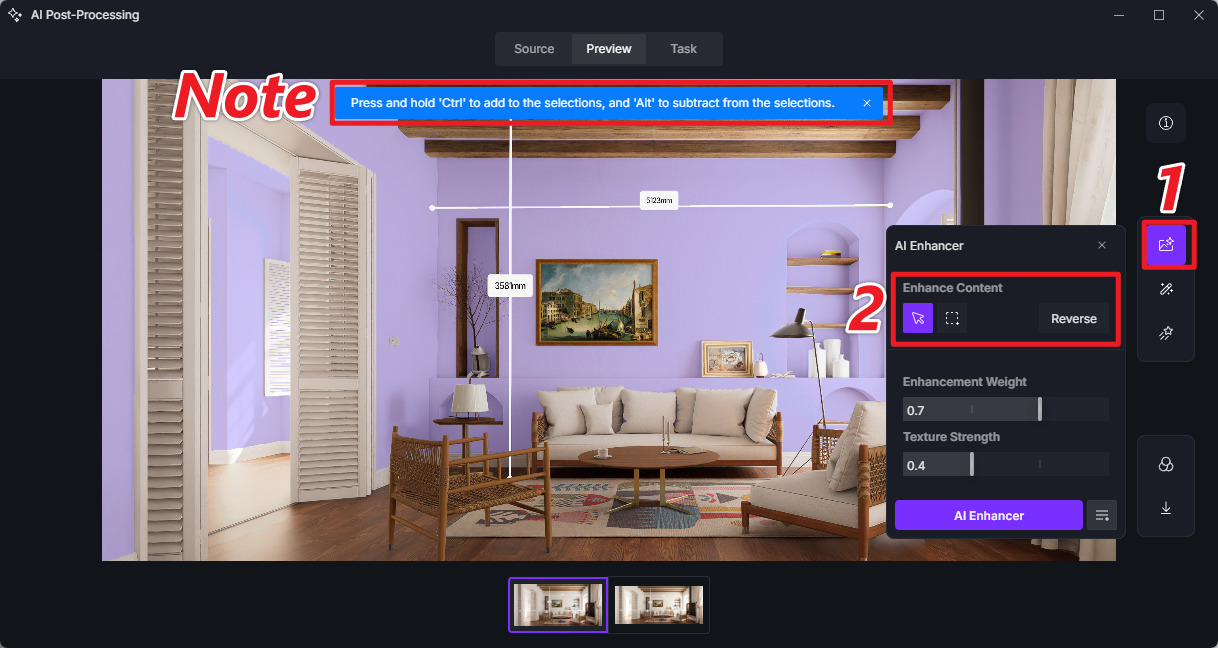
Is there currently a way to deselect or exclude specific objects from AI Stylize, similar to how you can with AI Enhance?
I’ve attached an example below (hopefully the images come through). Ideally, I’d like to be able to stylize the surrounding landscape while keeping the actual site equipment and other important model elements untouched.
Right now, my workaround is to render the site normally, then render the landscape separately and Photoshop the two together. It works, but it takes quite a bit of time and I’m definitely not a professional in Photoshop.
I know there isn’t currently a way to render the model without the background while still preserving the original shadows, so I’m wondering if there’s another workflow or setting I may be missing.
Thanks in advance for any advice!