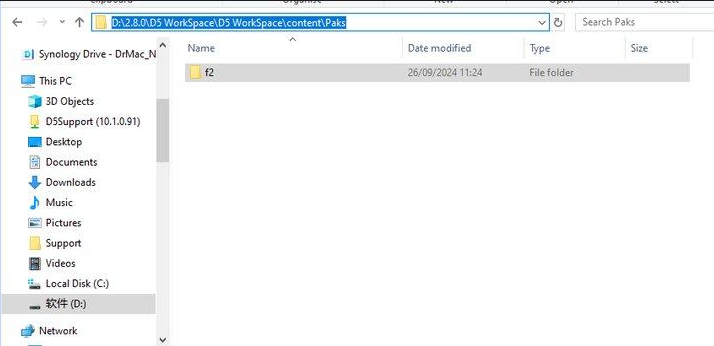
Hello, the D5 Workspace folder is taking up more and more space on the disk. Can you delete files to clean up? If yes, which ones ? It would take a script or program for D5 to clean up on its own. The number of files is impressive.
Thank you in advance for your help.
1 Like
The workspace is a collection of assets from both online and local libraries. If you do not want the assets from the online library and prefer to download them again, you can manually delete them from here.
Regarding the program to clean up automatically, it’s good advice, we will consider developing one.
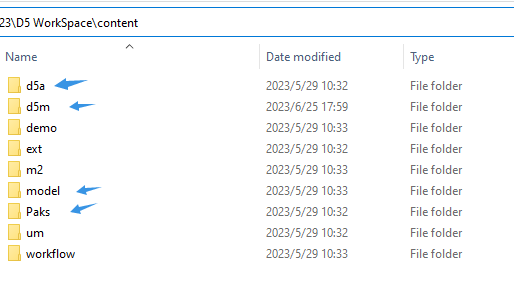
Hi Bruce thanks for the tip, I’ll clean it up. Have a good day !
1 Like
My workspace folder growing up, i don’t want delete materials, models etc . but is there unwanted items, like caches. how do i delete
Hi @binu_alex
It is generally safe to delete the .pak files in the F2 folder. However, once they are deleted, you will need to update your D5 files when you open them, as assets from the Online Library may initially appear as box placeholders until the required assets are downloaded again.
- This also contributes alot to the size of your workspace folder.
- Deleting it does not affect your projects, local materials, or imported models, it only clears the cached copies of assets you’ve downloaded from the D5 cloud library.