I’m hoping I’m able to get some clarity on this issue, or what I may be doing wrong.
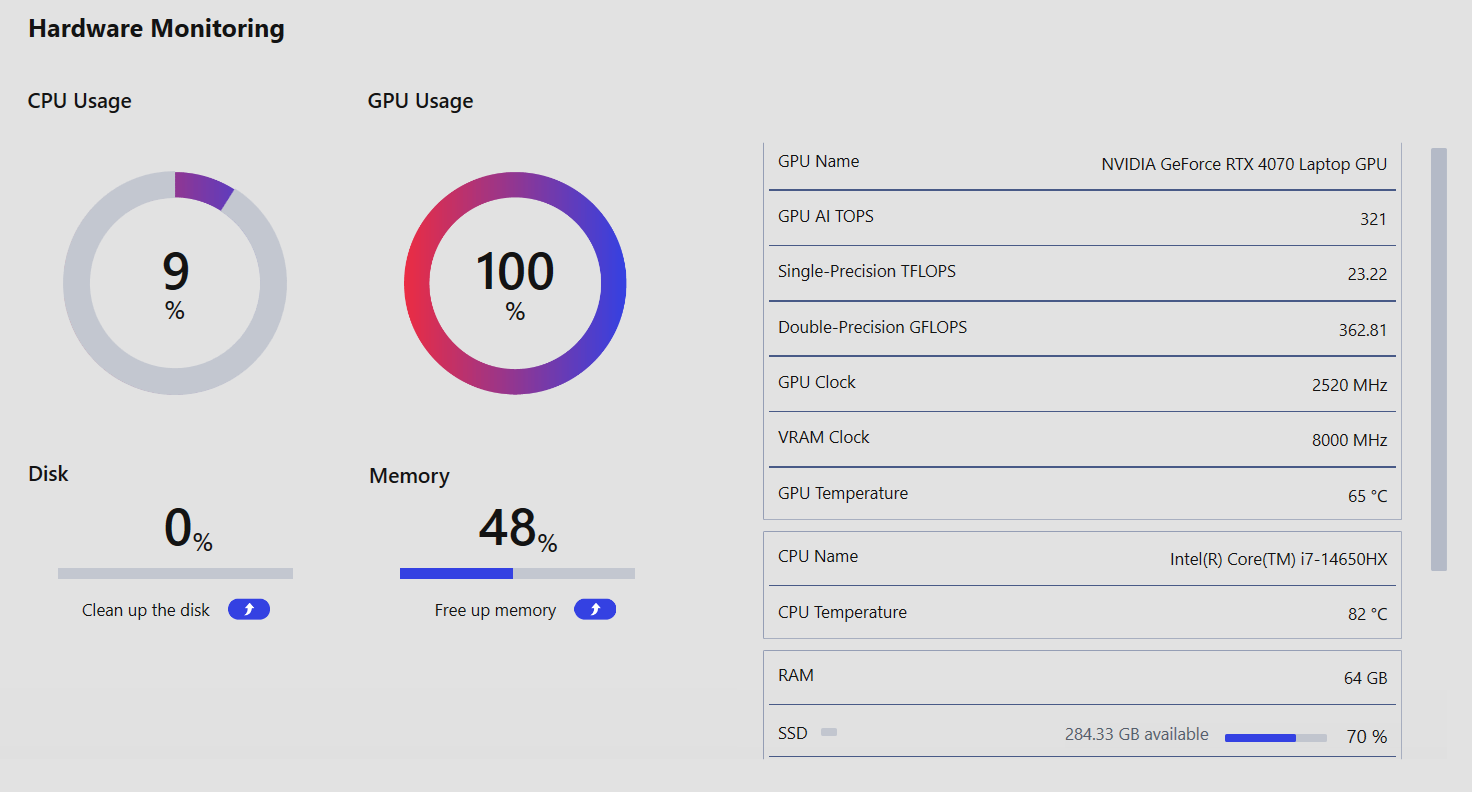
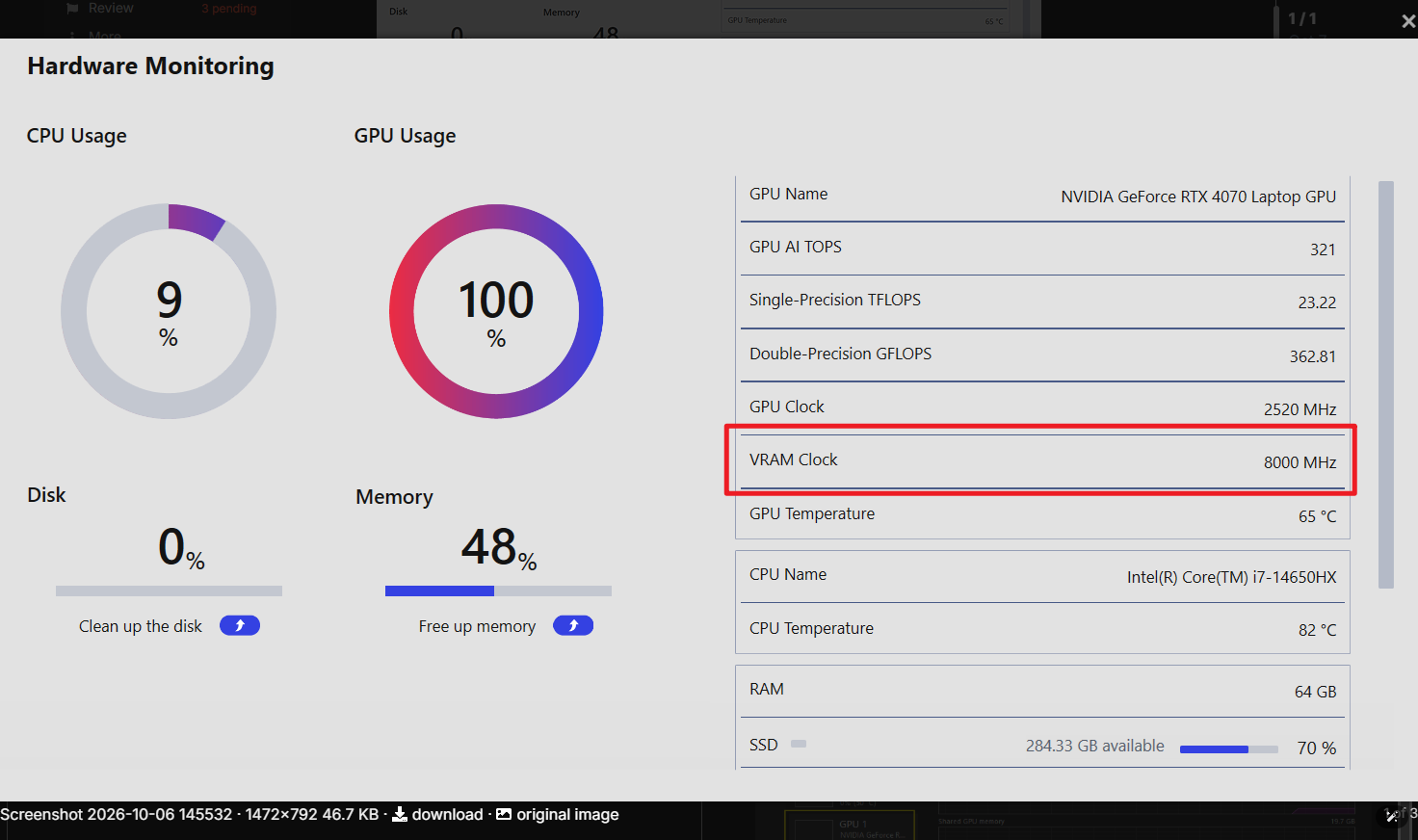
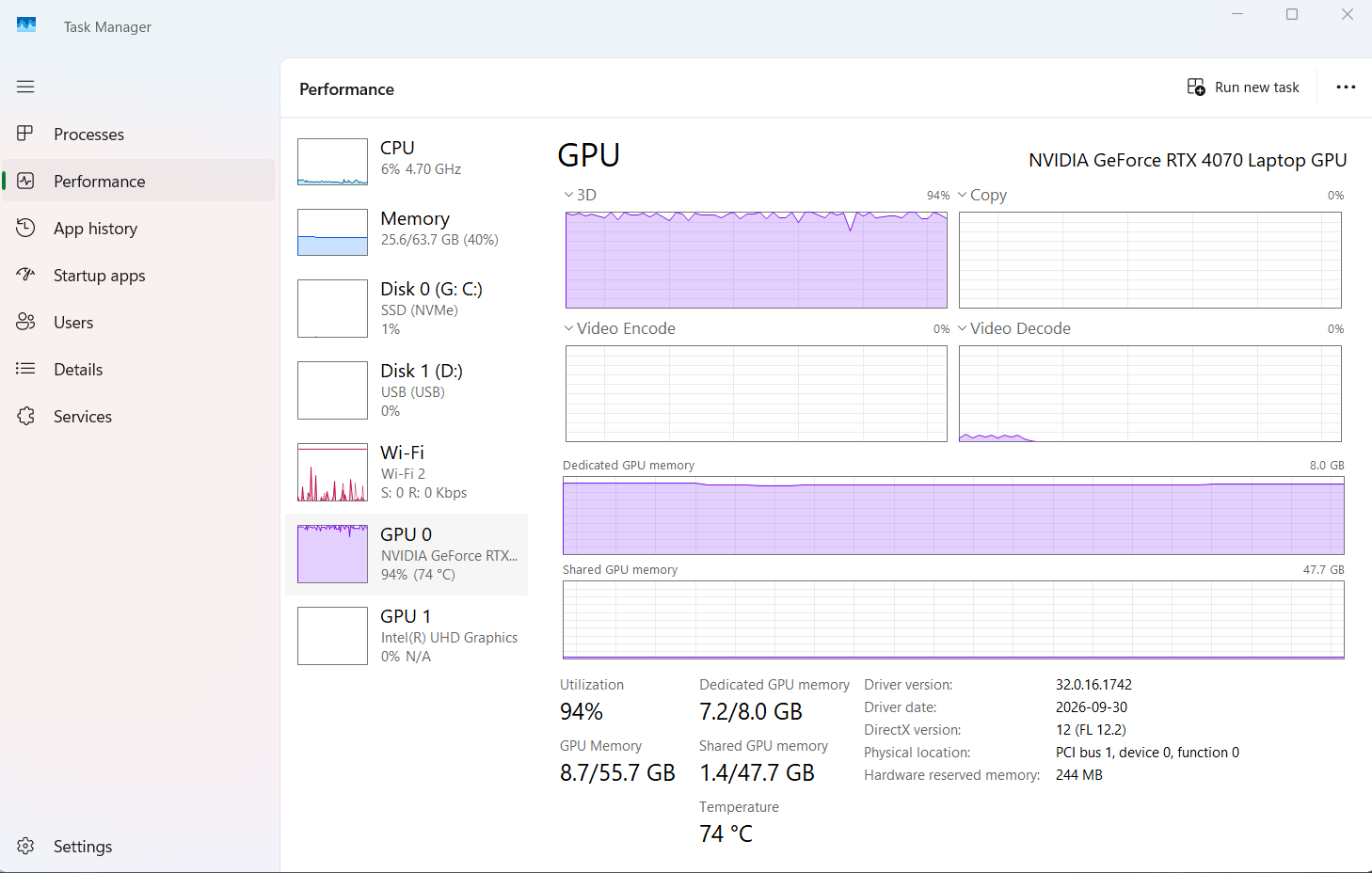
I’m using an MSI Crosshair 16 HX D14V laptop, and upgraded the RAM to 64GB. The hardware monitoring is shown below when I’m running D5 and Revit together. I am also connected to a larger monitor via HDMI cord where I use D5 since the screen is larger.
D5 always starts okay at start, but as soon as I start adding any vegetation, trees, furniture, etc it slows down so much it’s almost unusable and costing me a lot of time.
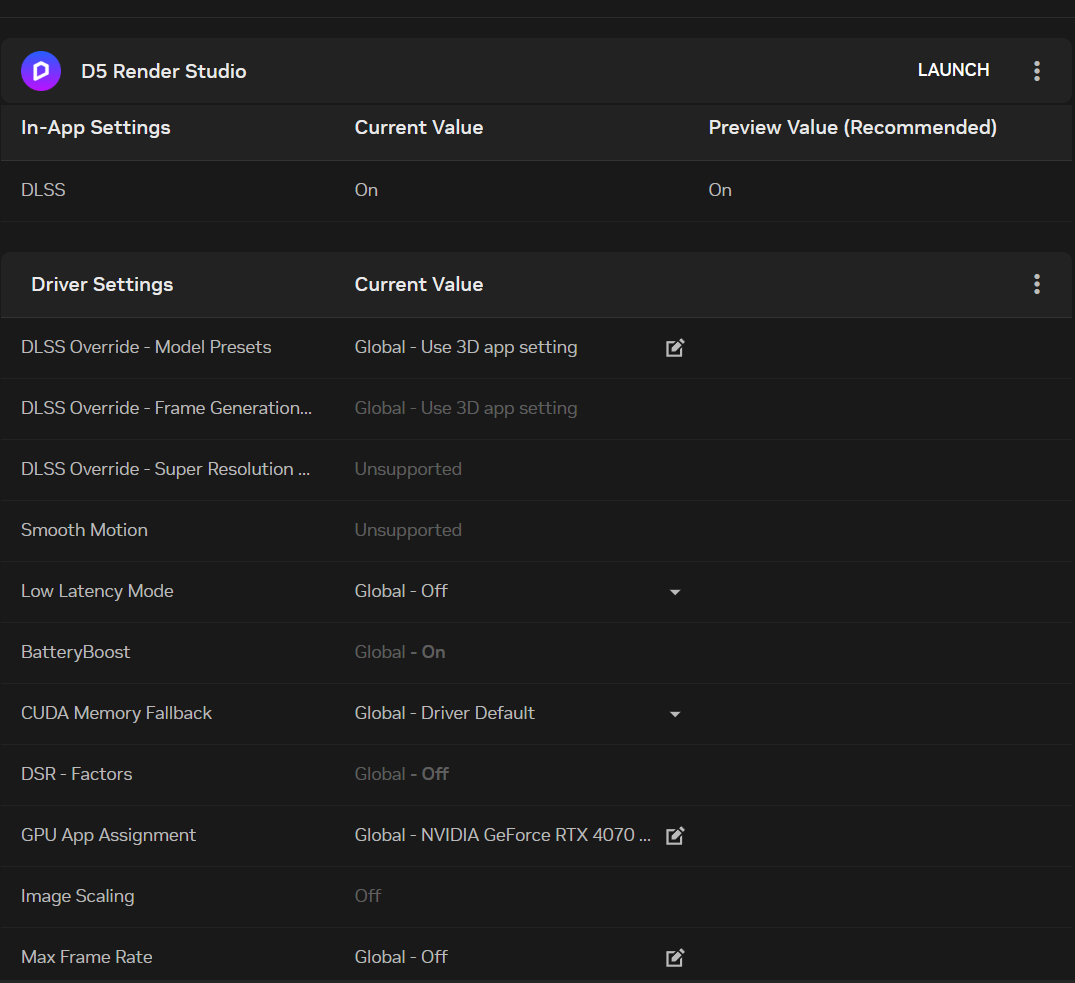
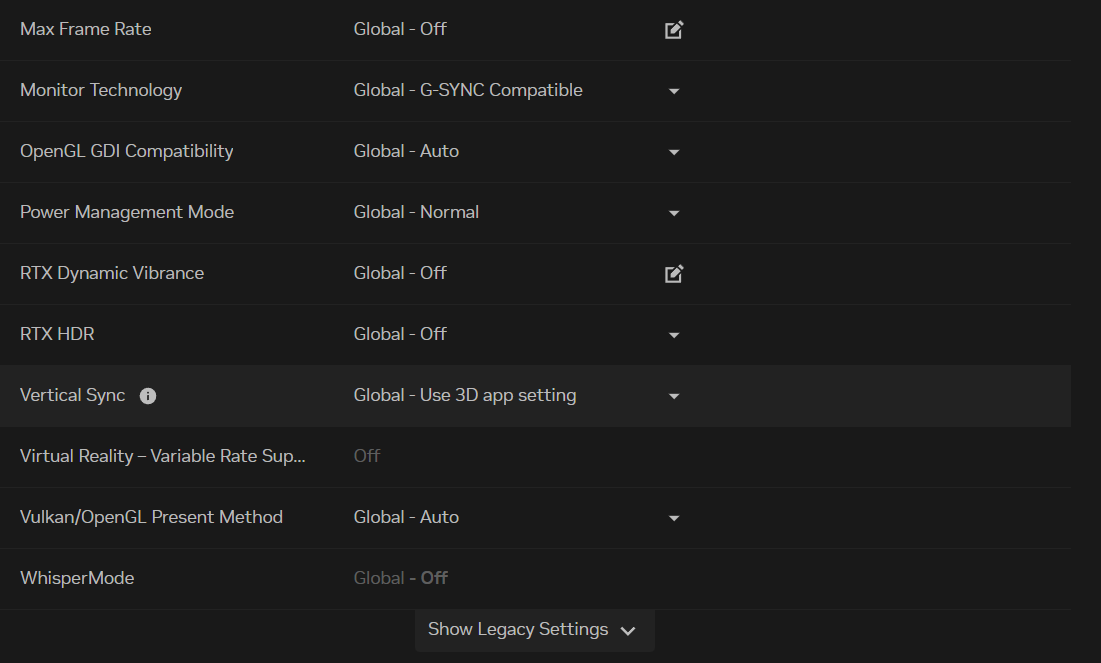
Is there an issue with laptop/monitor I am running? I’ve seen people have success using laptops before, and I thought my set up would be okay. Or am I using the wrong settings on D5, revit or Nvidia? Or is it not okay to run Revit at the same time?
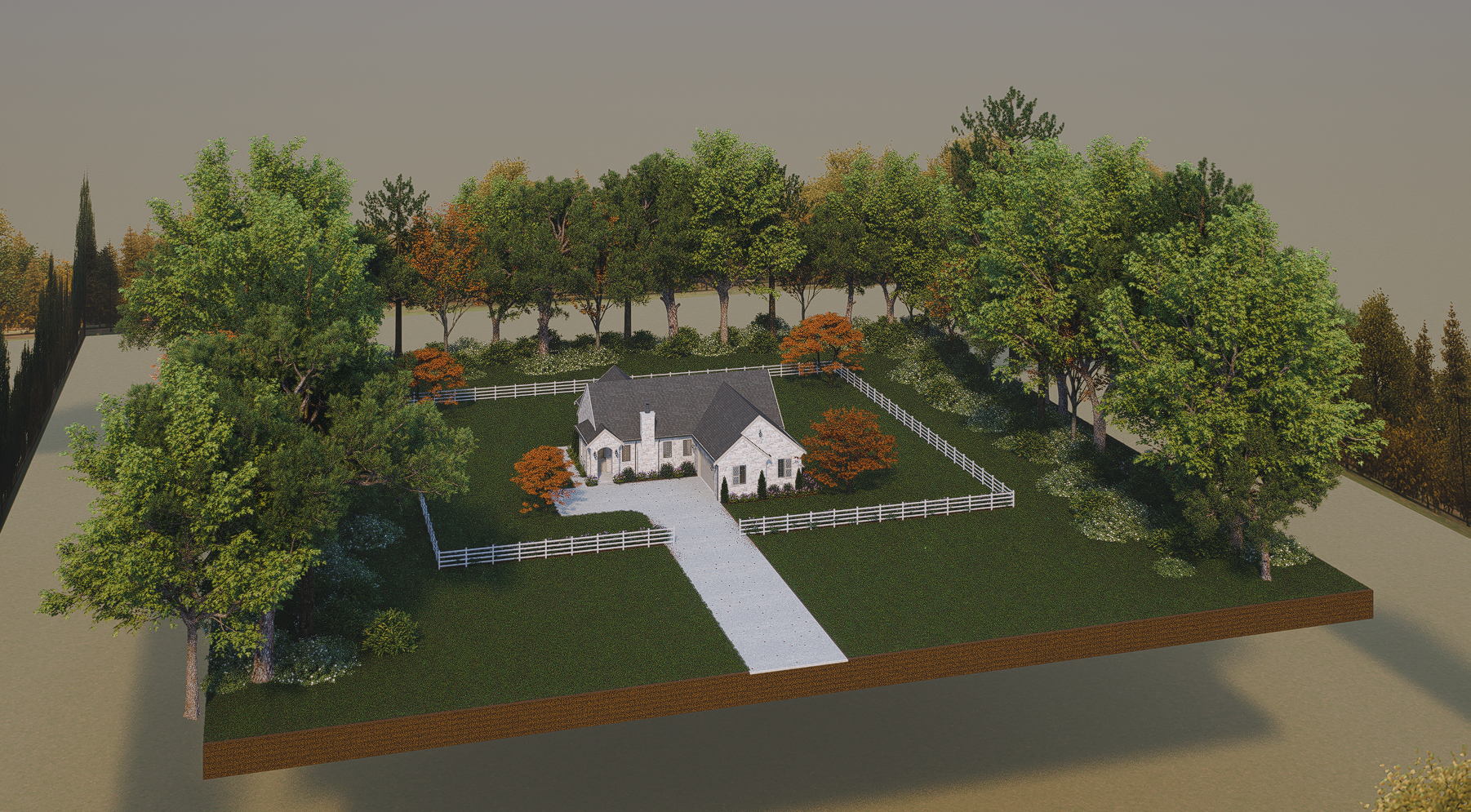
File Sizes: I’m not sure exactly how to tell the size of the D5 file, but the folder says 872mb. I took a screenshot of the whole model so you can see it’s not a very big scene at all.
Video Recording: How can I send the video? It’s not giving me an option to upload videos on here.
Current fix: I had one material with True Displacement enabled. When I turned it off the speed increased quite a bit, but still not smooth.
Overclocking: I’m not sure if the 8000 MHz number is bad or how to turn off any overclocking for it. I downloaded MSI Afterburner and changed to 9000 MHz to see if was any better, and it seems to help a bit. However, it stays maxed out now at the 9000 number.