D5 sticking at 99% loading any project or new

I have been using D5 (free) on my Alienware X16R1 with no issues whatsoever until today. I am using the Livesync feature with Sketchup 2026. While working with a model earlier, both D5 and SU became unresponsive. I was able to close both apps by right-clicking the taskbar icon and choosing ‘Close Window’. The menu icons on each program not working.
After restarting first both apps, then Windows, then updating to D5 2.11.1, then uninstalling D5 (all elements) and reinstalling it, I still cannot get any D5 project to open, or link from SU to work. I cannot even start a new empty project in D5.
I am just stuck at 99% loading whatever I do. And of course I am mid-project with a deadline…
Any suggestions gratefully received, I’m in a bind.

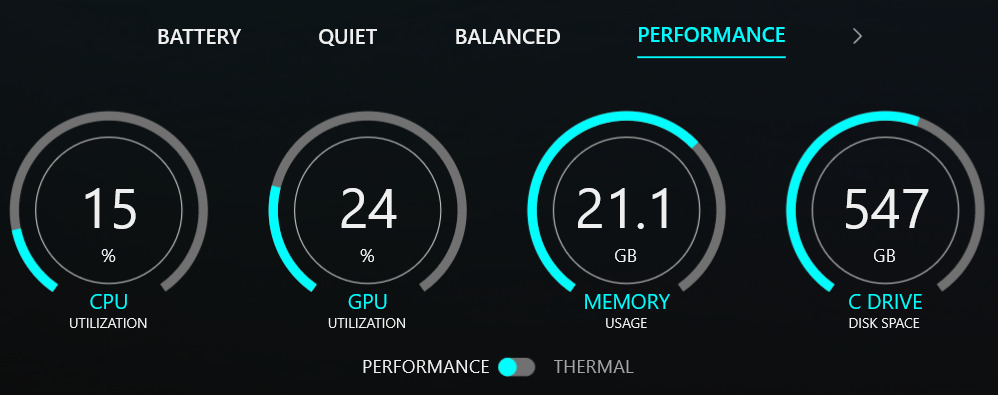
Here are my computer stats, having sat at 99% for while trying to start a new empty project.
I have never used scatter by the way…

thanks

Update. For no apparent reason, but after several attempts I was able to open the D5 project for the scene I was working on. It opened quickly and then when I opened SU I could link it and sync. Working quickly now in case it breaks again…

Hi @keithpocock

Thanks for the update — I’m glad to hear you were eventually able to open the project and continue working. Please do let us know if the issue comes back; we’re here to help.

There are actually several factors that can cause D5 to hang at 99% loading, including:

  • Large file size or very complex geometry
  • High VRAM usage during loading
  • High device temperature or thermal throttling
  • Background apps consuming GPU resources
  • Outdated Drivers, and the list goes on —

If it happens again, feel free to reach out and we can guide you through deeper troubleshooting steps. Thank you for your understanding