I finished model texture and linked in D5, completed some plantings.
After I save and close D5, and open it again, it shows nothing.
I’m sure there are something because the OBJECT has names and items.
Can someone give me some help? Thanks!

Hi @accounting
Sorry for the inconvenience caused. To help us narrow it down, could you please check a few things for me:
- Does this happen only with this specific project, or with other D5 files as well? Have you tried opening an empty scene?
- Where is the project saved? local drive or cloud/network folder (like OneDrive/Google Drive)?
- Which LiveSync (SketchUp/Revit/etc.) are you using? Or was the model imported manually?
- Do you remember if anything changed before this happened (D5 update, plugin update, or moving the project folder)?
- Have you tried completely restarting D5 and resyncing the model?
Could you send your D5 version and System Info

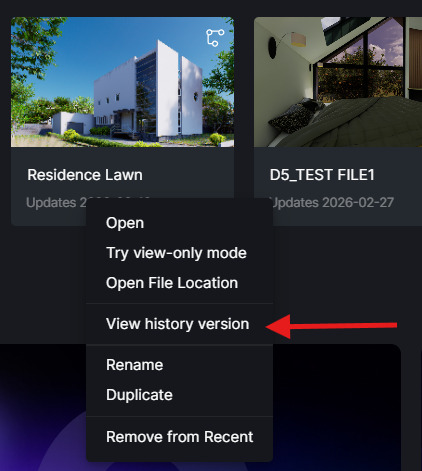
Also, if possible, please check if there are History version of the file. Sometimes, the current archive may have an issue, and an earlier version can still contain the models.
I look forward to your response.
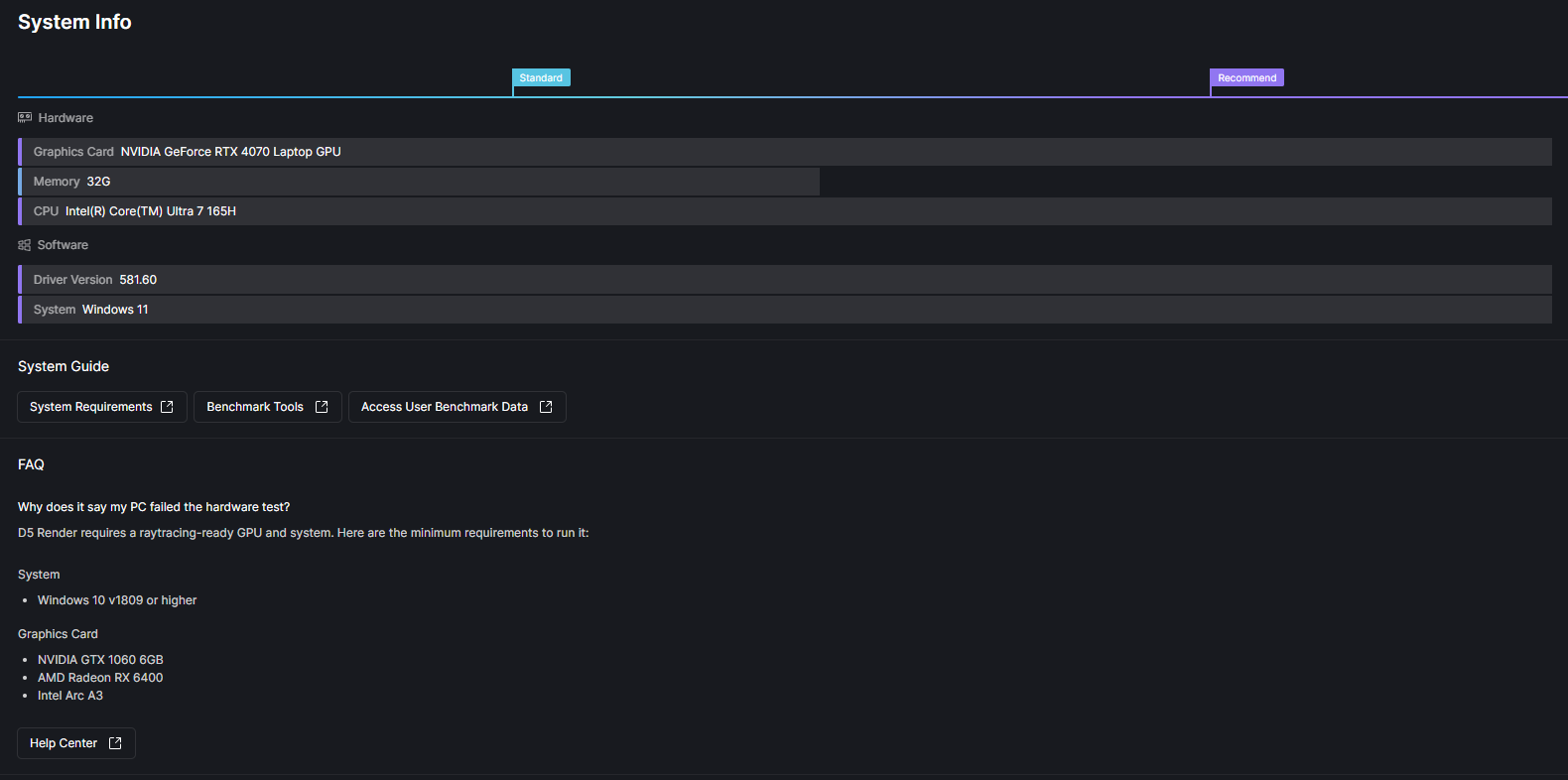
This only happen to this one file.
After i re-linked, it’s all good. But when I close and re-open, nothing is there:

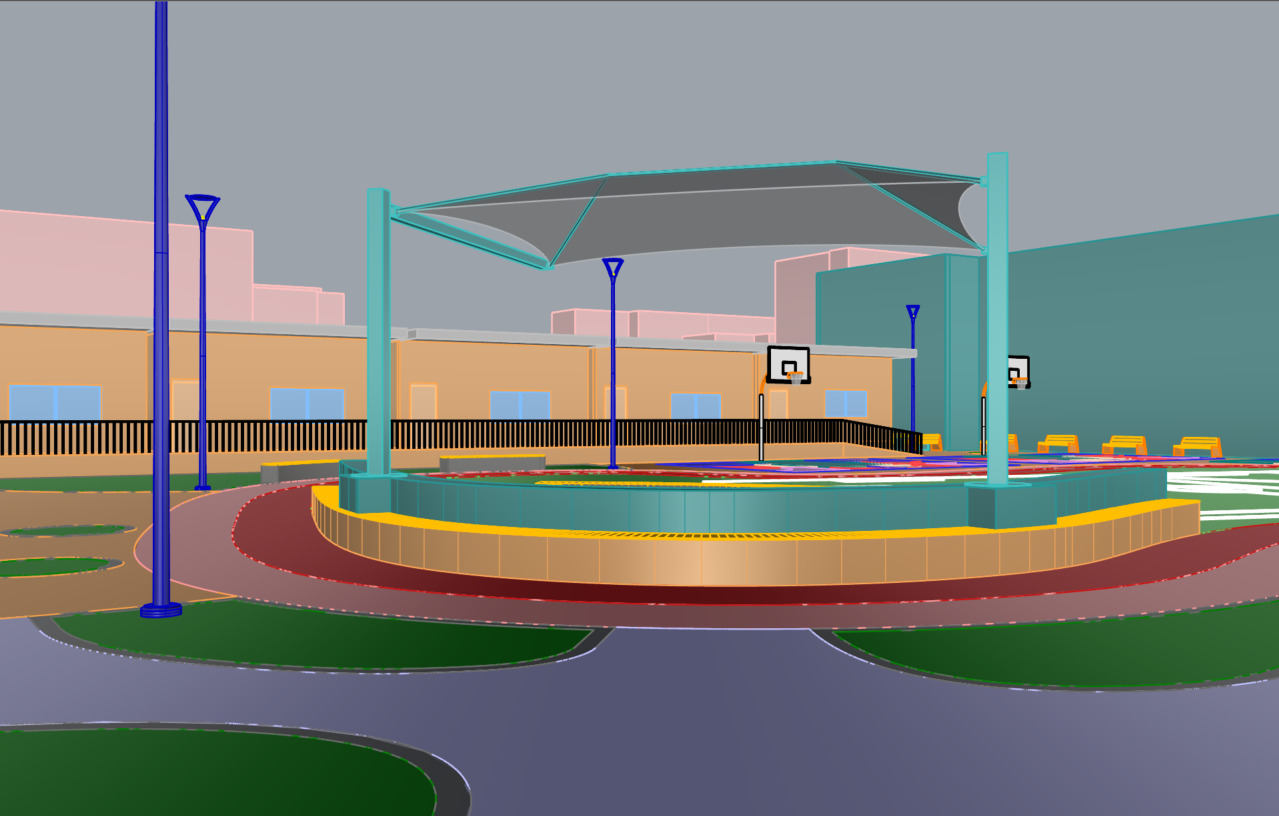
I’m using rhino by the way, it seems that it shows as grey silhouette
Hi @accounting
Thank you for the update. Since the issue seems to occur only with that specific file, could you please share the file with me so I can check it on my end?
Kindly send it to support@d5techs.com, and please tag me in the email, and include the link to this forum post for reference.