D5 Render not responding when clicking New or opening project

Hi, I’m having trouble using the D5 Render Free version.

I installed the program successfully, but when I click “New” or “Open”, the window appears but closes immediately and nothing happens.

My computer is a desktop with enough RAM, and my graphics card is Nvidia GeForce GTX 3070.

I already reinstalled the program but the problem continues.

Does anyone know how to fix this?

Thanks

Hi @verissimots

Thanks for reaching out.

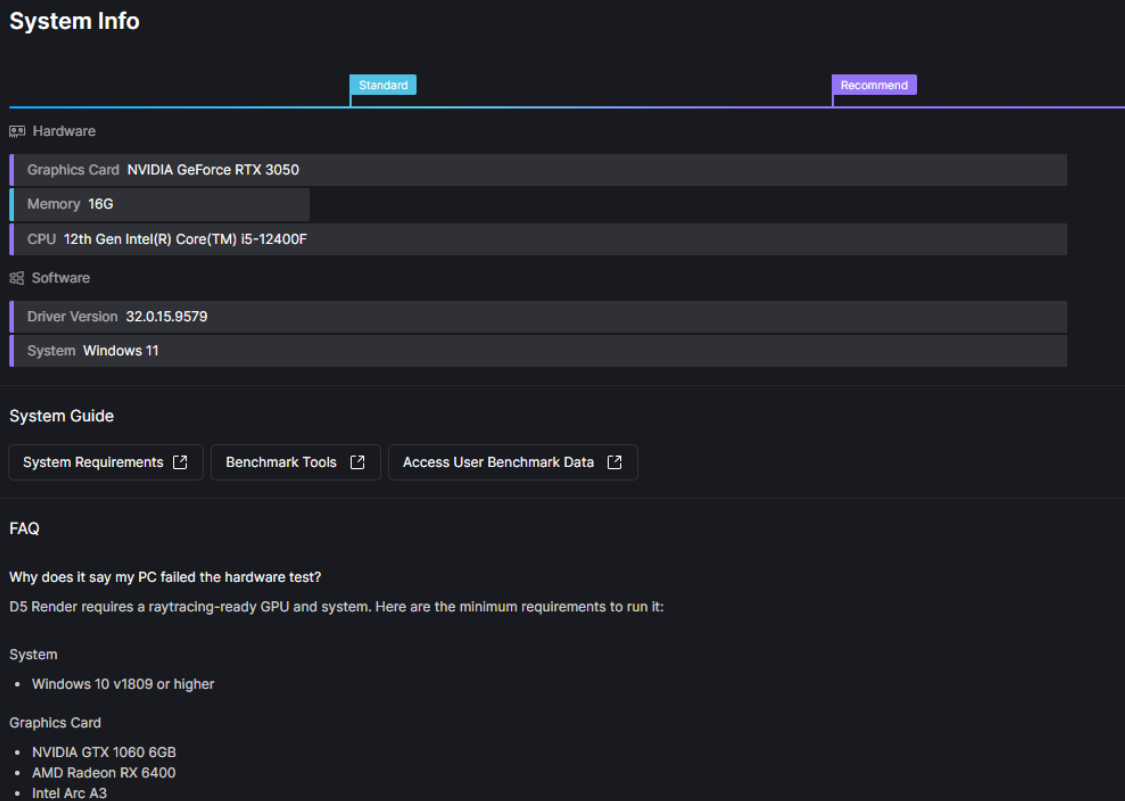
What version of D5 are you using? Could you also provide a screenshot of your D5 System Info so we can check your hardware and software setup more accurately?

Also, a few things to check that often cause this issue:

  • Make sure your drivers and Windows are up to date.
  • Try running D5 Render as administrator.
  • Check if antivirus or firewall might be blocking D5.
  • Ensure your project files and default folders use a path without special characters.
  • Try to perform a clean reinstallation of the software on your device.

i, thank you for your help.
I have already checked everything you mentioned.
I did what you suggested, and I am sending the screenshot of my D5 System Info as requested.

Thank you.

Hi @verissimots

Thank you for sharing your System Info screenshot. It should normally be able to run D5 Render without issues.

I just want to confirm a few more things so we can narrow this down:

  • Does the issue still persist even after you reinstalled D5 Render?
  • Is D5 installed in the default installation path, or did you install it in a custom path?
  • Is this issue happening only when trying New/Open inside D5 Render, or do you experience anything similar when launching or opening projects through the D5 Launcher?