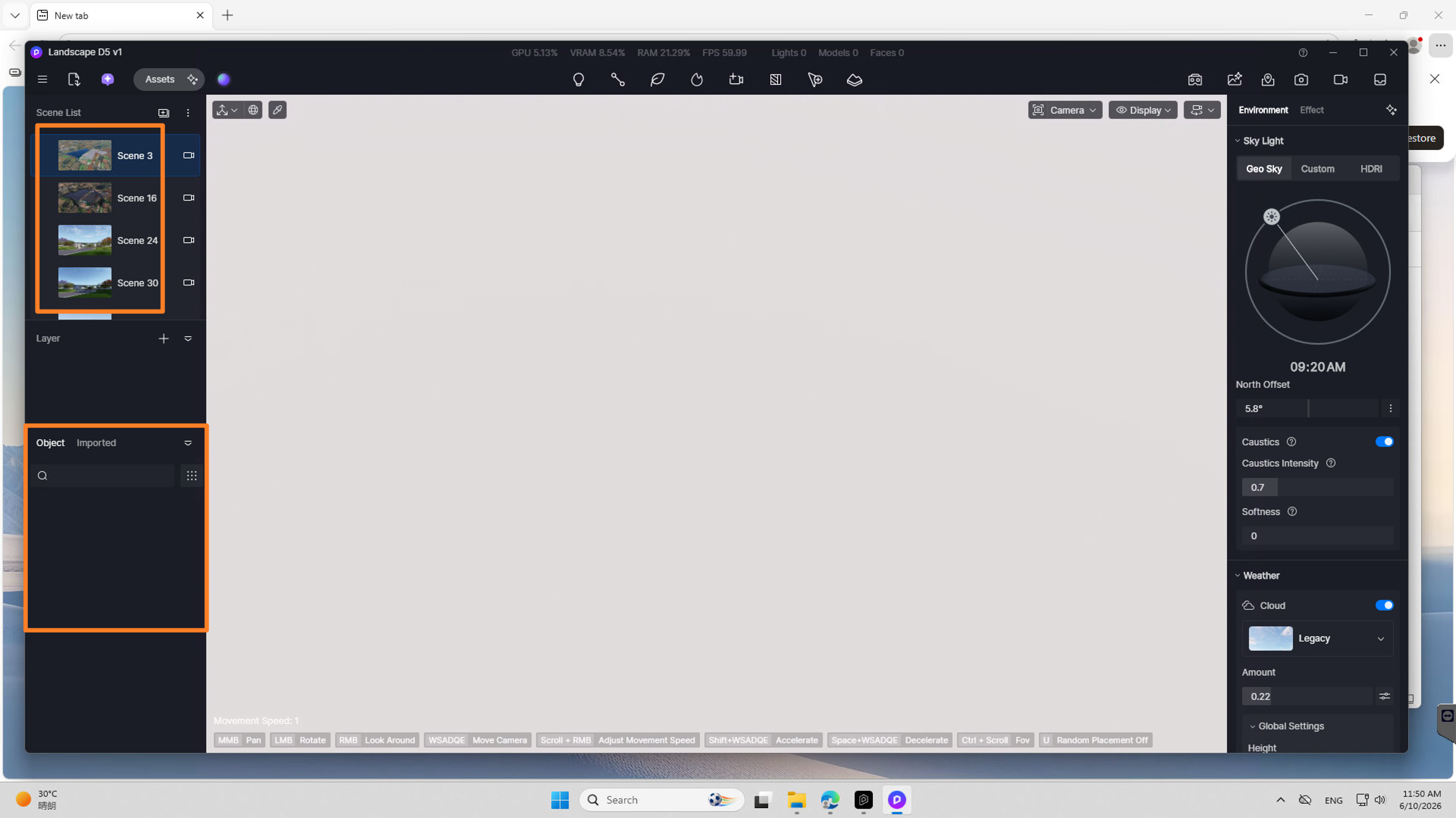
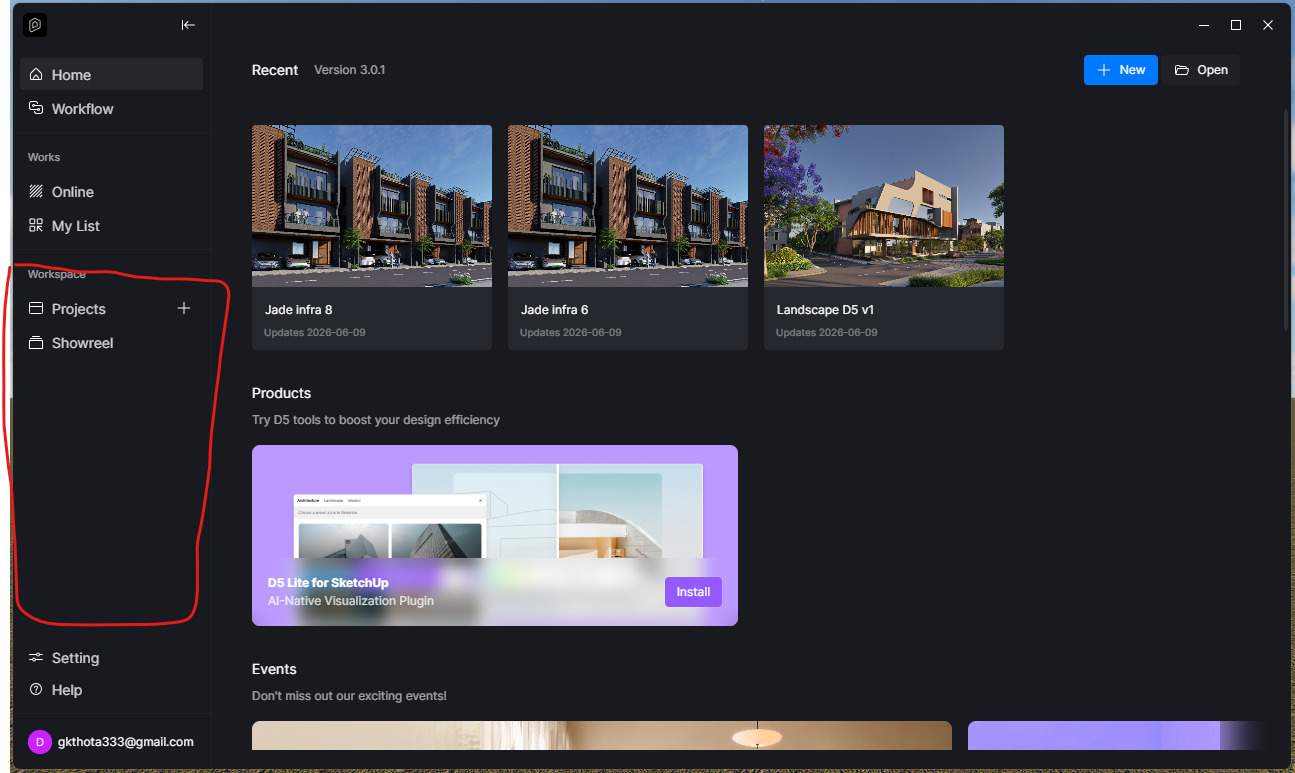
My D5 project file size is around 4.3GB , but when I open it, I cannot see my model/project in the viewport. The screen only shows sky/empty environment.
I tried the following already:
Opened different saved scenes from the scene list
Tried to locate/focus the model
Checked the Object panel
Checked the Imported panel
Checked layers/visibility
Waited for the file to load
Tried changing camera/view direction
But the issue is that both Object and Imported panels are completely empty. However, the saved scene thumbnails on the left side still show my project/model preview.
It looks like the D5 file still has the scene thumbnails, but the actual model/object data is not loading or has gone missing.
Can you please help me recover this project? Is there any way to restore the imported model/assets from the 4.3GB file, or check if the file is corrupted?
I have attached screenshots showing the issue. Please let me know what files/logs you need from my side.
Were there any actions that may have triggered this issue? Where are these files located? Preferably, they should be in your local C or D drive. Please attach the screenshots too.
Additionally, please check the ff:
If you renamed or moved the project while it was open, restore the original filename and location
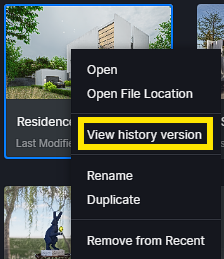
Right-click the project in D5 > View Version History to revert to a previous intact version
Files stored on cloud drives (Google Drive, OneDrive) or network paths may suffer data transfer errors
– Copy the entire project folder to a local drive before opening
– Ensure the project is not stored on a shared network drive, which can cause data reading failures such as models disappearing or materials appearing to be completely white.
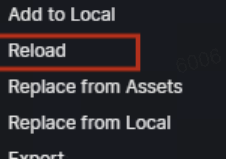
If models were imported via LiveSync or direct import, reloading may restore missing data
– Open the original model file in your DCC tool (SketchUp, 3ds Max) and resync to D5 (If you used the livesync plug-in)
– Use Replace from Local to reimport models, ensuring to select “Replace and link” to retain D5 materials
I am facing a serious issue with my D5 Render project file.
My project file size is around 4.3GB . Earlier, the model was not visible in the project, and now I tried opening the backup file . The backup file opens successfully, and I can see the project/scenes, but I cannot save or Save As the file.
Whenever I try to save, D5 shows this error:
“Save Failed – The file has been moved or is corrupted and cannot be saved. Move the project file back to the original location and try again.”
I have already tried:
Opening the backup file
Saving in the same location
Using Save As
Moving the file to another local folder
Restarting D5
Checking the Imported/Object panel
Trying different save locations
But nothing is working. The file opens, but it does not allow me to save or create a new saved copy.
This is an important project with multiple scenes, assets, terrain/context, and a lot of work already completed. Please help me recover the file or suggest any method to save/export/repair the project.
I have attached the screenshot of the error message.
I just saw your other post, so I decided to combine them to centralize our conversation. Please check my reply for the processes you may not have tried, and confirm the questions I have asked.
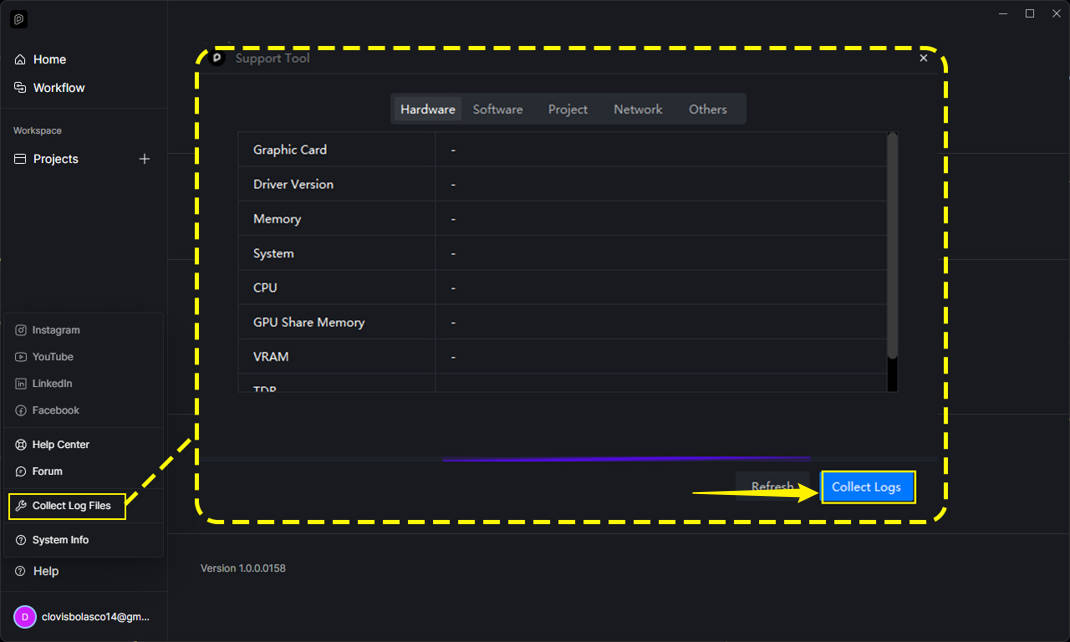
Additionally, you may send us the following information. We can attempt to recover it, but please note that we cannot guarantee success. Therefore, we need to confirm the exact process that may have triggered this issue.
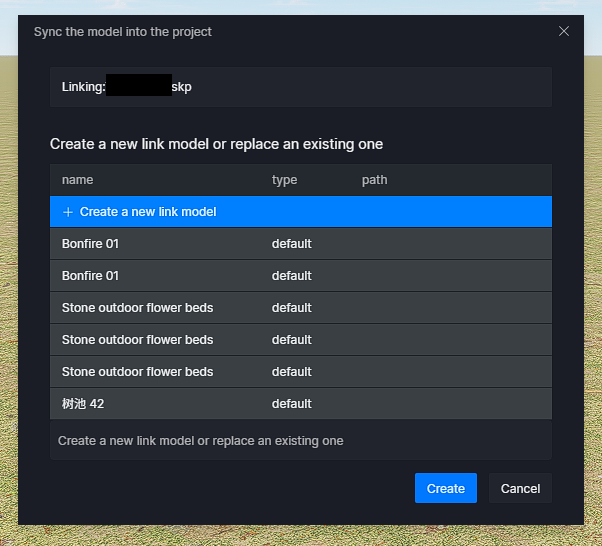
I gave link to d5 file and sketchup file, and I tried to reimport the model but after reimport the file is getting saved but without the newly imported model
I just tried it on my end, and it also shows an empty file with all of the scene thumbnails showing. I have forwarded this further to our team for thorough investigation.
I am not sure what triggered this action, when I opened the file I couldnt see any model in the screen then Immeadiately I tried to save as but nothing happened