Hi, I seem to have to login every time I use D5 now, is this a bug and any fix to remember the session?
-
May I know which D5 Render Version you’re currently using?
-
Are there any other person using your D5 Account in a different device?
-
How about your ISP, did you connect to another ISP? This will usually prompt you to log-in again.
There are several possible causes:
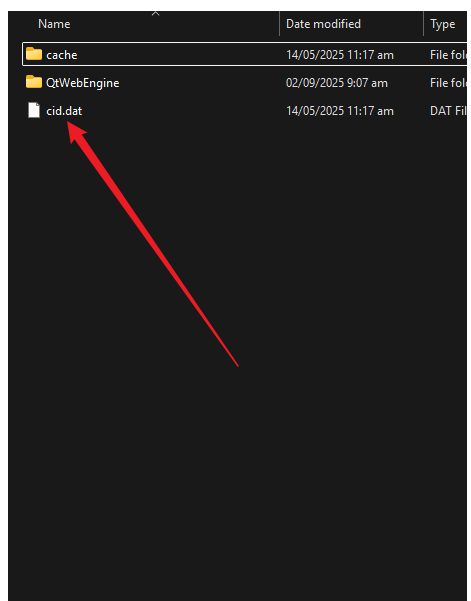
- Mismatch or corruption in the CID (Client ID) between
%localappdata%\d5_launcher\cid.datand the Windows Registry (HKEY_CURRENT_USER\Software\D5 Render\Renderor\usa).
Suggested Solution:
- Navigate to
%localappdata%\d5_launcher\and opencid.dat. Note the value. - Open Registry Editor and go to:
-
HKEY_CURRENT_USER\Software\D5 Render\Render(or\usa) - Compare the
cidvalue there with the one incid.dat.
-
- If they differ or the file is corrupted, delete
cid.datand restart D5 Launcher.

- Network-related issues (e.g., proxy, DNS, enterprise security software interfering with certificate validation).
- Disable any proxy/VPN (e.g., Fiddler). Some users could log in only when Fiddler was enabled, suggesting TLS/SSL interception issues.
- Ensure system time is correct.
- Check for enterprise security software that might interfere with certificate chains.
- Last Resort is to reinstall D5 Launcher and D5 completely.