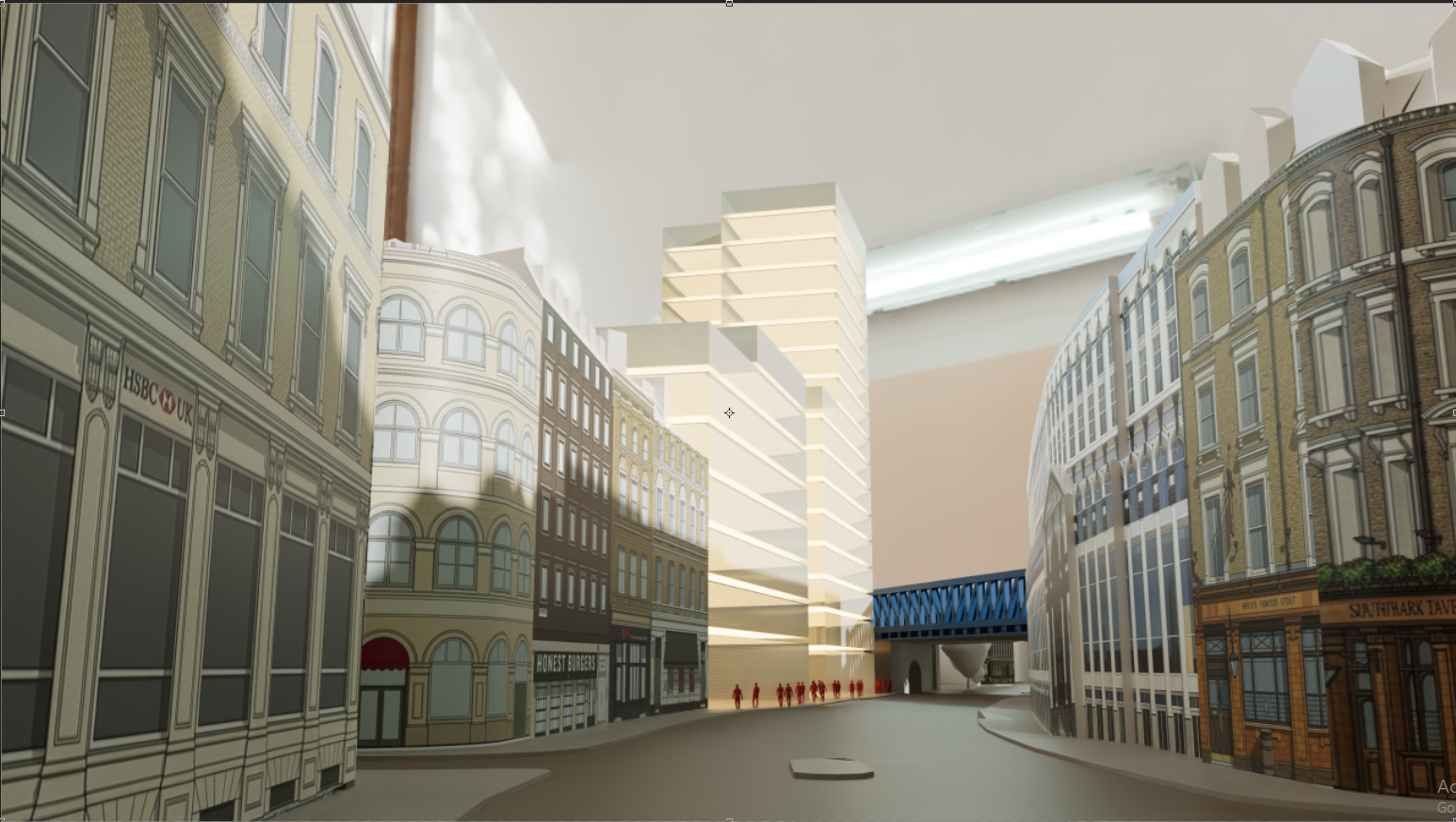
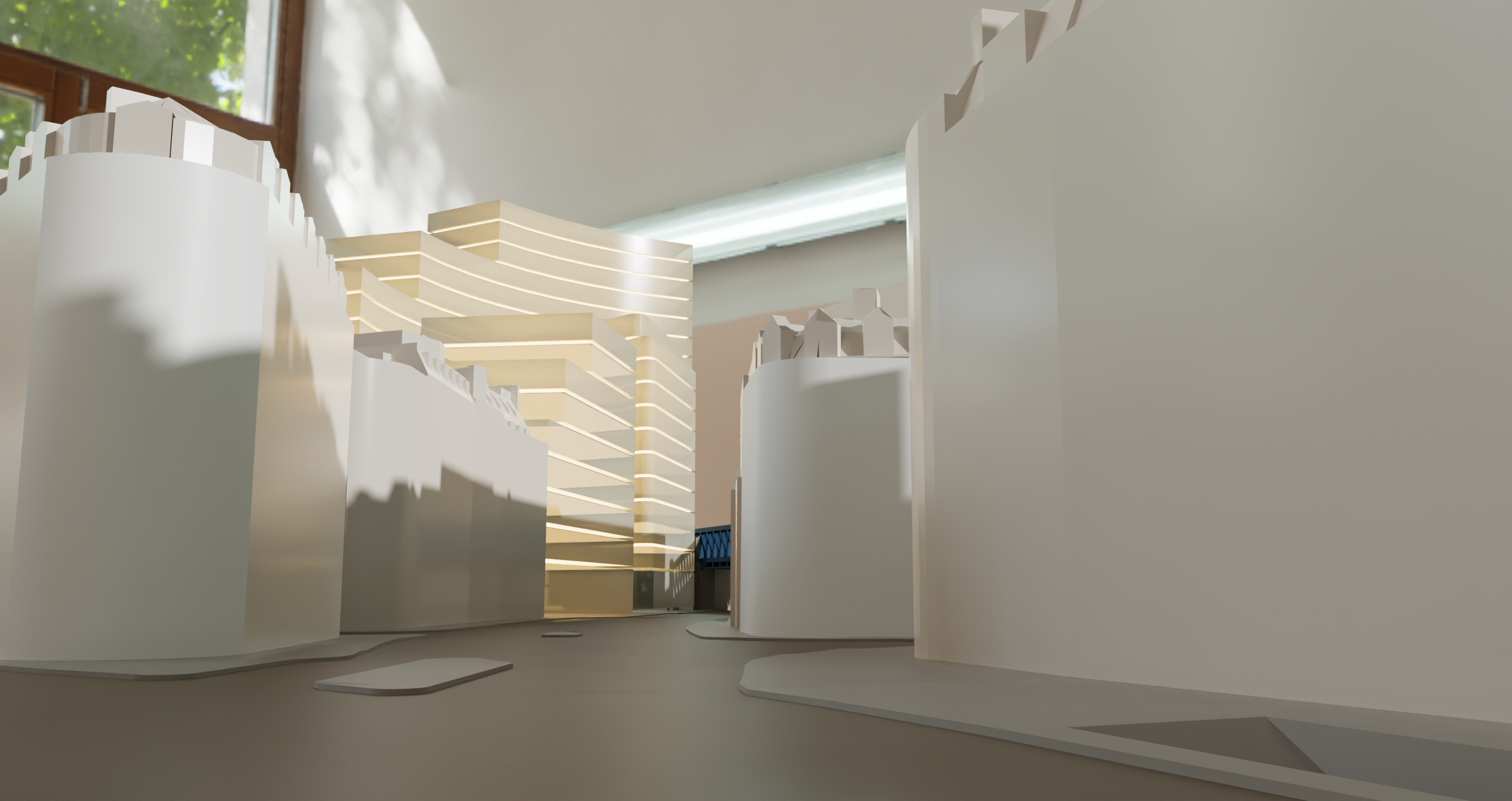
Hi team - please see attached 2 images. I use the same scene tab to produce the render image. However the camera angle is not the same.
I very much prefer the diffused glass/gloss texture in D5 Lite. D5 full glass is more black with when transparent. I have exported the D5 Lite to D5 full. All settings should match.
Please ignore the proposes massing height of building(not the same height in each view) I’m testing a presentation style for a meeting. D5 Lite is very usefull. Thank you.
Thanks for your feedback. May I know which version of D5 Lite was used?
In our previous 1.2.0 update, which was released last February 2026, we’ve improved the glass material and its rendering quality. But compared to D5 Render’s result, there should still be a difference.
The image mismatch between D5 Lite and D5 Render is a known limitation in the current version, not caused by user error. Full visual fidelity synchronization has not yet been implemented.
For final, accurate output, always use the full D5 Render application. Use D5 Lite for quick ideation, then refine and render in D5 Render for production-quality results.
You may also update your D5 Lite version to v1.3.1 Hotfix
Hi team - I am using 1.3.1 Version. The diffused glass in D5 Lite currently is much better them the D5 High quality render result. Please see my image examples - D5 Lite output. There is no black colour in the glass.
Good morning, yes you can. However this is a live project in massing stage with client. Please ensure that the files are for use only for testing in D5 office. We have used Vray to produce the image for the planning presentation.
Hopefully we can use D5 to continue presenting in the future. We like the glass diffused texture in D5 Lite. Can you match this in D5 production render?
Also the overall environment feels better in D5 Lite too. When I export the D5 Lite file to D5 production it looks different.
We prefer the Environment feel in D5 as per attached image.
I have these two files. Can I Zip them? I did not import into D5 production.
D5 Lite uses D5’s self-developed engine, while the High-Quality render is based on Unreal Engine, so this discrepancy is currently under review. We’ve noted your feedback and will pass it along to the team for further review and improvement.
I think this can be replicated in D5 Render, but you may need to modify the glass material and add some light source to some extent. As for the files, you may send them to me via private message here in the forum. You can generate a WeTransfer link or a Google Drive link with these files inside.