I really have no idea what I’m doing with this kind of thing, I design things for a living, I’m not a ‘tech guy’. Can anyone tell me how to progress the CLI connection issue please?
I have the latest version of everything installed.
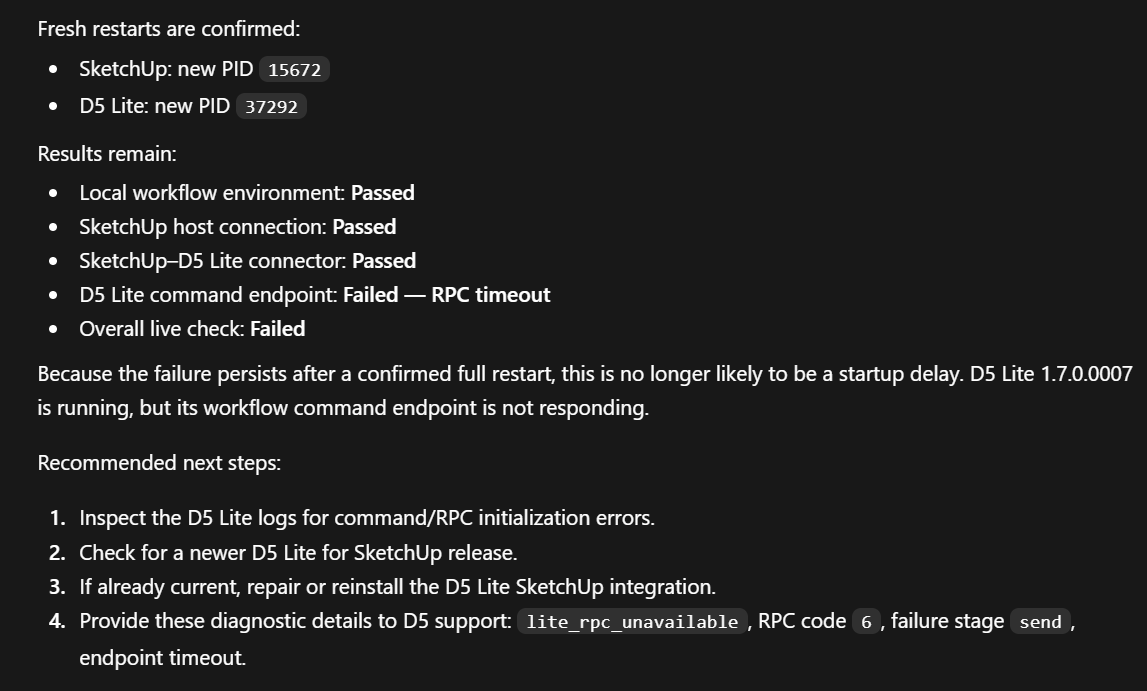
I really have no idea what I’m doing with this kind of thing, I design things for a living, I’m not a ‘tech guy’. Can anyone tell me how to progress the CLI connection issue please?
I have the latest version of everything installed.
Hi @3DG
Were you able to check our official document regarding this feature? Connect External AI Agents | D5 Help Center
I wasn’t aware of that, I’ll try it asap.
I’m still getting the same error:
Everything else passes. I don’t know what to do to fix this?
Hi @3DG
The error you’re seeing “D5 Lite command endpoint: Failed” and “Overall live check: Failed”
Please try to do the following:
Before touching anything, confirm:
D5 Lite was installed through the D5 Launcher for the correct modeling software (SketchUp, Rhino, or Revit)
The D5 Lite plugin is installed in that modeling software
The Windows user running the AI agent is the same user that installed D5 Lite
The most common cause of this error is the agent picking up a mismatched D5LiteWorkflowCli.exe. Here’s what to do:
Open the D5 Lite installation folder
Search for D5LiteWorkflowCli.exe inside it
Select the file that matches your current D5 Lite installation and modeling software — not just the first search result
After selecting the correct file, send this to your agent: “I have specified the D5 Lite connector. Please check the connection status again.”
If you’ve confirmed you’re pointing to the right file and the check still fails, the installation itself may be incomplete. In that case:
Uninstall D5 Lite from the D5 Launcher
Reinstall D5 Lite through the D5 Launcher
Run the connection check again
Important: Don’t mix files from other modeling software installs or other D5 Lite version folders. Always use the file from the current, clean installation.
I tried it all and I still get a timeout error. I don’t understand what the error is telling me or if there is anything further I can try to fix it…
I completely uninstalled and reinstalled, I have checked the security logs as suggested by chatgpt below but there were no errors. Apparently the “dxil-shaders.bundle” file is missing
Hi @3DG
The dxil-shaders.bundle file is part of D5 Lite’s rendering components and is required for the rendering engine to initialize properly. If this file is missing, D5 Lite may not be able to launch correctly.
Since you have already performed a clean reinstall and the file is still missing, there are a few possibilities.
This is also mentioned in ChatGPT’s answer, were you able to double check your anti-virus protection history?
Some antivirus products silently quarantine files without logging it to the Windows Security event log, so “no errors in the security logs” does not rule this out.
Check these locations directly:
Another test you can try is to temporarily disable your Antivirus then reinstall D5 Lite, then perform again the process, to check if it will push through.
If issue persists, please send us your logs.
I have DM’d logs as I could not see any quarantined files
Hi @3DG
We’ve received your logs and would like to know the following:
I can launch D5 Lite and it performs normally with one exception, I don’t seem to be able to get it to livesync movement - if I navigate in Sketchup the D5 Lite camera position does not move, but if I add a proxy asset from the D5 library into Sketchup then that appears in D5 Lite. I’m not sure if that is relevant or a separate issue.
When I render an image everything appears fine, I don’t know how to check for errors unless something appears on screen.
Any updates @Clov ? I’ve recently broken my shoulder so can’t work on my designs in the normal way, so getting the CLI connection set up has suddenly become very important ![]()
I’ve messaged you 16 hours ago for the next steps since we will be needing a file to further test it. Please check your inbox.