Creating Site Plans (Rotating Top View)

Is there a way to rotate the “Top” View? The orientation is not ideal, and I would like to change its direction.

I attempted to use the camera to achieve a top-down view with a 2-degree field of view (this let me rotate it correctly without having much perspective). However, there was an abundance of fog/cloudy coverage. i could not turn it off. is this still a bug that was introduced in 2.9? I came across that issue when searching for a solution.
Hi @Blue442

I apologize for the inconvenience. May I know from which version this file was created? Perhaps you can attach some images?

1 Like

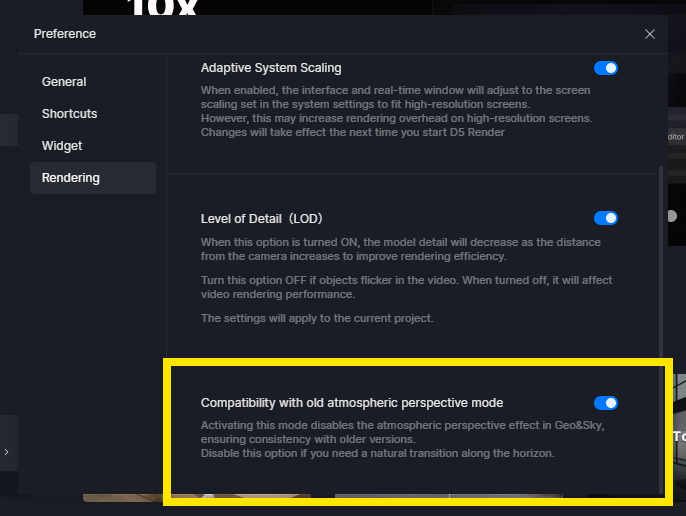
Sorry for the late response, I was out of the office yesterday. Checking this option fixed the issue for me completely.

Alright, Thanks for the update!

hi I amhaving the same issue, but I can not find this option. My D5 is 3.1.1

Hi @selindrella

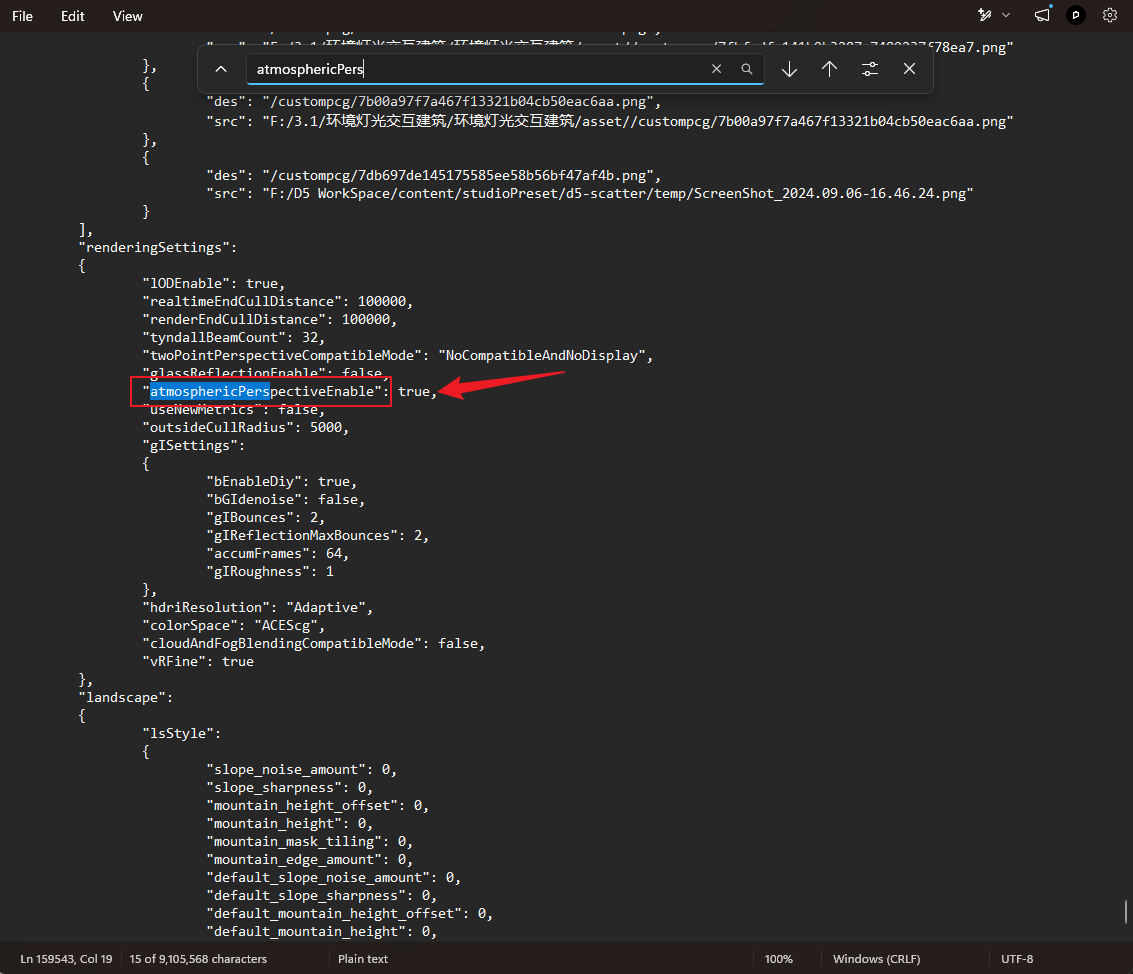
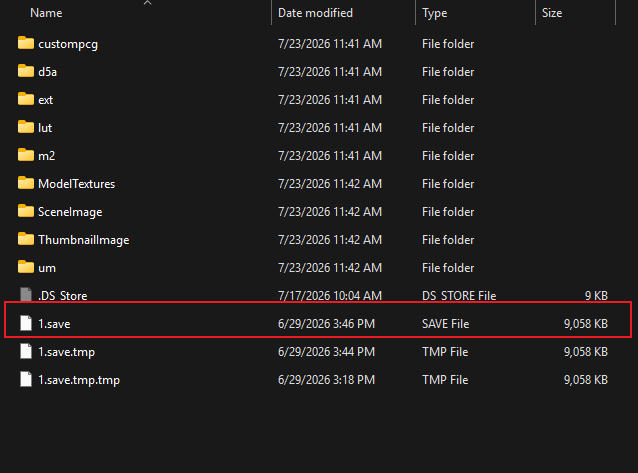
It has been removed. If you want to modify it, you may change it via your D5 file’s 1.save config

  • D:\xxx\xxxx\D5 File\asset
    image
  • Search for atmosphericPerspectiveEnable, and the text should say “True”; if not, then you can modify it
  • After modifying, save it.
    Note: You need administrator access for your device; ensure that you have full control.