Hello to all colleagues and to staf D5.
How to solve and improve the quality of Cesium in D5?
I would like to know for a placement of one of my works, perhaps there is a solution through D5, or first something must be done on the Cesium site.
I hope there is something, without using AI, but the quality of both the Faces and the images inserted in these polygons.
I know for sure with the increase of polygons or faces I increase the management of the file, or there is the possibility of having the Point Cloud, perhaps it would improve the quality!
Can you please show us some images of the results? Preferably, you may send us a screenshot of your Preview Screen with Cesium Data and the Final Render.
- Additionally, which D5 Render Version are you currently using?
Hi Clov, for my project I solved differently I used HDRI, but I show the result that Cesium produces in D5.
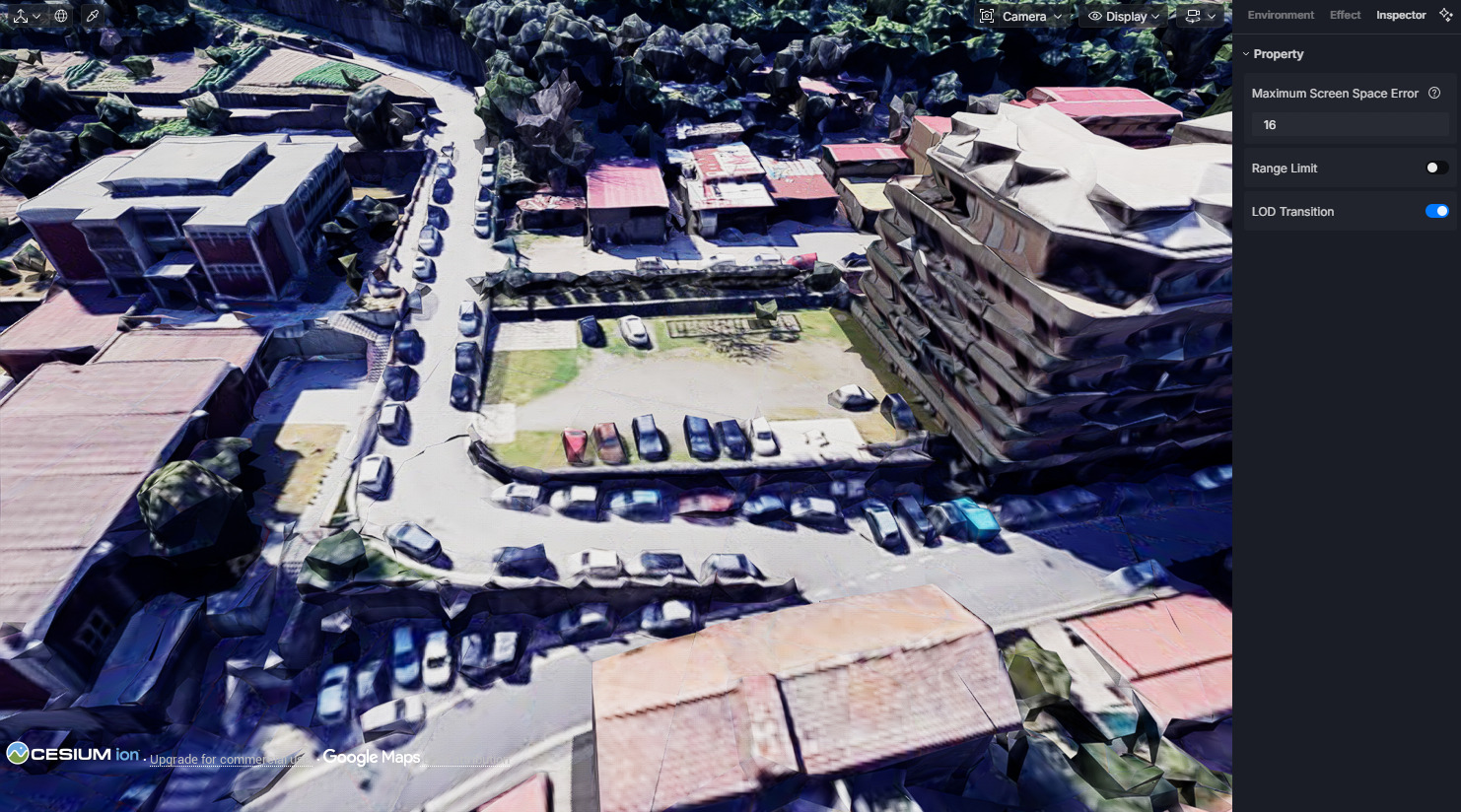
This is the problem, having an urban topography tool in D5 but not improving the ability to smooth or define buildings or trees in a garden, I understand well that it is a huge request, because it also depends on Cesium, or in connecting with the Cesium site there is a different token that gives you more precision and definition of the urban environment.
This is the result in HDRI and photos taken from the site:
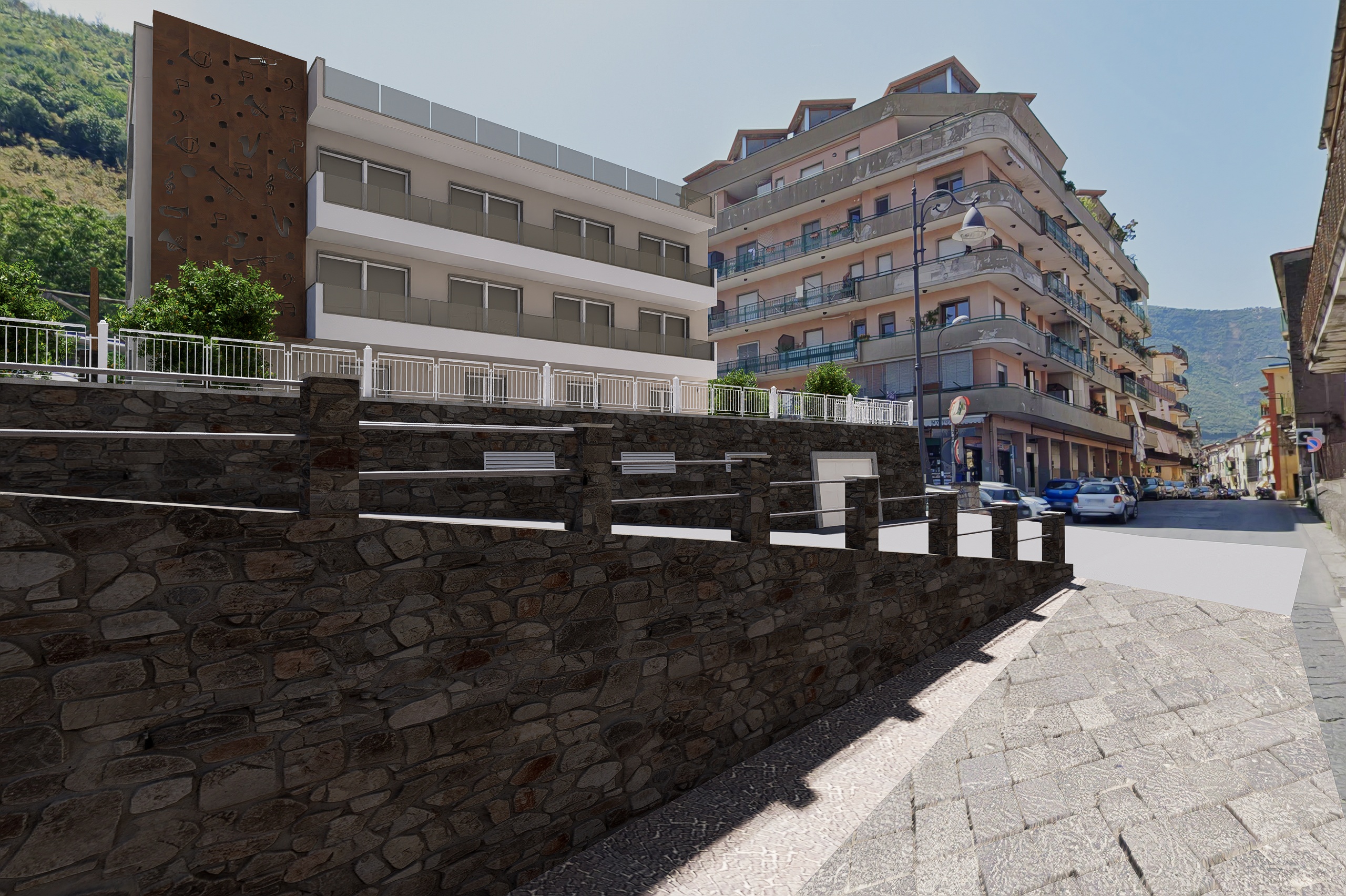
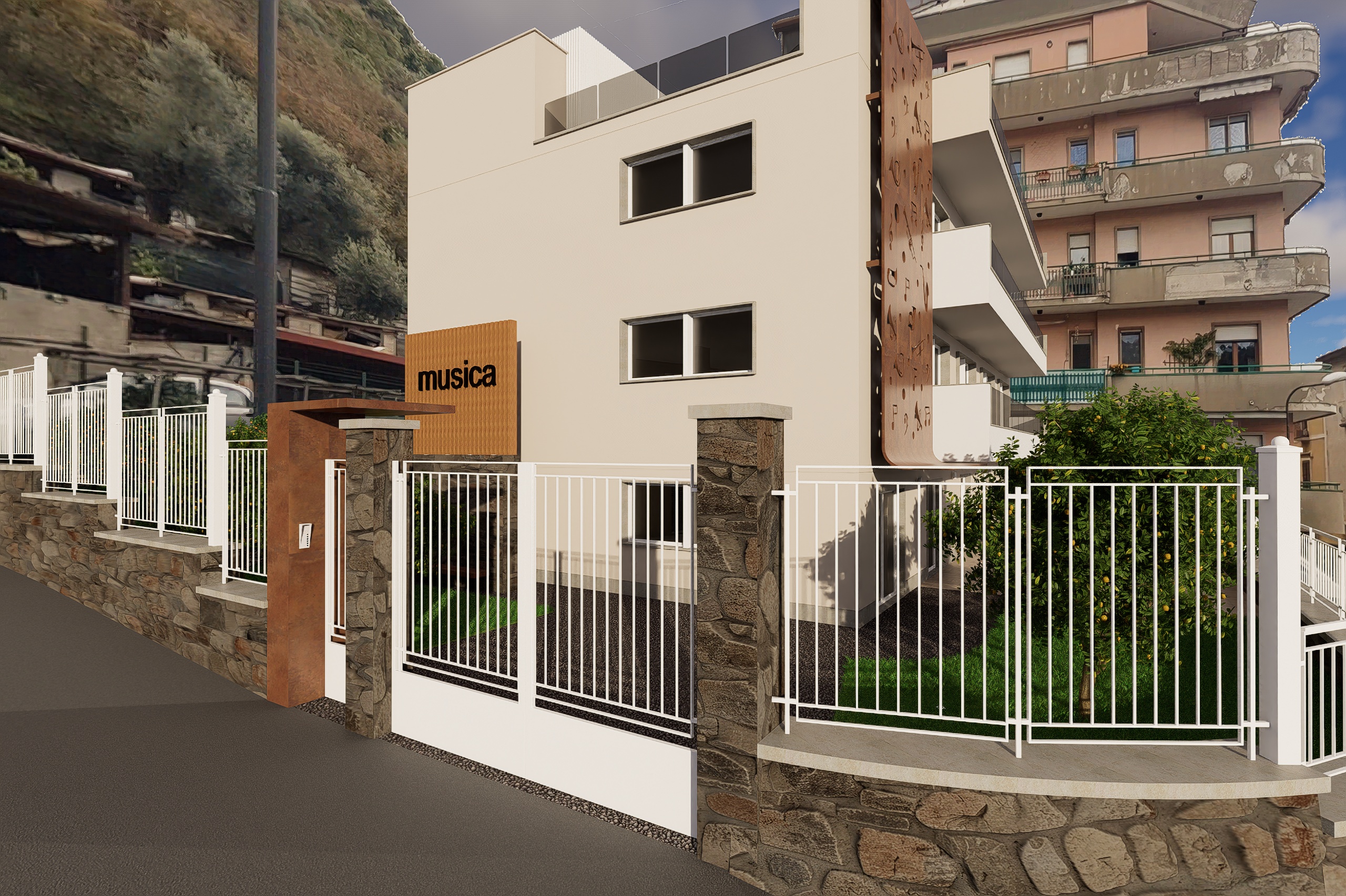
I forgot that the latest version is 3.1
Thank you for your intervention.
PS: I always try to find a solution when there is a problem, I had already used this method in the past, I still use it now
I’ll convey your suggestion to expand the Cesium workflow to integrate more closely with D5 Render’s existing terrain editing capabilities.
- This is indeed a complex request but nevertheless, our team will be evaluating it if it’s possible in the near future.
Thank you.
1 Like