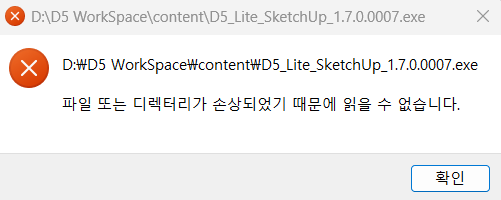
It says “The file or directory is corrupted and unreadable.”
I tried uninstall and reinstall. but it doesn’t work
What can I do?
It says “The file or directory is corrupted and unreadable.”
I tried uninstall and reinstall. but it doesn’t work
What can I do?
This error prompt means Windows cannot read the installer file at D:\D5 WorkSpace\content\D5_Lite_SketchUp_1.7.0.0007.exe;the file itself is damaged. This is a file integrity issue during download, extraction, or storage, not a D5 Lite bug.
If the issue persists even after trying to download it in other path, it may be hardware related.
Moving D5 WorkSpace to the C: drive allowed the installation to proceed.
However, I don’t think this is how it should work. It should work without any issues even when D5 WorkSpace is set to the D: drive.
Anyway, the issue is resolved for now! Thank you for your response.
Correct, that’s not normal. Were you able to check if you have sufficient permissions in your D drive? Specifically having Full Control permissions?