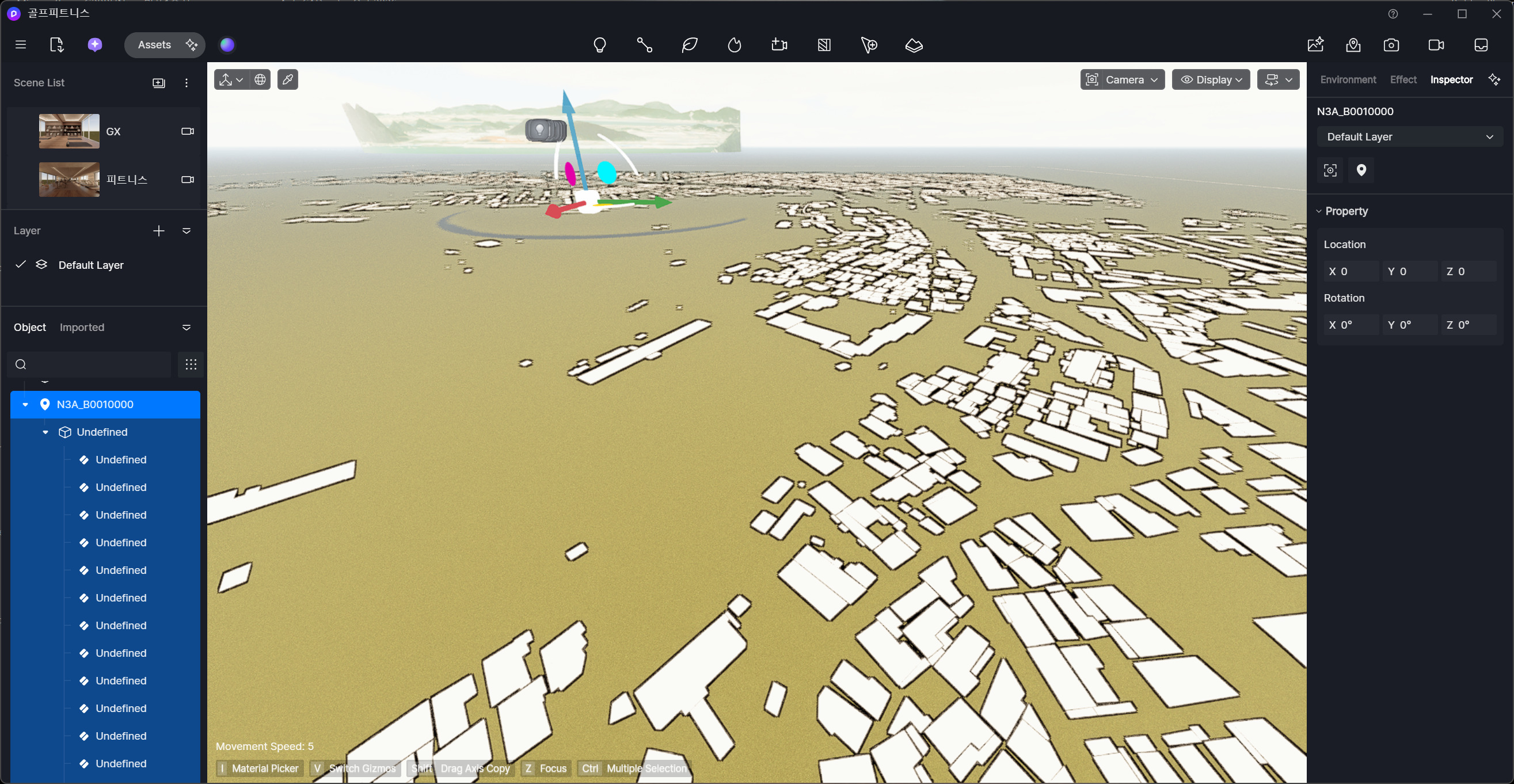
Is it possible to make a SHP file automatically recognized as buildings when importing it? The SHP file data already contains information such as the number of floors for each building, and I would like it to be imported similarly to how buildings are generated when selecting map data from OSM.
The area I want to use has very little information available in OSM, so I’m planning to use a SHP file that I obtained separately. I would like to know what kind of data format or attribute structure is required so that the data can be automatically recognized as buildings and roads.
The building SHP files I have are importing correctly, but their attributes are being imported as “undefined,” so I have to manually adjust the number of floors one by one.
I would like to know what kind of dataset is required in order to import SHP files with building attributes that properly reflect floor information.
Also, if the SHP files are imported with building attributes, would it be possible to control the styles in the same way as when using OSM data?
We attempted to import a .shp file on our end, and the names are organized correctly and not showing as undefined. This issue may be related to the export settings you applied.
Here are a couple of things to check:
Have you verified the labels within your layers? Labels are typically generated from attribute fields rather than being stored as permanent visible text. Before exporting, ensure that your layer contains fields such as Name, Building, Road_Name, Floors, etc.
The .dbf file is especially important as it contains the attribute table that holds the label data.
Additionally, please note that settings compatible with City Generator are not yet supported in .shp imports. For example, this SHP file cannot utilize stylized content like OSM.
We can consider this as a feedback/feature requests so we can consider it in subsequent release of D5 Render.