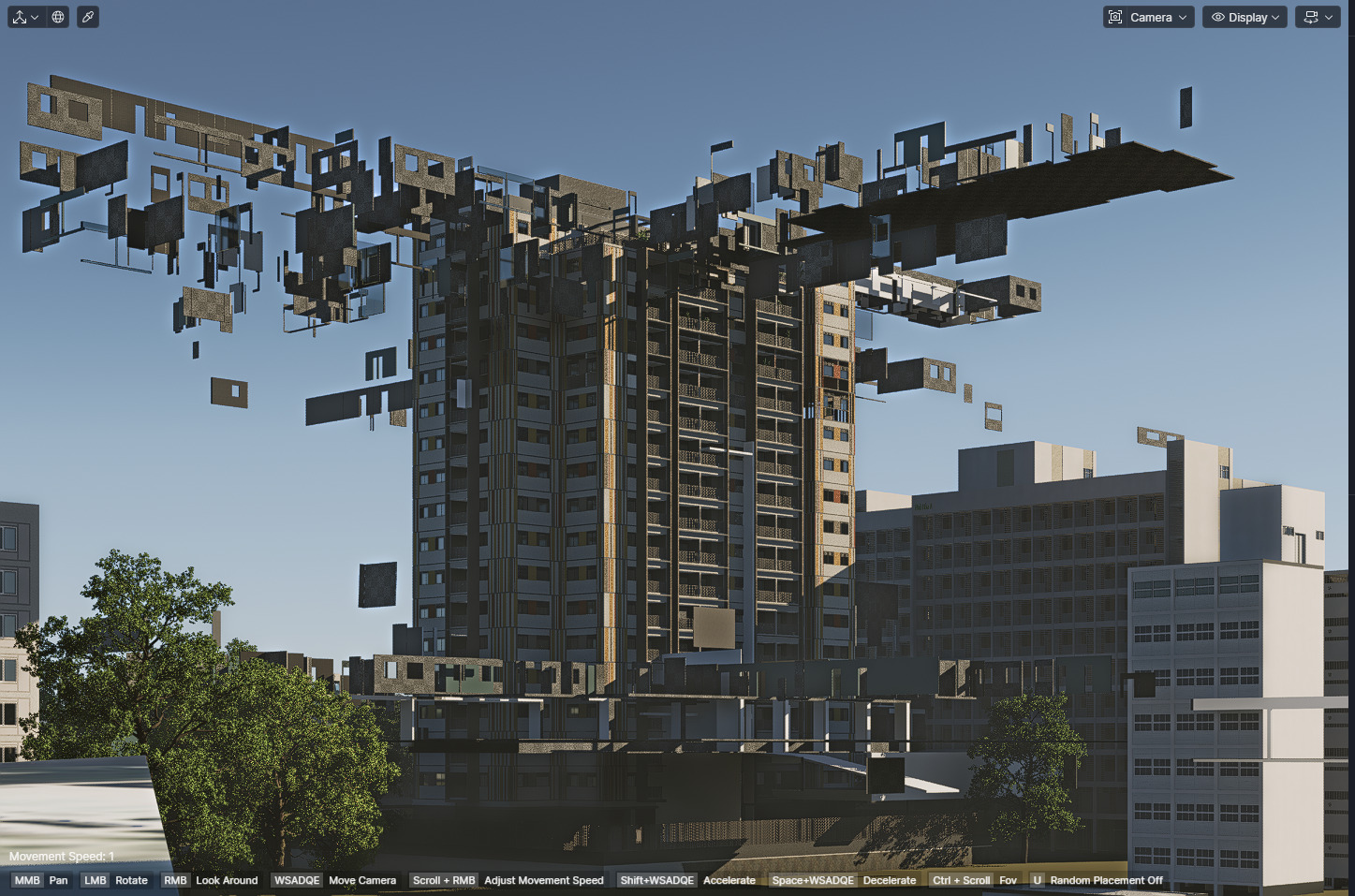
Since the new 3.0 update, I’ve been having a recurring issue whenever I update/sync my SketchUp model with D5.
From time to time, something breaks in the scene:
objects start floating, and sometimes models that are not even inside the SketchUp file suddenly appear in D5, floating randomly in the middle of the street or in strange positions.
Basically, several weird objects show up for no apparent reason after updating the SketchUp model. This has already happened to me on multiple occasions, not just once.
Has anyone else experienced this?
Does anyone know what might be causing it, or how to fix/prevent this behavior?
Thank you for the detailed report, and apologies for the inconvenience caused. To help us narrow this down, could you please let us know:
Whether you are using continuous LiveSync or manual resync
If the floating objects originally exist in the SketchUp file (hidden or on disabled tags)
Whether you are mainly using components or groups
As a temporary workaround, please try ending LiveSync, saving the SKP file, and then restarting LiveSync to avoid continuous syncing during major edits.
I have had the same problems since versions 3.0 and 3.0.1 with almost every SketchUp object update. I don’t use Livesync, but manually reload the SketchUp object. Sometimes it helps to stop the reloading just before it finishes by pressing the Esc key (after all textures have visibly loaded). These artifacts usually appear at the end of reloading. This has happened to me in several SketchUp models, if not all of them. D5 render has a serious problem, and developers should start using their own software at least a little before release.
Thank you for explaining your workflow. Could you please share the SKP file with me by emailing it to support@d5tech.com? Please tag me in the email and include the link to this forum post for reference.
Once I receive the file, I can test it on my end and see if the artifacts still appear after following your reloading workflow.
hello!
unfortunately i cannot share the model because its not mine, its from a client but im not using livesync, only manual sync for the true displacment to work
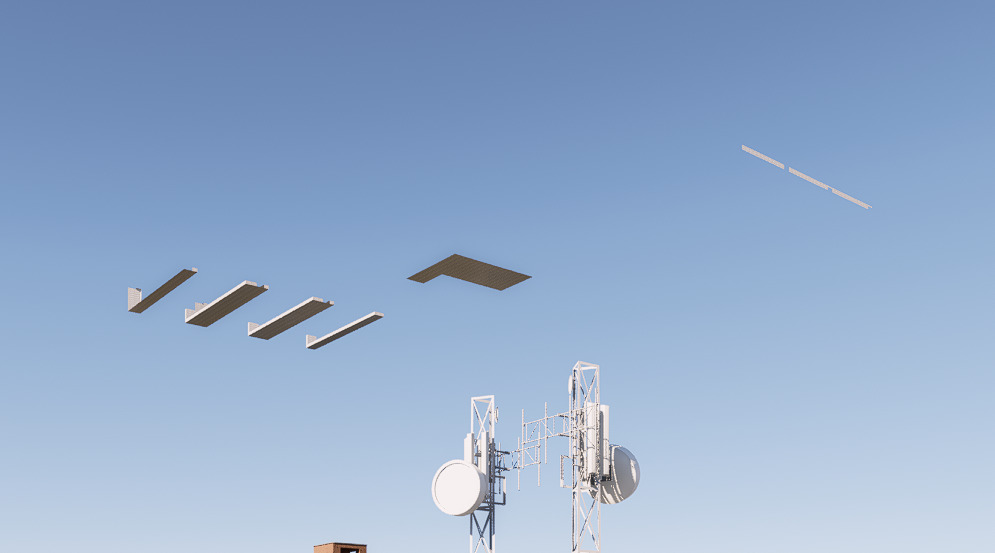
 but im not using livesync, only manual sync for the true displacment to work