Brushed scatter areas (paths on grass surfaces) are partly gone and/or blocky after saving and restarting.
Hi @tukkermedia
-
Does this occur to a specific file?
-
Do you have any screenshots and a brief description of how to replicate this process on our end?
-
Where was your D5 File saved? Was it located in your Local C or D drive? Or was it placed in any cloud storage or shared server path?
I used the brush cull effect. One file on the C drive. Scatter quality was 70% (large blocks), 1 1/2 block was about the width of a path). Now set to 500% (fine blocks) and 5 blocks are about the width of a path. In the images below, you can see the irregularity and sometimes absence in some paths created with 70% quality.
Also now rescatterd the grass and started from scratch with brush cull effect some path as a try. But a question. Can I produce brushes with different diameters under the same brush name? Or must a new brush be defined for each brush size?
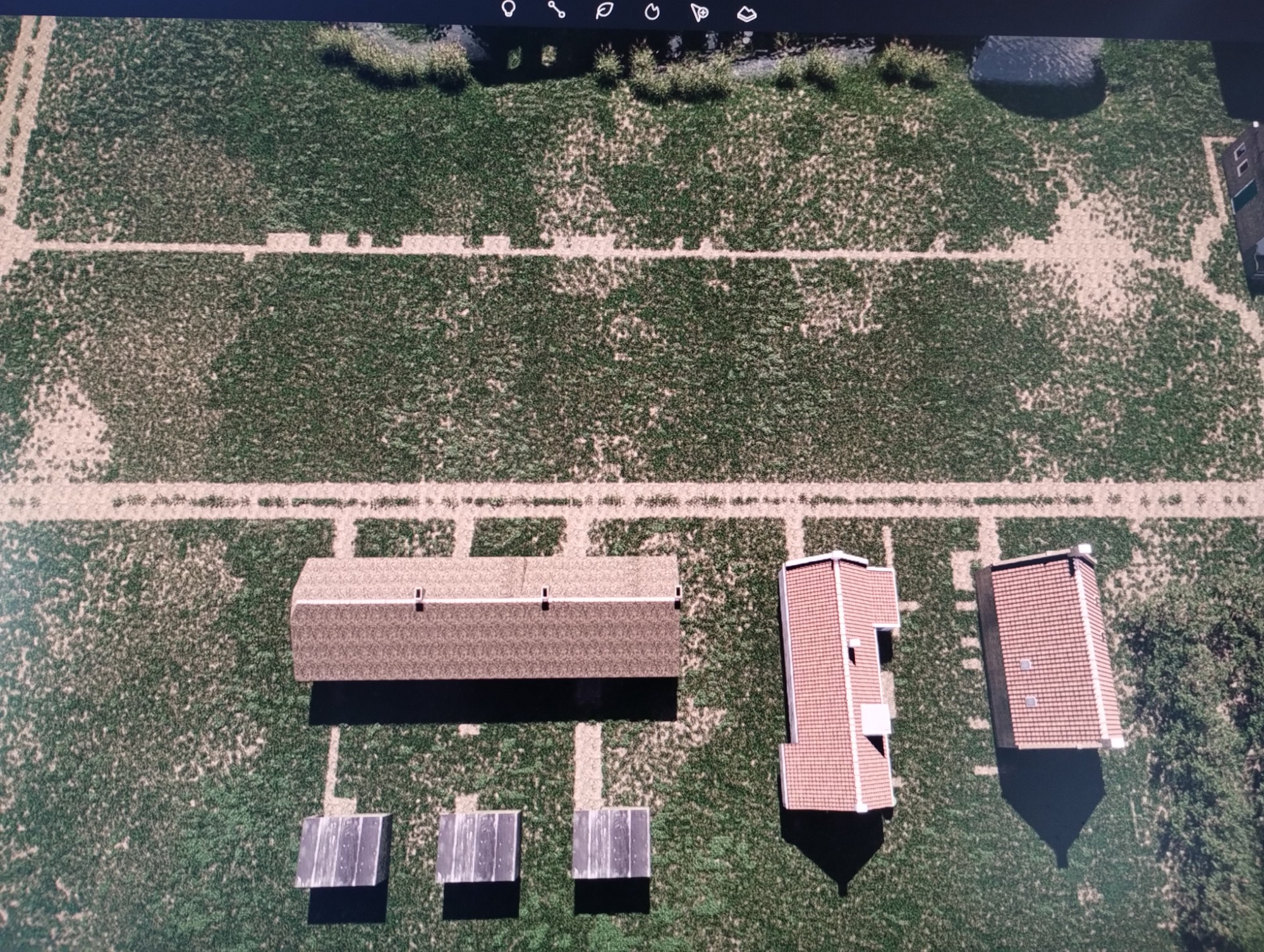
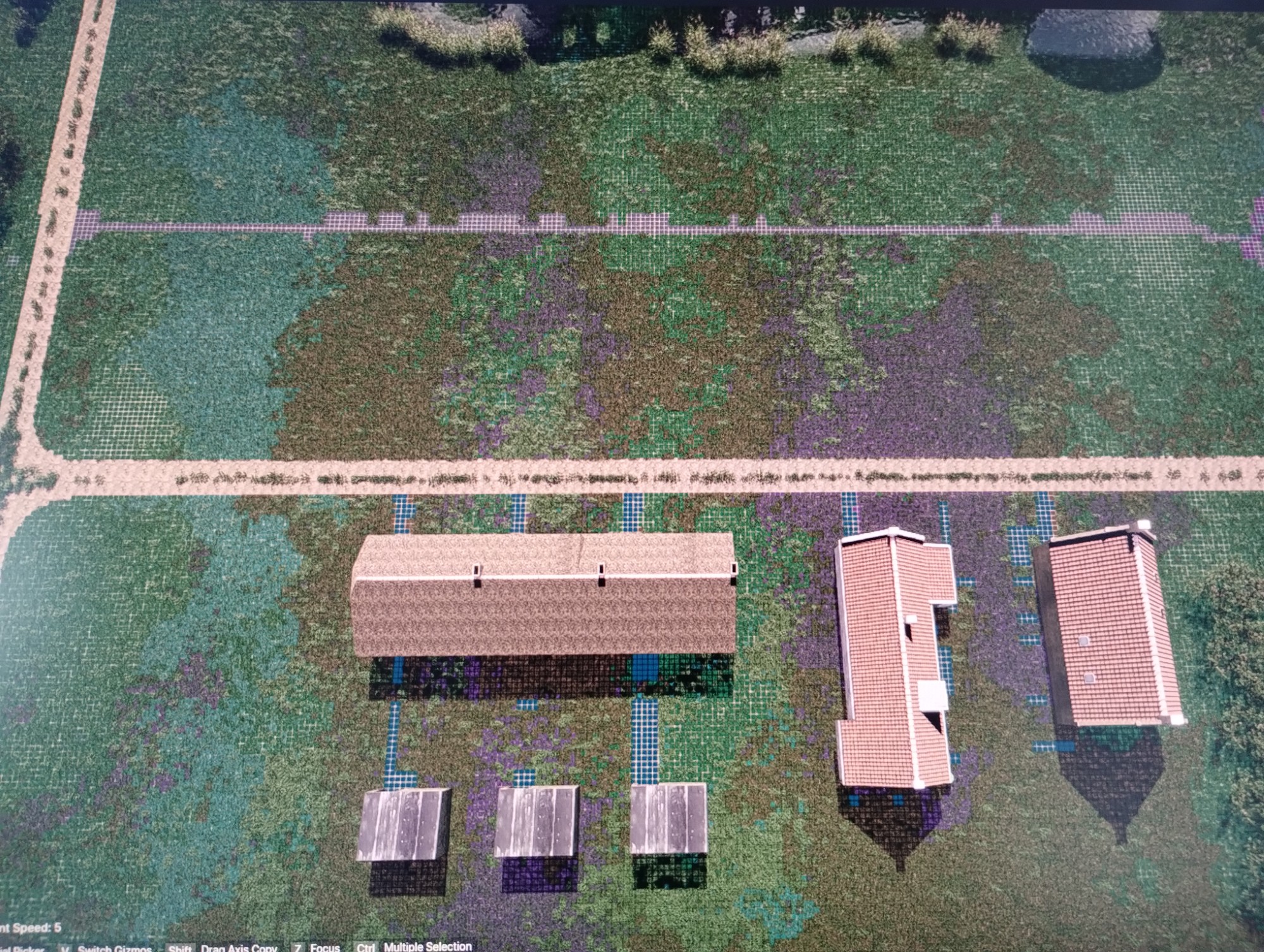
Hi @tukkermedia
What you’re seeing is expected behavior related to scatter resolution and brush culling.
When the scatter quality is set low (e.g. 70%), the system uses larger grid blocks to calculate distribution. Brush cull effects are applied per block, not continuously, so narrow paths can end up:
- Partially removed
- Blocky or jagged
- Or missing entirely after reload, since the result is simplified at that resolution
When you increased it to 500%, the grid became much finer, which is why your paths now appear more accurate and consistent.
After saving and reopening, D5 recalculates the scatter based on the stored resolution. At lower quality, those approximations can shift slightly, causing the irregularities or loss you observed.
We recommend the following:
- Use higher scatter quality for detailed brush work like paths
- Avoid very narrow brush cull effects at low quality
- If needed, lower the quality only after finalizing, but expect some loss in precision
Regarding the brush diameters,
Brush diameter is not stored as a reusable preset. Each stroke uses whatever size is active at the time of painting. If you need different widths, you’ll have to adjust the brush size before painting. There isn’t a way to store multiple diameters under one brush name, so each size has to be treated as a separate setup.
- You can try storing these brush presets in your D5 Studio so it can be reused.
If the issue still happens even at high quality, feel free to share your file or a screen recording so we can take a closer look
Thans for your clear answer. I have also noticed that it is best to use D5 render always online to avoid surprises like those mentioned. But some general questions about the use of cull brushes:
-
If I rename a cull brush at the start, the name is replaced by a system sequence number after a restart. And if I rename later the before that moment brushes paths are gone.
-
Is there a reason to execute all paths (and there are many) with one cull brush, or define more cull brushes to spread risk, for example? But if I give the cull brushes a for me recognizable name, the names disappear after a restart anyway (see remark 1)
Hi @tukkermedia
I have successfully replicated the issue you pointed out and reported it to our team for resolution. Because of this, it is recommended to avoid renaming cull brushes once you’ve started painting. If you need to organize your work, it’s safer to create separate brushes from the beginning rather than modifying them later.
Regarding your question about using one brush versus multiple brushes:
- Using a single brush is simpler but riskier, as any issue could affect all associated paths.
- Using multiple brushes can help isolate changes, reducing the impact if something goes wrong.
Currently, since brush names may reset after a restart, it is best not to rely on naming for organization. Instead, manage brushes based on how and when they were created.
Hi @tukkermedia
I wanted to clarify this since we are not able to replicate the portion of the issue you mentioned. Does this occur every time you rename the brush cull effect? Can you let us know the detailed steps on your end resulting in its disappearance?