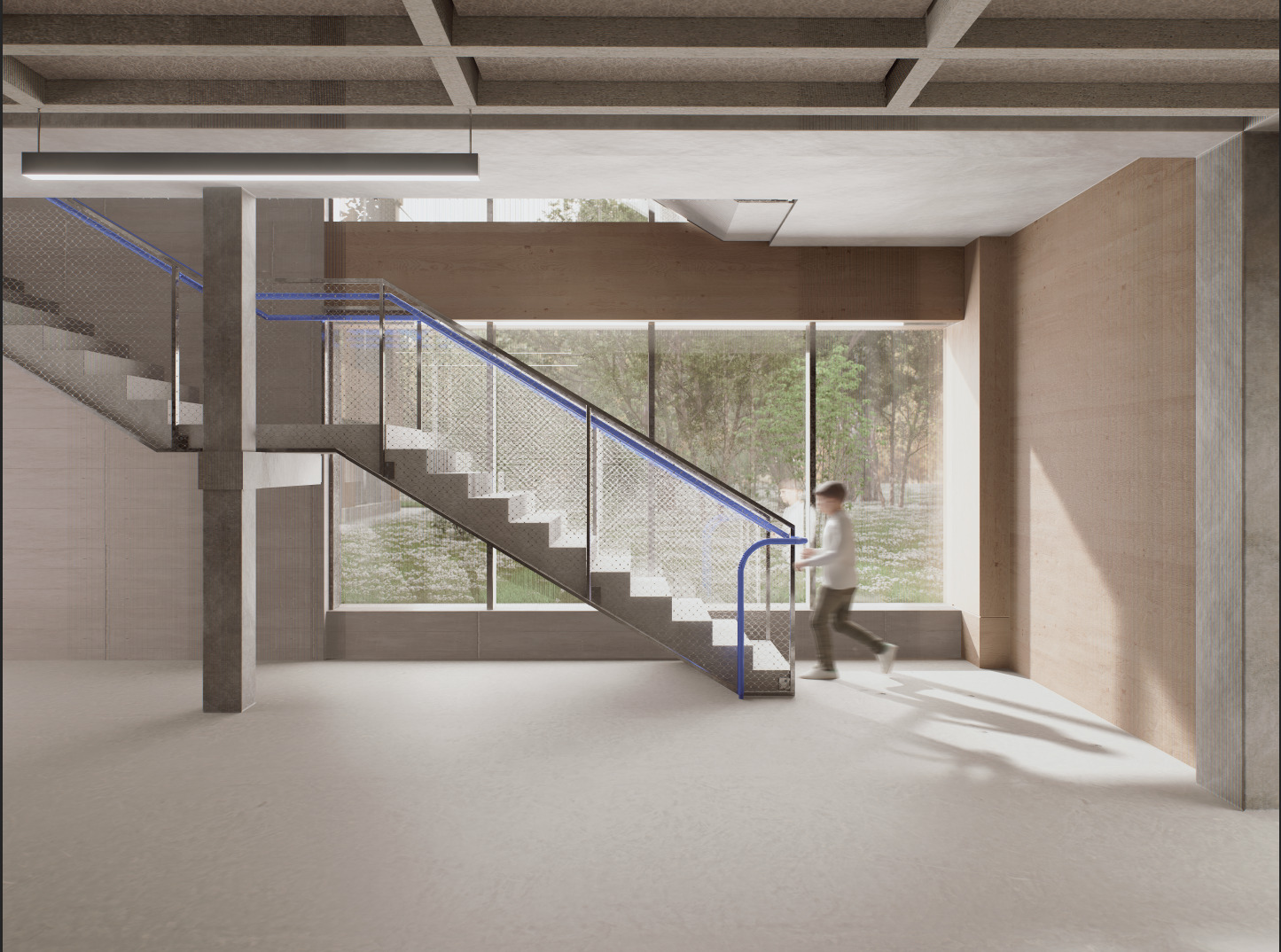
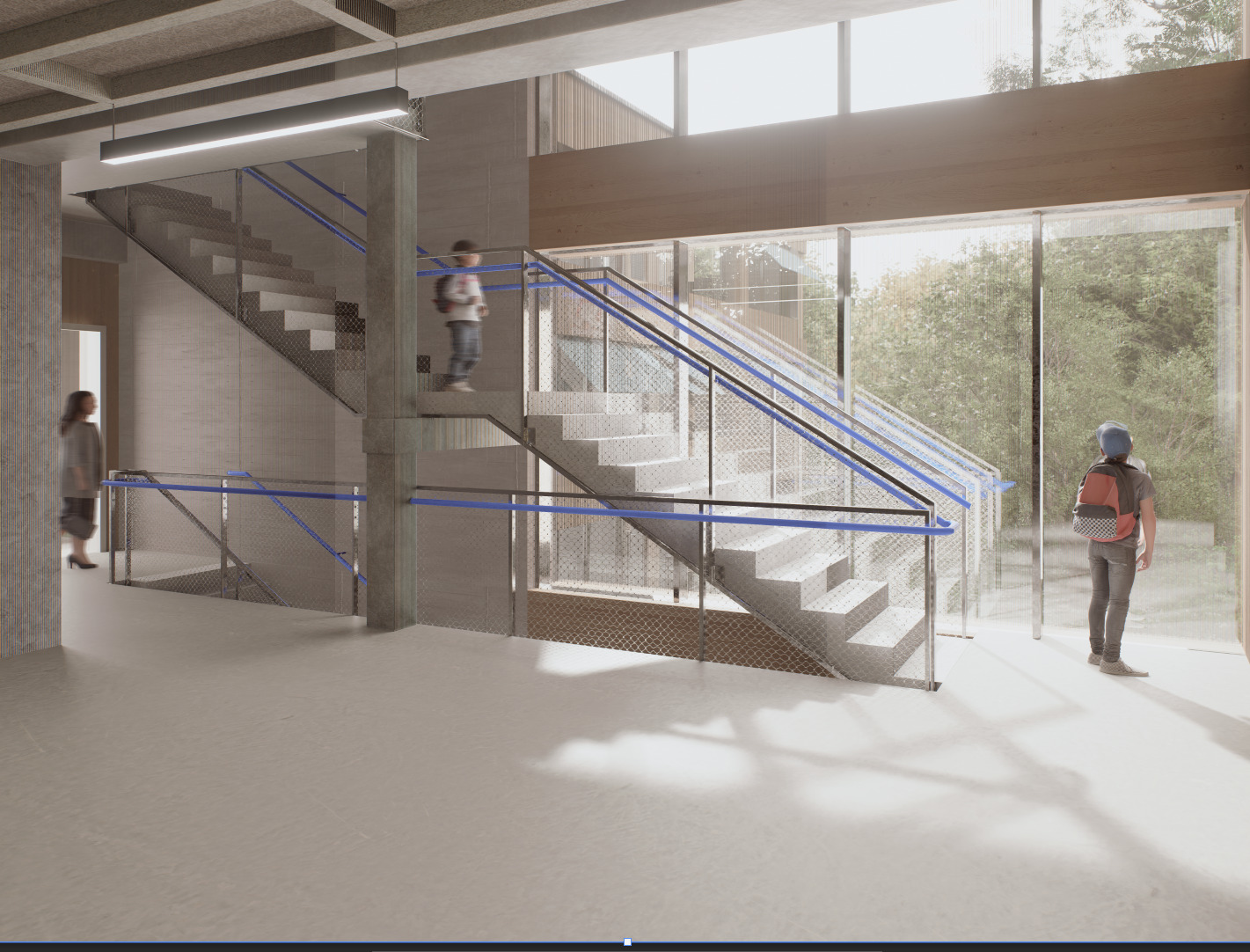
I´have been working on some renderings, encountering this issue. When rendering the images surfaces will have black lines and rainbow artefacts. In the preview this doesnt occur. I have worked with d5 before and never had this issue.
Fixes I already tried: Relocating to model to 0 0 0, disabling rainbow and lens flare, replacing the surfaces in archi cad and rendering in higher resolution.
Still didnt find a fix, would appreciate some help
1: The issue happens in all camera views
2: It only occurs in this specific project, I should also note that i had a friend of mine open the file in his d5 and it looked the same, also in an older version of d5 and the newest, all the same on his screen.
3: there arent any overlapping geometries
4: i disbaled d5 sr denoiser and depth of field, did a test run nothing changed.
5: the model is imported via live sync. Maybe it could help to import the 3d model to a different archicad file and relink it in d5 manually?
I think I should clarify my solution: The archicad file seems to have been corrupted, the 3D representaion wasnt accurate. What i did was I pasted the model into a new archicad file and linked it via live sync to the d5 file i used before with my scenes setup and assets. I then reapplied all the textures and the issue is solved.