Hi! I’ve supporting D5 Render for years and never encountered this problem before, but from a couple of updates, the program takes like 10 minutes to open, just opening the program.
And after opening, when it’s about render, same issue. 10 minutes for a single render calculating, but just 30 seconds in the “real” render.
Does this occur to all of your files, or is it specific to this one? And does it occur every time you open this file?
As D5 has newly opened on a new version, it is expected to have a one-time longer loading time. It won’t happen again after you have fully loaded the program after the update; otherwise, it might be a bug that we need to investigate.
Please send us your log files + Scene files so we can test it on our end. You may send it to support@d5techs.com and have it titled 2.11 Clov-Forum Almost 10 Minutes for Opening D5 Render
It happens EVERY TIME I open the software. Just for opening the software… almost 10 minutes, and for opening a project, more than 15 minutes every time.
Again, it’s just opening the software, not opening NOTHING.
I did that two times with the same result: NOTHING. So no, I won’t send anything, losing my time doing something that you should be doing for a long, reaaally long time. Especially according to the software month price.
I tried EVERYTHING. I even changed my graphics card, and the problem is still there. Yesterday I was working at 120 fps, and then, suddenly, it dropped to 6 / 8 fps… I waited like 5 minutes and then came back to 80 / 90 fps. Nothing changed, using scatter, trees, grass…
Same file, same project, performance drops to a nightmare.
Same problem for years. Probably a memory leak, but it’s not my job to fix that problem.
We’ve requested your log files and scene files since this issue is very specific to your setup.
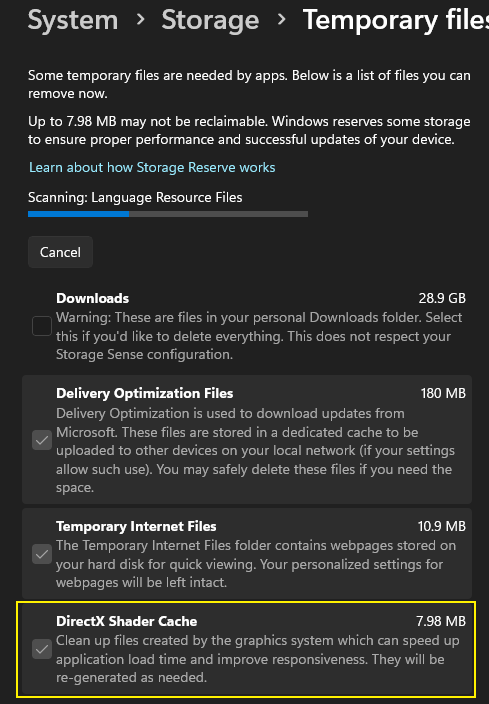
There are multiple known issues with AMD GPUs in D5 Render, particularly affecting RX 7800 XT and RX 7900 XT, and it was resolved by deleting some Dxcache files or downgrading to 25.3.1 AMD Drivers Version (the latest one should be fine as of now)
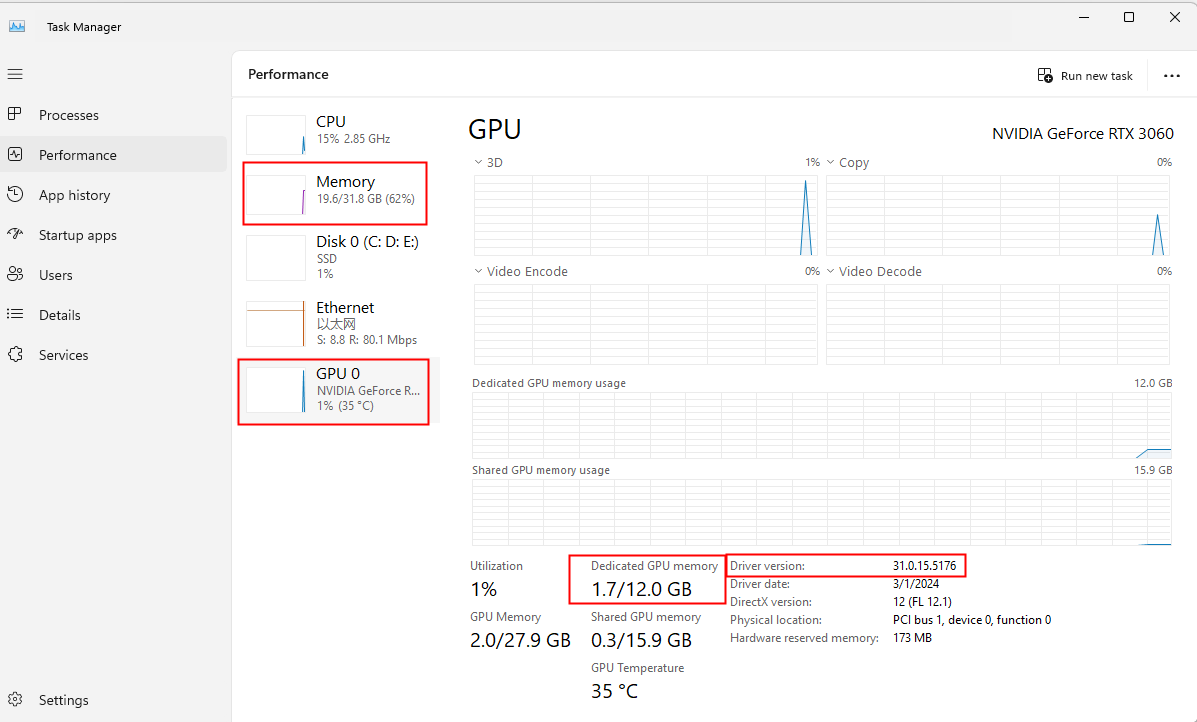
Reverting to version 2.9 appears to resolve the issue. As a temporary workaround, we recommend this while we investigate if the incompatibility with D5 Render is specific to the AMD 9070 GPU. We were uncertain if downgrading GPU drivers is feasible with your new hardware, but the current driver (2025.3.1) seems incompatible with D5 Render.
We also suggest opening your files in your local driver and not via Cloud Storage; you may need to download it first and store it in your local file path. Otherwise, there may be some issues encountered.
We also asked for his specific file so we can test it. Although he declined, considering their files are not for sharing, we respected his decision and proceeded to use a Demo Scene file instead.
The opening issue was resolved by clearing the DX cache and reinstalling the driver; the long loading time issue was resolved.
Collecting the log file and scene file is necessary for us to properly investigate and diagnose this issue further. Since the problem persists even after changing the GPU, this indicates abnormal behavior and requires deeper analysis on our side.
Of course, we fully respect your decision if you prefer not to share the files. However, without them, our ability to identify the root cause and provide an accurate resolution will be significantly limited.