Dear D5,
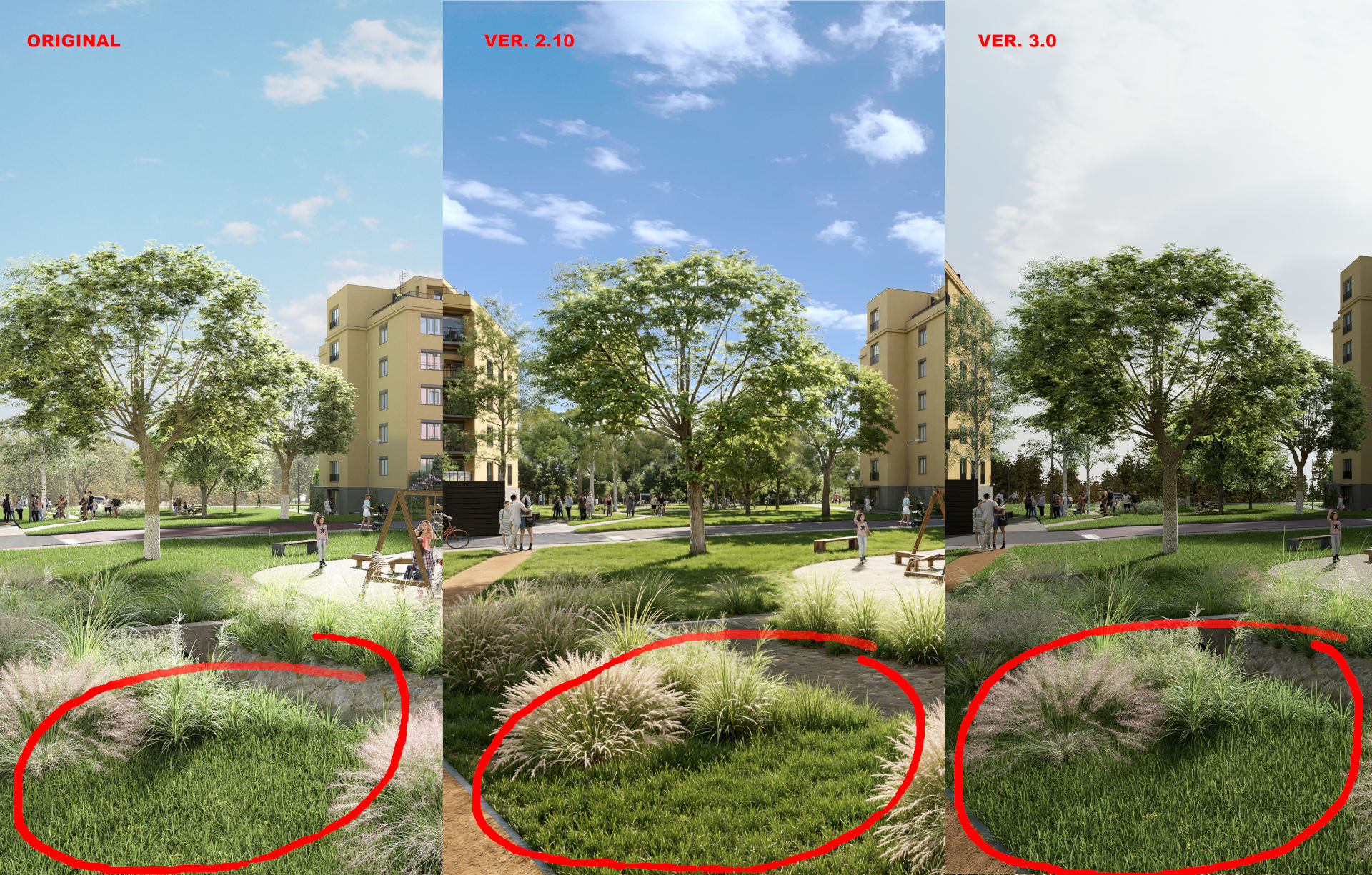
I was just wondering, what happened to the AI Enchancer since in the previous versions I got out of it a really decent output and it was really a big gamechanger for the 3D visualizations. Now it does only something like sharpening of the texture. See the pic below of comparision:
when I was using version 2.10 I got out of AI Enchancer a wery nice grass and surrounding greenery
after upgrading to ver. 3.0 it does not changes to the grass, does no improvement just something like sharpening tool …I tried everypossible combination of weight and texture values
Any idea why is that? Is it about some setting in D5 I should do? For me. this is 3 steps back…
Thank you for the detailed explanation and for attaching the image for reference. We’ve also received similar feedback recently regarding the AI Enhancer*- behavior in D5 Render 3.0. I will take note of your feedback, along with the reference image, and share it with our team for further review.
Just to confirm, is the AI Enhancer the only AI post-processing tool you’re dissatisfied with? Or are you experiencing similar results with other AI tools?
Hi @ela
Thanks for a really fast reply. Yes, the problem is just with the AI Enhancer (I tried several things like changing the output file, render all possible layers, changed resolution from 2K to 6K). I made several test with inpainting and style transfer and they both work more or less fine. If I may add one more thing, for the AI style transfer tool, there should be a pick up arrow (to select specific area) like for the inpainting or AI Enhancer since sometimes you want to change the style just of a specific part of the image.