Hi all,
I’ve created a number of plant mix prompts that I’ve used to scatter the plants within D5 Render - if I wanted to use exactly the same plant mix created and I correct in thinking that I should save it to ‘My Studio’ - so I’ve done that for a few of them and then used the saved plant scatter elsewhere - however the plant mix looks very different, very unlike the original one created - I’ve tried this a few times and the same issue.
Is there another way to save out plant mixes that you have created with prompts within AI Agent?
Thanks,
Martin
Hi @mc1
Sorry to hear about this. Could you please attach a screenshot of the issue for comparison?
Let’s take a look at how the plant mix appears in the result versus the version saved in your Studio, so we can better understand the discrepancy. Thank you.

Hi @ela,
Please find screenshot attached, the planting on the right is the planting I originally created and saved into My Studio, the planting on the left is what I created using the saved preset from My Studio.
Thank you,
Martin
Hi @mc1
Sorry for the delayed response, and thank you for your patience.
Can you confirm what version of D5 client are you currently using? I’ve tried to recreate this issue on my end, but I wasn’t able to observe any differences between the original planting and the planting created using the saved preset from My Studio . The brush application appears to behave the same in both cases during my testing.
To help us investigate this further, would you mind collecting and sharing your log files with us? Please zip and upload it to WeTransfer and send the link to support@d5techs.com. Thanks in advance. How to use Support Tool? | User Manual
Hi @ela
Perhaps you can tell me the workflow you are using and I can understand if I’m doing anything different?
Hi @mc1
Sure thing. I’ve recorded my workflow for reference. Please take a look at the video using the link below and let me know whether this matches your process or if there are any differences in your workflow.
1 Like
I’m using version 2.11.1
I’ve sent you the log files via wetransfer.
Thank you for sending me the short video on your workflow - what I do is different in how I create my preset. I initial use a prompt with the AI agent - then I scatter the output it gives, I then save that preset into My Space - it would be very helpful if you could try that and it see if it works with you.
Thank you
Martin
Hi @mc1
Thank you for the clarification — that makes sense.
To better replicate your workflow on my end, may I ask what exact prompt you used with the AI agent to get the plant mix? I’d be happy to try the same steps and see if I get consistent results. Thanks in advance for your help.
@ela So just tried it again and it was the same issue, this is the prompt that I put through the AI Agent
‘Design a climate-resilient planting scheme in Dubai, using the naturalism-durable style (natural perennial flower bed), featuring a white colour palette. It should thrive in extreme heat, low rainfall, and high solar exposure, with minimal irrigation. Ideal for year-round structural interest’
- I then save this to My Space and then access it in My Studio, see image, the planting on the right is with the prompt through AI Agent, the planting on the left is what I get through My Studio -
If you are able to show me your workflow with a video if you find you are not experiencing the same issue
Thank you
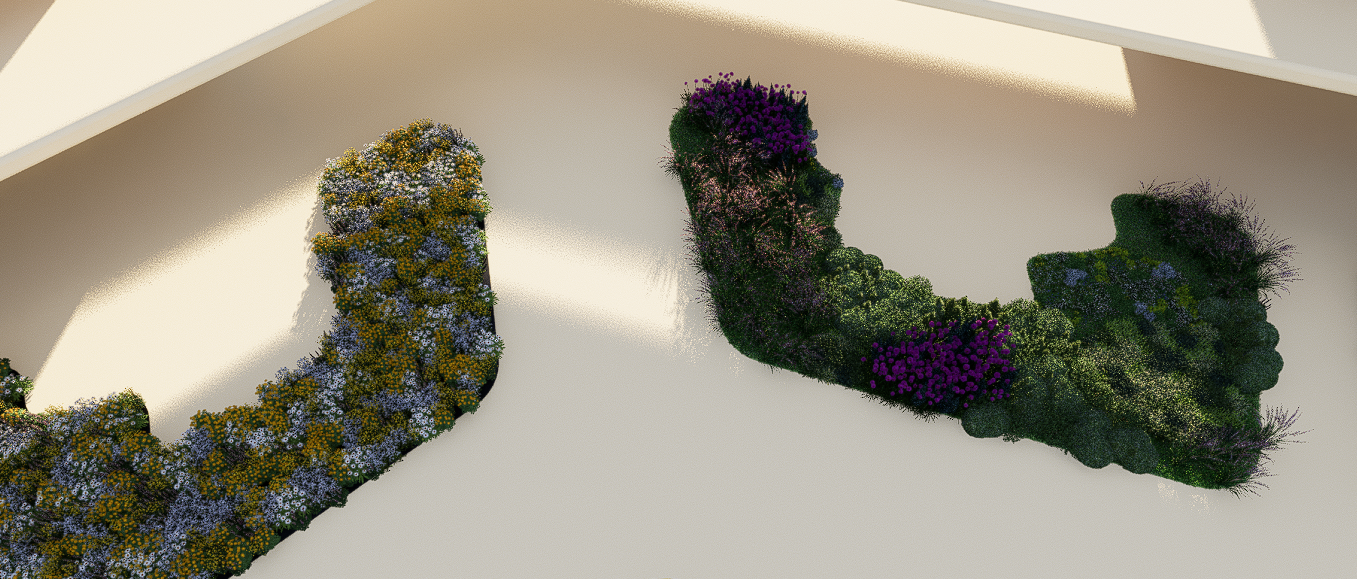
@ela - also just to say I did send you the log files you asked for, will you let me know if this tells you of any possible issue
Hi @mc1
Thank you for sharing the detailed steps and prompt — that was very helpful.
I tested the same workflow on my end and was able to reproduce the issue, where the planting result differs from AI Agent (My Space) and then accessing it again in My Studio.
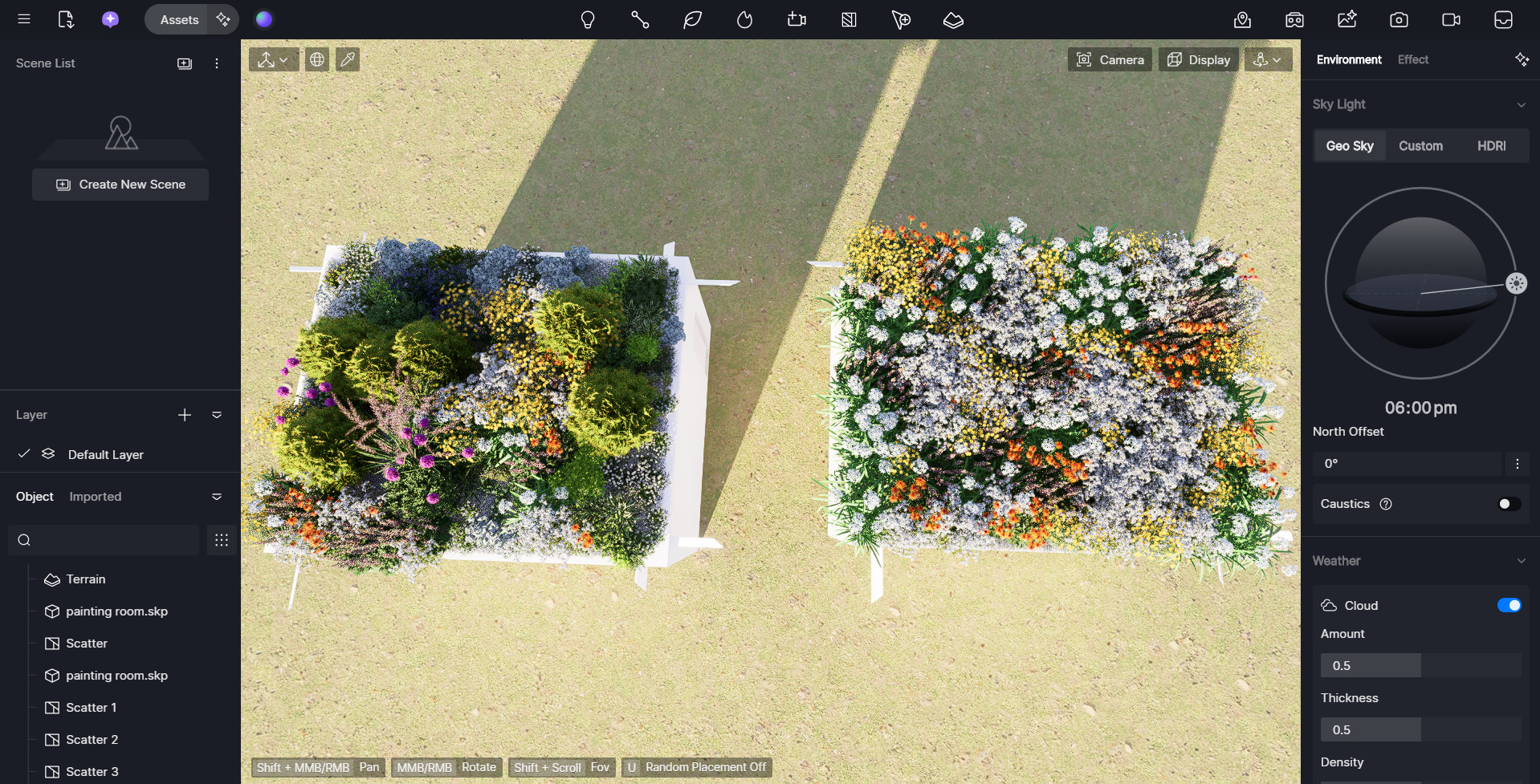
I will submit this as a bug report to our team for further investigation. Please also check your inbox — I’ve sent you a private message.
Thank you for taking the time to report this, and we appreciate your patience while we look into it.
1 Like
Hi @mc1
The team has identified this as a known issue for now. Some information may be lost when a scatter generated by the AI Agent is saved as a preset. Thanks for your patience.