I’m battling to achieve a blue sky in exterior renders, it always results in being greyish. I’ve tried to use to mask out the sky in photoshop, but the mask exported from D5 doesn’t allow for any depth of field applied to the render!
2 Likes
Download photoshop 2021, there you can easily replace sky with just a few clicks. https://youtu.be/vWhRBj4WQHg
2 Likes
Same for me. That’s my main issue with the sky system. It should have an idependent saturation slider, not affecting the actual indirect lightning.
@Oliver.J Here is a suggestion from me! thanks
2 Likes
Ok, thank you for this suggestion!
1 Like
in addition to this how do you use the “sky color” in HDRI seeting? i tried sliding to the blue color but then HDRI sky in my scene turns pink.
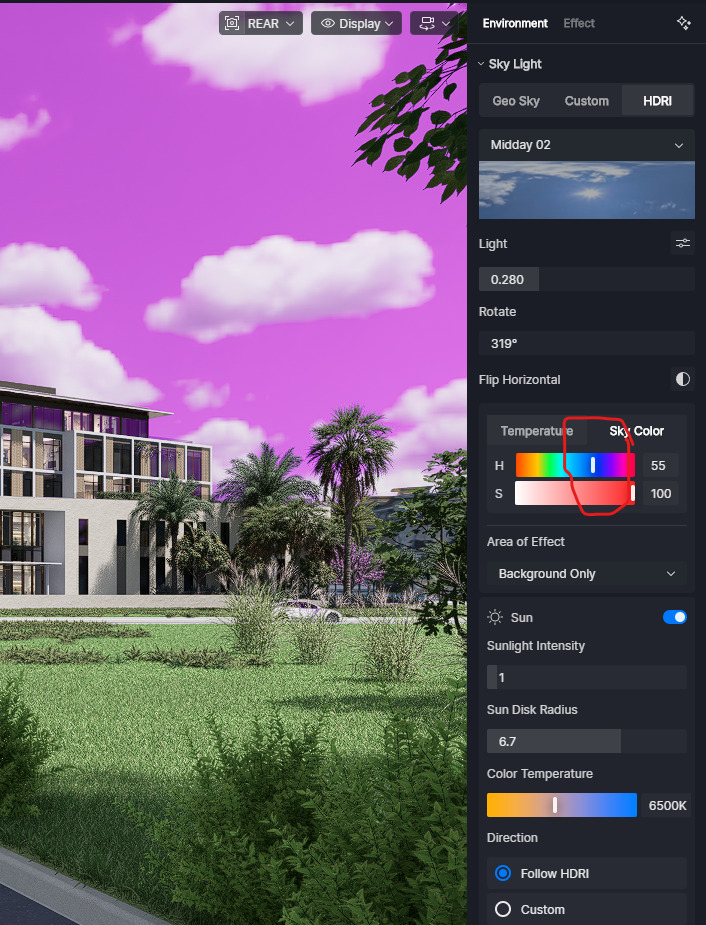
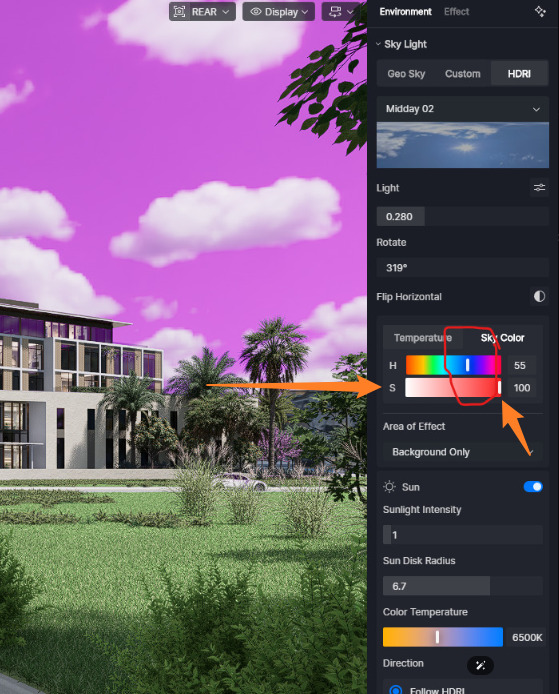
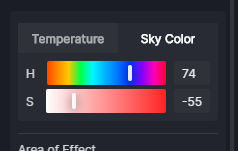
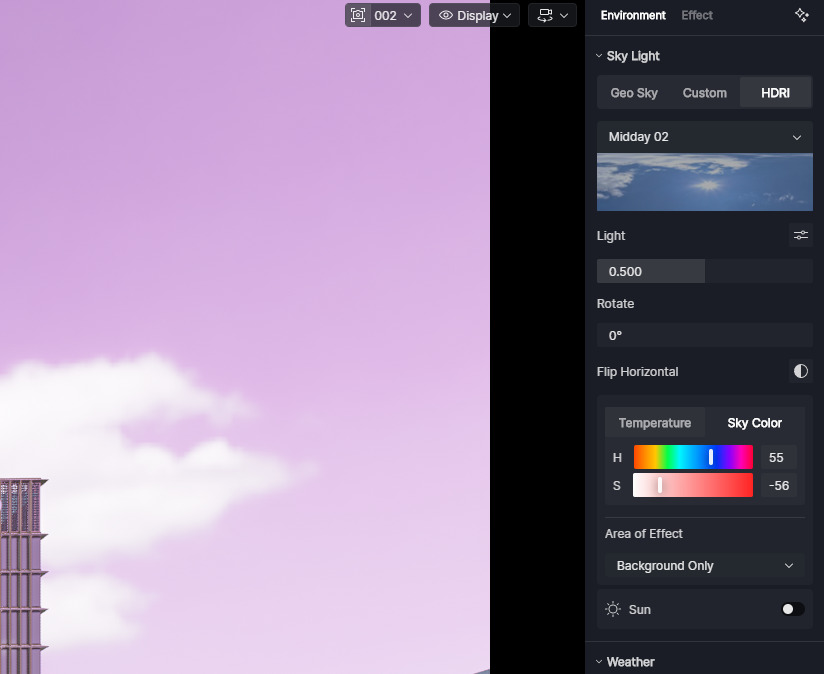
i tried that but didnt work
Hi @darkirender
I apologize for the late reponse, I just confirmed the logic behind the Sky Color feature in D5.
The Sky Color setting in D5 applies a Hue shift to the HDRI rather than directly adding a color to the scene. While D5 uses a linear slider instead of a color wheel, the underlying logic is the same: moving the slider shifts the HDRI’s existing colors along the color spectrum.
For example:
- If your HDRI is biased toward red and you want it to appear blue , slide the Hue control to the left .
- If your HDRI is biased toward blue and you want it to appear red , slide the Hue control to the right .
It’s also important to distinguish between Hue and Saturation :
- Hue changes the color itself.
- Saturation changes the intensity of the existing color.
Therefore, if your HDRI is already blue and you simply want a stronger blue appearance, increasing Saturation is usually more effective than making large Hue adjustments. Excessive Hue shifts may start changing the blue into neighboring colors such as cyan or purple instead of making it appear “more blue.”
- Have the Hue at 0; slide the saturation slider to the right
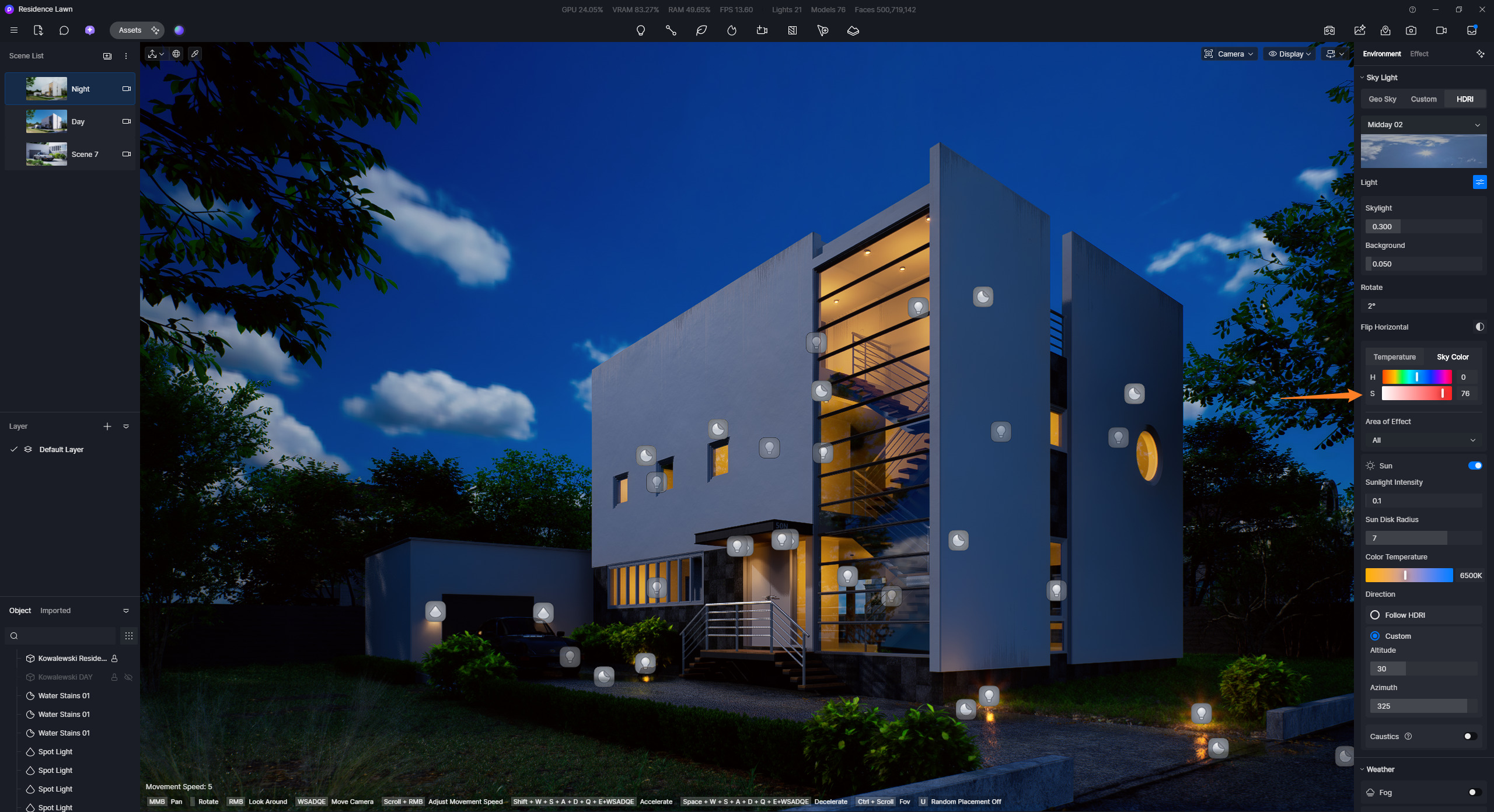
Since every HDRI has a different color distribution, the same Hue adjustment can produce different results depending on the HDRI being used.
it appears that Hue slider should be set at 0 when using HDRI. thank you for the quick response.