Hello,
Does anyone know how to solve this?
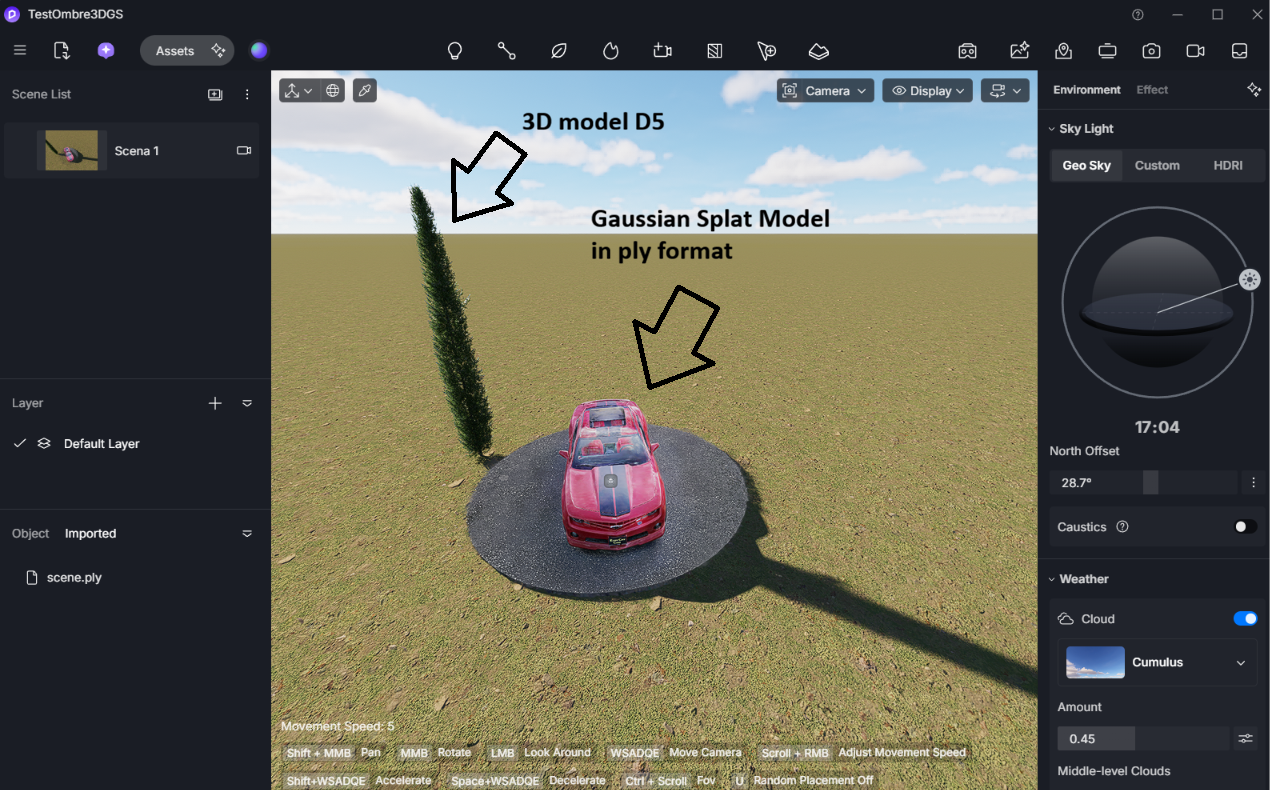
As you can see in the image, the shadows cast onto the Gaussians are not being rendered.
However, shadows cast by the Gaussians onto 3D surfaces work reasonably well.
I have several 3DGS (3D Gaussian Splatting) models captured via SLAM, which I need to use as a base for integrating 3D elements created in SketchUp. Unfortunately, the shadows from these 3D objects are not visible when projected onto the Gaussians; this is a major issue, as it makes everything look very flat.
I also have a mesh corresponding to the 3DGS data, and I tried overlaying them to get the shadows to appear, but I cannot hide the mesh beneath the Gaussians. I’ve tried applying various materials to the mesh and setting them to be transparent, but it doesn’t work—the shadows still don’t show up.
I also tested the lighting.
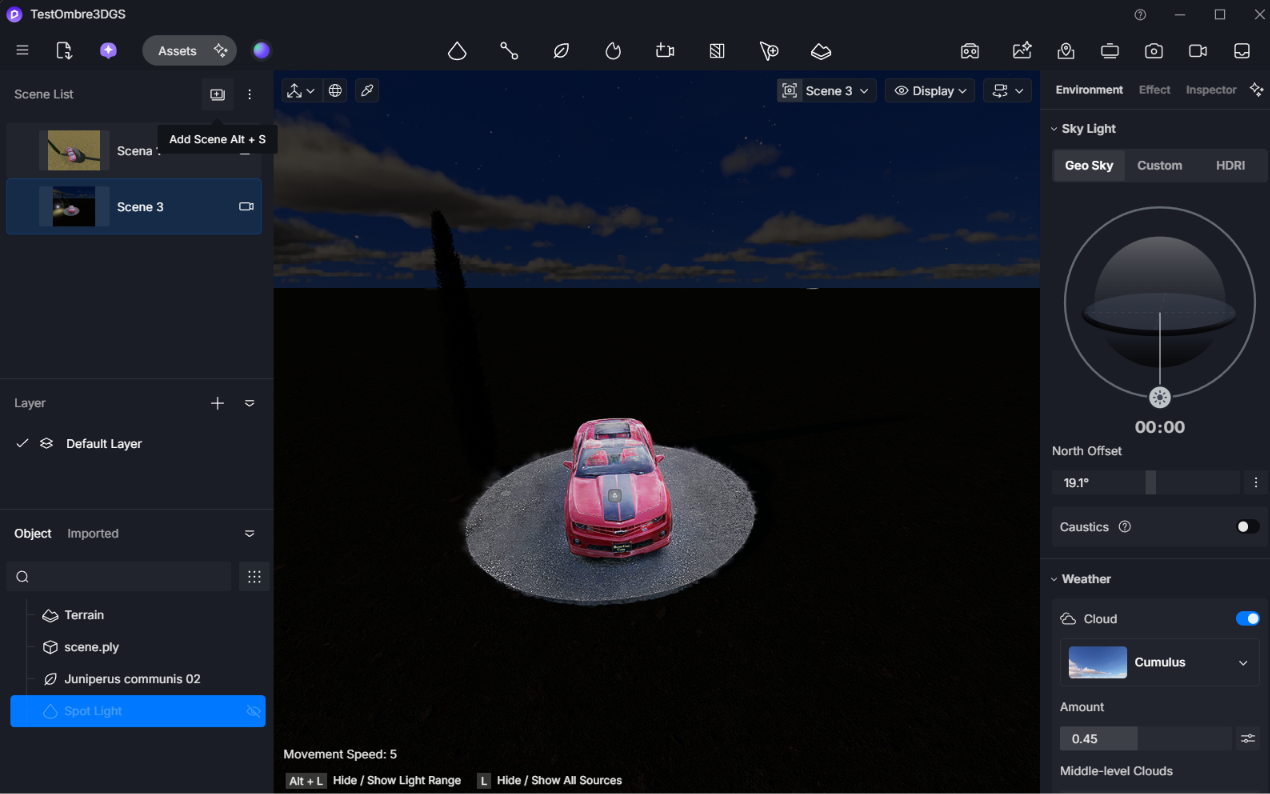
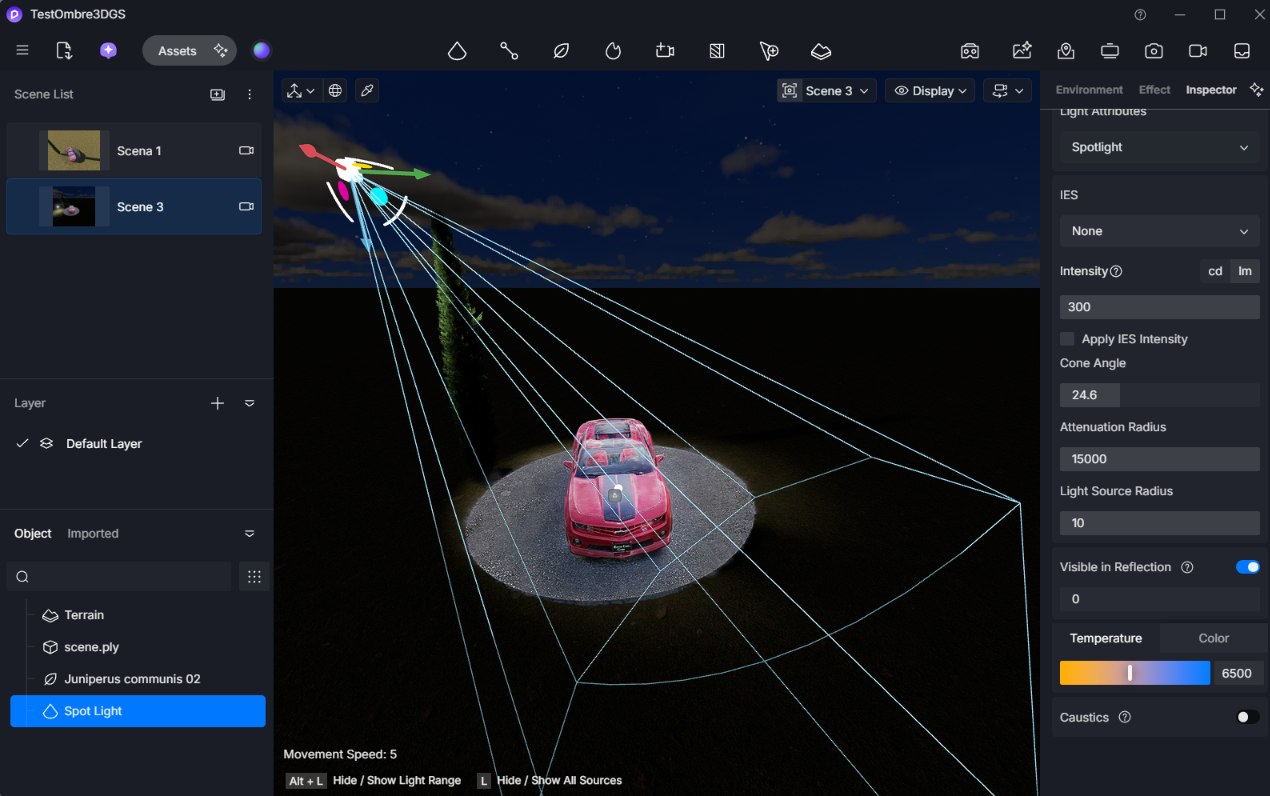
The 3DGS file is unaffected by lighting; in night scenes where I need to add light sources, these do not interact with the 3DGS model.
PLEASE HELP!