3.0 Error : Opacity

This issue has occurred since the 3.0 update. The opacity values are being applied in reverse. I have attached a video link for your reference.

https://drive.google.com/drive/folders/1OxvKZj3ewYD3ex13nxYNWXZ8_rht-6SK?usp=sharing

I have received reports of this same issue from several other users. I also tested it on three different PCs, and the problem was consistent across all of them.

Hi @spencer.k527

Thank you for providing the video. We appreciate you taking the time to test this across multiple PCs.

To help our team further investigate, could you also share your D5 log files? Kindly email the logs to support@d5techs.com, tag me in the email, and include the link to this forum post.
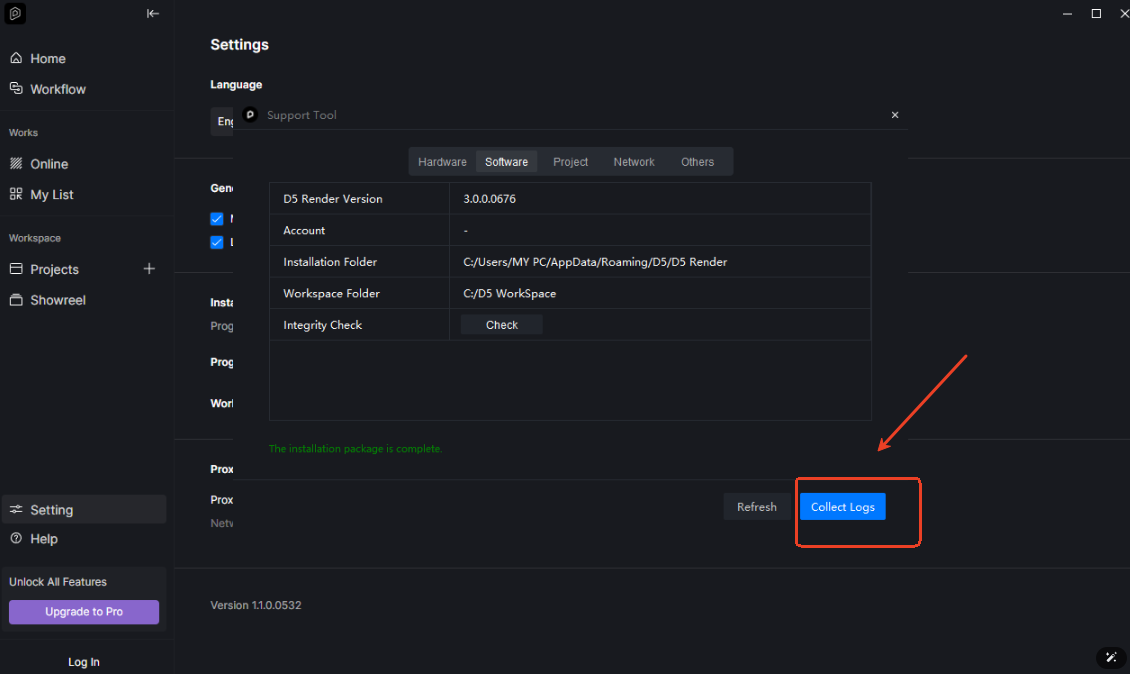
Thank you very much for your cooperation and support.

The email has been sent for your review. thank you

Hi @spencer.k527

I’ve received your email. Thank you for sending it over. We’ll review the details and get back to you as soon as possible.

Hi @spencer.k527

Please restart D5 Render; this should resolve the issue. Let me know if the problem persists after restarting. Thank you

1 Like