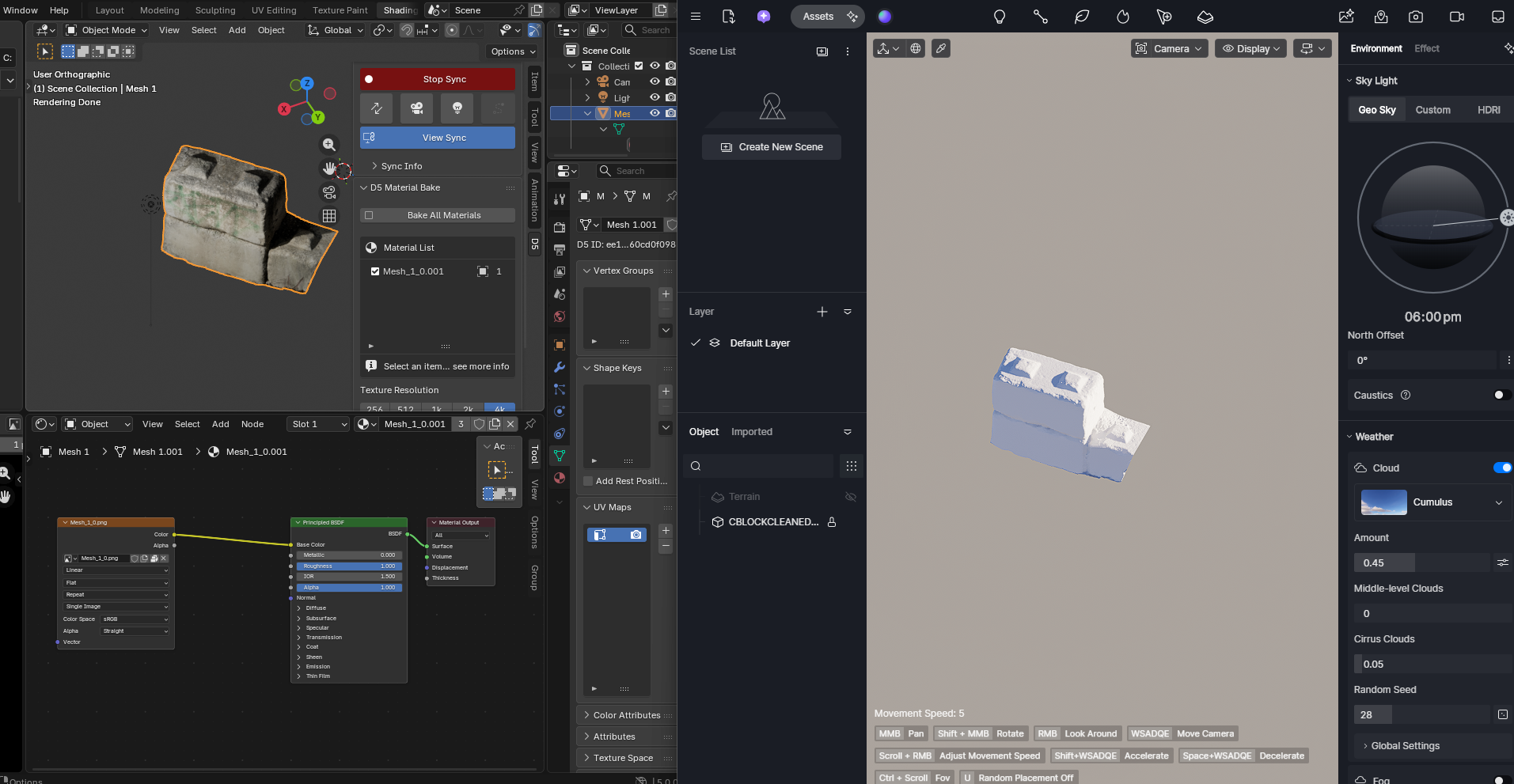
Hi all, I’ve been trying to import a photogrammetry scan (concrete block) from Blender into D5 Render and have been hitting walls for hours. The mesh has a single UV-mapped diffuse texture (Mesh_1_0.png) that looks perfect in Blender but won’t transfer to D5.
What I’ve tried:
- D5 plugin
.d5aexport — errors saying texture file not found - Unpacking/relinking textures in Blender and re-exporting
- Manually applying the texture in D5’s material panel — mesh shows up pure white
- Renaming texture with
_albedosuffix as per D5’s naming rules — still white - FBX export — still white
- OBJ export — still white
- Recalculating normals in Blender before OBJ export — still white
Setup:
- Blender 5.00
- D5 Render (latest)
- Single UV map, Principled BSDF material, Image Texture node → Base Color
- Photogrammetry mesh (~40MB OBJ)
Has anyone successfully imported a UV-baked photogrammetry mesh into D5? Any help appreciated.