I have found that even when text is modeled in Revit, the AI renderer does not keep the modeled text, but interprets it (incorrectly). I even asked it to keep the building signage as is in the text prompt, but it didn’t. I guess it’s just a limitation of the AI.
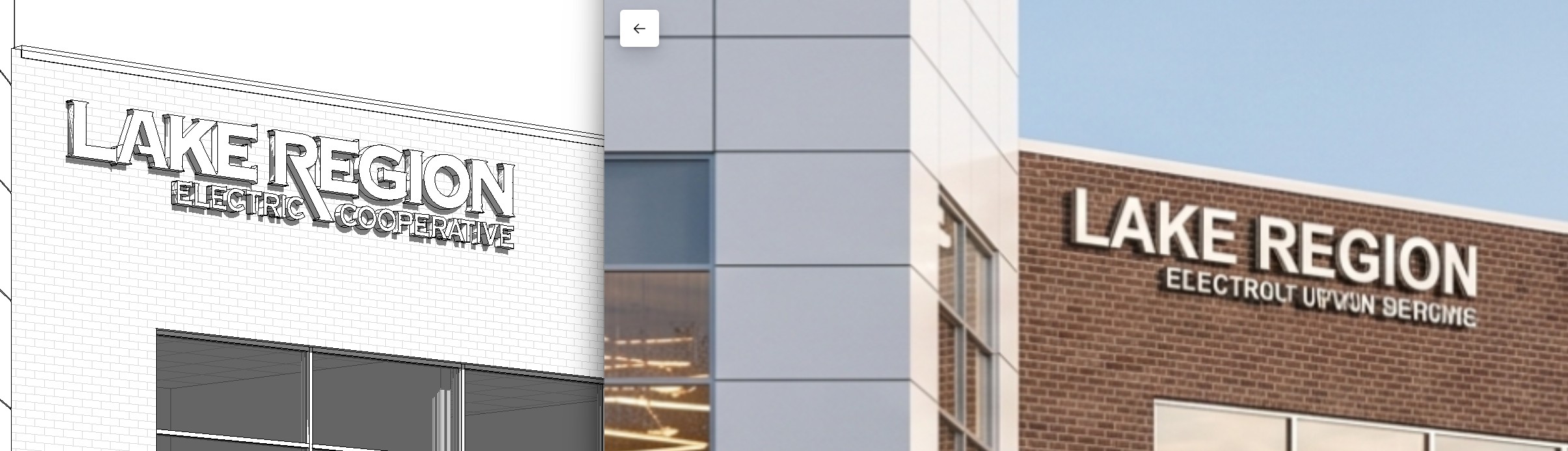
Hi @brian4
Got it, thanks for pointing this out. I’ve forwarded this further to our team for future optimization and improvement.
1 Like
Hi @brian4
Can you send us your revit file? You may generate a link containing the revit file and send it to me privately.
Sent privately.
By the way, the same result is achieved using accurate, default, or creative structure weight settings. This one was on the accurate setting:
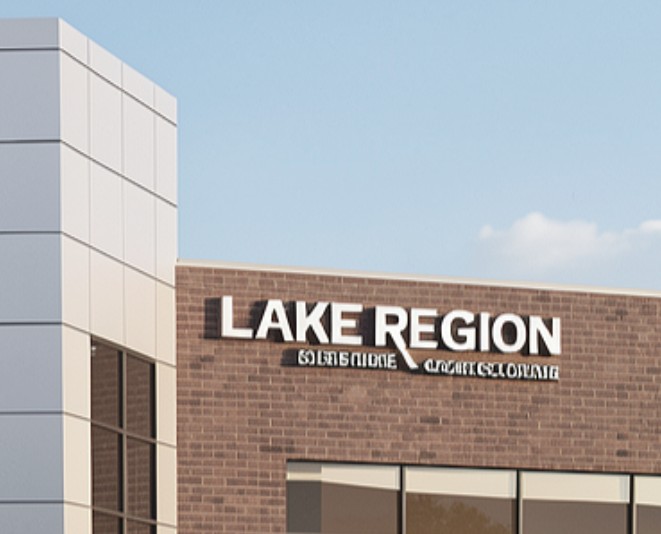
Hi @brian4
We were able to test it on our end.
The text changes you’re seeing are related to the behavior of the underlying AI model used by the AI Enhancement feature. The accuracy of the results depends on factors such as the size and clarity of the text within the image. If the text occupies only a small portion of the image, the AI may have difficulty recognizing it accurately.
To improve the results, we recommend moving the camera closer or adjusting the viewing angle so the text is larger and clearer before running AI Enhancement.
- This is the test we’ve done on our end.
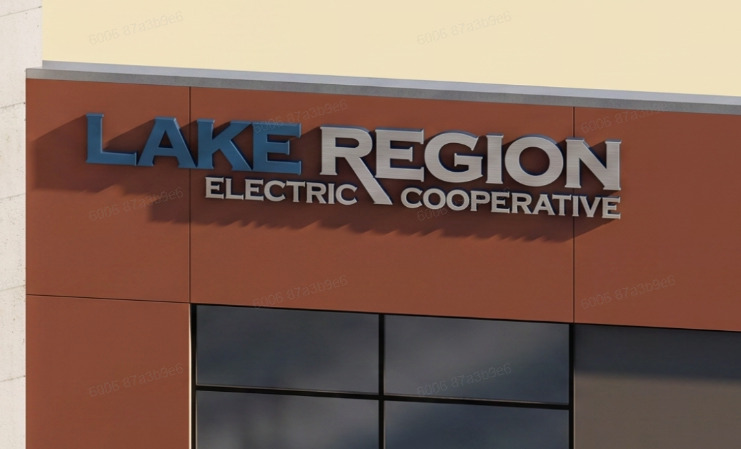
Thank you for the response. Maybe in the future, D5 Lite could be made to pull a high resolution image from Revit to use for rendering, so that small details in the model like signage could render more accurately.