Hello, technical support team,
I am contacting you regarding an issue I’ve encountered while using the D5 Sync for Revit plugin.
Problem description:
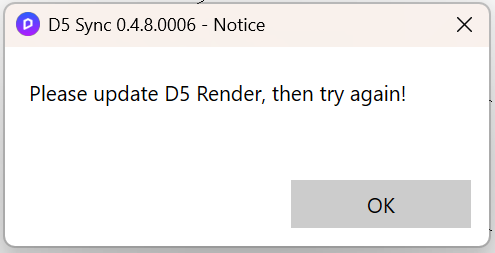
When attempting to perform an import via D5 Sync for Revit, I receive a message prompting me to update D5 Render to the latest version.
System configuration:
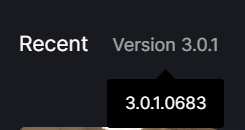
- D5 Render version: 3.0.1 (latest available);
- D5 Sync for Revit version: 0.4.8.0006 (latest available);
- Revit version: 2021 and 2025;
*Graphics Card: NVIDIA GeForce RTX 4070;
*Driver Version: NVIDIA Studio 572.83 - Operating system: Windows 11 Pro 64.
Despite having updated D5 Render to the latest version, the error persists and the import operation fails.
Important context:
Previously, the plugin worked correctly — I was able to perform imports without any issues. The problem started appearing after my subscription for the software expired. I’m not sure whether these two events are directly related, but I mention this detail in case it might be relevant to diagnosing the issue.
Steps I have already taken:
- Restarting both Revit and D5 Render.
- Checking for available updates for D5 Sync for Revit.
- Reinstalling the D5 Sync for Revit plugin.
These actions did not resolve the issue.
I kindly ask you to help identify the cause of the error and provide recommendations for fixing it. If any additional information or log files from the software are required, I am ready to provide them.

I would appreciate a prompt response.
Thank you in advance,
Best regards