Fatal Crash (Abort) in SketchUp 2026 caused by D5 Lite proxy asset download

Bug Report: Fatal Abort in D5 Lite for SketchUp 2026 during Proxy Asset Download

To: D5 Render Support Team (support@d5techs.com) / D5 Render Forum
Subject: Fatal Crash (Abort) in SketchUp 2026 caused by D5 Lite binary incompatibility

Environment

  • Host Application: SketchUp 2026 (v26.01.256)
  • Plugin: D5 Lite / D5 Converter (version 1.4.0.0028)
  • Operating System: Windows 11
  • GPU: NVIDIA GeForce RTX 4070 Laptop GPU / AMD Radeon™ 780M

Description of the Issue

SketchUp 2026 crashes abruptly (bypassing BugSplat, fatal abort to Desktop) immediately upon opening any template or file.

The official D5 Sync installer currently does not recognize the SketchUp 2026 folder, so it only installs up to SketchUp 2025. If a user manually copies the d5_lightening folder and d5_lightening.rb from SketchUp 2025 to SketchUp 2026 to use it, the plugin loads but triggers a fatal C++ Abort when downloading/extracting the proxy asset list.

Log Snippet

By checking the internal d5lite logs located in AppData\Local\d5lite\sketchup\logs, the crash consistently occurs exactly when the plugin attempts to extract the downloaded temporary zip file (lite_asset.zip):

text

[2026/5/19] Log.INFO: File downloaded successfully! url: https://usa.asset.d5cdn.com/liteAsset/publish/1778556804160.zip. path: C:/Users/[USER]/AppData/Local/Temp/d5_lite_temp/d5n_assets/lite_asset.zip

In d5_lite::DownloadManager::DownloadFile

[2026/5/19] Log.INFO: Extracting lite asset JSON…

In d5_lite::AssetLibraryManager::download_and_process_asset_list

[2026/5/19] Log.INFO: Extracting C:/Users/[USER]/AppData/Local/Temp/d5_lite_temp/d5n_assets/lite_asset.zip to C:/Users/[USER]/AppData/Local/Temp/d5_lite_temp/d5n_assets_temp

In d5_lite::AssetLibraryManager::extract_json_from_zip

[2026/5/19] Log.FATAL: Crashed! Reason: Abort

In (anonymous namespace)::WinCrashHandler::internalHandler At F:\LiteCI\engine\modules\core\core\src\core\platforms/windows/crash_handler.cpp:209

Root Cause

The root cause appears to be an ABI / binary incompatibility. The plugin defaults to loading the ruby32_24 binary (built for SketchUp 2024/2025) because there is no specific binary compiled for SketchUp 2026 yet.

When this C++ extension calls the extraction library or interfaces with the Windows file system within SketchUp 2026’s newer environment, it causes an unhandled C++ Exception resulting in an Abort signal that kills the entire SketchUp host process. Even when clearing the temp cache to ensure no files are corrupted, the crash persists precisely at the extraction step.

Expected Behavior

  1. The D5 Installer should officially support SketchUp 2026.
  2. The plugin requires a recompiled .so/.bundle specifically for SketchUp 2026’s Ruby and library environment.
  3. If an extraction fails, the C++ extension should throw a handled error via the UI instead of causing a hard crash of the host application (SketchUp).

Thank you!

Hi @tavuro.designs

Our plug-in is compatible with SKP 2026. According to your description, you are using D5 Lite 1.4.0, the latest version, which fully supports SKP 2026.

  • I also want to know if this issue occurs with all of your files or only with a specific file?
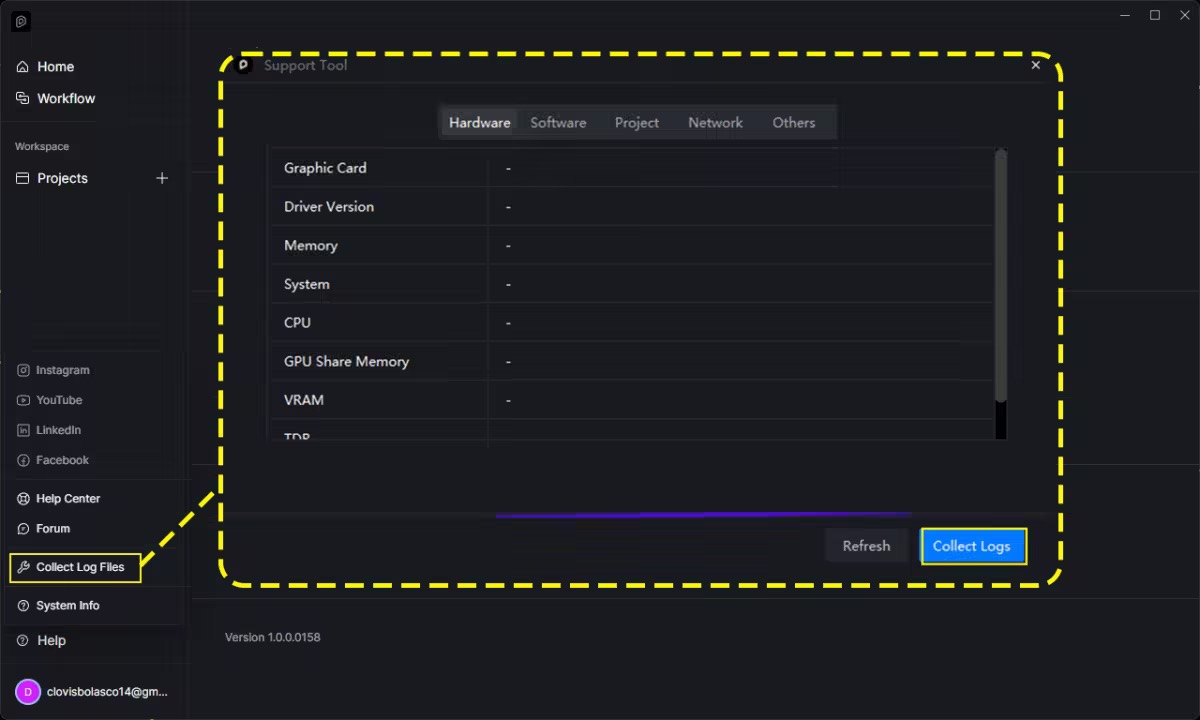
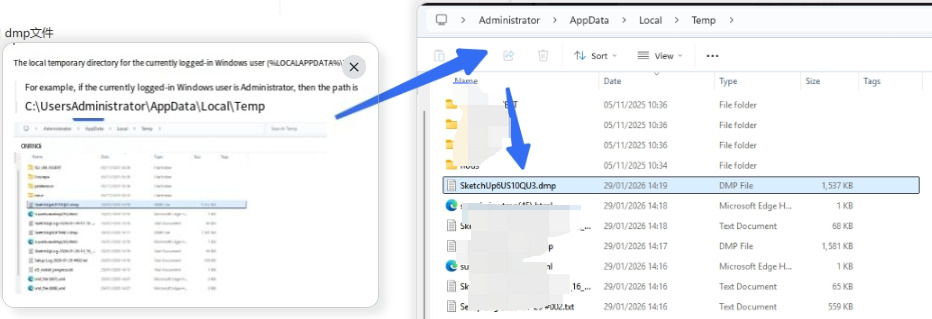
  • Can you send us your Log Files and the D5lite log file that you have mentioned in your description?
  • If possible, please send us screenshots or a video recording of the whole process.

Hola Clov, muchas gracias por tu respuesta.

Para responder a tus preguntas:

Sí, esto ocurre al abrir cualquier archivo e incluso al abrir SketchUp 2026 desde cero con una plantilla vacía. El crash es inmediato durante el arranque.
El problema radica exactamente en el momento en que el plugin intenta descargar y extraer la lista de “Proxy Assets”.
¡He encontrado un workaround (solución temporal) para hacerlo funcionar en SketchUp 2026! Quiero compartirlo con el equipo de desarrollo para ayudar a encontrar la solución definitiva:

Tras analizar el comportamiento, confirmo que el fallo se debe a una incompatibilidad binaria (ABI) con el entorno de Ruby/C++ de SketchUp 2026, ya que la extensión nativa en C++ del plugin está compilada para versiones anteriores (ruby32_24).

Cuando la extensión en C++ interactúa con el sistema de archivos de Windows para descargar/extraer el .zip de los “Proxy Assets”, genera una excepción no controlada que resulta en la señal Abort(), matando por completo el proceso de SketchUp.

¿Cómo lo solucioné temporalmente? Decidí bloquear el acceso a la red específicamente para esa descarga, editando mi archivo hosts de Windows (C:\Windows\System32\drivers\etc\hosts) y añadiendo estas líneas:

text
127.0.0.1 api.d5render.com
127.0.0.1 api.d5render.cn
Resultado: Al no poder conectarse a las APIs, el plugin falla silenciosamente en la descarga de los Proxy Assets, saltándose así la rutina de extracción en C++ que causaba el colapso fatal. Como resultado:

SketchUp 2026 ahora me abre perfectamente sin cerrarse.
El plugin de D5 se inicializa correctamente.
¡La funcionalidad de Live Sync (sincronización de geometría y luces) funciona perfectamente en tiempo real de forma local!
Espero que esta información le sirva a sus ingenieros. El problema está aislado en la rutina de extracción/escritura de los proxy assets en el nuevo entorno de SketchUp 2026. Si el plugin pudiera manejar ese error de C++ en lugar de provocar un colapso grave, o si se recompilara el binario para SKP 2026, el problema estaría resuelto.

¡Un saludo!

Hi @tavuro.designs

Kindly provide us with your log files. This file is crucial for further investigating the issue you have recently encountered.

Please share it to me privately.

We do appreciate sharing your findings with us, this will help us pinpoint the issue better

Hola!
En este .zip estan los archivos.

Por cierto, tutoriales en español, que es uno de los idiomas mas hablados del mundo, serian jenial.

Gracias por su tiempo
SketchUpLog-2026-05-21-13_10_19.zip (8.5 KB)
SketchUpLog-2026-05-21-13_22_21.zip (8.7 KB)

zziplog.zip (3.3 MB)

Resumen: Problema y Solución con SketchUp + D5 Render

:red_circle: Problema

SketchUp 2026 crasheaba al seleccionar una plantilla de inicio. El síntoma era: la ventana de bienvenida abría → se seleccionaba plantilla → SketchUp cargaba completamente → se cerraba solo al cargar los plugins.

Causa raíz: El plugin D5 Render tiene incompatibilidad binaria (ABI) con el entorno Ruby de SketchUp 2026. La extensión nativa C++ del plugin fue compilada para versiones anteriores (ruby32_24) y genera un crash al intentar cargar los “Proxy Assets” al inicio.


:white_check_mark: Solución Aplicada (Workaround)

  1. Renombrar la carpeta del plugin para desactivarlo temporalmente:
  • %APPDATA%\SketchUp\SketchUp 2026\SketchUp\Plugins\D5 RenderD5 Render-off
  1. Limpiar la configuración corrupta:
  • Borrar contenido de %APPDATA%\D5Config\*
  • Borrar los crash dumps: %APPDATA%\d5lite\sketchup\dumps\*.dmp
  1. Reiniciar SketchUp → arrancó sin problema.
  2. Rehabilitar D5 Render renombrando la carpeta de vuelta → funcionó.

Resultado: SketchUp inicia correctamente y D5 Render funciona. La limpieza del D5Config corrupto fue la clave.

Hi @tavuro.designs

Thanks for this. We really appreciate it.

Hi, @tavuro.designs ,I’d like to ask the original poster about the follow-up:
After modifying according to the AI’s instructions and successfully running SU2026, will using SU2026+Lite+Lite assets continue to work normally?