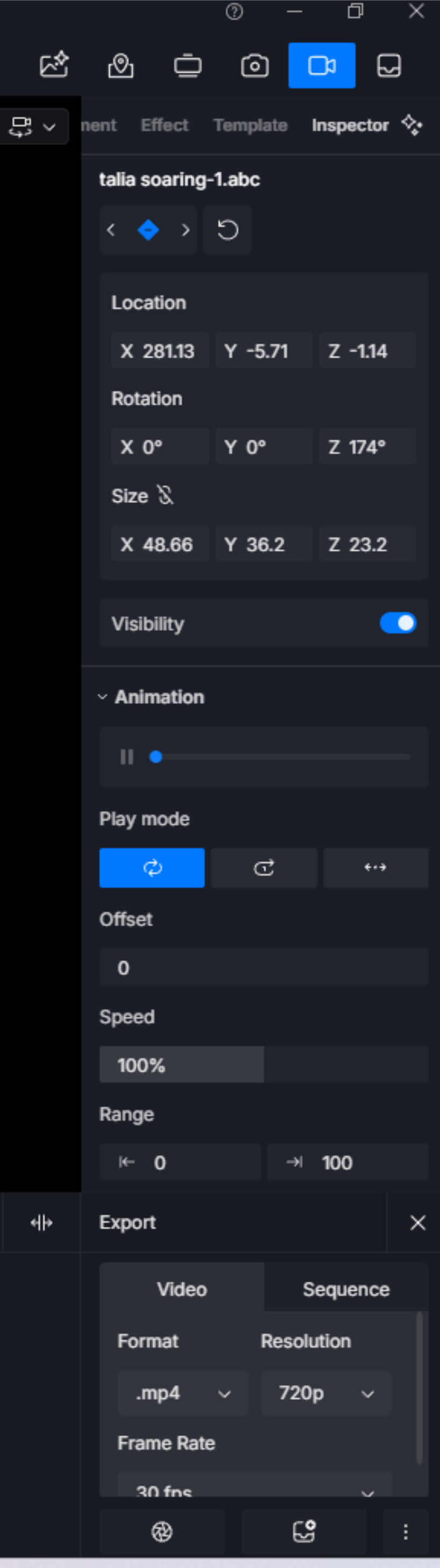
I see “easy ease” talked about everywhere in tutorials and google and so on for editing Keyframes but i see nowhere where it shows you where it is. The attached image is what i get when i select one of my keyframes. No “easy ease” anywhere. Any ideas?
@meah2016 If you are referring to Easy In and Easy Out camera movements, then you need to select the video frame you want to change to get the Options for it (check screenshot below).
Your screenshot shows Inspector Options for an alembic file, and to my knowledge you can’t edit animation for elembic files in D5. The animation for the *.abc files comes from your DCC software.
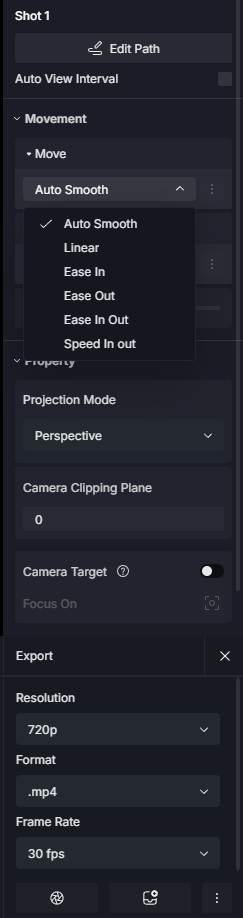
Thanks for replying. Going back over the online stuff that mentions “easy ease”, the use of the term was misleading. Apparently, it is only for the scenes, not objects keyframed within an animation. (As you so helpfully illustrated)
About animating an elembic file, i’m merely moving and rotating it from point A to point B. The embedded animation is unaffected.
But…that still doesn’t explain why it moves from point A,(1st keyframe is at point A) then stops midway, then takes off again to end up at point B (2nd keyframe is at point B)…all while the camera view is smoothly moving from point A to point B for the duration of the video.
Problem solved. What i discovered is that the camera movement controls in the “Inspector” side panel affect how the keyframed objects inside the animation move. When i selected the first frame of the two frames, i changed the “Movement” “Move” from “auto smooth” to “linear”. When i did that, both the beginning shot and the end shot changed to “linear”. I hit the play button and the keyframed object no longer stopped in the middle but kept on moving as did the camera movement. The camera movement and the object movement finally matched each other.
Thanks to DaStruCon for sending me in the right direction.